
Continuum: What to Check When Choosing an OpenAI-Compatible Agent Runtime
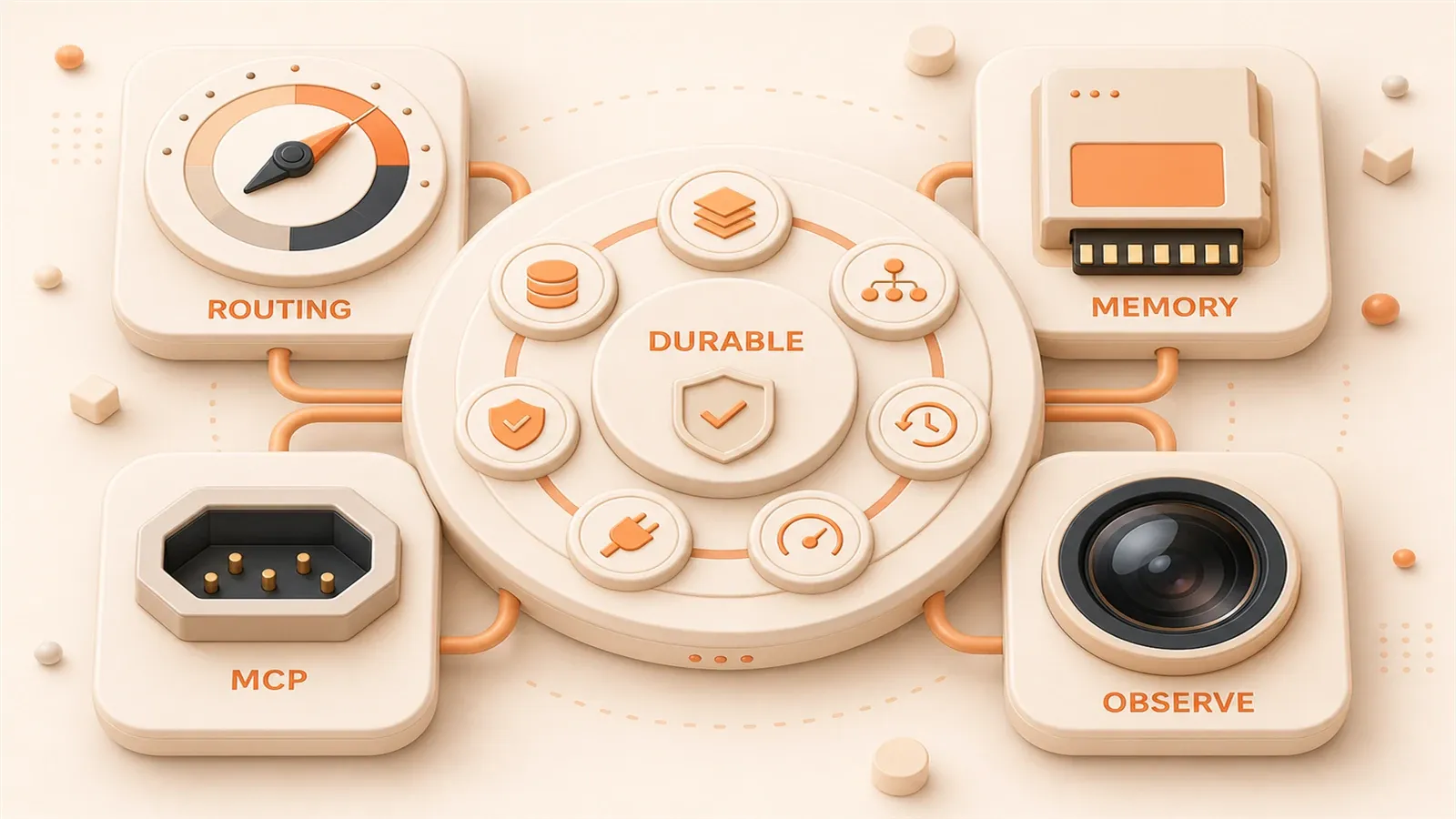
"Continuum's documentation describes its positioning, Python 3.13 requirement, Smart Inference, MCP-native tools, Temporal durable workflows, Langfuse tracing, and nine multi-agent patterns."
"The Continuum GitHub repository is the primary source for installation, APIs, module names, and project maturity."
"The MCP tool ecosystem changes quickly, so claims about server counts and broad vendor adoption should use conservative wording and be reviewed regularly."
Is your agent still running inside a notebook? That is often a sign that you are missing a production-grade runtime. There are plenty of frameworks: LangGraph, CrewAI, AutoGen, DeepAgents. You may know the names, but the real selection question is which dimensions to evaluate.
Continuum is an enterprise-grade agent runtime from ShyftLabs with a clear position: it is built for people who need to ship. It is not a prototyping tool or a notebook toy. It is a Python framework that puts multi-agent collaboration, cost control, durable execution, and observability behind one type-safe API.
When you evaluate any agent runtime, the core checklist has seven dimensions: orchestration patterns, model routing, memory, tool standards, durable execution, observability, and deployment governance. Continuum is only one example, but the complete selection framework is what should guide the decision.
Positioning: what Continuum is, and why use it as the example
An agent runtime should package a clean agent core, multi-model reasoning, stateful memory, tool calling, durable execution, and observability into a composable production system.
Continuum shows these six capabilities clearly:
- typed agent core (
BaseAgent,AgentRunner) - multi-model inference, with the project stating support for 250+ models and 45+ providers
- short-term and long-term memory, using Redis session history plus mem0 vector memory
- native MCP tool support
- Temporal durable workflows
- Langfuse tracing for observability
Continuum is not the only answer. It is a complete example that shows what a production runtime stack should include.
Selection framework: 7 core capabilities for evaluating an agent runtime
Orchestration and multi-agent patterns
Orchestration is the core runtime question: does it support multi-agent collaboration, and which patterns are available?
Continuum provides nine multi-agent patterns:
| Pattern | Use case |
|---|---|
| sequential | Run multiple agents in order |
| parallel | Run independent tasks in parallel |
| loop | Iterate until a condition is met |
| routing | Route input to different agents |
| planning | Break a goal into subtasks |
| reflection | Let an agent review and improve its own work |
| debate | Let multiple agents compete or negotiate a decision |
| scatter | Distribute tasks and aggregate results |
| supervised | Add supervision and human review at key points |
Selection question: which patterns does your scenario need, and does the runtime support them?
If your agent only needs single-threaded sequential execution, the sequential pattern may be enough. If the workflow involves parallel tasks, agent negotiation, or human approval at key points, check whether the runtime supports patterns such as parallel, debate, and supervised. For a practical LangGraph orchestration reference, see LangGraph state management in practice.

Model access and cost routing
Model independence is the first question: does the runtime support multiple models such as OpenAI, Claude, Llama, and local models? Is it OpenAI-compatible?
Continuum’s design is that the agent calls one OpenAI-compatible endpoint, while Smart Inference routes requests across what the project describes as 250+ models based on complexity and cost. The design has a few important ideas:
- single endpoint: the agent does not need to know the concrete model and only calls
SMART_GATEWAY_URL - classifier routing: Smart Inference chooses a model based on task complexity and cost budget
- budget ledger: dynamic output limits help prevent token explosions
- quality tiers: each agent can use a tier such as strict, modest, or quality
Selection question: does the runtime have cost-aware routing? Can quality tiers differ by agent?
Cost control is not only about saving money. It is about preventing bills from running away. Multi-model calls, long-running tasks, and repeated reflection loops can consume far more tokens than expected if there is no budget cap or cost-aware routing.
Memory: short-term sessions plus long-term vector memory
Memory is the context foundation for an agent. Short-term session history supports the current conversation, while long-term vector memory supports retrieval across sessions.
Continuum’s implementation:
- short term: Redis session history in the session module
- long term: mem0 plus Qdrant/Milvus vector memory in the memory module
Selection question: does the runtime separate short-term and long-term memory? Are vector database integrations flexible?
If your agent only needs the current conversation, Redis or in-memory state may be enough. If it needs to retrieve user preferences, historical decisions, or project documents across sessions, check whether the runtime supports vector memory and whether you can swap vector databases such as Qdrant, Milvus, or Chroma. For more on memory system design, see agent memory system design.
Tool standards: native MCP support
Tool calling is the agent’s hands. Which protocol should it use?
MCP (Model Context Protocol) has become an important standard for AI agent tool integration. MCP uses JSON-RPC transport and provides three primitives: Tools, Resources, and Prompts.
Continuum’s implementation: native MCP server support through a unified ToolExecutor interface.
Selection question: is the runtime MCP-native, or does it use a custom API?
Native MCP support means you can use existing MCP servers for file systems, databases, API tools, and more without writing your own protocol adapter. If a runtime uses a custom API, you will maintain another tool interface standard, and ecosystem expansion gets more expensive. For an introduction to building MCP servers, see MCP Server development basics.

Durable execution and human approval
Long-running tasks need durability: resume from checkpoints and pause for approval gates.
Continuum uses Temporal durable workflows and supports:
- resume from interruption: continue from the interrupted point after a task stops
- approval gates: require human approval before continuing at critical nodes
Selection question: does the runtime support durable execution? Can human review interrupt and resume the flow?
If an agent task can run for hours or make critical decisions such as transfers, publishing, or approvals, durable execution and human review are production requirements. Otherwise, a network blip or timeout may lose the whole task, or the agent may continue somewhere it should have paused.
Observability: tracing, metrics, and error reporting
Agent execution chains are long, so observability is a production requirement.
Continuum integrates Langfuse tracing and provides:
- execution tracing for each agent, model call, and tool call
- metrics such as latency, cost, and success rate
- error reporting for exceptions, timeouts, and failed nodes
Selection question: does the runtime include tracing integration? How strong is its error tracking?
Without tracing, an agent system is a production black box. You do not know which node is slow, which model call failed, or which tool timed out. Debugging falls back to log grep. For monitoring and recovery design, see AI agent monitoring, alerts, and failure recovery.
Deployment and governance: self-hosting, cloud independence, and enterprise compliance
Deployment model: self-hosted and cloud-independent.
Continuum is positioned as enterprise-grade and self-hosted. It depends on Docker, Redis, vector databases, Temporal, and Langfuse, all of which can run on your own infrastructure.
Selection question: does the runtime support self-hosting? Does it include enterprise governance design?
If your project requires data to stay inside the company, or if it needs audit and compliance records, self-hosting becomes a hard constraint. If a runtime strongly depends on one cloud provider’s managed services, data compliance may be impossible.
Capability checklist: Continuum as a complete table
Use this table to compare Continuum’s capabilities with other runtimes you are evaluating.

| Module | Capability | Implementation | Selection question |
|---|---|---|---|
| agent core | typed agents, BaseAgent, AgentRunner | Python type safety | Does it use typed design? |
| multi-agent orchestration | nine patterns such as sequential, parallel, and routing | orchestrator.agent | Does it support multiple orchestration patterns? |
| model routing | Smart Inference cost-aware routing | single endpoint plus classifier routing | Does it have cost control? |
| memory | short-term sessions plus long-term vector memory | Redis + mem0 + Qdrant/Milvus | Does it separate short-term and long-term memory? |
| tools | native MCP server support | unified ToolExecutor interface | Is it MCP-native? |
| durable execution | Temporal workflows and checkpoint recovery | temporal module | Does it support durable execution? |
| observability | tracing, metrics, and error reporting | Langfuse integration | Does it have tracing integration? |
| deployment | self-hosted and cloud-independent | Docker + Redis + vector database | Does it support self-hosting? |
This is not a Continuum product pitch. It is a selection framework: each row is a dimension, and each dimension maps to a question you need to answer.
Similar framework comparison: where Continuum sits in the ecosystem
Mainstream agent runtime options in 2026:
| Framework | Production readiness | Cost routing | MCP support | Durable execution | Positioning |
|---|---|---|---|---|---|
| LangGraph | high | none built in | requires integration | yes | graph-based runtime with a mature ecosystem |
| DeepAgents | high | inherits LangGraph | requires integration | yes | battery-included harness based on LangGraph + LangChain |
| Continuum | high | Smart Inference | native | Temporal | enterprise self-hosting with distinctive cost routing |
| CrewAI | medium | none | requires integration | no | simple multi-agent orchestration |
| OpenAI Swarm | low, experimental | none | none | no | lightweight experiment, not for production |
Continuum’s distinctive combination is Smart Inference cost routing, native MCP support, and enterprise self-hosting.
For selection, LangGraph and DeepAgents are more mature on production readiness, while Continuum has distinctive design around cost routing and native MCP. If your scenario is cost-sensitive and needs the MCP tool ecosystem, Continuum’s design is worth studying. For a state-tracking comparison between LangGraph and AutoGen, see LangGraph vs AutoGen state tracking.
Onboarding cost and risks
Dependency list
Continuum is not a lightweight framework where pip install finishes the story. An enterprise runtime comes with infrastructure requirements:
- Python 3.13+
- Docker
- Redis for session history
- Qdrant / Milvus for vector memory
- Temporal for durable workflows
- Langfuse for observability
Installation example
# Install
git clone https://github.com/shyftlabs/continuum
cd continuum
python3.13 -m venv .venv && source .venv/bin/activate
pip install -e ".[dev]"
docker compose up -d
echo "SMART_GATEWAY_URL=https://continuum.shyftops.io/v1" >> .env

# Minimal shape
python - <<'PY'
from orchestrator.agent import BaseAgent
from orchestrator.agent.runner import AgentRunner

agent = BaseAgent(
    name="assistant",
    instructions="You are a helpful assistant.",
    model="gpt-4o-mini",
)

# In a real project, follow the official docs for the async runner,
# session, memory, and gateway configuration.
PY
Note that docker compose up -d only starts part of the local infrastructure. Production deployment still needs Temporal, Langfuse, provider keys, and network permissions. Treat the official documentation as the source of truth.
Best-fit scenarios
- enterprise projects that need cost control, durability, and observability
- self-hosting requirements where data must stay inside the company and cloud independence matters
- multi-agent collaboration that needs several orchestration patterns
- cost-sensitive workloads that need Smart Inference routing
Risk notes
- New-project risk: around 70+ GitHub stars as of 2026-06, and APIs or module names may change.
- Cost claims need verification: 250+ models and 45+ providers are project-stated figures and should be tested.
- Boundary limitation: it depends on Temporal and Langfuse, so it does not fit lightweight scenarios well.
- Documentation dependency: examples should stay minimal, with details delegated to the official docs.
Conclusion: build your own agent runtime selection framework
Choosing an agent runtime comes down to seven dimensions:
- Orchestration patterns: does it support multi-agent collaboration, and which patterns do you need, such as sequential, parallel, routing, planning, and reflection?
- Model routing: does it include cost-aware routing, and can it prevent runaway bills?
- Memory system: does it separate short-term and long-term memory, and are vector database integrations flexible?
- Tool standards: is it MCP-native, and can it use the existing MCP server ecosystem?
- Durable execution: does it support checkpoint recovery and human approval?
- Observability: does it include tracing integration, and how well can it track errors?
- Deployment governance: is it self-hosted and cloud-independent, and does it support enterprise compliance needs?
Continuum is a useful example because it shows a full production runtime stack: nine multi-agent patterns, Smart Inference cost routing, native MCP support, Temporal durable execution, and Langfuse tracing. But selection is not imitation. Weight these dimensions against your own scenario, then compare Continuum with LangGraph, DeepAgents, and CrewAI.
Next step: list your scenario requirements and score each runtime against these seven dimensions.
How to evaluate whether an agent runtime is production-ready
Use Continuum as a reference and check whether an agent runtime can move from demo to production across seven dimensions.
⏱️ Estimated time: 30 min
- 1
Step 1: Confirm the orchestration patterns
List whether your agents need collaboration modes such as sequential, parallel, routing, planning, reflection, debate, or supervised execution. - 2
Step 2: Check model routing and budgets
Confirm whether the runtime supports OpenAI-compatible endpoints, multi-provider routing, quality tiers, and per-task budget limits. - 3
Step 3: Separate short-term and long-term memory
Design current session history, cross-session preferences, project knowledge, and deletable memory separately instead of only asking whether a vector database is supported. - 4
Step 4: Review the tool protocol
Prefer a runtime that is MCP-native or can connect to MCP reliably, so you do not maintain a private tool protocol later. - 5
Step 5: Validate failure recovery and human approval
Simulate provider timeouts, worker restarts, tool 500 responses, and approval pauses to see whether the task can recover, degrade, or pause safely.
FAQ
What is Continuum?
What matters most when choosing an agent runtime?
Why is Continuum's Smart Inference useful?
Is Continuum a good fit for lightweight agent projects?
How should I validate an agent runtime before rollout?
10 min read · Published on: Jun 8, 2026 · Modified on: Jul 14, 2026

AI Agent Toolbox: Codex, Claude Code, Skills, and Gateways
You are reading the opening post of this series. Continue to the next post or open the full series hub to scan the whole path.


Comments
Sign in with GitHub to leave a comment