
LangGraph State Management: Checkpoints, Thread State, and Failure Recovery
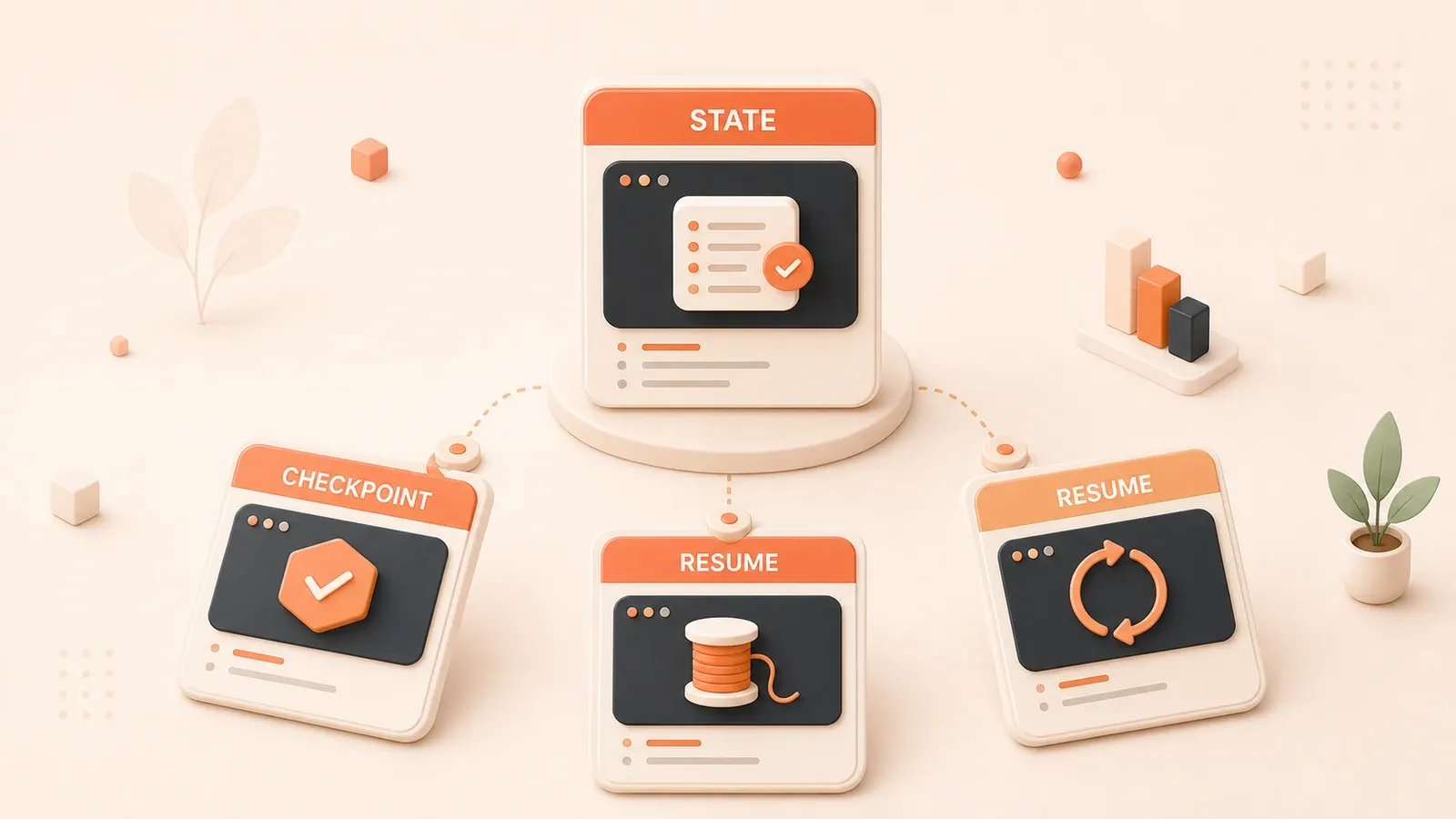
Updated on 2026-06-08: rechecked the volatile facts — Pydantic v3 shipped in late 2025 and is the current stable release (several times faster validation/serialization than v2); LangSmith’s free tier includes 5,000 traces/month (14-day retention) and Plus is $39/seat/month with 10,000 traces; and the human-in-the-loop interrupt/resume code is corrected to current LangGraph APIs. The goal is still making every agent run recoverable, traceable, and replayable.
LangGraph’s GitHub repo has passed 30,000 stars and is among the most active Agent frameworks in 2026. Many teams still stop at “make it run”—state conflicts, persistence failures, and production deploy pain show up in real projects more than in tutorials.
LangChain’s 2026 State of Agent Engineering report ties more than 60% of production incidents to state management. This article focuses on what tutorials skip: State Schema patterns, Reducer practice, persistence choices, framework comparisons, and Observability wiring—with runnable templates and selection criteria.
LangGraph State Management Core: From StateGraph to Reducer
If you’ve used LangChain’s Chain before, StateGraph might feel unfamiliar. Chain is linear—step by step, like a pipeline. But real Agent logic rarely behaves so predictably: you might need to judge “user intent is casual chat or query” at a node, then jump to different branches; or have multiple nodes execute in parallel, then aggregate results. This is why StateGraph exists.
1.1 StateGraph Building Pattern
The core difference between StateGraph and regular Graph is the word “state.” Regular Graph nodes pass fixed inputs and outputs, while StateGraph nodes all share the same state object. Each node can read state, modify state, and modifications automatically pass to the next node.
from langgraph.graph import StateGraph, MessagesState
from langchain_openai import ChatOpenAI

# Define state structure (inherits MessagesState, automatically includes messages field)
class AgentState(MessagesState):
    next_action: str  # next action
    retry_count: int = 0  # retry count

# Initialize graph
graph = StateGraph(AgentState)

# Add nodes
graph.add_node("classify", classify_intent)
graph.add_node("respond", generate_response)
graph.add_node("fallback", handle_fallback)

# Define edges (conditional branches)
graph.add_conditional_edges(
    "classify",
    lambda state: state["next_action"],
    {
        "respond": "respond",
        "fallback": "fallback"
    }
)

# Compile—this step is mandatory, cannot execute without compiling
app = graph.compile()
The .compile() method is often overlooked. I made this mistake when starting with LangGraph—wrote nodes and edges for a while, then got “Graph not compiled” error at runtime. Compilation does type checking, edge connectivity validation, and injects checkpointer based on configuration.
A detail worth noting: StateGraph state is “incrementally updated,” not “completely overwritten.” For example, if you modify retry_count in node A, node B only needs to read that field, not care about other state. This design makes parallel execution possible—multiple nodes run simultaneously, each modifying different state fields, then merging results.
1.2 State Schema Design Evolution
There are three ways to define state structure, each with pros and cons.
TypedDict is the most basic, type-safe but doesn’t support default values:
from typing import TypedDict, Annotated

class SimpleState(TypedDict):
    messages: list
    context: str
    # doesn't support default values, each field must have type annotation
dataclass supports Python native default values, IDE hints friendly:
from dataclasses import dataclass

@dataclass
class DataclassState:
    messages: list
    context: str = ""
    retry_count: int = 0  # can have default values
Pydantic BaseModel is the recommended approach in 2026. It supports recursive validation, type conversion, and integrates seamlessly with LangChain tools:
from pydantic import BaseModel, Field

class OptimizedState(BaseModel):
    messages: list = Field(default_factory=list)
    context: str = ""
    retry_count: int = Field(default=0, ge=0)  # supports validation: must >= 0

    class Config:
        # Pydantic v2 configuration
        extra = "forbid"  # forbid extra fields, prevent state pollution
Honestly, I used TypedDict before, thinking it was enough. Until one time, Agent runtime mixed in illegal fields (added temporarily during debugging, forgot to delete), causing subsequent nodes to get bizarre data. Took half a day to locate. Since then, I switched to Pydantic’s extra="forbid" configuration, intercepting illegal fields at entry.
1.3 Reducer Function Mechanism Deep Dive
This is the most core and easily misunderstood part of LangGraph state management.
When multiple nodes execute in parallel, they might simultaneously modify the same state field. LangGraph’s default behavior is “later execution overwrites earlier,” but this is often not what you want. Reducer functions define how to merge these parallel modifications.
LangGraph has a built-in reducer: add_messages. It’s for message list merging—automatic deduplication, keeping latest version:
from langgraph.graph import add_messages

class ChatState(TypedDict):
    messages: Annotated[list, add_messages]
When you have two parallel nodes each appending messages to messages, add_messages intelligently merges rather than simply overwrites.
Custom Reducer is just a function receiving two parameters: current value and new value. Returns merged result.
def merge_contexts(existing: str, new: str) -> str:
    """Merge context strings, keep longest version"""
    if not existing:
        return new
    if not new:
        return existing
    return existing if len(existing) >= len(new) else new

class CustomState(TypedDict):
    context: Annotated[str, merge_contexts]
I used custom reducer in a project for “multi-path recall” scenario. Three retrieval nodes queried vector database, keyword index, knowledge graph in parallel, each returning candidate result lists. Finally used reducer to merge, deduplicate, and sort by relevance. This approach was nearly 3x faster than sequential calls.

Persistence and Checkpointing: Foundation for Production-grade Agents
The 3 AM crash mentioned in the intro was fundamentally caused by not configuring persistence correctly. MemorySaver only stores state in memory, gone when process restarts. Agent crashes mid-execution, all user conversations lost—this kind of incident is unacceptable in production.
2.1 Checkpointer Types and Selection
LangGraph provides three Checkpointers with very different applicable scenarios.
| Checkpointer | Applicable Scenario | Pros | Cons |
|---|---|---|---|
| MemorySaver | Local development, quick testing | Zero config, extremely fast | Lost on process restart |
| SqliteSaver | Single-machine deployment, prototype validation | Lightweight, no external dependencies | Write performance limited, not suitable for high concurrency |
| PostgresSaver | Production environment | Reliable, supports high concurrency | Need to maintain PostgreSQL |
I strongly recommend: use MemorySaver during development, go straight to PostgresSaver for production. Skip SqliteSaver—its write performance bottleneck will make you doubt life in high concurrency scenarios.
# Production environment configuration example
from langgraph.checkpoint.postgres import PostgresSaver
import psycopg

# Sync version
conn = psycopg.connect("postgres://user:pass@host:5432/db")
checkpointer = PostgresSaver(conn)

# Async version (recommended for high concurrency)
from langgraph.checkpoint.postgres.aio import AsyncPostgresSaver
import psycopg_pool

pool = psycopg_pool.AsyncConnectionPool(
    "postgres://user:pass@host:5432/db",
    min_size=5,
    max_size=20
)
async_checkpointer = AsyncPostgresSaver(pool)

# Inject at compile time
app = graph.compile(checkpointer=async_checkpointer)
2.2 Thread ID Mechanism
Thread ID is LangGraph’s core mechanism for multi-user/multi-session isolation. Each thread_id corresponds to independent state history, not interfering with each other.
# First conversation
config = {"configurable": {"thread_id": "user_123_session_1"}}
result = app.invoke(
    {"messages": [{"role": "user", "content": "My name is Xiao Ming"}]},
    config
)

# Second conversation (same thread_id)
# Agent remembers "My name is Xiao Ming"
result2 = app.invoke(
    {"messages": [{"role": "user", "content": "What's my name?"}]},
    config  # same thread_id
)

# Different thread_id = completely independent new session
config_new = {"configurable": {"thread_id": "user_456_session_1"}}
result3 = app.invoke(
    {"messages": [{"role": "user", "content": "What's my name?"}]},
    config_new  # Agent doesn't know "Xiao Ming"
)
This mechanism is clever but easy to misuse. I once made a mistake: set thread_id to a fixed value, result was all users sharing the same conversation history—User A’s questions, User B saw the answers. Correct approach is using UserID + SessionID combination as thread_id.
Auto-save and auto-load are another “implicit” feature of checkpointer. You don’t need to manually call save() or load(), every invoke() or stream() call automatically triggers. Convenient, but also means your database needs to handle frequent writes.
2.3 Serialization and Type Support
LangGraph defaults to JsonPlusSerializer for state serialization. It supports:
- Python native types (list, dict, str, int, float, bool)
- datetime objects
- LangChain message types (HumanMessage, AIMessage, etc.)
- enum values
from datetime import datetime
from langchain_core.messages import HumanMessage

class RichState(TypedDict):
    messages: list
    created_at: datetime  # supports datetime
    status: str

# Can directly store datetime, no need to convert to string
state = {
    "messages": [HumanMessage(content="Hello")],
    "created_at": datetime.now(),
    "status": "active"
}
But some types aren’t supported, like Python’s set. If your state has set, you need to convert to list yourself, then convert back when reading. I used set to store visited node IDs in a project, serialization threw error, took a while to locate.
2.4 Production Deployment Pitfall Guide
Pitfall 1: SqliteSaver Write Performance
SQLite’s write lock is database-level, only one write operation at a time. If your Agent needs to handle 100+ concurrent conversations, SqliteSaver becomes bottleneck. Symptoms: user requests slow down, error rate rises, logs full of “database is locked.”
Solution: Go straight to PostgreSQL, use async version AsyncPostgresSaver.
Pitfall 2: Async API Selection
LangGraph’s sync and async APIs are separate. If your application is async framework (FastAPI, aiohttp), must use async versions:
# Sync API (blocking)
result = app.invoke(state, config)

# Async API (non-blocking)
result = await app.ainvoke(state, config)

# Streaming output also needs corresponding async method
async for chunk in app.astream(state, config):
    yield chunk
Mixing sync and async causes problems. I once called sync invoke() in FastAPI route, blocked the entire event loop, other requests all stuck.
Pitfall 3: Missing Error Recovery Mechanism
Checkpointer saves state, but it’s not automatic failure detector. If your Agent crashes at node C, state stays before node C, but you need to implement “resume from breakpoint” logic yourself:
# Resume from last interruption point
state = app.get_state(config)
if state.values.get("current_node") == "C":
    # Re-execute node C
    result = app.invoke(state.values, config)
LangGraph provides app.get_state() and app.update_state() APIs, letting you read and manually modify state. Useful for debugging—you can “rollback” to a checkpoint and re-execute.
Framework Comparison: LangGraph vs CrewAI vs AutoGen
Choosing framework is like choosing programming language, no “best” only “most suitable.” I’ve used all three in projects, each has its personality.
3.1 Three Framework Design Philosophy
LangGraph: Graph Structure + State-driven
LangGraph’s core philosophy is “explicit graph structure.” You define nodes, edges, state, framework executes. Benefit is extremely strong control—you clearly know how data flows, what decision made at which node. Downside is steep learning curve, relatively more code.
# LangGraph style: explicitly define each node and edge
graph = StateGraph(AgentState)
graph.add_node("research", research_node)
graph.add_node("write", write_node)
graph.add_node("review", review_node)
graph.add_edge("research", "write")
graph.add_conditional_edges("write", should_review, {"review": "review", "end": END})
CrewAI: Role-driven + High Abstraction
CrewAI’s approach is “define roles, let them collaborate.” You define Agent (role), Task (task), Crew (team), framework auto-orchestrates. Quick to start, few lines of code to run. But weak control—underlying orchestration logic encapsulated, difficult to debug when problems occur.
# CrewAI style: define roles and tasks
researcher = Agent(role="Researcher", goal="Find information", ...)
writer = Agent(role="Writer", goal="Write articles", ...)

task1 = Task(description="Research topic X", agent=researcher)
task2 = Task(description="Write article based on research", agent=writer)

crew = Crew(agents=[researcher, writer], tasks=[task1, task2])
crew.kickoff()  # one line to start
AutoGen: Conversation-driven + Collaboration
AutoGen from Microsoft Research, core is “Agent conversations.” You define multiple Agents, they collaborate through conversations. Suitable for frequent communication, negotiation scenarios, like code review, proposal discussion. But high Token consumption—Agent conversations occupy large context window.
# AutoGen style: Agents collaborate through conversation
assistant = AssistantAgent("assistant", llm_config=...)
user_proxy = UserProxyAgent("user_proxy", ...)

# Agents automatically converse
user_proxy.initiate_chat(
    assistant,
    message="Help me write a sorting algorithm"
)
# assistant and user_proxy will automatically multi-round converse until task complete
3.2 Technical Dimension Comparison Table
I compared based on actual usage experience from several dimensions:
| Dimension | LangGraph | CrewAI | AutoGen |
|---|---|---|---|
| Learning Curve | Steep | Gentle | Medium |
| Control Power | Extremely Strong | Medium | Medium |
| Production Maturity | Most Mature | Stable | Improving |
| State Management | Native Support | Encapsulated | Encapsulated |
| Debugging Ability | Strong (visual trace) | Medium | Medium |
| Token Efficiency | High | Medium | Low (conversation overhead) |
| Parallel Execution | Native Support | Supported | Supported |
| Persistence | Multiple Backends | Limited | Limited |
| Documentation Quality | Detailed | Average | Average |
Learning Curve: CrewAI most friendly, define roles and done. LangGraph needs understanding StateGraph, Reducer, Checkpointer concepts, longer ramp-up period.

Control Power: LangGraph wins. You can precisely control each node’s input/output, conditional branches, parallel execution. CrewAI and AutoGen orchestration logic encapsulated, difficult to locate when problems occur.
Token Efficiency: AutoGen’s conversation mechanism leads to high Token consumption. Every Agent message transfer occupies context window. LangGraph’s state-driven mode more efficient—state only stores necessary information, won’t infinitely expand.
3.3 Selection Decision Framework
If you’re struggling to choose, judge this way:
Choose CrewAI, if:
- Quick prototype, demo effect
- Team has limited Agent development experience
- Task flow relatively fixed, no complex conditional branches needed
- Short project cycle, prioritize delivery
Choose LangGraph, if:
- Build production-grade system
- Need precise control of flow and state
- Have complex conditional branch, parallel execution requirements
- Long-term maintenance, iteration
Choose AutoGen, if:
- Task needs multi-Agent negotiation, discussion
- Have existing LLM quota, Token consumption not a problem
- Research nature project, exploring Agent collaboration patterns
My suggestion: If unsure, start learning LangGraph. Its concepts are more foundational, after mastering, understanding CrewAI and AutoGen becomes easier. Plus LangGraph’s documentation and community support is currently best among the three.
Observability and Production Deployment Practice
After Agent goes to production, you face a new problem: it runs as a black box. You don’t know which node it stuck at, why it output bizarre results, whether Token consumption is normal. Observability tools exist to solve these problems.
4.1 LangSmith Integration
LangSmith is LangChain’s official Observability platform. It tracks every call, visualizes Agent execution path, evaluates output quality.
import os

# Configure environment variables (set once at startup)
os.environ["LANGSMITH_API_KEY"] = "your-api-key"
os.environ["LANGSMITH_TRACING"] = "true"
os.environ["LANGSMITH_PROJECT"] = "my-agent-project"

# Every invoke afterwards automatically reports
result = app.invoke({"messages": [...]})

# View in LangSmith console:
# - Complete call chain
# - Each node's input/output
# - Token consumption details
# - Execution time distribution
LangSmith’s trace feature is what I use most when debugging Agents. Once user feedback Agent occasionally outputs irrelevant content, I flipped through trace records in LangSmith, found a retrieval node returned wrong results. Problem location took less than 10 minutes, fix quick too—added a filter condition.
Cost-wise, LangSmith has free tier (5000 traces per month), enough for small projects. Team version $39/month+, suitable for multi-person collaboration.
4.2 Langfuse Open Source Alternative
If your project is sensitive about data privacy, or want to control Observability data yourself, Langfuse is an open source alternative.
# Install
# pip install langfuse

from langfuse.langchain import CallbackHandler

# Initialize handler
langfuse_handler = CallbackHandler(
    public_key="pk-xxx",
    secret_key="sk-xxx",
    host="https://cloud.langfuse.com"  # or self-hosted address
)

# Inject into invoke
result = app.invoke(
    {"messages": [...]},
    config={"callbacks": [langfuse_handler]}
)

# Langfuse will record:
# - prompt and completion
# - model parameters
# - Token usage
# - execution time
Langfuse supports self-hosting, can be deployed with Docker one-click. Its features fewer than LangSmith, but core trace, scoring, dataset management all present. I had a project where compliance requirements couldn’t send data to third parties, used Langfuse self-hosted version, ran in private Kubernetes cluster.
Feature Comparison:
| Feature | LangSmith | Langfuse |
|---|---|---|
| Trace Tracking | Supported | Supported |
| Visualization | Strong | Medium |
| Self-hosting | Not Supported | Supported |
| Price | $0-$39+/month | Open Source Free |
| Dataset Management | Supported | Supported |
| Scoring System | Supported | Supported |
4.3 Custom Metrics
Besides using existing Observability platforms, you can also埋点埋点埋点埋点埋点埋点埋点埋点 collect metrics yourself.
State Transition Tracking: Record each node’s enter/exit time, calculate latency distribution.
import time
from datetime import datetime

# Custom node wrapper
def timed_node(node_func):
    def wrapper(state):
        start = time.time()
        print(f"[{datetime.now()}] Entering {node_func.__name__}")
        result = node_func(state)
        elapsed = time.time() - start
        print(f"[{datetime.now()}] Exiting {node_func.__name__}, took {elapsed:.2f}s")
        return result
    return wrapper

# Use
@timed_node
def my_research_node(state):
    # node logic
    return state
Decision Path Visualization: Record Agent’s traversed node sequence, analyze common paths.
# Add path field in state
class TrackedState(MessagesState):
    visited_nodes: list = []

# Append record after each node execution
def track_visit(state, node_name):
    state["visited_nodes"].append({
        "node": node_name,
        "timestamp": datetime.now().isoformat()
    })
    return state
These custom metrics can report to your own monitoring system (Prometheus, Grafana), analyze together with business metrics. I once discovered an Agent slowed down during peak hours, through custom metrics located external API call timeout. After adding retry mechanism and circuit breaker, p99 latency dropped from 15 seconds to 3 seconds.
2026 Agent Engineering Trends and LangGraph Evolution
Technology changes fast, but some trends worth knowing in advance.
5.1 LangChain State of Agent Engineering Report Core Findings
LangChain released State of Agent Engineering report in early 2026, based on analysis of hundreds of production-grade Agent systems. Three findings struck me:
Finding 1: Graph Architecture Becomes Mainstream
Over 70% of production Agents adopted some form of graph structure (DAG or state machine), not simple linear Chain. Reason is practical: real business processes rarely go straight to end. Users might interrupt anytime, request clarification, switch topics—graph structure better handles these complexities.
Finding 2: Human-in-the-loop Standardization
60% of Agent systems added human intervention points. No longer Agent fully auto-running, but pausing at key decision points, waiting for human confirmation then continuing. LangGraph’s interrupt API designed for this:

from langgraph.types import interrupt, Command

# Call interrupt() inside the node to pause and hand context to a human
def human_review(state):
    decision = interrupt({"need": "approval", "draft": state.get("draft")})
    return {"approved": decision["approved"]}

graph.add_node("human_review", human_review)

# Resume from the interruption point with Command(resume=...)
result = app.invoke(Command(resume={"approved": True}), config)
This pattern particularly important in finance, medical high-risk scenarios—you can’t let Agent automatically execute transfers or write prescriptions, need human把关把关把关把关把关把关把关把关把关把关把关把关把关.
Finding 3: Observability Tools Mature
Report mentioned a data: Agents equipped with Observability tools, average debugging time 60% shorter than those without. This matches my experience—without trace, debugging Agent is like groping in darkness.
5.2 LangGraph 2026 New Features
LangGraph had several important updates in 2026:
Pydantic v3 State Definition Becomes Standard
Pydantic v3 performance 5-10x better than v2, validation faster. LangGraph officially recommends all new projects use Pydantic BaseModel to define state.
Subgraph Modularization
You can split complex Agent into multiple Subgraphs, each Subgraph is independent state machine, can be tested, reused individually.
# Subgraph: independent retrieval Agent
research_subgraph = StateGraph(ResearchState)
research_subgraph.add_node("search", search_node)
research_subgraph.add_node("summarize", summarize_node)
research_subgraph.compile()

# Main graph: call subgraph
main_graph = StateGraph(MainState)
main_graph.add_node("research", research_subgraph)
main_graph.add_node("write", write_node)
This feature useful for large projects—different teams can各自 develop Subgraphs, finally assemble together.
Deep Agents: Planning + Sub-agents + File System
LangGraph introduced “Deep Agents” concept: one main Agent负责 planning, calls multiple sub-agents to execute specific tasks,还能 operate file system. This lets Agent handle more complex workflows, like “analyze this PDF, generate report, save to指定 directory.”
5.3 Future Outlook
Agent Governance Evolution
As Agents apply in production environments, governance issues become more important: Who supervises Agents? How to accountability when decisions fail? How to ensure compliance? LangChain already pushing AgentOps concept, similar to DevOps, but for Agent lifecycle management.
Multi-modal Agent Support
Current Agents mainly process text. Future will more combine image, audio, video. LangGraph already supporting multi-modal message types, but complete cross-modal workflows still exploring.
I’m not sure these predictions will all come true, but one thing is certain: Agent engineering still in early stage, best practices evolving daily. Keep learning, read official documentation and community discussions, is the only way to keep up with changes.
Summary
This article covered several core dimensions of LangGraph state management:
- StateGraph Building: Graph structure + state-driven is Agent development’s foundation paradigm
- Reducer Pattern: Key mechanism for parallel execution state merging
- Persistence Selection: MemorySaver for development, PostgresSaver for production
- Framework Comparison: LangGraph strongest control, CrewAI fastest to start, AutoGen suits collaboration scenarios
- Observability: LangSmith or Langfuse, pick one, must have
几点 action suggestions:
- Check your existing Agent projects. If still using MemorySaver, immediately plan migration to PostgresSaver.
- Read LangChain’s State of Agent Engineering report, understand industry trends.
- Add Observability to your Agent—whether LangSmith or self-hosted Langfuse, get it running first.
- If刚入门 Agent development, reference this series’ Agent Memory System Design and AI Agent Architecture Design, build complete tech stack.
Agent engineering still rapidly evolving, today’s best practices might be outdated next year. But mastering basic principles—state management, persistence, observability—lets you better understand and apply new tools.
State Management Decision Table
| Need | Recommended approach | Avoid | Why |
|---|---|---|---|
| Local experiment | MemorySaver | Starting with a complex database | Validate schema and reducers cheaply |
| Production chat or long-running task | Postgres checkpointer + thread_id | Saving only final output | Enables resume, replay, and human handoff |
| Multi-agent orchestration | Explicit LangGraph state + checkpoints | Prompt-only memory | Failures can be traced to the node that changed state |
| Research collaboration flow | AutoGen/CrewAI + external state tracking | Stateless discussion | Collaboration still needs task status and timeout monitoring |
Related Reading: From State to Agent Systems
FAQ
What problem do LangGraph checkpoints solve?
What does thread_id do in LangGraph?
How is LangGraph state management different from AutoGen?
How should production failure recovery work?
17 min read · Published on: Apr 24, 2026 · Modified on: Jul 14, 2026

AI Agent Engineering: Architecture, Evaluation, and Recovery
If you landed here from search, the fastest way to build context is to jump to the previous or next post in this same series.
Previous
AI Agent Toolchain Design: From Single Tools to Tool Ecosystems - A 2026 Guide
Complete guide to AI Agent toolchain design: MCP protocol, framework selection (LangChain, CrewAI, AutoGen), evolution path from single tools to ecosystems, and enterprise deployment case studies.
Part 8 of 22
Next
LangGraph Multi-Agent Collaboration in Practice: Supervisor Pattern and Task Dispatch
Deep dive into LangGraph Supervisor pattern architecture, master multi-agent task dispatch and collaboration through a Research + Writing team case study, with complete runnable code examples
Part 10 of 22


Comments
Sign in with GitHub to leave a comment