
Content Site, Tool Site, SaaS: A Three-Layer Product Stack for Solo Founders
"Google recommends content built for real readers and warns that mass-producing low-value pages with generative AI can violate spam policies."
A tool page gets 200 visits a day. People enter parameters, generate results, and copy the output, but nobody registers. Another content page has healthy impressions and CTR in Google Search Console, yet its GA4 input and generate events barely fire. A third free tool attracts repeat users who email to ask for saved history and batch processing.
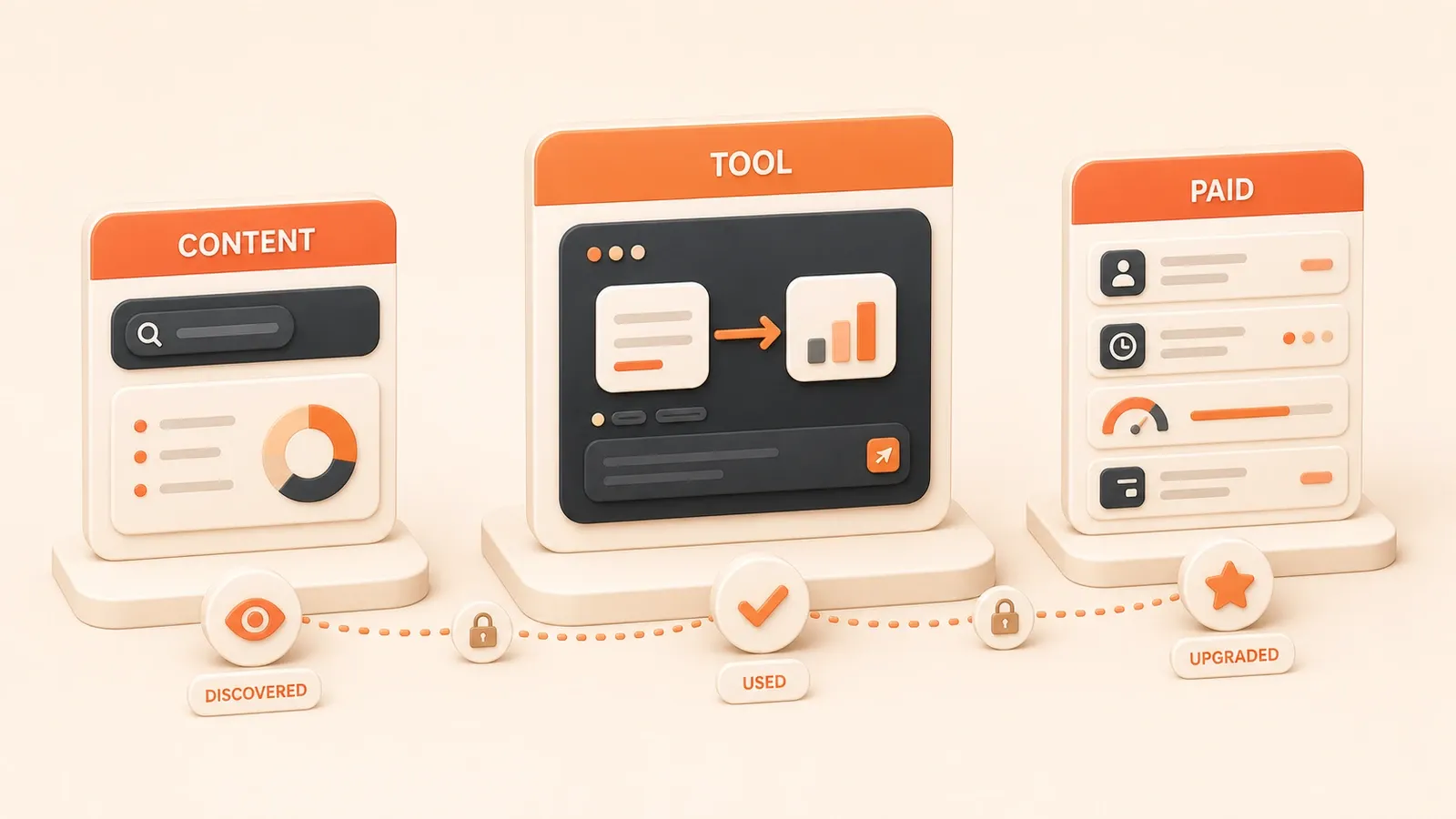
Those signals are more useful than traffic alone. A solo founder should not choose a product architecture by instinct: content validates whether demand exists, a tool validates whether people act, and SaaS validates willingness to pay for recurring value. The three layers do not need to launch together. Add each one when the evidence supports it.
What each layer validates
Content sites discover and explain demand
A content site discovers demand through search intent and explains the situation through articles. Its main job is to answer “Does this need exist?” rather than “How will a user act?” Useful indicators include query relevance, impressions, and CTR in GSC, along with reading time, scroll depth, and return rate in GA4.
This layer has the lowest technical cost. The Cloudflare Pages Free plan currently allows 500 builds per month, up to 20,000 files per site, and a maximum asset size of 25 MiB as of July 2026. That is usually enough for early validation of a static content site. Monetization depends on traffic quality and intent: a high-traffic site may run ads, a page with clear buying intent may use affiliate recommendations, and a one-off need may support a template or report sold through a Payment Link. Content alone, however, does not validate willingness to pay. It validates that the need exists.
Tool sites validate action
A tool lets the user act on the need by entering parameters, generating a result, copying output, or downloading a file. These actions reveal more than reading does. Reading means someone looked; interaction means someone tried to solve the problem. Useful indicators include GA4 input, generate, and copy events, return visits, and sharing.
This layer has moderate technical cost. If the tool uses a light API or runs entirely in the browser, the Workers Free plan currently allows 100,000 requests per day as of July 2026. When dynamic requests or CPU time grow, you can consider Workers Paid Standard, with a $5 monthly minimum, or a self-hosted API. Monetization depends on the tool: a low-frequency search tool may use ads; a frequently used tool may introduce quota tiers, premium templates, ad-free access, or batch processing; and a one-off validator may sell a template through a Payment Link. A tool still does not prove recurring willingness to pay. It proves that users will act.
SaaS or digital products validate recurring value
SaaS or a digital product tests whether users will pay. Users register, start a trial, convert, and return. The core question is “Will someone pay for this value?” rather than “Will someone use it once?” Relevant measures include registrations, trial-to-paid conversion, Day 1/7/30 retention, feedback through email, surveys, or interviews, and MRR, LTV, and CAC when paid data exists.
This layer has the highest technical cost. The Supabase Free plan currently includes 50,000 MAU, a 500 MB database per project, 1 GB of file storage, and 5 GB of egress as of July 2026. When those quotas or availability needs grow, evaluate Pro or another database. The business model depends on the product: frequent use and continuous updates may fit a subscription, a complex problem may start as consulting or a managed service, and a one-off need may fit a digital product sold through a Payment Link. SaaS is not the destination of every tool. Upgrade only after recurring value and payment intent have been demonstrated.
A decision table for the three layers
Use behavior, technical cost, validation goals, and monetization paths instead of choosing a layer by instinct.
| Product layer | User behavior | Technical cost | What it validates | Typical monetization |
|---|---|---|---|---|
| Content site | Read, search, browse | Static Pages (Cloudflare Free) | Demand exists | Ads, affiliates, digital products |
| Tool site | Enter, generate, copy, download | Light dynamic/API (Workers Free/Paid) | Users act | Ads, membership, digital products |
| SaaS/digital product | Register, trial, pay, retain | SaaS layer (Supabase Free/Pro) | Users pay for recurring value | Subscription, consulting |
Decision rules:
-
Healthy content metrics → add a tool to validate action. Relevant GSC queries and reasonable CTR indicate demand. The next question is whether users act.
-
Repeat use or saving requests → consider login and history. Returning users and emails asking to save history indicate a recurring need.
-
Payment signals → consider a digital product or SaaS. Pricing questions, batch requests, and interest in premium features reveal willingness to pay.
-
Do not build all three layers on day one → add them as signals appear. Every layer can fail validation, so premature features increase maintenance cost and downside.
Ad revenue varies with traffic quality, geography, page type, consent, and platform policy; a universal revenue multiple is not credible. A digital product does not create recurring revenue by itself, and subscriptions are not the endpoint for every tool. The technical figures here were checked against official pages in July 2026 and should be checked again before implementation.

Signals worth measuring
Traffic only says that someone arrived. Signals show whether they need the result.
Content signals: GSC and GA4
Google Search Console is most useful for understanding intent. Queries such as “how to,” “tool,” and “tutorial” indicate that the searcher wants a solution. There is no universal CTR threshold across industries; compare relative changes. Impressions have no absolute minimum either, so focus on trend and query quality.
GA4 helps evaluate reading behavior. Engagement time, scroll depth, and return rate can show whether visitors consume the content. A content page still does not validate action on its own.
Suggested setup: GSC Performance Report + GA4 engagement metrics.
Tool signals: GA4 events
Focus on event progression. Four useful events are input, generate, copy, and download. Together they show where users proceed or stop.
When signals break:
-
Content receives traffic but tool
input/generateis low → improve the article-to-tool transition or the tool entry point. -
The tool receives
inputbut littlegenerate/copy→ the result or its presentation may not meet the need.
Suggested setup: GA4 custom events with gtag.js or an Astro component. A raw GA4 example:
gtag('event', 'input', {
  'event_category': 'tool_usage',
  'event_label': 'Parameter entered'
});

gtag('event', 'generate', {
  'event_category': 'tool_usage',
  'event_label': 'Result generated'
});
SaaS signals: registration, retention, and feedback
SaaS validation focuses on payment intent and continued use. Registrations should be judged by relative growth, not a universal target. Trial conversion varies by market. Day 1/7/30 retention indicates whether users come back, while email, surveys, and interviews reveal why.
Payment signals:
-
Users ask about price → they expect paid value.
-
Users request batch processing or saved history → they have a recurring need.
-
Users volunteer to test new features → they are willing to invest attention.
Suggested setup: Supabase Auth + analytics + a feedback form.
Do not anchor on a benchmark that ignores industry and geography. Follow changes in the funnel and the presence of concrete requests. When a signal is weak, improve the content or tool before declaring the need invalid.
Monetization paths compared
The right model depends on the product layer, user behavior, and operating constraints.
| Monetization | Suitable layer | Suitable signal | Advantage | Limitation |
|---|---|---|---|---|
| Advertising | Content/tool | High traffic; sensitive to quality and geography | Low entry cost; no user system | Volatile revenue and policy exposure |
| Affiliate recommendations | Content/tool | Clear purchase intent after using the tool | No product to build | Depends on third-party quality |
| Digital product/template | Tool/SaaS | One-off demand; Payment Link can work | Build once, sell repeatedly | No inherent recurring revenue; fulfillment and refunds remain |
| SaaS subscription | SaaS | Frequent use, continuous updates, ongoing service | Recurring revenue and tiered entitlements | Full user system and continued maintenance |
| Consulting/managed service | SaaS/tool | Complex, high-value problem before full SaaS | Higher contract value without a full system | Time-intensive and hard to scale |
Decision rules:
-
Advertising → fits high-traffic content or low-frequency tools. Revenue still changes with page type, geography, ad demand, consent, and platform rules, so do not treat it as stable or repeatable by default.
-
Affiliates → fit tools with a clear purchasing step. You avoid building the product, but depend on the vendor’s quality and commission policy.
-
Digital products → fit one-off validation. Stripe Payment Links can sell templates, reports, or configuration packs. The same product can be sold more than once, but delivery and refunds still require work, and revenue is not automatically recurring. A Payment Link is a payment entry point, not a replacement for entitlements, fulfillment, refunds, or support.
-
SaaS subscriptions → fit frequent use, continuous updates, and ongoing service. They support recurring revenue and tiered access, but require a user system and continuous maintenance. Upgrade only after sustained payment intent appears.
-
Consulting → fits complex problems before full SaaS. Manual delivery can validate a valuable problem quickly, but it consumes time and does not scale easily. Use it to learn before productizing repeated work.
There is no single best path. A free entry point can acquire traffic, while deeper users encounter a monetization path suited to their behavior.
Technical cost boundaries
Technical cost depends on the product layer, user behavior, and traffic volume.
| Stack | Free-plan boundary (July 2026) | Paid starting point or included usage (July 2026) | Suitable layer |
|---|---|---|---|
| Cloudflare Pages | 500 builds/month, 20,000 files, 25 MiB per asset | Pro 5,000 builds/month; Business 20,000 builds/month | Content/static tool |
| Cloudflare Workers | 100,000 requests/day; 10 ms CPU per invocation | Standard $5 minimum; 10M requests and 30M CPU ms/month included | Light dynamic/API |
| Supabase | 50,000 MAU, 500 MB database, 1 GB storage, 5 GB egress | Pro includes 100,000 MAU, 8 GB disk, 100 GB storage, 250 GB egress | SaaS |
Decision rules:

-
Cloudflare Pages Free → suitable for static content and static tools. Five hundred monthly builds is usually enough for early validation, but file count and asset size are also real boundaries.
-
Cloudflare Workers Free → suitable for light APIs or browser-heavy tools. In addition to 100,000 daily requests, watch CPU time per invocation. Standard has a $5 monthly minimum and includes 10 million requests and 30 million CPU milliseconds; excess requests and CPU are billed separately.
-
Supabase Free → suitable for an early user system and database. The 50,000 MAU, 500 MB database per project, 1 GB storage, and 5 GB egress are a launch budget. Evaluate Pro when capacity, availability, or support requirements grow.
These quotas were checked against official pages in July 2026 and can change. Do not build a business whose core function works only inside a free tier. Once users and payments stabilize, add usage alerts, a cost sheet, and a degradation plan.
Validate the signal before upgrading the stack. Every layer can fail, and premature infrastructure creates maintenance cost before it creates evidence.
Upgrade one layer at a time
Each layer can fail validation. Build the next one only when the evidence justifies the additional cost.
Step 1: Validate demand with content
Signal: relevant GSC queries and reasonable CTR.
Tool: GSC Performance Report + GA4 engagement metrics.
Decision: does the demand exist? Queries with phrases such as “how to,” “tool,” and “tutorial” show solution intent. Treat CTR as a relative measure rather than a universal benchmark.
If it fails: weak intent or low CTR may mean the topic or search promise is mismatched. Improve the title and description before abandoning the need.
Step 2: Add a tool to validate action
Signal: content demonstrates search demand.
Tool: GA4 custom events (input/generate/copy/download).
Decision: will users act? Healthy input and generate progression suggests they will. copy and download indicate that the output helps.
If it fails: improve the content transition or tool entry point when input/generate is low. Improve result quality when copy/download is low.
Step 3: Consider login and history
Signal: repeat use and saving requests.
Tool: Supabase Auth + analytics.
Decision: do users need continued access? Repeat visits and requests to save history indicate recurring value.
If it fails: leave login and history out. Do not add an account system until users need it.

Step 4: Consider a digital product or SaaS
Signal: pricing questions and batch requests.
Tool: Stripe Payment Link / Products and Prices API.
Decision: will users pay? Pricing questions, batch requests, and interest in paid features are stronger evidence than traffic.
If it fails: postpone the digital product or SaaS and keep testing the value.
Step 5: Keep validating and iterating
Signal: registration, trial, payment, and retention.
Tool: analytics + feedback form.
Decision: does recurring value hold? Sustainable growth in registrations, trial conversion, and Day 1/7/30 retention supports continued investment.
If it fails: revise the product or pricing before adding more features.
Core rules:
-
Add layers when signals appear, not in advance. Every layer can fail, and premature features increase maintenance cost.
-
Do not build all three layers on day one. Validate demand, then action, then payment.
-
Expect failure at each stage. Content may lack search demand, a tool may not get used, and SaaS may not convert. More infrastructure does not remove those risks.
What to read next
These published guides help implement parts of the stack:
- Building and optimizing an Astro content site: practical lessons from a static site build, performance work, and deployment.
- Google Search Console index optimization: diagnose indexing and search performance.
- GA4 event tracking and conversion funnels: instrument tool actions and conversion paths.
- AdSense multi-site operations: test advertising as one revenue option for a content site or tool.
- A small-game product experiment: validate action and monetization with a low-cost product.
Later guides in the series will cover frontend, backend, deployment, databases, payments, user systems, analytics, and multi-project portfolios. For now, split your idea into three columns: the search problem, the interactive action, and the paid entitlement. Give each column one minimum validation metric before deciding whether to build the next layer.
Decide which product layer to build next
Use search demand, tool actions, repeat usage, and payment signals to decide whether to improve content, add a tool, or validate a digital product or SaaS.
⏱️ Estimated time: 45 min
- 1
Step 1: Check search demand
Review GSC queries, impressions, CTR, and clicks from content to the tool to confirm that people are actually looking for the problem. - 2
Step 2: Check the core action
Track input, generation, copy, and download events to see whether people act and whether the result helps them finish the task. - 3
Step 3: Look for recurring value
Watch for return visits and requests for saved history, batch processing, higher limits, team collaboration, or an API. - 4
Step 4: Validate payment first
Test willingness to pay with a digital product, Payment Link, presale, or manual service before building a complex account and subscription backend. - 5
Step 5: Calculate the upgrade cost
Add identity, entitlements, data isolation, billing, refunds, support, and platform usage to the cost sheet before committing to full SaaS.
FAQ
Should a solo founder start with a content site, a tool, or SaaS?
Does traffic without payment mean the tool has no demand?
How can a free tool make money?
When does a tool need login, history, and paid quotas?
Is a digital product or SaaS subscription better for the first sale?
Can I charge before building full SaaS?
12 min read · Published on: Sep 24, 2026

Solo Founder Tech Stack Guide: Build, Automate, Ship, and Grow
If you landed here from search, the fastest way to build context is to jump to the previous or next post in this same series.
Previous
A Minimum Viable System for Solo Founders: Website, Product, Payments, Data, and Automation
Use a launch checklist to connect website, product delivery, payments, user access, analytics, feedback, automation, and cost controls into one solo business.
Part 2 of 5
Next
How to Combine Codex, Claude Code, and Cursor in a Solo Company
Assign Cursor, Claude Code, and Codex across planning, implementation, review, and release validation, with controls for cost, parallel work, and production risk.
Part 4 of 5


Comments
Sign in with GitHub to leave a comment