
Choosing a Solo-Founder Database: D1, Postgres, R2, S3, or SQLite
"Cloudflare's D1 pricing documentation explains rows read/written, storage allowances, the effect of indexes on scanned rows, and what happens when a Free account reaches a daily limit."
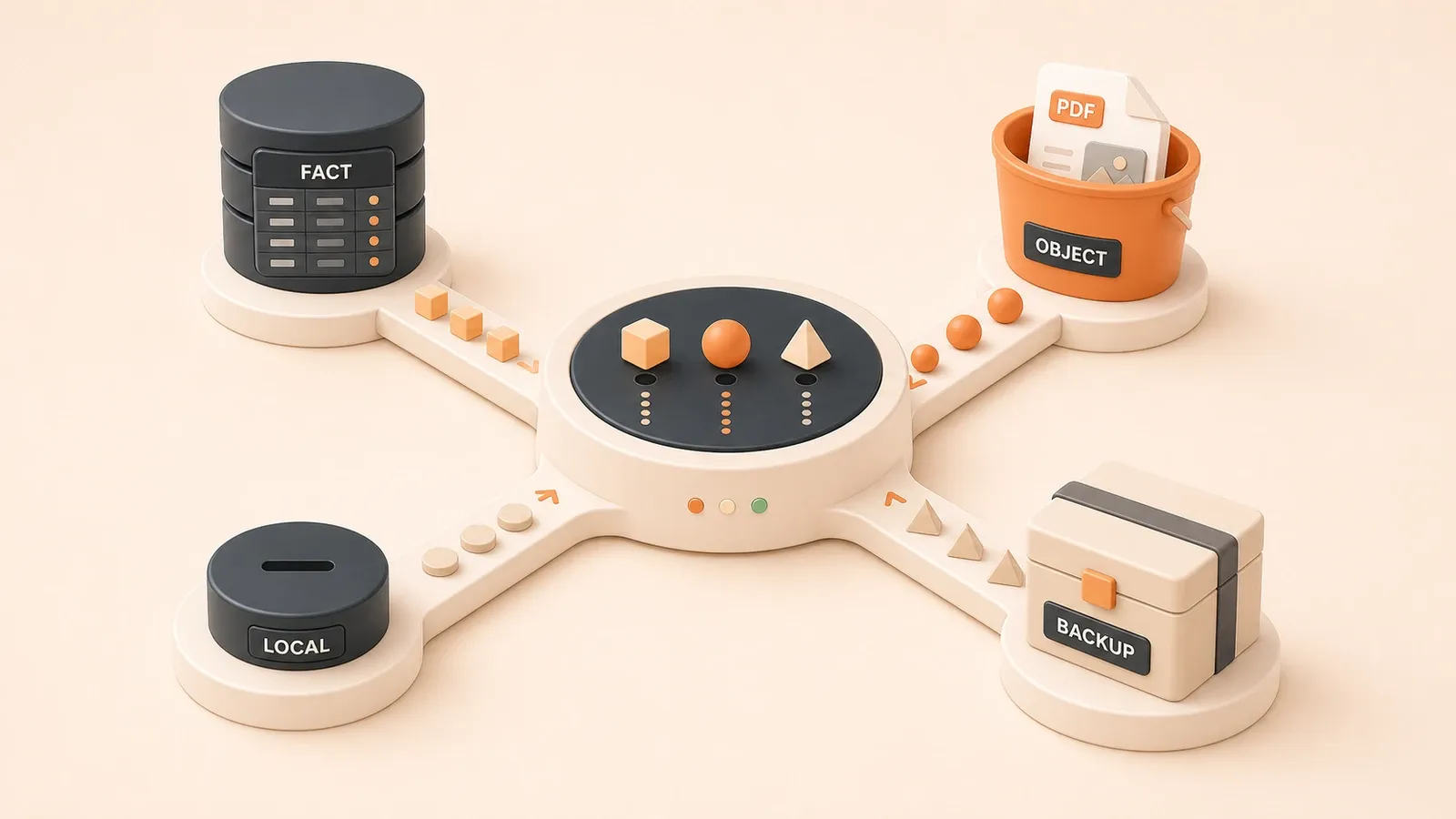
Your project contains a users table, orders, usage_events, a user upload at uploads/2026/06/report.pdf, a cache:daily-stats cache, and local development data in local-dev.sqlite. Where should each object live? Put business records in object storage and backups, queries, and exports soon become awkward. Put data in D1 without indexing the filter columns and rows read will consume the allowance quickly; a Paid account may also incur overage charges. The decision table below starts with data types rather than product names.
Data placement table: where each object belongs
Different objects in a solo-founder product need different storage. Business facts need queries, relationships, and access control. Event logs favor predictable writes and affordable retention. Object files need download controls, lifecycle rules, and a cost model that fits their traffic. The useful questions are whether structured queries and permissions are required, how often the data is accessed, and how sensitive the workload is to egress costs.
The table maps each type to a practical starting point.
Seven data types and their storage options
| Data type | Concrete objects | Recommended storage | Decision criteria |
|---|---|---|---|
| Business facts | users, orders, subscription entitlements, payment records | Supabase Postgres first, or D1 for simpler cases | Structured queries (SELECT/JOIN), access control (RLS), plan-appropriate backup or point-in-time restore, and auditability |
| Event logs | usage_events, operational records, visit analytics | D1 for edge writes or Postgres for audit-grade events | Frequent writes and simple queries; ordinary analytics can have a lower recovery priority, but security and billing events require reliable retention |
| Object files | uploads/2026/06/report.pdf, generated output, exports, images | R2 in the Cloudflare ecosystem, S3 in AWS, or Supabase Storage | Do not use database blobs; consider R2 egress, the S3 ecosystem, or integration with Supabase Auth/Postgres |
| Cache | cache:daily-stats, short-lived state, temporary calculations | Cloudflare KV, D1, or local SQLite | Frequent reads and writes and usually safe to expire or rebuild; use KV/D1 at the edge and SQLite in local development |
| Local development data | local-dev.sqlite, test fixtures, a single-user admin tool | SQLite file | Single user, no permission system, easy to copy and run, little setup or removal friction |
| Lightweight edge data | Workers counters, configuration tables, domain mappings | D1 or Cloudflare KV | Workers-native access, light relationships, and read-heavy edge traffic |
| Backups | Database dumps and export snapshots | R2/S3 plus a local copy | R2’s egress model, S3 governance and lifecycle features, and a local copy for provider outages |
Why business facts usually start in Postgres
Business facts such as users, orders, subscription entitlements, and payments are core records. Losing them changes customer access and revenue. They need:
- Structured queries: relational databases handle SELECT, JOIN, WHERE, and ORDER BY; object storage does not.
- Access control: Supabase Postgres can enforce Row Level Security for client-facing access. D1 does not currently provide native RLS.
- Backup and recovery: Supabase Pro, Team, and Enterprise projects receive daily backups, while PITR is a separately enabled paid add-on. D1 Time Travel retains 7 days on Workers Free and 30 days on Workers Paid.
- Audit trails: triggers and dedicated audit tables are easier to implement around payment and entitlement changes in Postgres.
Supabase Postgres is not a limited Postgres abstraction. Every project receives a full Postgres database, and Auth, Storage, Realtime, and Edge Functions are built around it (Supabase Database documentation). You keep the normal Postgres capabilities instead of working with a restricted subset.
Separate events from business records
Events such as usage_events, operational actions, and visit analytics behave differently:
- They are written frequently, while common queries are time-range filters and aggregates.
- Non-audit analytics may use a lower recovery priority, but you still need an explicit retention and loss policy. Security, billing, and entitlement events cannot be treated like ordinary page views.
- Cost matters because frequent writes consume rows-written and storage allowances.
The boundary is straightforward:
- Use Postgres when the event is part of an audit trail, such as an action tied to
user_idandaction. - Use D1 or KV when it is only a counter or disposable analytics signal, such as a page-view count.
Keep object files out of the database
User uploads, generated results, export archives, and images should not live in a database blob column:
- Backup cost: database backups would include every blob, increasing backup time and storage.
- Query burden: mixing large objects with relational rows magnifies transfer, cache, backup, and maintenance costs and makes wide queries more likely to return file content accidentally.
- CDN delivery: object storage is easier to connect to a CDN, cache policies, and signed downloads; database blobs usually require an application proxy.
- Egress: serving a blob consumes database and application bandwidth. Direct R2 internet transfers have no R2 egress charge, while S3 charges depend on region and destination.
Store only the object key, such as uploads/2026/06/report.pdf, in the database. Put the file itself in R2, S3, or Supabase Storage.
Caches and local development data
A cache such as cache:daily-stats, short-lived state, or a temporary calculation usually has these traits:
- It is read and written frequently and can normally expire or be rebuilt. Security-sensitive sessions still need separate consistency, expiration, and revocation rules.
- Rebuildable cache data generally does not belong in business-database backups; session revocations and other security state need their own persistence policy.
- Edge access is latency-sensitive.
Practical choices:
- Use Cloudflare KV or D1 for a lightweight edge cache in Workers.
- Use a SQLite file or an in-memory cache in local development.
Local development data in local-dev.sqlite is a single-user case without a permission system:
- SQLite is designed for local application data and application files (When to use SQLite).
- It does not try to solve the same problem as a client/server database: SQLite emphasizes local, single-user storage, while Postgres emphasizes a shared multi-user repository.
Lightweight edge data and backups
D1 or KV is a sensible starting point for Workers counters, small configuration tables, and domain mappings:
- Native access: a Worker can use its binding or the HTTP API without a separate connection pool.
- Light relationships: the schema is simple and does not depend on complex joins or a broad foreign-key graph.
- Read-heavy traffic: reads dominate and writes are relatively infrequent.
Backup exports need inexpensive retrieval and an independent copy:
- R2 does not charge R2 egress for direct internet downloads.
- S3 offers governance features such as Object Lock, multiple archive classes, and lifecycle management.
- A local or second-provider copy protects against account and provider failures; it is not enough to keep the only restore copy beside production.
D1: a Workers-native serverless database
D1 is Cloudflare’s managed serverless database with SQLite SQL semantics (D1 overview). Its key capabilities include:
- Time Travel: restore to any minute in the previous 7 days on Workers Free or 30 days on Workers Paid. A restore overwrites the database in place, so verify the target timestamp first.
- Read replication: reduce read latency and scale read throughput for read-heavy workloads.
- Workers and HTTP API access: use a Worker binding or HTTP API without operating a separate database connection pool.
- Built-in disaster recovery: Cloudflare manages the underlying database history and recovery system.
Good fit: Workers-native and read-heavy edge applications
D1 fits:

- Workers or Pages projects that want a native database instead of crossing platforms for every query.
- Lightweight relational data such as configuration, counters, and domain mappings without a large graph of complex relationships.
- Read-heavy workloads where read replication can help scale reads.
- Products already using Workers, R2, KV, or Vectorize and looking for the relational layer in the same ecosystem.
It is a weaker fit for:
- Multi-user SaaS products that need a mature permission system and RLS.
- Orders and subscription entitlements that need mature constraints, audits, and a tested recovery process. Postgres is usually the safer starting point; the recovery window still depends on the selected managed plan and add-ons.
- Audit-heavy systems where Postgres triggers and audit patterns are more established.
Rows-read billing: scanned rows, not returned rows
D1 charges for rows read, rows written, and storage. Rows read means rows scanned by a query, not the number returned.
As of July 2026, the official pricing page lists these allowances and rates. They can change, so recheck them before publication or a major architecture decision.
| Item | Workers Free | Workers Paid |
|---|---|---|
| Rows read | 5M/day | First 25B/month included |
| Rows written | 100K/day | First 50M/month included |
| Storage | 5 GB total | First 5 GB included, then $0.75/GB-month |
| Rows-read overage | Not available | $0.001/million rows read |
| Rows-written overage | Not available | $1/million rows written |
| Egress/bandwidth | No separate charge | No separate charge |
Suppose SELECT * FROM orders WHERE user_id = ? LIMIT 20 runs against a 50,000-row table with no index on user_id. D1 may scan most of the table to return 20 rows, so rows read can be close to 50,000 rather than 20.
An unindexed filter can therefore scan the whole table even when it returns only a few records. Inspect meta.rows_read from the actual query instead of estimating from the result count.
Index design and query efficiency
Use these steps to control rows read:
- Add an index such as
CREATE INDEX idx_user_id ON orders(user_id);so D1 can scan the indexed subset. Verify the actual value inmeta.rows_read. - Select only the columns the caller needs to reduce response payload and accidental coupling, but remember that D1 counts scanned rows, not columns. Indexes and filters are what reduce rows read.
- Compare
rows_readwith returned rows. D1 exposes rows read/written in querymetaand dashboard metrics, so you can calculate efficiency and spot full-table scans.
Index guidelines:
- Index columns used in WHERE filters, such as
user_idandcreated_at. - Index join keys such as
order_idandproduct_id. - Avoid unnecessary indexes because an insert or update may also write index rows.
- Review queries with unusually high rows read in the D1 dashboard.
D1 free allowance and upgrade signals
Workers Free currently limits D1 to:
- 5M rows read per day. A query averaging 50K rows read can run only about 100 times before the daily limit.
- 100K rows written per day, which write-heavy workloads can consume quickly.
- 5 GB total storage across the account.
Consider Workers Paid when:
- Daily rows read approach 5M. Free queries fail after the daily limit; Paid uses a 25B monthly included amount and bills overage.
- Daily rows written approach 100K; Paid includes 50M per month.
- Storage exceeds 5 GB; paid overage is billed at $0.75/GB-month.
D1 is strongest for lightweight relational data close to Workers, not as a default for every high-write or large-storage workload. Track rows read, rows written, and storage as the product grows.
Supabase Postgres: a practical BaaS default
Every Supabase project includes a full Postgres database rather than a restricted abstraction (Supabase Database documentation). Auth, Storage, Realtime, and Edge Functions are built around it, while you retain complex queries, foreign keys, triggers, transactions, MVCC, and extensions.
RLS for controlled client access
Row Level Security is one of Supabase Postgres’s main advantages. A traditional architecture restricts the database to the server and makes clients call an API. RLS lets the database apply row-level permission policies to client queries, provided policies and keys are configured correctly.
RLS helps with:
- Access control: a policy can expose rows where
user_idmatches the authenticated user and hide the rest. - Audit design: RLS defines access boundaries, while a separate audit table, triggers, or logging system records who did what and when.
- Less duplicated permission code: policies can live in the database, although the server must still validate identities, protect privileged keys, and review elevated operations.
This suits business facts, permission-heavy applications, multi-user SaaS, orders, and subscription entitlements. Those records need access control and auditability; RLS is the database-level boundary, not a substitute for schema and audit design.
Backups and recovery
As of July 2026, Supabase’s current official plan details are:
| Item | Free | Pro | Team |
|---|---|---|---|
| Database size | 500 MB per project included | 8 GB per project included, then overage | 8 GB per project included, then overage |
| Price | $0 | $25/month | $599/month |
| Automatic backups | Not included | Daily, retained for 7 days | Daily, retained for 14 days |
| PITR | Not included | Paid add-on, about $100/month for 7-day retention | Paid add-on, about $100/month for 7-day retention |
This has three consequences:
- A Free project cannot treat platform backups as its recovery plan. Run
supabase db dumporpg_dumpregularly and keep an off-site copy. - Pro and Team receive daily backups, but a daily recovery point can still lose changes made since the previous backup.
- PITR is not included by default with Pro. It requires at least Small compute and is billed separately for 7-, 14-, or 28-day retention.
Do not upgrade only because the database is larger. For orders and entitlements, first define the recovery point objective, recovery time objective, and restore-drill frequency. Then decide whether daily backups are enough or PITR is required.
D1 versus Supabase: permissions and recovery
| Dimension | D1 | Supabase Postgres |
|---|---|---|
| Positioning | Workers-native serverless database | Managed Postgres BaaS |
| Access control | No native RLS | RLS can secure client queries |
| Recovery | Time Travel: Free 7 days, Paid 30 days | Daily backups for Pro/Team/Enterprise; PITR is a paid add-on |
| Best fit | Lightweight relational data in Workers | Business facts, multi-user SaaS, orders, entitlements |
| Billing | Rows read/written plus storage | Database storage, compute, and plan usage |
They can coexist:
- Use D1 for read-heavy edge configuration, counters, and domain mappings.
- Use Supabase Postgres for users, orders, subscription entitlements, and payment records.
A SaaS tool can keep configuration and counters in D1 while Postgres owns users and entitlements. D1 stays close to Workers; Postgres supplies mature permissions, constraints, and recovery options.
R2: object storage without R2 egress charges
R2 is Cloudflare’s S3-compatible object storage. Direct transfers from R2 through the Workers API, S3 API, or r2.dev domains do not incur R2 egress charges (R2 pricing); another metered service connected to the bucket may still charge. R2 fits uploads, generated results, and exports, but free egress does not make storage and operations free.
Class A/B operation billing
R2 charges for storage, Class A operations, and Class B operations. Infrequent Access also charges retrieval fees.
As of July 2026, the pricing page lists:
| Item | Free tier | Standard | Infrequent Access |
|---|---|---|---|
| Storage | 10 GB-month/month | $0.015/GB-month | $0.01/GB-month |
| Class A operations | 1M/month | $4.50/million | $9.00/million |
| Class B operations | 10M/month | $0.36/million | $0.90/million |
| Data retrieval | None | None | $0.01/GB |
| Internet egress | Free | Free | Free |
| Minimum storage duration | None | None | 30 days |
The operation classes include:

- Class A, the more expensive group:
PutObject,CopyObject,ListObjects, and lifecycle tier transitions. Writes and listings normally fall here. - Class B, the cheaper group:
GetObject,HeadObject, andHeadBucket. Reads normally fall here. - Free operations:
DeleteObject,DeleteBucket, andAbortMultipartUpload.
What the R2 free tier does not mean
The 10 GB-month allowance is not unlimited storage:
- Storage: 10 GB-month measures stored capacity over the billing period, not traffic. More data requires paid usage or cleanup.
- Class A: 1M operations per month covers many small sites, but batch uploads can consume it quickly.
- Class B: 10M operations per month covers substantial reading, but a high-traffic image origin can exceed it.
Infrequent Access has a 30-day minimum storage duration. Deleting an object sooner does not avoid the minimum charge. That makes the class suitable for backups and long-lived objects, not temporary output.
Good fit: uploads and generated results
R2 fits:
- User uploads such as
uploads/2026/06/report.pdf, images, and documents, especially when downloads are frequent. - Generated reports, exports, and image-processing results.
- Database dumps and export snapshots that need affordable retrieval.
- Projects already using Workers, D1, KV, or Vectorize.
It is not the right home for:
- Business facts such as users and orders, which need structured queries and access control.
- Workloads requiring S3 Object Lock, more storage tiers, or AWS-native cross-bucket and cross-region replication.
R2 versus S3
| Dimension | R2 | S3 |
|---|---|---|
| Internet egress | Free on the R2 side; connected metered services may charge | Depends on region, destination, and usage; check the current AWS price sheet |
| Storage | $0.015/GB-month for Standard | Multiple tiers, including Standard and Glacier classes |
| Ecosystem | Native to Workers and Pages | Deep AWS integration, including Lambda |
| Governance | Lifecycle rules, Standard/IA, and Queue event notifications | Object Lock, several Glacier classes, lifecycle, Replication, and several event destinations |
| Best fit | Cloudflare ecosystem and egress-sensitive delivery | AWS ecosystem, governance, data lakes, and enterprise applications |
Choose R2 when:
- Downloads make egress cost a major concern.
- The application already runs on Workers or Pages.
Choose S3 when:
- Lambda, data-lake, or enterprise workflows depend on AWS services.
- Object Lock, more Glacier classes, cross-region replication, or AWS-native IAM governance is required.
- The broader AWS toolchain, including CloudWatch, IAM, and batch operations, is valuable.
R2 and S3 are not complete substitutes. A Cloudflare-hosted product may use R2 for CDN files and generated outputs while S3 holds governance-sensitive archives.
S3: AWS ecosystem and governance
Amazon S3 is an object storage service used for data lakes, websites, mobile applications, backup and restore, archives, enterprise applications, IoT, and analytics (Amazon S3 User Guide). It provides:
- Storage classes such as Standard, Intelligent-Tiering, Glacier, and Glacier Deep Archive.
- Lifecycle rules that move or expire objects automatically.
- Object Lock with WORM retention to prevent overwrite or deletion.
- Same-Region and Cross-Region Replication for recovery, latency, and governance needs.
- IAM and bucket policies plus Block Public Access.
- Event notifications for Lambda and other AWS destinations.
Good fit: AWS integration and governance requirements
S3 fits:
- Products already using Lambda, EC2, RDS, or DynamoDB.
- Requirements for Object Lock, archive classes, and formal retention controls.
- Data lakes and IoT pipelines that depend on AWS analytics services.
- Long-term backup, restore, and archive workflows that use lifecycle rules.
It is a weaker fit when:
- Frequent user downloads make egress cost sensitive; use the current AWS prices for the relevant region, destination, cache, and volume.
- The application is otherwise Cloudflare-native and can access R2 directly from Workers or Pages.
S3 versus R2: ecosystem and governance depth
S3’s main advantage is the breadth of its AWS integrations and governance features:
- Event destinations: S3 Event Notifications can deliver to SNS, SQS, Lambda, and EventBridge. R2 can also send object-create and object-delete events to Cloudflare Queues for Worker or HTTP-pull consumers.
- Storage classes: S3 offers several Glacier archive classes; R2 currently centers on Standard and Infrequent Access.
- Object Lock: S3 can enforce WORM retention so objects cannot be overwritten or deleted during the retention window.
- Replication: S3 can copy objects, metadata, and tags to another bucket in the same or a different region.
Choose S3 when:
- Lambda, data lakes, or enterprise applications depend on AWS integrations.
- Object Lock, Glacier classes, or lifecycle governance is required.
- Long-term archives benefit from the Glacier family.
Choose R2 when:
- User uploads and generated files are downloaded frequently.
- Workers and Pages are the application’s primary runtime.
A combined architecture can put CDN files and generated output in R2 while S3 stores governance-sensitive backups. Use the data type and access pattern to decide, not a one-provider rule.
SQLite: local and embedded first
SQLite suits local application data, application files, low-to-medium traffic sites, analysis, and caches (When to use SQLite). It does not directly compete with client/server SQL databases. Client/server systems emphasize a shared repository, concurrency, centralization, and control; SQLite emphasizes local, single-user data that can be copied and opened as one file.
Good fit: single-user tools and local backends
SQLite fits:
- Single-user tools, local dashboards, analysis utilities, small games, and one-file datasets.
- Application-file formats for CAD, finance, or media-management software.
- Low-to-medium traffic websites. SQLite says sites below 100K hits/day generally work well, but that is a conservative observation, not a performance promise. Hardware, query complexity, and concurrent writes still determine capacity.
- Local development data such as
local-dev.sqlite. - Caches and temporary calculations that do not require durable shared state.
It is a weaker fit for:
- Multi-user SaaS with permissions, concurrent writes, and audit requirements.
- Orders and subscription entitlements that need mature backup and point-in-time recovery.
- Write-heavy concurrency, because SQLite permits one writer at a time even though many readers can proceed.
SQLite versus Postgres: migration signals
| Dimension | SQLite | Postgres |
|---|---|---|
| Positioning | Local data and application files | Shared client/server repository |
| Best fit | Single-user tools, small games, local dashboards | Multi-user SaaS, orders, subscription entitlements |
| Concurrency | One writer, many readers | Multiple writers with MVCC |
| Permissions | No built-in user management | RLS and user/role management |
| Cost | No separate database server | Depends on self-hosting or managed plan, compute, and backup configuration |
Move from SQLite to Postgres when:
- A single-user tool becomes a multi-user SaaS and needs a permission system.
- Multiple users or instances must modify the same state concurrently.
- Payments introduce orders and entitlements that need audit and tested recovery.
- A
users/roles/permissionsmodel needs database-level access control.
A personal analysis dashboard can stay on SQLite. Once multiple paying customers share the service, Postgres is usually the clearer boundary.
SQLite is not a Postgres replacement
SQLite’s own guidance says it is not trying to replace a client/server SQL database:
- SQLite optimizes for local, single-user simplicity and a database that can be copied as a file.
- Postgres optimizes for a shared multi-user repository with concurrent state changes and payment-critical records.
SQLite needs no separate database server. Postgres cost depends on self-hosting or a managed plan, compute, storage, and backups. Both still need a restore process that has been tested.
Choose SQLite for:

- Local utilities and small games without payments or a permission system.
- Development fixtures and temporary data.
- Personal sites and documentation tools with low write concurrency.
Choose Postgres for:
- Multi-user SaaS with orders, subscriptions, and permissions.
- Auditable operational and entitlement changes.
- Business records that require configurable point-in-time recovery.
They can coexist: use SQLite for local development or disposable cache data and Postgres for production business facts.
Three mistakes to avoid
The most common failures are storing business facts as objects, ignoring D1 scan-based billing, and treating the R2 free tier as unlimited. They make recovery harder, queries slower, and costs less predictable.
Mistake 1: storing business facts in object storage
Tables such as users, orders, and audit-grade usage_events do not belong in R2 or S3. Object storage does not provide relational queries, constraints, row-level permissions, or database audit patterns.
The consequences are concrete:
- No SELECT or JOIN: object storage is key-based. To answer
SELECT * FROM orders WHERE user_id = ? LIMIT 20, an application would have to list and download order objects itself. - Awkward recovery: a collection of files is not a transactional history of orders. A SQL dump or managed point-in-time system provides a more coherent database recovery path.
- Slow exports: conditional database queries can stream matching records, while an object-per-order design may require scanning many files.
Keep business facts in a database and files in object storage. The database stores a stable object key; R2, S3, or Supabase Storage holds the file.
Mistake 2: overlooking rows-read billing
D1 counts scanned rows, not returned rows. An unindexed filter can therefore consume far more rows read than its result count suggests.
For a 50,000-row orders table, SELECT * FROM orders WHERE user_id = ? LIMIT 20 may scan many rows when user_id is unindexed. The actual chargeable usage is shown in meta.rows_read. Free queries fail after the 5M daily limit; Paid bills usage beyond its monthly included amount.
Fix it by:
- Indexing the real filter column, for example
CREATE INDEX idx_user_id ON orders(user_id);. - Checking
EXPLAIN QUERY PLANandmeta.rows_readfor a remaining full-table scan. - Selecting only required columns to control payload, while remembering that D1 counts rows rather than columns.
Mistake 3: treating R2’s free tier as unlimited
The R2 free tier currently includes 10 GB-month of Standard storage, 1M Class A operations, and 10M Class B operations per month. Those are allowances, not unlimited use.
Common misunderstandings:
- 10 GB-month is stored capacity over time, not a transfer allowance.
PutObjectis a Class A operation. Batch creation can consume the monthly allowance even when total storage is small.- Infrequent Access has a 30-day minimum duration, so deleting an object sooner still incurs that minimum.
Monitor storage and operation counts, expire old output deliberately, and do not use Infrequent Access for temporary files. A local SQLite file or a cache can be a better fit for short-lived data.
Conclusion
Choose storage by data type: business facts, events, objects, caches, local development data, lightweight edge data, and backups. Supabase Postgres usually owns business facts because it offers relational constraints, RLS, configurable recovery, and audit patterns. D1 fits lightweight Workers-native relational data. R2 or S3 stores objects. SQLite fits single-user local data.
Three actions make the first version safer:
- Classify every object and record its query, permission, access-frequency, and cost requirements.
- Index D1 filter columns and use rows-read metrics to verify the result.
- Keep business records out of object storage, avoid unindexed scans, and estimate the full R2 allowance rather than storage alone.
The next articles cover payments and user systems. Those choices reinforce this boundary: payment orders need Postgres constraints, backups, and audits, while user entitlements and permissions need RLS and tested recovery.
When an object still has no obvious home, return to the data-placement table and the earlier series articles on architecture principles, backend stacks, and deployment. Decide the storage role only after the system boundary is clear.
Assign storage for a solo-founder project
Use six steps, from inventory to recovery testing, to separate database and object-storage responsibilities.
- 1
Step 1: Inventory data objects
List users, orders, usage_events, uploads, caches, local files, and backups without grouping them by product first. - 2
Step 2: Classify each object
Mark every item as a business fact, event, object file, cache, local data, or backup, and note whether it may expire or be rebuilt. - 3
Step 3: Define consistency and permissions
Record transaction, constraint, RLS, concurrent-write, audit, and multi-instance requirements to decide whether Postgres or D1 is appropriate. - 4
Step 4: Estimate access and cost triggers
Estimate D1 rows read/written, R2 Class A/B operations, object volume, read frequency, and potential egress charges. - 5
Step 5: Design stable references
Keep object keys, owners, status, and metadata in the database, store file bodies in object storage, and make key names stable. - 6
Step 6: Test backup and migration
Set up exports, off-site copies, deletion windows, and restore drills; migrate metadata first, then objects, before switching reads.
FAQ
Should a solo founder start with D1 or Supabase Postgres?
What should go in R2 or S3?
Can SQLite power a first SaaS product?
Can user uploads be stored in a database?
What does D1 rows-read billing mean?
Is the Cloudflare R2 free tier enough?
21 min read · Published on: Oct 9, 2026

Solo Founder Tech Stack Guide: Build, Automate, Ship, and Grow
If you landed here from search, the fastest way to build context is to jump to the previous or next post in this same series.
Previous
A Solo Founder's Deployment Stack: Cloudflare, Vercel, or Railway?
Compare Cloudflare Pages and Workers, Vercel, and Railway by workload, current limits, billing risks, and maintenance overhead for a solo-founder deployment stack.
Part 7 of 9
Next
Building and Launching a WeChat Mini Game from Scratch with AI: Writing Code Was the Easy Part
A retrospective on how an indie developer with zero game dev experience built and launched 'English Word Bento Box' using AI and Cocos Creator.
Part 9 of 9


Comments
Sign in with GitHub to leave a comment