
Choosing a Backend Stack for a Solo Business: Cloudflare Workers, Supabase, Node.js, and Databases
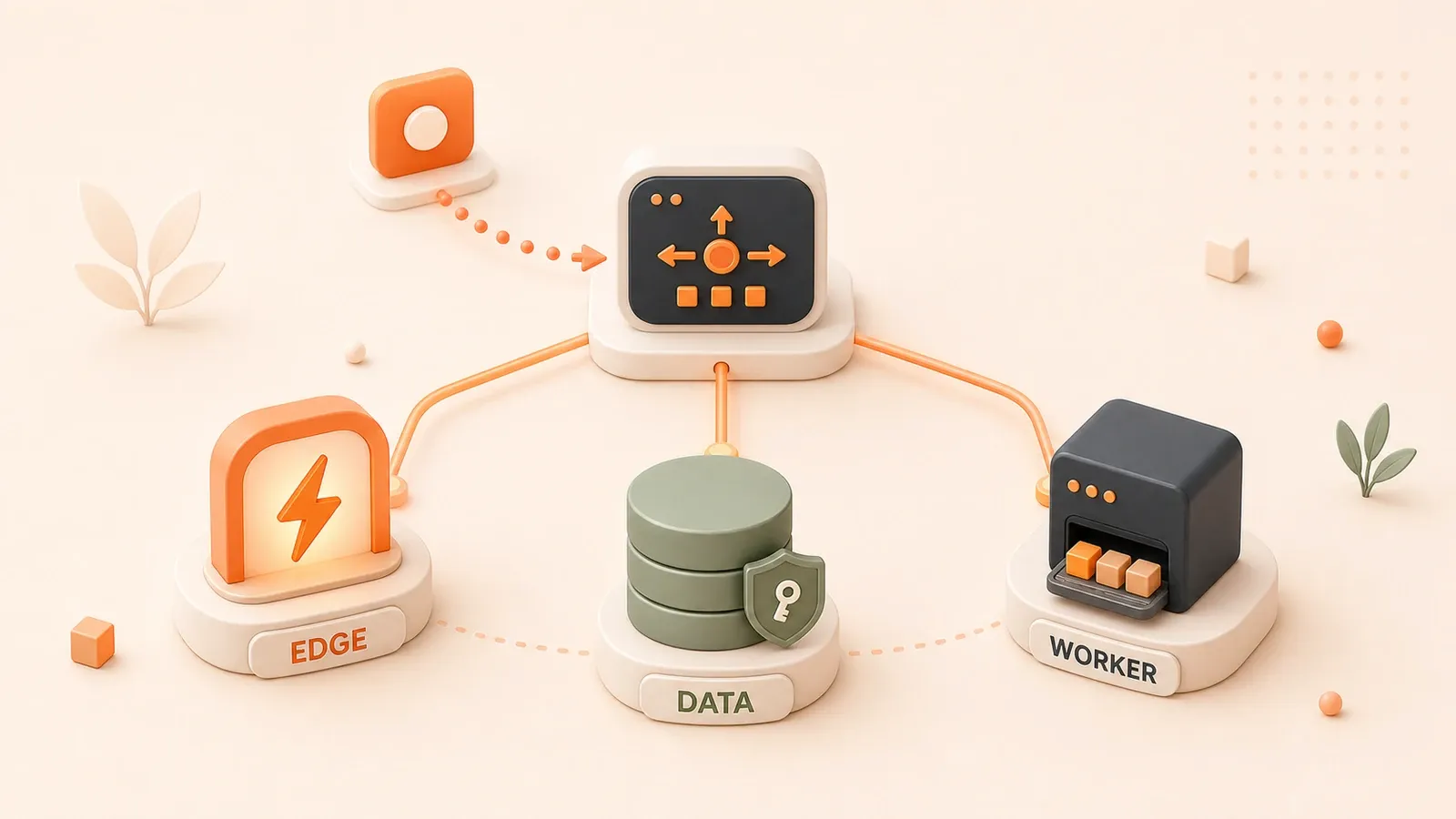
"Cloudflare documents separate request, CPU, memory, subrequest, and script-size limits for Workers Free and Paid, and states that HTTP requests have no fixed wall-clock limit while the client remains connected."
The tool’s frontend is finished. Now you need to implement /api/submit, /api/checkout-webhook, and /api/report-cron, while storing users, usage_events, and files. Which pieces belong in Workers, which belong in Supabase, and which require a separate Node service?
A backend stack is not one platform that does everything. Request entry, business data, file storage, long-running jobs, authentication, and webhooks belong in different services. Workers is a strong fit for edge entry and light logic, Supabase can own Auth and Postgres, and Node.js handles heavy work and dependencies that do not fit an edge runtime. Use the responsibility table below against your own backlog.
1. Backend responsibility map: where each item belongs
Start with your list of APIs, webhooks, cron jobs, data, and files:
| Responsibility | Recommended owner | Why | Risk to watch |
|---|---|---|---|
| Request entry | Cloudflare Workers | Edge entry, global distribution, low-latency response | Split work that exceeds CPU, memory, or dependency limits |
| Light APIs | Workers / Supabase Edge Functions | Forwarding, validation, and short I/O-heavy work | Workers is closer to the edge; Edge Functions is tied to a Supabase project |
| Webhooks | Workers or Edge Functions | Third-party callbacks, signature checks, idempotent writes | Enqueue heavy work instead of doing it inside the callback |
| Authentication and users | Supabase Auth | Auth, RLS, authorization models, and social login | Never expose a service-role or secret key to the browser |
| Business data | Supabase Postgres | Relational data, transactions, queries, and triggers | D1 or another relational database still needs migrations, constraints, and authorization |
| Object storage | Supabase Storage / R2 | User uploads, images, exports, and backups | Choose by access control, egress, CDN, and tooling—not one file-size cutoff |
| Long jobs and heavy dependencies | Node.js worker / task platform | Browser automation, large-file processing, native modules, and persistent consumers | Do not bind the whole job lifecycle to one synchronous HTTP request |
| Traditional Node service | Node.js | Mature npm ecosystem, long-lived connections, full runtime | You own deployment, monitoring, patching, and scaling |
This table is not an argument for putting the whole backend in Workers. Workers has CPU, memory, and subrequest limits. Supabase has project-pause and usage boundaries. Node.js introduces ongoing operations. A solo founder can postpone a Node service, but should know the signal for adding one.
Decide where data belongs
- Business data → Supabase Postgres or another relational database for relationships, transactions, queries, triggers, and foreign keys.
- Files → Supabase Storage or R2, chosen by permissions, egress, CDN, region, and the existing toolchain.
- Cache → KV; consider D1 for lightweight relational edge data, but do not let cache replace the source of business truth.
A detailed D1, Postgres, R2, S3, and SQLite comparison belongs in the database and storage article. Here the question is simply which type of data belongs where.
Decide between a webhook and a long-running job
Workers can receive a Stripe or GitHub webhook at the edge, while Edge Functions can handle it inside a Supabase-centered project. The handler should verify the signature, write an idempotency record, and return quickly. Browser automation, large-file parsing, or multi-step third-party waits should continue in a queue, Workflow, Container, or Node.js worker.
On Workers Paid, regular HTTP requests default to 30 seconds of CPU and can be configured up to 5 minutes. A Cron Trigger that runs at least hourly can use up to 15 minutes of CPU. HTTP requests do not have a fixed wall-clock limit while the client stays connected, but that does not make request-bound long jobs reliable: disconnects, retries, resource limits, and runtime updates still create failure modes.
Free-tier warning lines
As of July 2026, Workers Free includes 100,000 requests per day, 10 ms of CPU per invocation, 128 MB of memory, and 50 subrequests per invocation. Supabase Free includes 50,000 MAU, a 500 MB database per project, 5 GB of egress, 1 GB of file storage, and up to two active projects.
These quotas are launch budgets, not long-term architecture promises. Supabase pauses Free projects after one week of inactivity, and Workers workloads that outgrow the Free quota need the Paid plan. Once a product has steady users or a paid workflow, add usage alerts, a cost model, and a degradation plan.
2. Cloudflare Workers: what fits and what does not
Workers is not a universal backend. Its practical boundaries come from CPU, memory, subrequests, and bundle size—not from whether it can run JavaScript.

Workers Free limits as of July 2026
Workers Free allows 100,000 requests per day and 10 ms of CPU per invocation. Memory is capped at 128 MB, each invocation gets up to 50 subrequests, and a compressed Worker can be no larger than 3 MB. CPU overruns return error 1102. An HTTP request has no fixed wall-clock limit while the client remains connected; after the response or a disconnect, ctx.waitUntil() can extend work for up to 30 seconds.
Workers Paid limits on the Standard plan
Workers Paid has a minimum charge of $5 per account per month. It includes 10 million requests and 30 million CPU milliseconds each month. HTTP CPU defaults to 30 seconds per invocation and can be configured up to 5 minutes. Extra requests cost $0.30 per million, and extra CPU costs $0.02 per million milliseconds. Each invocation supports up to 10,000 subrequests, the compressed bundle limit is 10 MB, and memory remains 128 MB.
Good use cases
- Request entry, edge proxies, and light APIs.
- Webhook receipt, signature verification, and idempotent enqueueing.
- Triggers and orchestration for Cron, Queues, and Workflows.
- KV/R2 access, cache headers, redirects, and A/B routing.
These workloads are dominated by network I/O, validation, and orchestration. They do not require buffering large files or object graphs in memory, launching a browser process, or loading native system libraries.
Poor use cases
- Sustained CPU-heavy computation → split the algorithm, run it asynchronously, or move it to Node.js or a Container.
- Buffering entire large files → stream them, upload directly to object storage, or use a dedicated file service.
- Long browser jobs → Node.js with Playwright/Puppeteer or a hosted browser service.
- Dependencies beyond the bundle or runtime boundary → a Node.js service or container.
Workers’ Node.js compatibility layer supports many APIs, but “it bundles” does not mean “it belongs here.” Evaluate resource use, retries, execution time, and observability.
Cost warning line
If a Worker averages 5 ms of CPU, 10 million dynamic requests in a month consume about 50 million CPU milliseconds. After the 30 million included with Workers Paid, the additional CPU charge is about $0.40. KV, Queues, R2, and other products may add separate usage charges.
The calculation is inexpensive. The more important warning is whether a core feature only works while it stays inside a free quota. If overage would break margin or availability, add rate limits, caching, and a graceful fallback before traffic arrives.
3. Supabase: boundaries of Auth, Postgres, Storage, and Edge Functions
Supabase is more than a hosted Postgres database. It combines Auth, Storage, Realtime, and Edge Functions, but each module still has a boundary.
Supabase Free limits as of July 2026
Supabase Free provides a 500 MB database per project, up to 50,000 MAU, 5 GB of egress, 5 GB of cached egress, and 1 GB of file storage. An organization can keep up to two active Free projects. A Free project is paused after one week of inactivity, so the plan is suitable for validation and low-traffic projects, not as a production availability commitment.
Supabase Pro allowance
Supabase Pro starts at $25 per month. It includes 100,000 MAU, an 8 GB disk per project, 250 GB of egress, 250 GB of cached egress, and 100 GB of file storage. Paid plans also include $10 in monthly compute credits. Extra projects, compute sizes, traffic, storage, and add-ons can raise the bill.
Good use cases
- Authentication and users: email, OAuth, sessions, and RLS-based authorization.
- Business data: Postgres relationships, constraints, transactions, and queries.
- File storage: user uploads, images, and exports protected by access policies.
- Postgres triggers, functions, and database migrations.
- Edge Functions that closely coordinate Auth, Postgres, and Storage.
When backend logic is centered on Supabase Auth, Postgres, and Storage—for example, writing user-owned data, updating related rows in a trigger, or storing upload metadata—Supabase reduces the number of components you must operate.
Edge Functions limits
Supabase Edge Functions uses a TypeScript and Deno-compatible runtime for webhooks, third-party integrations, and project-local APIs. Current hosted limits include 256 MB of memory, up to 2 seconds of CPU per request, and a 150-second request idle timeout. Maximum worker wall-clock duration is 150 seconds on Free and 400 seconds on paid plans.
Wall-clock time includes I/O waits; it is not a CPU allowance. Browser automation, native multithreaded libraries, video processing, and large file transformations still belong in a background worker or specialized service. Background tasks remain subject to the same CPU, memory, and wall-clock limits.
Edge Functions vs. Workers
- Project glue tightly coupled to Supabase Auth, Postgres, or Storage → Edge Functions.
- An edge entry point or proxy without strong Supabase coupling → Workers.
For example, an Edge Function is direct when a Stripe webhook updates a subscription table and calls Supabase Auth. Workers is a cleaner independent entry point when the handler only verifies, rate-limits, and forwards the callback. In either case, enqueue time-consuming work.

Project pause behavior
Supabase automatically pauses a Free project after one week of inactivity. An occasional internal tool may therefore need time to resume on its next request. A steady paid product should evaluate Pro, backups, and a migration path. Do not treat the Free plan as a long-term architecture guarantee.
4. Node.js: when a traditional service still makes sense
Serverless and edge runtimes reduce server maintenance. They do not eliminate the need for a full runtime, system dependencies, or persistent processes.
When Node.js is still useful
- Browser automation with Playwright or Puppeteer.
- Large-file processing, complex parsing, and tasks that need temporary disk.
- Native modules or mature npm dependencies that do not fit an edge runtime.
- Persistent queue consumers, WebSockets, and administrative APIs.
- A shared backend that needs one process model, observability stack, and resource profile.
Web screenshots, PDF generation, data collection, video transcoding, and large-file parsing usually need more CPU, memory, processes, or filesystem access. A Node.js service, container, or specialized task platform is a better fit.
Signals that you need Node.js
Evaluate a Node.js service when jobs repeatedly hit the CPU, memory, duration, bundle-size, or runtime-compatibility limits of Workers or Edge Functions, or when they require browser processes, native modules, persistent connections, or reliable long-running queue consumption.
Do not use “more than 30 seconds” as the only test. Workers Paid, Cron, Queues, Workflows, Containers, and Supabase Functions all have different limits. The real question is whether the job can run reliably within the target platform’s resource, retry, idempotency, and observability model.
When you do not need Node.js
- Pure API forwarding or edge routing.
- Light, I/O-bound validation and database writes.
- No heavy file processing, native dependencies, or persistent connections.
- The product has not yet justified ongoing server operations.
Workers or Supabase Edge Functions can cover these cases without a separate Node service.
Node.js is not obsolete
An edge runtime trades constraints for low operations and global distribution. A full Node.js runtime trades infrastructure work for dependency compatibility, resource control, and persistent processes. They serve different responsibilities. A solo founder can close the first product loop with Workers and Supabase, then add a Node.js worker when browser automation, file processing, or complex dependencies become a real requirement.
5. Workers plus Supabase: API client or Hyperdrive
Workers and Supabase usually form an “edge request entry plus identity and business data” stack rather than competing platforms.
Combining Workers and Supabase
Workers can handle forwarding, validation, rate limiting, and caching. Supabase Auth and Postgres own user identity, business data, and authorization policies. This works well for light queries and validated writes in a first product that should not require a server.
If a Worker only calls Supabase Auth, the Data API, or Storage, supabase-js is enough. If it frequently uses SQL, transactions, or an ORM against Postgres, use a database driver and a connection pool instead of opening a fresh direct connection from each edge invocation.
Connection method table
| Connection method | Best fit | Notes |
|---|---|---|
| Supabase JS Client | Auth, Storage, light queries, simple operations | Uses Supabase APIs and can preserve JWT and RLS behavior |
| Hyperdrive + database driver | Frequent SQL, ORM, direct Postgres access | Cloudflare pools connections and may cache suitable read queries |
| service role / secret key | Administrative work in a trusted backend | Can bypass RLS and must stay inside an isolated server-side client |
Hyperdrive supports Supabase Postgres and reduces the latency and connection pressure caused by distributed Workers repeatedly opening database connections. It is not an authorization system. The database role, table privileges, and RLS behavior still come from the Postgres credentials and policies you configure.
Service-role key warning
Supabase service-role keys and server-side secret keys are highly privileged and can bypass RLS. Never expose them to a browser, mobile client, public repository, or log. Store them only as secrets in a trusted backend environment.
Create a separate server-side Supabase client for administrative work so a user session cannot overwrite the Authorization header and change RLS behavior. Webhook writes, batch jobs, and admin operations need least privilege and their own audit trail—not one high-privilege key used everywhere.

Edge Functions vs. Workers responsibility boundary
- Strong coupling to Supabase Auth, Postgres, or Storage → Edge Functions.
- Independent edge entry, proxying, rate limiting, and routing → Workers.
The line is not absolute. Decide based on whether data and authorization are centered on Supabase, whether Cloudflare edge capabilities matter, and where logs and deployments should be unified. A high-privilege key remains a backend secret on either platform.
6. Data ownership: business data, files, and cache
D1, Postgres, KV, and R2 can all store data, but they solve different problems.
Data ownership table
| Data type | Recommended owner | Decision criteria |
|---|---|---|
| Business facts | Supabase Postgres / D1 / another relational database | Relationships, transactions, constraints, queries, migrations, and authorization |
| File objects | Supabase Storage / R2 / S3 | Access control, egress, CDN, lifecycle, and tooling |
| Cache and configuration | KV / Cache | Low-latency reads, rebuildability, and acceptable consistency boundaries |
Users, orders, subscriptions, projects, and entitlements affect billing or access and belong in a business database with constraints, migrations, and backups. Postgres provides complex queries, foreign keys, triggers, transactional integrity, and MVCC. D1 can also hold lightweight relational data, but its consistency, scaling, and platform constraints need a separate evaluation.
Do not divide file storage at an arbitrary 1 GB threshold. Supabase Storage fits user files closely coupled to Auth and RLS. R2 fits objects integrated with Cloudflare traffic and CDN services. Choose by access policy, egress, upload method, transformation requirements, and existing SDKs.
Cache belongs at the edge, but it is not the primary business database. KV is useful for configuration and rebuildable read-heavy data. If orders or entitlements exist only in cache, one expiration, delayed sync, or accidental deletion changes real business state.
The full D1, Postgres, R2, S3, and SQLite comparison belongs in the database and storage article. This article only assigns categories of data.
7. Next steps in the series
This article assigns backend responsibilities. Later entries cover deployment, database and storage choices, payment integration, and authentication and authorization models.
Related BetterLink articles
To verify platform boundaries, continue with the Cloudflare Pages deployment guide, Cloudflare Free Plan Limits 2026, Workers API proxy walkthrough, Supabase getting-started guide, and Supabase Edge Functions walkthrough.
Build your own responsibility map first
List the five backend actions that must ship this week. Mark each as “immediate response / identity and access / business fact / file / asynchronous job / sensitive secret,” then assign it to Workers, Supabase, Node.js, or defer it. Platforms are implementation choices; responsibility and failure paths determine whether the first backend will run reliably.
Assign backend responsibilities for a solo founder's first product
Start with user actions and data types, then assign light APIs, authentication, business data, files, and long-running jobs to low-maintenance services.
⏱️ Estimated time: 45 min
- 1
Step 1: List backend actions
Write down the form submissions, payment webhooks, history views, scheduled reports, file uploads, and usage events that must ship this week. - 2
Step 2: Label each responsibility
Mark each action as immediate response, identity and access, business fact, file object, asynchronous job, or sensitive secret. - 3
Step 3: Choose a starting service
Put edge entry and light APIs in Workers, Auth, Postgres, and Storage in Supabase, and reserve Node.js for heavy jobs and a full runtime. - 4
Step 4: Check platform boundaries
Review CPU, memory, duration, database size, egress, file storage, and project pause rules so no core workflow depends on a quota edge. - 5
Step 5: Cover security and failure paths
Keep service-role or secret keys out of browsers, verify webhook signatures, use idempotency keys, and make failed jobs retryable and observable.
FAQ
Is the Cloudflare Workers Free plan enough for a solo founder?
Can Cloudflare Workers be the entire backend?
Are Supabase and Cloudflare Workers competitors or complements?
Should a webhook run in Workers or Supabase Edge Functions?
Are Node.js API services obsolete?
13 min read · Published on: Oct 9, 2026

Solo Founder Tech Stack Guide: Build, Automate, Ship, and Grow
If you landed here from search, the fastest way to build context is to jump to the previous or next post in this same series.
Previous
Frontend Stack for Solo Founders: Choosing Astro, Next.js, React, Tailwind, and shadcn/ui
Compare Astro, Next.js, React, Tailwind, and shadcn/ui for content sites, client-side tools, SaaS dashboards, maintenance boundaries, and upgrade signals.
Part 5 of 9
Next
A Solo Founder's Deployment Stack: Cloudflare, Vercel, or Railway?
Compare Cloudflare Pages and Workers, Vercel, and Railway by workload, current limits, billing risks, and maintenance overhead for a solo-founder deployment stack.
Part 7 of 9


Comments
Sign in with GitHub to leave a comment