
female-portrait-director: Turn AI portrait prompts into a reusable Skill
"The female-portrait-director README documents V1.4.1, the Codex install command, 14 supported styles, the output format, and safety boundaries."
"The OpenAI Codex Skills documentation explains that a Skill describes its capability through SKILL.md and is loaded on demand."
You open ChatGPT or Claude for the nth time, paste a long English portrait prompt, change a few words, and try again. Change the scene and the style starts drifting. Adjust sensitive fields such as age cues or exposure level, and the result moves away from what you wanted. Starting from scratch every time gets old quickly.
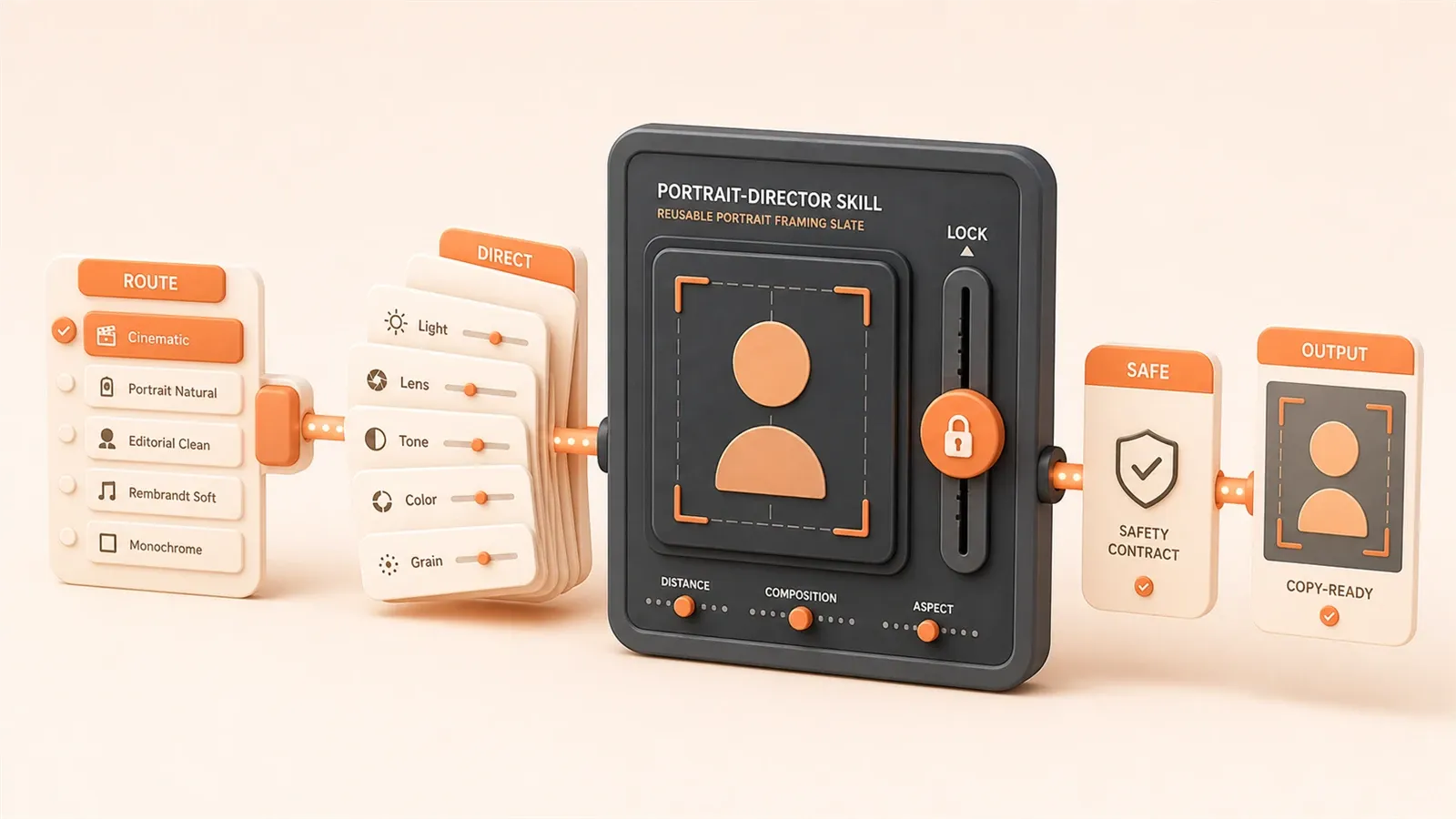
female-portrait-director narrows that problem into a reusable Skill. It is not a prompt collection. It is a structured prompt generation and visual director system. Four engineering choices let it move from scattered hand-written prompts into a loadable system: parameter locking, on-demand routing, modular director-style expansion, and safety plus output formatting. Once you understand that design, you can use the project more effectively and turn your own repeated prompts into a Skill.
What the project is: not a prompt collection, but an extensible framework
female-portrait-director is a structured prompt generation and visual director system for AI image creation, with an explicit scope of adult female portrait photography. As of June 2026, the project version is V1.4.1, with the repository README as the source of truth.
It is not a pile of prompt templates for copy and paste. It is an extensible Skill framework. In the Claude Code and Codex context, a Skill packages instructions, resources, and optional scripts into a directory. SKILL.md describes what the Skill can do so an agent can load it when needed. If you have not used Skills yet, read this Claude Skill feature explainer first.
As of V1.4.1, the project includes 14 style routes, including pure lifestyle portraits, urban fashion, xianxia-inspired historical fantasy, ecommerce model shots, Hong Kong style, French style, new Chinese style, sports, travel, studio retouching, Eastern curvy style, and enhanced cool or bright historical styles. Each route is an on-demand style definition file. One request selects one route, which keeps conflicting style rules from mixing together.
The four engineering pillars at a glance
female-portrait-director turns portrait prompts into a reusable system through four design pillars:
- Parameter locking: fields explicitly provided by the user are not rewritten, merged, or omitted; the system only fills missing fields
- On-demand routing: each request loads only one style file, keeping unrelated rules out of context
- Modular director-style expansion: the final prompt follows a five-part structure, from person and mood to pose, outfit, scene, camera, light, and filter
- Safety and output format: the system is scoped to adult women, blocks minors, explicit nudity, and non-consensual scenarios, and outputs code blocks that are easy to copy
These are not separate tricks. Parameter locking preserves your control. On-demand routing prevents style bleed. Director-style expansion makes the output complete enough to use. Safety boundaries reduce compliance risk. The next sections unpack each part.
Parameter locking: your direction is not silently rewritten
Parameter locking sounds strict, but the core idea is simple: when you explicitly fill in a field, the system does not replace, merge, or omit it.
Many people write portrait prompts by first specifying the style, outfit, and mood, such as “urban fashion, black suit, crisp professional mood.” The result then comes back as “urban street, casual outfit, relaxed mood.” The broad style may still be nearby, but the details are off. The issue is that a hand-written prompt has no explicit locking mechanism, so the agent or model may overwrite your input with its own preferences while completing the prompt.
female-portrait-director defines 22 parameter fields, including portrait style, scene, outfit, color palette, mood, age cues, facial features, body shape, camera, lighting, and filter. When you fill a field, that value is locked into the output. The system only fills missing fields with reasonable defaults. It does not replace the direction you gave.

The official FAQ describes the boundary neatly: “the direction is locked, not every visual detail.” If you enter “xianxia style, white outfit, cool temperament,” those three directions remain stable. Whether the person is turning back beside bamboo or walking over a stone bridge with a lantern can still be completed by the system. The big direction is locked; the small scene details remain open.
That is different from a single free-form prompt. In a long English prompt, “white outfit” and “cool temperament” may be buried in the text, and the agent can miss their priority. Once the workflow is packaged as a Skill, fields have schema names, locking logic, and output validation. If you have used prompt templates before, this prompt template library covers template reuse; this article moves from templates toward a loadable, lockable Skill framework.
On-demand routing: read one style at a time to avoid drift
Why load only one style route at a time?
If you put pure lifestyle, urban fashion, and xianxia style rules into one large Skill file, the agent has to read hundreds of conflicting instructions at the start. The lifestyle route may emphasize natural light and daily makeup, while urban fashion may call for heavy retouching and high-contrast lighting. The result can drift: you choose lifestyle, but the output inherits an urban fashion makeup pattern.
female-portrait-director uses style-registry as the only routing entry. The registry lists 14 implemented styles as of V1.4.1, and each entry points to an independent route file. For each request, the agent reads style-registry, selects one main route, then loads only that route file plus the relevant core modules, such as face, body, and lighting completion libraries.
The load order is:
- Main SKILL.md flow
- style-registry, to select one main route
- The selected route file
- Core modules loaded as needed, such as face, body, and lighting
- Optional overlays for compatible additions
This mirrors the “progressive disclosure” idea in the Codex Skill system: the agent initially sees only the name, description, and path, and reads the full SKILL.md only after it decides the Skill is relevant. female-portrait-director adds another on-demand routing layer inside the Skill, which further reduces context use and lowers the chance of template-like style bleed.
The route count can change as the project evolves. The article marks 14 routes as of V1.4.1; the repository README remains the source of truth.
Five-part director expansion: how the prompt is generated
Parameter locking preserves direction, and routing prevents drift. The final prompt still needs modular expansion to become complete and usable.
In the standard detailed output mode, female-portrait-director requires the final fused prompt to contain exactly five parts:
- Person, age, facial features, makeup, and mood: the subject definition, such as “25-year-old woman, round face, translucent makeup, cool temperament”
- Time slice, small event, pose, action chain, and gaze: what is happening, such as “morning, standing by the window, turning sideways, looking outside”
- Body shape, silhouette, outfit structure, color, material, accessories, and visible level of refinement: visual detail, such as “slim figure, white silk dress, simple silver accessories, understated elegance”
- Scene, environmental detail, depth layers, camera, composition, and depth of field: space and camera, such as “indoor morning light, gauze curtain, medium shot, eye-level composition”
- Light direction, lighting setup, highlights and shadows, filter, color, and texture: visual atmosphere, such as “soft back side light, gentle shadows, low-contrast filter, cool color palette”
These five parts are not meant to be copied word for word. They are the structural skeleton for director-style expansion. You provide a few key fields such as style, outfit, and mood; the system completes pose, action chain, scene detail, and light direction based on the selected route.
The official FAQ says that examples should not be copied directly. They show completion quality, not fixed templates. That matters because your next image will have a different scene, outfit, and mood. Copying a finished prompt is harder to adapt than using the structure and letting the system expand from your parameters and selected route.
If you have read this Stable Diffusion prompt template guide, that piece explains how to write image prompts by hand. This one shows how to package similar techniques into an executable Skill structure.
Four-part output format: code blocks you can copy
The output format is the final engineering guardrail. The standard detailed output from female-portrait-director has four fixed sections:
- Locked parameters: each explicit input field is listed, including what was locked and what was filled by the system as a default
- Module analysis: the director-style expansion decisions are explained through the five-part structure, such as why this pose or lighting pattern was selected
- Final prompt: wrapped in a Markdown code block tagged as
text, ready to copy into an image generation platform - Negative constraints: also wrapped in a
textcode block, listing what should not appear, such as minor-coded features, explicit exposure, or non-consensual expressions
Why not just return the final prompt?
Because a final prompt alone is not enough. Locked parameters show which directions were preserved. Module analysis helps you decide whether to adjust the input. Negative constraints reduce the chance of unsafe or unwanted output. Keeping the four sections separate avoids the common hand-written prompt problem: one long paragraph where you cannot see what matters or which part is active.
The code block uses the text tag rather than plaintext because some image platforms are sensitive to formatting, and text is more broadly compatible. You can copy the content inside the code block into Midjourney, Stable Diffusion, DALL-E, or another image platform without cleaning it manually.
Safety boundaries: adult women, no minors, explicit nudity, or non-consensual content
Safety boundaries are not decoration. They are what makes this project usable in practice.
female-portrait-director is explicitly scoped to adult female portrait photography. It blocks minor-coded traits, explicit nudity, non-consensual expressions, and deceptive identity fabrication. Identity-preserving reference images are limited to the user themself or authorized adult portraits.
These rules are written into the README and SKILL.md. They are not optional suggestions. When you call the Skill, the system checks whether the input parameters stay inside those boundaries. If a field implies “minor” or a similar unsafe direction, the output is rejected or corrected.
Why design it this way? In portrait generation, compliance risk is more serious than prompt quality risk. Generating minors, non-consensual poses, or fake identity-style images can violate platform rules and local laws. A Skill puts the boundary into the system logic instead of relying on the user to remember it every time.
Use it with care: follow the rules of the platform you use and the laws that apply to you. This Skill can only help you generate portrait prompts more efficiently within a compliant scope. It cannot bypass legal or platform restrictions.
Installation and calling: three steps to get started
The install command may change as the project evolves. The command below is marked as of June 2026, and the repository README should be checked before use.
Basic steps:
- Run the install command in your terminal. The README example is
npx skills@latest add liyue-aigc/female-portrait-director -g -a codex -y, but the exact format may change in later versions, so confirm it in the repository first. - After installation, the Skill appears in your Codex skill list. You can use
$skillsto view installed items. - To call it, type
$female-portrait-directorwith your parameters, such as style, scene, outfit, and mood.
If you usually use Claude Code rather than Codex, note that the README distributes the project in Codex Skill form, and SKILL.md follows the general agent Skill pattern. It may be reusable by agents compatible with that pattern, but the concrete adapter status should be taken from the repository instructions. Do not assume official Claude Code support unless the project says so.
The installation itself is not complicated. The key is confirming that your agent supports Skill loading and that the command format matches the current version.

Build your own Skill: a five-step migration path
After reading the female-portrait-director design, the natural question is whether you can use the same pattern to turn your own repeated prompts into a Skill.
You can. The core process has five steps:
-
Extract the reusable parts: find the stable fields in the prompts you keep writing. For portrait prompts, style type, outfit, mood, and lighting direction may be repeated fields, while the exact pose and scene details change. Stable fields become the reusable part, and changing details are left for the system to complete.
-
Create SKILL.md: this is the Skill entry file. It must include name and description, telling the agent what the Skill does and when to use it. The description is important for triggering. “Generate X type of prompt” is easier to match than a vague phrase such as “help with creation.”
-
Define the parameter schema: use a schema or a similar structure to define reusable fields. Each parameter should have an explanation, a default value, and boundaries, such as age range or compliance limits. female-portrait-director uses 22 fields, but you can start smaller with 5 to 10 core parameters.
-
Implement on-demand routing: if you have multiple styles or scene types, do not put all rules into one file. Use a registry to route requests so each call loads only the matching route. That reduces style drift and context load.
-
Test and iterate: run several sets of parameters and check the output. Are locked parameters preserved? Are completed details reasonable? Is the output format ready to use? Iterate on schema fields, route content, and completion logic.
These five steps do not need to be perfect on the first pass. female-portrait-director itself went through several changes from V1.2 to V1.4.1 before the lightweight core, on-demand routing, director-style expansion, and visual completion libraries became stable.
If you want another example of Skill-based creative tooling, this guizang-social-card-skill case study turns Xiaohongshu image posts and WeChat cover creation into a workflow. The idea is similar: repeated creative work becomes a loadable structured system.
Related resources and next steps
If you want to go deeper:
- Claude Skill feature explainer: background reading on how Skills work
- Prompt template library: move from template reuse toward a Skill framework
- Stable Diffusion prompt template guide: compare hand-written image prompts with Skill-based prompts
- guizang-social-card-skill: another Skill-based case study in a different creative workflow
- female-portrait-director repository: https://github.com/liyue-aigc/female-portrait-director
Volatile facts note
As of June 2026, the project version is V1.4.1, the route count is 14, and the install command should be checked against the repository README. These values may change in later versions, so confirm them in the repository before relying on them.
Conclusion
female-portrait-director turns AI portrait prompts into a reusable system through four engineering pillars: parameter locking preserves the direction you set, on-demand routing prevents style bleed, five-part director-style expansion produces a complete usable prompt, and safety boundaries reduce compliance risk.
After studying the case, you can turn your own repeated prompts into a Skill: extract stable fields, create SKILL.md, define a parameter schema, implement on-demand routing, then test and iterate. It does not have to be perfect on day one. female-portrait-director also evolved from V1.2 to V1.4.1 before its structure settled.
If you have experience turning prompts into Skills, or if you have hit practical pitfalls while doing it, share them in the comments.
Turn repeated prompts into a reusable Skill
Use the female-portrait-director pattern to turn one-off prompts into a loadable, maintainable Skill with clear safety boundaries.
⏱️ Estimated time: 1 day
- 1
Step 1: Extract the reusable parts
List the fields that appear repeatedly in your prompts, such as style, scene, outfit, mood, camera, and lighting. Leave changing details for the system to complete. - 2
Step 2: Create SKILL.md
Write a clear name and description so the agent knows what the Skill does and when it should load it. - 3
Step 3: Define the parameter schema
Document the core fields, defaults, and boundaries. Decide which fields must be locked and which fields may be filled in. - 4
Step 4: Add on-demand routing
When you have multiple styles or task types, route through a registry and load only the matched rule file each time. - 5
Step 5: Test and iterate
Run several inputs, check whether locked fields are preserved, whether the completion is useful, and whether the output format stays stable. Then refine the schema and routes.
FAQ
What is female-portrait-director?
How is it different from a normal prompt collection?
Does parameter locking reduce creative freedom?
How do I install female-portrait-director?
Can I build my own reusable prompt Skill with this approach?
What compliance boundaries matter for portrait Skills?
13 min read · Published on: Jun 10, 2026 · Modified on: Jul 14, 2026

AI Agent Toolbox: Codex, Claude Code, Skills, and Gateways
If you landed here from search, the fastest way to build context is to jump to the previous or next post in this same series.
Previous
guizang-social-card-skill: Generate Social Cards with Claude Code
A practical guide to using guizang-social-card-skill in Claude Code or Codex to batch-generate Rednote cards and WeChat covers, covering installation, canvas sizes, rendering, validation, asset licensing, and AGPL-3.0 risk.
Part 4 of 6
Next
ADHD for Coding Agents: A Tree-of-Thought Style Parallel Reasoning Engine
ADHD is an open-source skill for Claude and Codex Agent SDKs that uses isolated branches and a separate critic pass to reduce premature convergence in coding agents. This guide explains how it differs from Chain-of-Thought and Tree-of-Thought, how frames work, when to use it, how to install it, and what it costs.
Part 6 of 6


Comments
Sign in with GitHub to leave a comment