
Stable Diffusion Model Selection Guide: Practical Decisions from Image Quality to Licensing
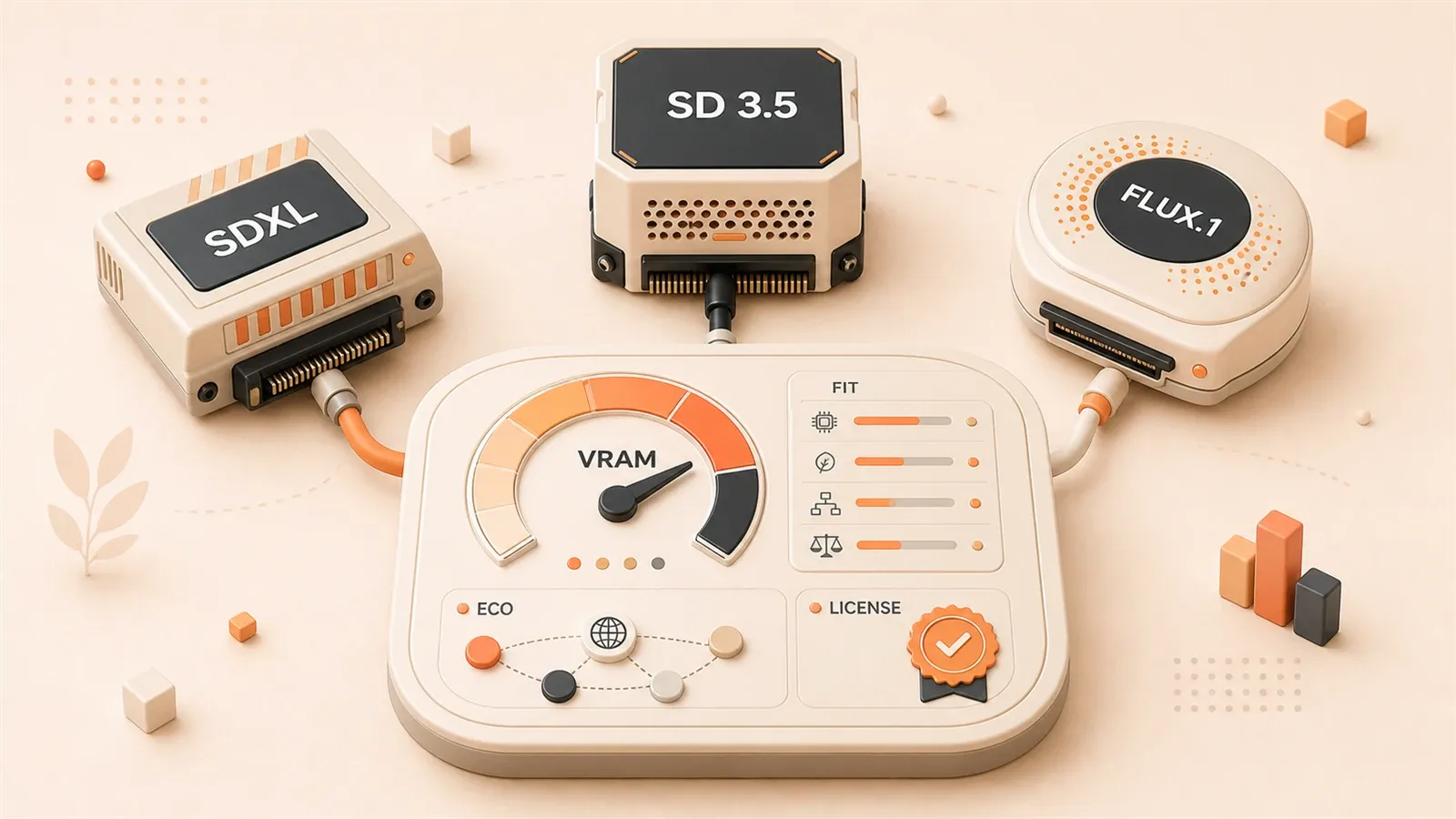
"Stability AI's Stable Diffusion 3.5 announcement is used to verify the positioning of Large, Large Turbo, and Medium."
"The Stability AI License page is used to verify the Community License, revenue threshold, and enterprise licensing boundary."
"The Stable Diffusion XL Base 1.0 model card is used to verify the SDXL base model description and license entry point."
"The official FLUX repository is used to distinguish how FLUX.1 pro, dev, and schnell are accessed and licensed."
"Black Forest Labs model and pricing pages are used to verify the latest information about the FLUX API, pro route, and commercial access."
"The ComfyUI Models documentation is used to confirm model types and directories such as checkpoints, LoRA, VAE, and ControlNet."
When you choose a Stable Diffusion model, VRAM anxiety, licensing confusion, and the temptation of newer models often arrive together. You may see dozens of checkpoints on Hugging Face and have no idea which one to download. You may have heard that FLUX image quality “beats Midjourney,” but you’re not sure whether your 8GB GPU can run it. More commonly, you put the model file into ComfyUI and get errors such as “node not found” or “incorrect path.”
Model selection is not just an image-quality leaderboard. The goal here is narrower and more useful: in a local ComfyUI setup, how do you choose a Stable Diffusion model that can run on your hardware, fits your licensing boundary, has enough ecosystem support, and is low-risk enough to use in practice?
Comparison Overview of the Three Main Model Families
Start with a high-level comparison. The table below is based on official release pages, Hugging Face model cards, and community testing. The VRAM column is intentionally conservative, because actual usage depends heavily on resolution, batch size, precision, and workflow optimization.
| Model | Image-quality positioning | VRAM need (conservative) | Ecosystem maturity | Commercial license | Best fit |
|---|---|---|---|---|---|
| SDXL 1.0 Base | Upper-middle quality, controllable details | Starts around 6-8GB | Highest, with many checkpoints, LoRAs, and ControlNet resources | Community License is permissive, but enterprise licensing is required beyond the revenue threshold | Beginners, low-risk local practice, ecosystem-first users |
| SD 3.5 Large | High quality, strong composition and text ability | Starts around 12-16GB | Medium, with nodes and tutorials still improving | Community License; check revenue threshold and enterprise licensing | Users chasing image quality who can absorb higher hardware cost |
| SD 3.5 Medium | Medium-high quality, stable detail | Starts around 8-12GB | Medium, similar to SD 3.5 Large | Community License | Consumer-GPU users balancing quality and hardware |
| FLUX.1 schnell | High quality and fast generation | Starts around 8-12GB | Low to medium, with workflows and nodes still maturing | Apache 2.0, more permissive for commercial use | Local development, personal use, commercial testing |
| FLUX.1 dev | Highest, with rich visual detail | Starts around 12-16GB | Low to medium | Non-commercial license; commercial use is prohibited | Local practice and image-quality research |
Quick one-line choice:
- If you are new or have limited VRAM (below 8GB): start with SDXL. It has the most mature ecosystem and the lowest risk.
- If you have a consumer GPU (8-16GB) and want better quality: try SD 3.5 Medium or FLUX schnell.
- If you want the highest quality and have commercial needs: consider SD 3.5 Large or FLUX schnell, but verify the license first.
SDXL: The Most Mature Starting Point for Beginners
Stable Diffusion XL (SDXL) is the 1.0 Base model released by Stability AI in 2023, with roughly 3.5B parameters. It is not the highest-quality model today, but it has one advantage that newer models still struggle to match: ecosystem maturity.
Hugging Face has a large number of SDXL-based checkpoints, LoRAs, VAEs, and ControlNet models. Civitai and other community platforms continue to receive new SDXL derivatives. In practice, this means many ComfyUI workflows, nodes, and tutorials assume SDXL compatibility by default.
The Stable Diffusion XL Base 1.0 model card shows that SDXL uses the Stability AI Community License. For personal use and small commercial projects, that license is usually permissive enough. But if annual revenue exceeds the threshold set by Stability AI, you need an enterprise license. The threshold can change, so read the official Stability AI License page before launch.
Why I recommend SDXL for beginners:
- More tutorials: ComfyUI, WebUI, ControlNet, and LoRA training all have plenty of SDXL-specific material.
- Mature nodes: Core ComfyUI nodes such as
CheckpointLoader,CLIPTextEncode, andKSamplersupport SDXL reliably and are less likely to fail. - Rich community checkpoints: You can choose tuned checkpoints for anime, realism, illustration, and other styles instead of training from scratch.
- Manageable hardware pressure: At 1024x1024, 8GB of VRAM can run SDXL. Lower resolution or quantization reduces pressure further.
SDXL image quality is not as strong as SD 3.5 Large or FLUX, but the gap is often not the core problem. If your goal is to make the workflow run, learn ComfyUI, and build experience before upgrading hardware, SDXL is the safest starting point.
Stable Diffusion 3.5: The Open-Weight Route for Stability AI’s New Architecture
Stable Diffusion 3.5 is the latest series released by Stability AI in October 2024. It has three variants:
| Variant | Parameters | Positioning | Hardware suggestion |
|---|---|---|---|
| Large | About 8B | Highest quality, official flagship | 16GB+ VRAM; demanding for consumer GPUs |
| Large Turbo | Distilled version | Near-Large quality, faster generation | Similar to Large |
| Medium | About 2.5B | Medium-high quality, more hardware-friendly | 8-12GB VRAM, suitable for consumer GPUs |
According to the official Introducing Stable Diffusion 3.5 announcement, SD 3.5 uses the newer MMDiT architecture and improves text understanding and composition. Stability AI positions it as an “open weights” route, meaning you can download and deploy the weights locally under the license conditions.
The Medium variant is a better fit for consumer GPUs. With 8GB-12GB of VRAM, Medium can run, while Large usually needs more than 16GB or aggressive quantization. If you want to try the newer architecture locally without upgrading hardware immediately, Medium is the more practical choice.
ComfyUI support for SD 3.5 is still improving. At the moment, it usually needs:
- Dedicated nodes such as
UNETLoaderandCLIPLoader, rather than the traditionalCheckpointLoader. - Matching text encoders such as T5 XXL and CLIP L.
- An official example workflow or a community tutorial that targets this model.
SD 3.5 also uses the Stability AI Community License. Before launch, check:

- Whether your annual revenue exceeds the official threshold.
- Whether your company scenario needs a separate enterprise license.
Do not treat this article as legal advice. The actual terms are governed by Stability AI License.
FLUX.1: Leading Image Quality, More Complicated Licensing
FLUX.1 is an image generation model family from Black Forest Labs. Its three routes have different roles:
| Route | Positioning | License | Access |
|---|---|---|---|
| pro | Highest quality, service/API oriented | BFL commercial license | API calls or partner access; weights are not public |
| dev | High quality, local deployment | Non-commercial license (FLUX1-dev License) | Download weights from Hugging Face; commercial use is prohibited |
| schnell | High quality and fast generation | Apache 2.0 | Download weights from Hugging Face; more permissive for commercial use |
The black-forest-labs/flux GitHub repository and the official FLUX model page show that:
- schnell has the most permissive license: Apache 2.0, commercial use allowed, suitable for local development and personal use.
- dev explicitly prohibits commercial use. The FLUX.1 dev license file states that it is for non-commercial use only.
- pro does not publish weights. It is available through API calls, with pricing and access based on the official page.
Many people assume FLUX.1 can be used commercially without distinction. In reality, only schnell is relatively permissive under Apache 2.0. dev explicitly prohibits commercial use, and pro requires a paid API or commercial partnership. Before downloading weights, confirm which route you are using.
When using FLUX in ComfyUI, pay attention to:
- Dedicated workflows and nodes such as
FluxGuidanceandFluxControlNet. - Extra text encoders such as T5 XXL.
- Higher hardware pressure: 12GB+ VRAM is safer; lower VRAM usually needs quantization or a lower resolution.
FLUX is worth trying if you want newer image quality, are willing to study new workflows, and understand your licensing boundary. But if you need commercial use, confirm whether you are using schnell or dev, and read the matching license file.
Hardware Guide: VRAM Decides Feasibility
VRAM needs depend heavily on resolution, batch size, precision, quantization, node implementation, and workflow optimization. The table below is a conservative estimate, not an absolute guarantee.
| VRAM | Recommended models | Worth trying | Not recommended |
|---|---|---|---|
| 4-6GB | SDXL at low resolution or with quantization | None | SD 3.5, FLUX |
| 8GB | SDXL at 1024x1024, SD 3.5 Medium with conservative settings | FLUX schnell with quantization or lower resolution | SD 3.5 Large, FLUX dev |
| 12GB | SDXL, SD 3.5 Medium | SD 3.5 Large with aggressive quantization, FLUX schnell | FLUX dev at high resolution |
| 16GB+ | SDXL, SD 3.5 Medium/Large, FLUX schnell | FLUX dev | None |
Conservative settings: lower the resolution, for example to 512x512; set batch size to 1; enable fp8 or bf16 quantization; use an optimized workflow.
Aggressive quantization: lower precision further and use community optimization nodes. This may trade away image quality or stability.
If you are unsure whether your hardware can run a model, test SDXL or SD 3.5 Medium first, then move to heavier models once you understand the workflow. Do not force FLUX dev onto a 6GB GPU. The errors and crashes may look like software problems, but the real issue is usually insufficient hardware.
Commercial Licensing Checklist
Model selection is not only about image quality. Before commercial use, check licensing item by item. These are the key boundaries:
1. Revenue Threshold in the Stability AI Community License
SDXL and SD 3.5 both use the Stability AI Community License. The official license page includes an annual revenue threshold; once you exceed it, you need an enterprise license. The threshold can change, so do not copy a specific number from a third-party article. Read the official Stability AI License page before launch.
If your project involves commercial revenue, such as paid services, ad revenue, or product sales, check:
- What the current threshold is.
- Whether you need an additional enterprise license.
- Whether there are regional or use-case restrictions.
2. FLUX.1 dev Explicitly Prohibits Commercial Use
The FLUX.1 dev license file states that it is for non-commercial use only. Many people think “if I downloaded the weights, I can use them commercially.” That is wrong.
The dev route is only suitable for local practice, personal creation, and image-quality research. If you need commercial use, choose schnell (Apache 2.0) or use the pro API (paid). Do not use dev weights in a commercial project, even if you are “just testing.”
3. FLUX.1 schnell Has a More Permissive License
The FLUX.1 schnell license file is Apache 2.0, with fewer commercial restrictions. But permissive does not mean unlimited:
- You still need to keep the license notice.
- You need to confirm your use does not violate other Apache 2.0 terms.
- Do not confuse the schnell license with the dev license.
4. Community Checkpoints Do Not Inherit the Base Model License
Many people assume that if they download a “hyper-realistic checkpoint” from Civitai, it automatically inherits SDXL’s Community License. That is wrong.
Community checkpoints, including LoRAs, merged models, and fine-tuned versions, need their own model cards checked one by one. Some creators clearly mark “no commercial use”; some allow free use; some require attribution. The base model license does not automatically transfer to derivative models.
If you download a checkpoint from someone else’s bundle, before commercial use you must:
- Find the original model card for that checkpoint.
- Confirm the creator’s license statement.
- Treat it as non-commercial if you cannot find a clear license.
5. Read the Official License Page Before Launch
This article helps you build licensing awareness; it is not legal advice. The actual terms, thresholds, restrictions, and updates are governed by the official pages:

Do not copy specific numbers or terms from second-hand sources. Licenses can change, and your launch date may no longer match the page someone quoted earlier.
Practical ComfyUI Setup Steps
After choosing a model, the next step is to make it run. These are the practical steps in ComfyUI:
Step 1: Confirm the Model Directory Structure
According to the ComfyUI Models documentation, model files usually go under:
ComfyUI/models/
├── checkpoints/          # Base models (.safetensors or .ckpt)
├── lora/                 # LoRA fine-tunes
├── vae/                  # VAE files
├── controlnet/           # ControlNet models
├── unet/                 # UNET models for some newer architectures
├── clip/                 # CLIP text encoders
└── ...
Different models may require different directories. For example:
- SDXL usually needs only one
.safetensorsfile undercheckpoints/. - SD 3.5 and FLUX may require extra directories such as
unet/andclip/.
Step 2: Confirm the Download Source
Recommended sources:
- Use official Hugging Face model cards when possible, such as Stable Diffusion XL Base 1.0 and Stable Diffusion 3.5 Large.
- Civitai has many community checkpoints, but you must check the license on each model card.
Not recommended:
- “All-in-one packs” or “one-click packs” without a clear license.
- Cloud-drive links with no source.
- Shares that only show screenshots and no model card.
Step 3: Newer Models May Need Extra Preparation
Downloading a .safetensors file does not mean the model will run immediately. Newer models such as SD 3.5 and FLUX usually need:
- Download the matching
.jsonworkflow from an official example or community tutorial. - Install any required ComfyUI nodes. Some newer models depend on newer nodes; if one is missing, you will see a “node not found” error.
- Download extra text encoders such as T5 XXL and CLIP L separately, then place them in the matching directories.
If you see “node not found” or “incorrect model path,” check:
- Whether the workflow matches the model.
- Whether extra files such as text encoders or VAE are missing.
- Whether the model file is in the correct directory.
Step 4: Verification Checklist for the First Image
Before using the model in a real project, generate one test image:
- Start ComfyUI and load the matching workflow.
- Confirm there are no missing-node errors.
- Enter a simple prompt, such as “a cat sitting on a chair”.
- Run the workflow and wait for generation to finish.
- Check generation speed, VRAM usage, and image quality.
If it fails:
- If VRAM is not enough, lower the resolution, reduce batch size, or enable quantization.
- If a node is missing, install the matching node package or update ComfyUI.
- If the model path is wrong, check whether the file is in the correct directory.
If you already know the basics of ComfyUI, read ComfyUI Beginner Guide: From Installation to Your First Stable Diffusion Image and ComfyUI Workflow Reuse Guide: JSON Import, Missing Nodes, and Model Paths for installation, model paths, workflow import, and troubleshooting.
FAQ: Seven Common Questions
1. Which model should I choose with 8GB of VRAM?
Prioritize SDXL or SD 3.5 Medium. FLUX schnell needs aggressive quantization or a lower resolution on 8GB, and it is less stable than SDXL. SD 3.5 Large and FLUX dev are safer at 12GB+.
2. Is SDXL already outdated?
Its raw image quality is below SD 3.5 Large and FLUX, but its ecosystem maturity is still the highest. Tutorials, nodes, checkpoints, LoRAs, and ControlNet resources far outnumber those for newer models. Beginners and low-risk local practice should still start with SDXL.
3. Can I use FLUX.1 dev commercially?
No. The FLUX.1 dev license explicitly prohibits commercial use. Only schnell (Apache 2.0) is relatively permissive for commercial use, or you can use the paid pro API. Do not use dev weights in a commercial project.
4. Why can’t ComfyUI read the model after I put it in the folder?
Common causes:

- The file is in the wrong directory, such as
checkpoints/when the model needsunet/. - The workflow does not match, such as using an SDXL workflow for FLUX.
- Extra files are missing, such as a text encoder or VAE.
- The file name or path format is incorrect.
See the path troubleshooting section in ComfyUI Workflow Reuse Guide.
5. Which one is the base model: checkpoint, LoRA, VAE, or ControlNet?
The checkpoint, such as a .safetensors file, is the base model and contains the full generation network. LoRA is a fine-tuning file and must be used with a checkpoint. VAE decodes images; some checkpoints include a VAE, while others require a separate one. ControlNet is a control network for precise composition, edges, poses, and similar constraints.
If you download only one file, it is usually the checkpoint.
6. Can I use a checkpoint from someone else’s bundle commercially?
Not by default. Community checkpoint licenses must be checked model by model. The base model license does not automatically transfer to derivatives. If you cannot find a clear license, treat it as non-commercial.
7. Does a newer model always mean better images?
Not always. Newer models can improve image quality, text understanding, and composition, but:
- They require more hardware, and low-VRAM machines may not run them.
- Their ecosystems are less mature, with fewer workflows and tutorials.
- Their licenses may be stricter, which increases commercial risk.
Quality improvements matter only when you can run the model, have a suitable workflow, and understand the licensing boundary.
Further Reading and Next Steps
Model selection is the first step in the Stable Diffusion workflow. Installation, workflows, and prompt techniques come next.
Read first:
- ComfyUI Beginner Guide: From Installation to Your First Stable Diffusion Image — installation, model directories, and basic operations.
- ComfyUI Workflow Reuse Guide: JSON Import, Missing Nodes, and Model Paths — workflow import and error troubleshooting.
Learn next:
- Prompt Engineering for Business Practice — general prompt techniques that also apply to Stable Diffusion.
- Creative Workflows Across Media: Nano Banana and Gemini — examples of combining AI tools.
Upcoming topics:
Stable Diffusion prompt templates and LoRA training guides will be covered in separate articles.
References
The following official pages are the authoritative sources for model selection and license verification:
- Introducing Stable Diffusion 3.5 — official announcement for the SD 3.5 series
- Stability AI License — Stability AI Community License and enterprise licensing boundaries
- Stable Diffusion 3.5 Large model card — SD 3.5 Large model card
- Stable Diffusion XL Base 1.0 model card — SDXL base model card
- black-forest-labs/flux — official FLUX.1 inference repository
- FLUX models by Black Forest Labs — official FLUX.1 model page
- FLUX.1 dev license — FLUX.1 dev non-commercial license file
- FLUX.1 schnell license — FLUX.1 schnell Apache 2.0 license file
- ComfyUI Models — ComfyUI model directories and model-type documentation
How to choose a Stable Diffusion model for ComfyUI
Filter SDXL, SD 3.5, FLUX.1, or community checkpoints by use case, VRAM, ecosystem maturity, and licensing boundaries, then run a small test in ComfyUI.
⏱️ Estimated time: 30 min
- 1
Step 1: Confirm the use case
Write down whether you need avatars, illustrations, product images, posters, batch assets, or commercial delivery. Do not start from a model leaderboard. - 2
Step 2: Choose the base path
Beginners should start with SDXL. Try SD 3.5 Medium if you want to explore Stability AI's newer architecture. Evaluate FLUX only when you need the newer model feel and stronger prompt following. - 3
Step 3: Check VRAM and workflow pressure
Estimate pressure from resolution, batch size, precision, ControlNet, LoRA, text encoders, and post-processing nodes. Test with a small size and batch 1 first. - 4
Step 4: Verify the license
Check the base model, community checkpoint, LoRA, API service terms, and platform rules separately. For commercial use, rely on the official license and the model card. - 5
Step 5: Put files in the right directory
Place each model type under checkpoints, lora, vae, controlnet, unet, or clip as appropriate. Newer models may require extra files. - 6
Step 6: Use the matching workflow
Choose the corresponding ComfyUI workflow from the model card or official example. Do not force SD 3.5 or FLUX into an old SDXL node chain. - 7
Step 7: Record the test result
Fix the seed, prompt, size, steps, sampler, and batch. Record speed, VRAM usage, failure rate, image stability, and the licensing conclusion.
FAQ
Which Stable Diffusion model should I choose with 8GB of VRAM?
Is SDXL already outdated?
Can I use FLUX.1 dev commercially?
Why can't ComfyUI find the model after I put it in the folder?
Does a community checkpoint inherit the base model's commercial license?
Does a newer model always produce better images?
What should I do if I do not have a suitable GPU?
15 min read · Published on: Jun 3, 2026 · Modified on: Jul 14, 2026

ComfyUI & Stable Diffusion: Setup, Models, and Workflows
If you landed here from search, the fastest way to build context is to jump to the previous or next post in this same series.
Previous
ComfyUI Workflow Reuse Guide: A Troubleshooting Checklist from Import to Reproduction
Red nodes, empty model dropdowns, or results that do not match the sample image after importing a ComfyUI workflow? This guide walks through JSON and PNG metadata import, custom node fixes, model path mapping, and reproducible workflow packaging.
Part 2 of 16
Next
Stable Diffusion Prompt Template Guide: Product Photos, Avatars, Posters, and Game Assets
Don't know how to write Stable Diffusion prompts? This guide breaks down positive prompts, negative prompts, weight syntax, ComfyUI iteration, and commercial license checks across four practical scenarios: product photos, avatars, posters, and game assets.
Part 4 of 16


Comments
Sign in with GitHub to leave a comment