
Solo Game Development: What to Delegate to AI, What to Judge Yourself
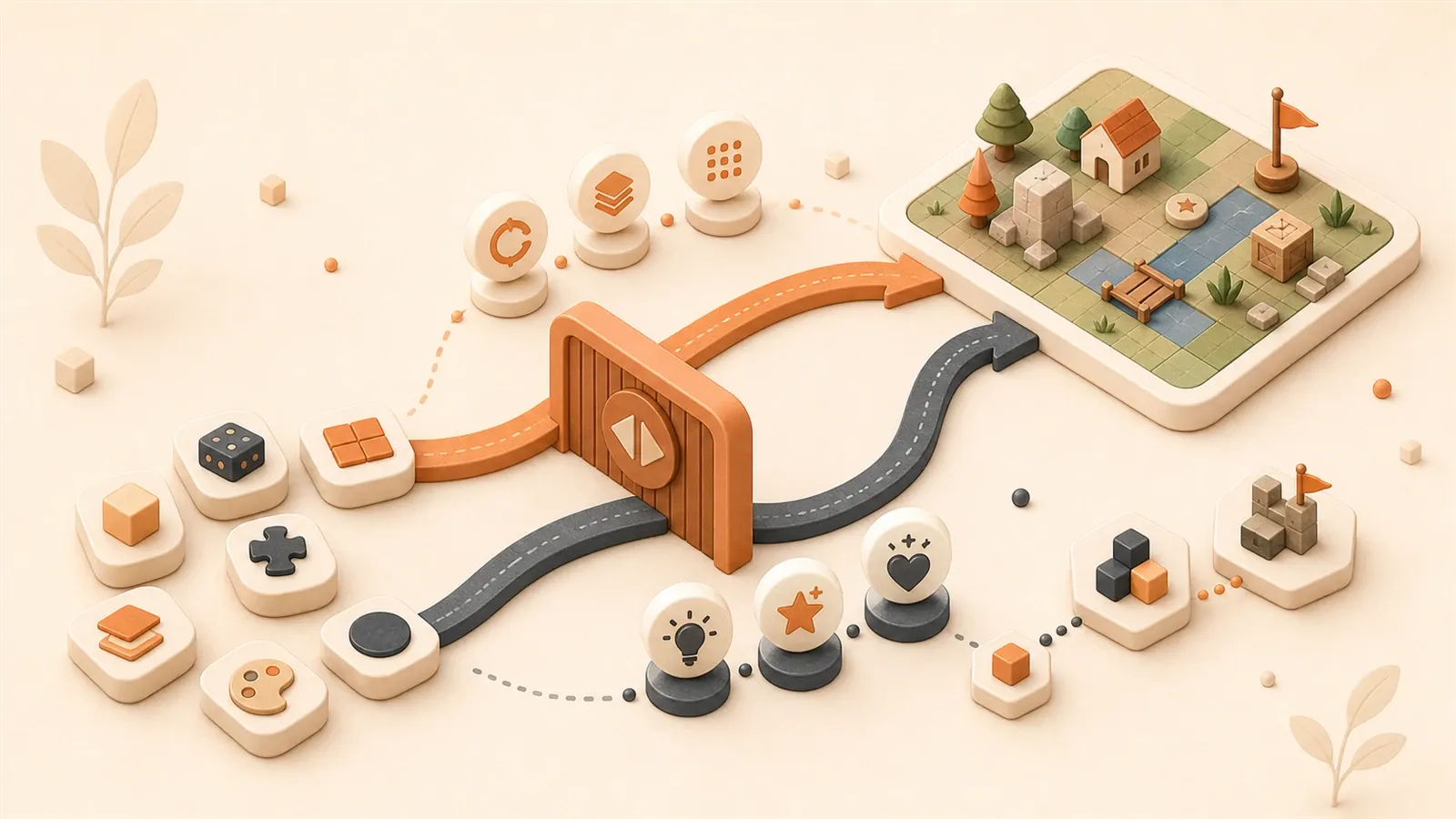
After weeks of AI-generated code, everything ran—until a core logic change tangled the architecture and one fix broke the rest. Another team shipped eight mini-game prototypes in an afternoon that used to take a week. Both stories are real; they point in opposite directions.
GDC 2026 data: 52% of developers see AI as net negative for games—nearly triple from two years ago. Artist opposition runs 64%; management AI use is 47% versus 29% on the front line. AI is neither magic nor catastrophe; the issue is boundaries.
Solo devs feel that hardest—no spare people to clean up mistakes, but the right calls can multiply throughput. This article is about what AI should not own and when you must judge yourself.
For any task, the question is not “can AI do it?” but “should it?”
What AI Can Do — Delegate Repetitive Work to AI
Let’s clarify one thing first: there are several areas in game development where AI is genuinely useful. Not “possibly useful”—actually time-saving based on real testing.
I’ve used it for over a year, stepped in pitfalls and tasted sweetness. Summarized: what can be delegated to AI are one type of task—those with standard answers, highly repetitive, low creative value.
Code Generation and Completion
For prototype validation, AI’s efficiency is visibly apparent.
NetEase’s in-depth article mentioned a case: a designer breaks down requirements and writes drafts during a brainstorming session, a bot listens in, then outputs runnable prototype code after the meeting. Previously, such prototypes took a week to grind through—now done in one afternoon.
Similar feedback appears on Zhihu. A developer said for math problems and engine API knowledge, AI gives answers in seconds. “For example, how to use Unity Animator or configure URP RenderFeature—these require digging through documentation for half a day, but AI explains in one sentence.”
My experience is similar. Writing basic top-down RPG movement logic, the code framework AI provides is directly usable. Later tuning feel and adding collision detection I did myself, but the skeleton was AI-generated.
Sohu has test data: completing about 70% of a top-down RPG Demo’s functionality within 40 minutes. I believe this data, because my pace is about the same.
But note: this is about “skeletons” and “prototype validation.” Before official launch, AI-generated code needs to be reviewed, optimized where needed, refactored where necessary. Don’t expect production-grade code from AI.
Batch Content Generation
This is AI’s strong suit. NPC dialogues, quest descriptions, item explanations, achievement names—all filler text with low creative content but high volume.
A NetEase copywriter shared an approach: throw “grunt work” filler text to AI, done in minutes. Then proofread yourself, adjust phrasing, and calibrate against AI output.
“We treat AI as a control group to see if there’s obvious disparity in our own writing.” This approach is practical—AI isn’t replacing you, it’s helping calibrate output.
Sohu’s guide mentions: AI can generate 10 beginner-stage quests, including trigger conditions and reward mechanisms. AI handles such structured content quite smoothly.
I used AI to write a set of item descriptions, about 50 items. Time spent: 15 minutes. Writing myself: at least two hours. Quality difference: negligible. Because item descriptions don’t require high creativity—just accurate, concise, and consistent with the world-building.
Art Prototype Generation
Art is the most controversial area, but demos can actually use it.
A developer on Zhihu shared: using AI-generated temporary art during demos, “pleasing to the eye and not bad.” The key is not expecting direct release—anatomical errors, inconsistent styles, rough details—these require professional artists to fix.
I made a demo using AI-generated character color blocks and scene backgrounds. Showed friends, they said “not bad.” But I knew this was temporary—actual release would require finding an artist.
From an indie developer’s perspective, using AI art during demos is pragmatic—you don’t have budget for artists, but need something visual to validate gameplay.
Key point: temporary use is fine, official release is not.
Creative Expansion and Prototype Validation
Here AI’s role is more like a “reference assistant.”
Sohu’s guide mentions Ludo.ai, which can analyze Steam and TapTap data to generate game concepts. This market research-type output, AI does faster than humans—large data volume, many dimensions, manual analysis too slow.

ACM’s paper also mentions: AI can support creative processes but shouldn’t replace creative decisions. Simply put, AI can give you a bunch of options, but which one to choose is your decision.
I tried using AI to generate GDD frameworks. Given a core gameplay description, AI outputs 5 possible expansion directions. Then I picked 2 for deeper thinking. AI’s job is “broadening thinking,” not “making decisions.”
What AI Cannot Do — These Must Be Judged Yourself
Earlier I covered what can be delegated to AI; now let’s cover what cannot.
This part is more important. Because the cost of misusing AI is often higher than not using it at all.
Creative Decisions and Game Feel
Core gameplay, world-building, emotional experience—these AI really cannot do.
ACM’s paper has a sharp insight: “AI doesn’t have understanding of games.” It knows how to write code, but doesn’t know what “fun” feels like.
The Medium article is more direct: the magic of games isn’t in code, but in “feel.” Hand-feel, rhythm, emotional flow—these require developers to experience and adjust personally.
Stardew Valley author Eric Barone’s attitude toward AI represents industry opposition. He said “human creativity should be prioritized over soulless machines.” This sounds a bit extreme, but from a creator’s perspective, it’s correct. The rhythm of farming games, the warmth of villager interactions, the satisfaction when harvesting—these aren’t things code can express, but experiences designers repeatedly polish.
I made a pinball game myself. The physics parameters AI gave worked from the start. But the “feel” was wrong—ball bounce too hard, rhythm too fast, players had no sense of control. I spent three days adjusting, changed countless parameters, finally found that “satisfying but not out of control” feeling.
AI can give code, but cannot give “feel.”
Art Direction Control
Art is the most controversial field and where AI has the most problems.
Zhihu feedback mentions: AI-generated anatomical errors require professional artists to fix. Wrong number of fingers, confused perspective, inconsistent lighting—these common AI issues players can spot at a glance.
Someone on Reddit complained: AI art “cannot follow established art directions.” You want pixel style, AI gives cartoon style; you want cool tones, AI goes warm. Style consistency is core to game art, and AI is almost disastrous here.
Frontline artists discovered after using AI: what AI gives is unreliable; fixing images is more tiring than drawing.
I made a demo using AI-generated character avatars. Result: 5 characters had completely inconsistent styles—one cartoon, one realistic, one pixel, one anime, one undefined. Eventually deleted and found an artist to redraw.
Style consistency is AI’s weakness; currently no solution.
Architecture Design and Problem Understanding
This is the core issue of that Reddit “delete all code and rewrite from scratch” case.
AI-given code runs, but the architecture is often entangled. Functions are tightly coupled; changing one part affects many. This code is called “architecture nightmare.”
ACM paper describes AI as “Ill-Informed Co-Worker”—it has technical capability but lacks deep understanding. It knows how to implement functions, but doesn’t know why this implementation, or what impact this has on the future.
A developer on Zhihu summarized well: “AI can’t help with conceptual problems.”
What are conceptual problems? For example:
- What’s your game’s core mechanic?
- How do various systems interact?
- What are future expansion directions?
- Where are performance bottlenecks?
These questions have no standard answers; developers need to think themselves. AI can assist but cannot decide.
The original Reddit post has a line: “Using AI severely limits ability to rollback and adjust.” Because architecture isn’t clear, when you want to change one logic, you find the impact too large, can’t change it.
Security and Maintenance Control
SonarSource’s analysis mentions: AI code may hide security vulnerabilities. Missing input validation, overlooked permission checks, exposed sensitive data—these details AI easily overlooks are fatal issues after launch.
German Federal Office for Information Security advises: AI code assistants require experienced developer supervision. Not avoiding completely, but human review after use.
From a long-term maintenance perspective, AI code’s problems are more hidden. Because it gives code without comments, without documentation, without design explanations. Three months later you want to modify, find you don’t understand how it was written.
I stepped in this pit. An AI-generated module ran normally after launch. Six months later adding new features, opened the code found it completely unfamiliar—chaotic variable naming, bizarre logic jumps, no comments. Eventually spent two days refactoring, slower than writing it myself initially.
AI can save development time, but not necessarily maintenance time. Many people overlook this.
Decision Framework — When to Delegate, When to Do It Yourself
The previous two sections covered “can do” and “cannot do,” but tasks encountered in actual development often fall between the two.
This is when you need a decision framework.
Knowledge Questions vs Conceptual Questions
A developer on Zhihu summarized a practical judgment method: “Ask AI for knowledge questions; rely on yourself for conceptual questions.”
What are knowledge questions? Those with absolutely correct answers. For example:
- How to configure state machines in Unity Animator?
- How to implement collision detection in Cocos Creator?
- How to calculate this math formula?
These questions AI can answer accurately, because answers are unique and verifiable.
What are conceptual questions? No absolutely correct answers; require aesthetic and experiential judgment. For example:

- Is the core gameplay fun?
- Is the world-building coherent?
- Is the feel smooth?
These questions AI cannot answer, because answers depend on your aesthetics, your target audience, your design philosophy.
My own judgment habit: when encountering a problem, first ask myself, “Does this problem have a standard answer?”
If yes, ask AI.
If no, think yourself.
For example, writing jump logic, AI can give code framework. But what’s appropriate jump height? How long air time? How to do landing feedback? These need you to adjust yourself, because “feel” has no standard answer.
Prototype Phase vs Production Phase
Phase judgment is also important.
Prototype phase, the goal is validating idea feasibility, not launch quality. At this time you can boldly use AI—code just needs to run, art use color blocks as placeholders, copy written casually.
Production phase, facing players, pursuing complete experience. At this time must have human control—code needs refactoring, art needs polishing, copy needs refinement.
Sohu’s test data: 40 minutes to complete 70% of RPG Demo functionality. This is in prototype phase. To turn this demo into a launch-ready product, 40 minutes is far from enough—30% core functionality to complete, architecture to refactor, art to replace, copy to proofread.
NetEase’s case is similar: designer used AI to run through prototype in one afternoon, but later formal development still controlled themselves.
I made a pinball game demo, AI-given code ran through in 20 minutes. But to become a publishable version, spent another two weeks—adjusting feel, optimizing performance, designing levels, perfecting UI.
Using AI in prototype phase is acceleration; using AI in production phase requires caution.
Repetitive Tasks vs Core Creativity
This judgment standard is more intuitive.
Repetitive tasks: low creative value, time-consuming and laborious, highly repetitive. Like NPC dialogue batch generation, item description filling, achievement name generation.
Core creativity: high creative value, determines game soul. Like plot branch design, core mechanic innovation, character personality shaping.
Repetitive tasks delegate to AI, saves time, doesn’t affect quality.
Core creativity control yourself, determines game core competitiveness.
NetEase copywriter’s approach: filler copy thrown to AI, core narrative written themselves. This saves time without sacrificing creativity.
I wrote an NPC dialogue set, about 100 lines. Daily conversations, idle chats, off-plot complaints—these generated with AI, 15 minutes done. But main plot, key character personality lines, emotional turning points—these written myself, took two days.
Repetitive work use AI, core creativity rely on yourself. This division maximizes efficiency.
Can use a simple judgment table:
| Task Type | AI Handles | You Handle | Reason |
|---|---|---|---|
| Knowledge questions | ✅ | ❌ | Has standard answers |
| Conceptual questions | ❌ | ✅ | Requires aesthetic judgment |
| Prototype phase | ✅ Assistance | ✅ Control | Validating feasibility |
| Production phase | ❌ | ✅ | Pursuing quality |
| Repetitive tasks | ✅ | ❌ | Low creative value |
| Core creativity | ❌ | ✅ | High creative value |
Every time facing a task, ask yourself three questions:
- Does this task have an absolutely correct answer?
- Does this task require my aesthetic judgment?
- Is this task in prototype or production phase?
After three questions, the answer is basically clear.
Real-World Cases — AI Usage Boundaries by Role
Earlier covered the decision framework, now let’s see how specific roles apply it.
Different roles have different task natures, AI usage boundaries also differ.
Designer Role
Designers have broad work scope, many AI use scenarios.
NetEase’s case: designer breaks down requirements and writes drafts during brainstorming, bot listens and records, outputs runnable prototype code after meeting. This is AI’s most typical use in designer role—quickly turning ideas into something verifiable.
But designer’s core work is creative decisions: world-building, core gameplay, plot structure. These AI cannot do, must control yourself.
I’ve seen a designer use AI to generate 10 gameplay proposals, then picked 3 for deep thinking themselves. AI’s role is “broadening thinking,” not “making decisions.”
Designer role’s AI usage boundaries:
- AI does: breaking down requirements, writing drafts, brainstorming records, prototype code output
- You do: world-building, core gameplay, creative decisions, plot structure
Copywriter Role
Copywriter role’s AI usage is relatively clear.
NetEase copywriter shared: filler copy thrown to AI, core narrative written themselves. Then calibrate own output against AI output.
Specifically:
- AI does: NPC daily dialogues, item descriptions, achievement names, quest descriptions
- You do: main plot, key character lines, world-building copy, emotional turning points
I wrote a game’s NPC dialogue system. Daily chats, off-plot content generated with AI—“nice weather today,” “business has been tough lately” kind of thing. But main plot, villain’s key lines, dialogue shaping character personality—these written myself, because every word must carry emotion.

AI-given filler copy saves time, but doesn’t carry emotion. Copy’s core value lies in emotion, this part must control yourself.
Programmer Role
Programmers use AI most frequently, also most controversial.
GDC data shows: 36% use AI, but mostly for code and workflows, not asset generation. This indicates programmers have relatively high AI acceptance, but usage scope also has boundaries.
ACM paper advises: experienced developers need to supervise AI code, prevent security vulnerabilities. Not avoiding completely, but reviewing after use.
Programmer role’s AI usage boundaries:
- AI does: code completion, API knowledge answers, math calculations, prototype validation
- You do: architecture design, complex logic, performance optimization, security control, long-term maintenance
That Reddit “delete all code and rewrite from scratch” case is a cautionary tale of programmers over-relying on AI. AI-given code runs, but architecture entangled, later can’t change.
My own coding habit: AI gives framework, I fill core logic and architecture design. Simple functions, repetitive code, documentation queries—these use AI. But system architecture, performance-critical paths, security-related code—these write myself.
Artist Role
Artists use AI most cautiously.
Reddit feedback: AI art “cannot follow established art directions.”
Zhihu feedback: AI-generated anatomical errors require professional artists to fix.
Artist role’s AI usage boundaries:
- AI does: prototype phase temporary art, demo display materials, color block placeholders
- You do: anatomical fixing, style consistency control, visual quality, launch art
I made a demo using AI-generated character avatars. Result: inconsistent styles, eventually deleted and found artist to redraw. This lesson taught me: AI art usable in demo phase, but not for official launch.
Art’s core value lies in style consistency. What AI gives has chaotic style, fixing is more tiring than drawing. Currently no solution.
Can use a role comparison table:
| Role | AI Usage Rate | AI Handles | You Handle | Opposition/Controversy |
|---|---|---|---|---|
| Designer | Mid-high | Requirement breakdown, prototype code | World-building, core gameplay | Lower |
| Copywriter | Mid-high | Filler copy, NPC dialogue | Main plot, character lines | Lower |
| Programmer | Highest | Code completion, API queries | Architecture design, security control | Medium |
| Artist | Lowest | Demo temporary art | Style control, anatomical fixing | Highest |
From this table can see: the lower creative content in a role, the higher AI acceptance. Roles with high creative content are more alert to AI.
NetEase management AI usage rate 47%, frontline execution only 29%. Behind this temperature gap is frontline staff knowing AI’s limitations better—they use it daily, know what’s reliable and what’s not.
Conclusion
Back to that Reddit developer’s story at the beginning. He deleted all AI code and rewrote from scratch. This isn’t rejecting AI, but finding correct boundaries.
Sealos blog has a view: AI is a “tool,” not an “architect.” Tools lower barriers, but architects decide direction. Indie developers remain creative directors; AI is just an accelerator.
What’s the most successful model? GDC data and NetEase cases point to the same answer: AI handles repetitive tasks + you control core creativity.
This isn’t binary “give all to AI” or “don’t use AI at all.” It’s division of labor—delegate what should be delegated to AI, guard what shouldn’t be delegated yourself.
Three judgment habits:
-
Build awareness of “knowledge vs conceptual questions.” When encountering a problem, first ask: does this have a standard answer? If not, think yourself.
-
Distinguish “prototype phase vs production phase.” Boldly use AI in prototypes, cautiously control in production.
-
Every time using AI, ask yourself: Is this task’s creative value high? Does it require my aesthetic judgment? Will it affect long-term maintenance?
These questions have no AI that can answer for you. They are indie developers’ core capability—judgment.
Judgment comes from experience. Using AI won’t accumulate judgment, only accumulate dependence. Only through making judgments can you accumulate judgment.
AI is a good tool, but don’t let it make judgments for you.
Want to know specifically how to use AI? Check out Part 13 of this series “AI-Assisted Cocos Mini-Game Development: My Complete Workflow and Efficiency Comparison” for detailed methods. Want to learn how to write requirements for AI? See Part 14 “Writing AI Requirements for Mini-Game Development: How to Describe Scenes, Nodes, Components, Interactions.” This article provides a decision framework; subsequent articles provide specific practice.
FAQ
Can AI-generated code be used directly in production environments?
Can game art be AI-generated?
How should indie developers judge whether to delegate a task to AI?
Which roles have the highest and lowest acceptance of AI?
Will AI replace indie game developers?
How to avoid the architecture nightmare from over-relying on AI?
15 min read · Published on: May 23, 2026 · Modified on: Jul 14, 2026

AI-Assisted Cocos Mini Game Development
If you landed here from search, the fastest way to build context is to jump to the previous or next post in this same series.
Previous
How to Write AI Mini-Game Development Requirements: Scenes, Nodes, Components, and Interactions
Struggling to describe game development requirements to AI? Learn the Scene Four-Elements Method, Node Tree JSON Format, Component Description Template, and Interaction Five-Elements Formula. Includes 5 practical Prompt templates to boost your AI development efficiency.
Part 17 of 21
Next
After Completing a Mini-Game MVP: How to Decide Whether It's Worth Continuing Development
Use 5 key data benchmarks and a three-dimensional decision matrix to evaluate whether your mini-game MVP deserves further development. Includes real case decision analysis, platform-specific metrics for WeChat and Douyin, and a 5-step decision workflow.
Part 19 of 21


Comments
Sign in with GitHub to leave a comment