
Codex Cost Optimization in Practice: How to Save Tokens Without Making It Dumber
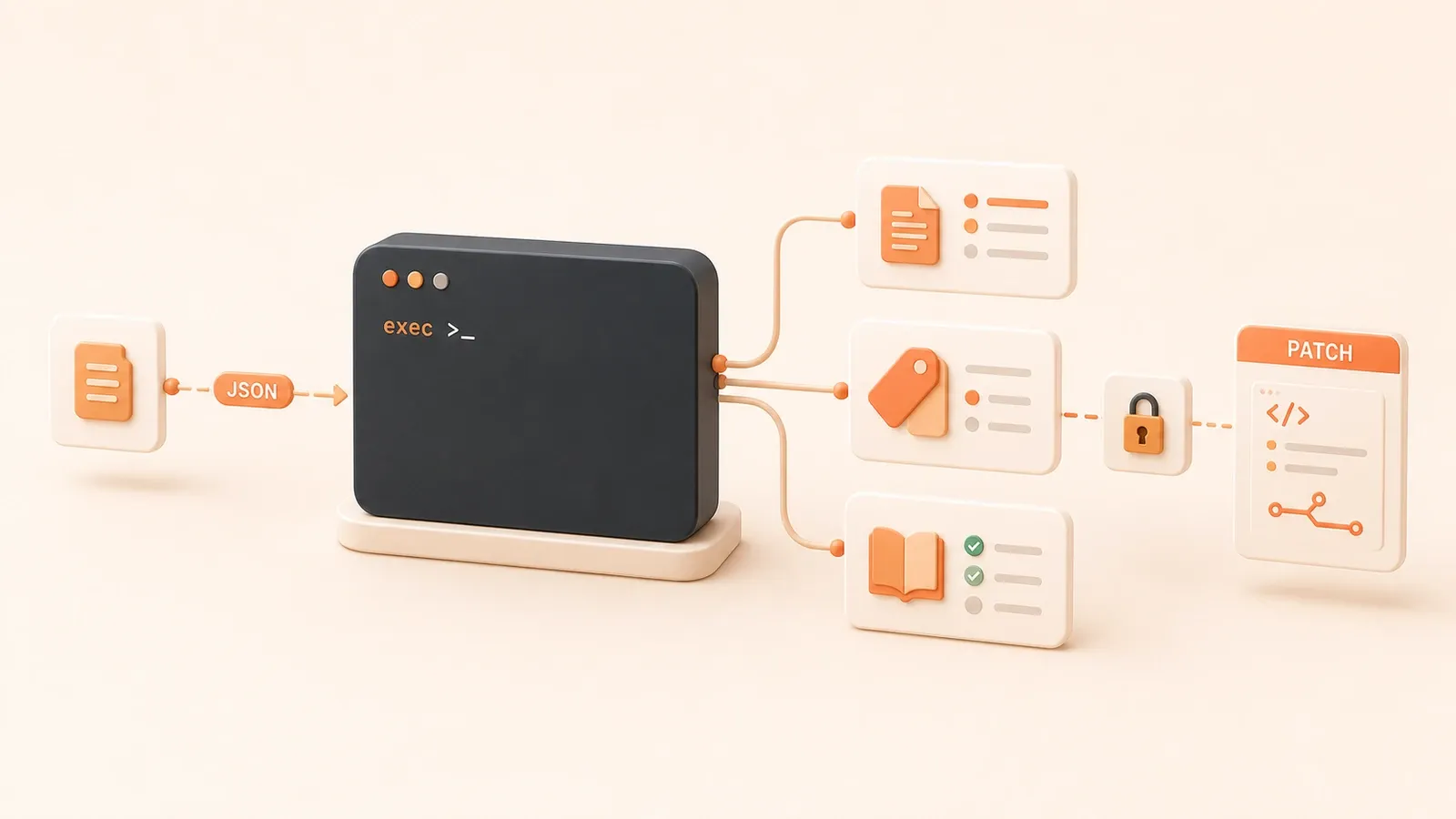
"The Codex rate card explains the relationship between input, cached input, and output tokens; that is the basis for the cost discussion in this article."
Codex Cost Optimization in Practice: How to Save Tokens Without Making It Dumber
Same task, but the quota disappears several times faster than expected. A long thread runs all day rereading context. Multi-agent is on by default. AGENTS.md is several thousand lines long. Even small chores get the most expensive model. If you want to know where the money goes and how to bring it down systematically, this is the clean breakdown.
1. Where the Money Goes: How Billing Works
Codex cost comes from four places: repeated context reads, long sessions, parallel sub-tasks, and high reasoning tiers. The core mechanism is token/credit billing: every 100 tokens of input, cached input, and output consumes a corresponding amount of credit. Different token types have different rates. Cached input is cheaper than normal input, and that is the foundation of prompt caching savings. The exact rates can change, so the official rate card is the source of truth.
Codex uses a rolling usage window rather than a simple monthly quota. When the window fills up, rate limits kick in. Plus and Pro plans have rate-limit reset banking, and the window resets after it ends. API keys are billed separately by token and are not affected by the Codex plan quota.
If you want to see usage, check /status for the current thread state, or open the usage dashboard in Codex settings to see team-wide usage.
Rereading context is the easiest cost sink to ignore. Every time Codex runs a task, it reads AGENTS.md, project docs, and thread history again. If AGENTS.md is several thousand lines long, the project docs are huge, and a thread runs through dozens of rounds, each reread adds more tokens. Long sessions are cumulative: the longer the thread and the more it reads, the more it costs. Multi-agent work makes it even worse because each active agent consumes its own quota, so parallelism multiplies single-run cost. Higher reasoning models such as GPT-5.5/5.4 are also more expensive than lighter models such as GPT-5.4 mini, and reasoning tiers such as Low, Medium, High, and Extra High also affect billing.
You can compare the savings and the trade-offs like this:
| Cost-cutting move | Expected effect | Trade-off |
|---|---|---|
| Use a cheaper model | Reduce quota use by 30-60% | Lower reasoning power; weaker on complex tasks |
| Clear context on time | Reduce quota use by 20-40% | More new threads; history is lost |
| Trim AGENTS.md | Reduce quota use by 10-20% | More document splitting; higher maintenance cost |
| Reuse prompt cache | Reduce quota use by 15-30% | Stable context; frequent edits break cache hits |
| Reduce multi_agent | Reduce quota use by 20-50% | Less parallelism; slower execution |
Saving money is not the same as being stingy. Cheaper models can save 30-60%, but complex tasks may suffer. Clearing context on time can save 20-40%, but it means opening new threads more often. Trimming AGENTS.md can save 10-20%, but it shifts some maintenance into document structure. Pick the tool according to the real task. Do not sacrifice core capability just to save a tiny amount.
Monitoring Usage Steps
Use /status in the command line to see the current thread state, including context size and used quota. In Codex settings, open the usage dashboard to see total team usage and quota-window status. Record usage regularly so you can compare the actual effect of cost-cutting moves.
2. Model and Reasoning Tiers: Do Not Default to the Most Expensive
Model choice directly affects cost. Codex provides four reasoning tiers: Low, Medium, High, and Extra High. Low is fast and narrow, so it is good for simple tasks. Medium and High are for more complex or debugging-heavy work. Extra High is for long agentic tasks. On the model side, GPT-5.5 and GPT-5.4 are the frontier models, while GPT-5.4 mini is the lighter option; 5.3-Codex and 5.2 are already deprecated.
The basic rule is simple: use the frontier model for thinking, and mini for grunt work. Match the reasoning tier to the task difficulty. Do not default to the most expensive setup. Overusing the most expensive model burns quota quickly, and simple tasks do not necessarily improve.
Here is the pairing:
| Task type | Recommended reasoning tier | Typical scenario |
|---|---|---|
| Simple lookup, format conversion | Low | Document formatting, simple bug fixes |
| Code refactor, feature work | Medium | Single-file refactors, API integration |
| Debugging, complex logic | High | Cross-file bug hunting, performance tuning |
| Long agentic tasks | Extra High | Multi-step automation, exploratory development |
Use Low + mini for simple queries and format conversion. Use Medium + mini or Medium + GPT-5.4 for code refactors and feature work. Use High + GPT-5.4/5.5 for debugging and complex logic. Use Extra High + GPT-5.5 for long agentic tasks. Choose by real difficulty, not by fear. Overbuying power just to feel safe is expensive.

FAQ: How Do I Pick a Cheaper Model?
Use frontier models for thinking tasks (GPT-5.5/5.4) and mini for small chores (GPT-5.4 mini). Match the reasoning tier to the task difficulty. Simple lookups use Low; debugging uses High; long agentic tasks use Extra High.
3. Session Management: Do Not Run One Thread All Day
A long session can run for an entire day, rereading context over and over. Tokens disappear fast. Every Codex run rereads the thread, and the longer the thread and the more content it reads, the more the cost piles up. The fix is to keep sessions short: one thread, one task. Do not turn one thread into an entire project.
The concrete version looks like this: AGENTS.md has several thousand lines, the project docs are huge, the back-and-forth has dozens of rounds, and every round causes more rereading. One reread can cost only a few tokens, but dozens of rounds turn that into tens of thousands. The thread gets longer, Codex has more room to get confused, and the result gets worse.
| Command | Purpose | When to use |
|---|---|---|
/compact | Compress early context | When a thread gets long (Codex also compresses automatically) |
/clear | Clear the current thread | After the task is done |
/resume | Resume a previous thread | When you need to continue an old task |
/fork | Split a thread | When you need a branch for exploration |
/agent | Switch to a parallel agent | When you need multi_agent |
/status | Check thread status | When you want to monitor usage |
Session Management Best Practices
When a task is finished, use /clear immediately or open a new thread to avoid context buildup. In long sessions, use /compact to shrink the early context and reduce token usage. Use /resume only when you truly need to continue the previous task. Do not mix tasks in one thread, such as bug fixing, feature writing, refactoring, and deployment all together. Mixing tasks creates context noise and wastes tokens. If you need branching exploration, use /fork, but remember that each branch consumes quota on its own.
FAQ: How Do I Handle Long Sessions?
When the task is done, use /clear or open a new thread. In the middle of a long session, use /compact. One thread, one task.
4. AGENTS.md Trim: Avoid the 32 KiB Cutoff
AGENTS.md can easily grow into several thousand lines. That not only takes up context, it can also trigger truncation. The project_doc_max_bytes limit defaults to 32 KiB. Once the merged AGENTS.md hits that limit, Codex stops adding more and truncates content. Truncation means some instructions are lost, and that also wastes context space.
How to think about AGENTS.md size:
| AGENTS.md size | Impact | Fix |
|---|---|---|
| < 16 KiB | No noticeable impact; low context cost | Keep it as is |
| 16-32 KiB | Medium cost; monitor it | Consider splitting non-core content |
| > 32 KiB | Truncation risk; some instructions are lost | Split into nested directories |
AGENTS.md Trim Steps
Keep one AGENTS.md lean and stable within the 32 KiB limit, and put only the core instructions and common rules there. If you have to go over the limit, split the extra rules into nested folders, such as docs/.agents, and use task-specific .md files for the details. Use locality-based override so the more specific AGENTS.md in a subfolder covers the global config.
For a more detailed guide to writing AGENTS.md, see AGENTS.md Best Practices.
5. Prompt Cache: Make Stable Context Cheaper
Cached input is cheaper than normal input, which is the main reason prompt caching can save money. When the context is stable, Codex can bill it at the cached-input rate, which is lower than the standard input rate. Keep AGENTS.md and project docs stable so they can fully benefit from cached input.
The caching mechanism is straightforward: Codex stores stable context blocks such as AGENTS.md and project documents. On the next run, those blocks are billed as cached input. If you change them often, the cache misses and you fall back to the normal input rate. A high cache hit rate can cut single-run cost by 15-30%.
The practical rule is simple: keep AGENTS.md concise and stable, move core rules into a fixed location, and put volatile content in a temporary folder or task-specific document. Avoid stuffing everything into prompt text.
Prompt cache trade-offs:
| Cache lever | Expected effect | Trade-off |
|---|---|---|
| Stable AGENTS.md | Higher cached input hit rate | Requires upfront planning; fewer edits |
| Stable project docs | Less repeated token reading | Cache invalidates when docs change |
| Avoid frequent edits | More stable cache hits | Less flexibility |
FAQ: How Does Prompt Caching Save Money?
Keep AGENTS.md and project docs stable so they can hit cached input. Cached input is cheaper than normal input, and the official rate card defines the exact difference.
6. Concurrency and Plan Mode: Turn Them On Only When Needed
Multi-agent v2 concurrency is billed by active execution. Each active agent consumes quota, so parallelism is more expensive than a single agent. For now, multi_agent is still an experimental feature, so the default should be restraint. Turn it on only when you truly need it.
The math is simple: one agent runs once and consumes X quota. If multi_agent runs three agents in parallel, each active agent consumes X quota, and the total is 3X. The more agents you add, the more it costs. Parallelism also stacks other costs: each agent rereads context, runs reasoning, and produces output, all of which add up.
| Concurrency mode | Cost impact | Typical scenario |
|---|---|---|
| Single agent | Baseline cost | One task, sequential work |
| multi_agent (light parallelism) | +20-30% cost | Need parallel exploration |
| multi_agent (heavy parallelism) | +50-100% cost | Long agentic tasks |
Use multi_agent when the task really needs parallel exploration, such as editing multiple files at the same time, syncing multiple documents, or running long agentic workflows like automated testing, deployment, and monitoring. Do not use it for a single bug fix, a step-by-step refactor, or personal work under a tight budget. For deeper analysis of parallel cost, see Codex Multi-Agent in Practice.

The rule for multi_agent is simple: keep it off by default and enable it only when needed. Control the number of active agents, and reduce the parallel count if the burn rate gets too high.
FAQ: Is Multi-Agent Parallelism Expensive?
Yes. multi-agent v2 charges by active execution, so each active agent burns quota. Keep it off by default and turn it on only when necessary.
7. Plan Mode Trade-Offs: Do Not Overuse It for Simple Tasks
Plan mode adds one extra planning round, which costs additional tokens. For complex tasks, that extra round can avoid rework. For simple tasks, though, it is often wasted overhead. If the task is clear enough, run it directly.
How complexity relates to plan mode:
| Task complexity | Use plan mode? | Cost impact |
|---|---|---|
| Simple (one step, clear) | No | Baseline cost |
| Medium (multi-step, needs confirmation) | Yes | One more planning round, but less rework |
| Complex (long agentic chain) | Yes | One more planning round, but it avoids more expensive rework |
The rule is: use plan mode for complex tasks, execute directly for simple ones. That is the conservative recommendation. The exact choice depends on the actual task.
FAQ: Does Plan Mode Cost More?
Yes, it adds another round of tokens. Do not use it for simple tasks; use it for complex ones to avoid rework.
8. Monitoring and Budget: You Cannot Save What You Cannot See
You need visibility to know whether the cost-cutting works. Codex gives you two monitoring entry points: the usage dashboard and /status. The usage dashboard lives in Codex settings and shows the overall team usage and quota window status. /status in the command line shows the current thread’s context size and quota used.
Monitoring Usage Steps
Use the usage dashboard to see team usage (entry: Codex Settings → Usage). Use /status to check the current thread state (command line). Estimate the team budget: Plus is about $20/month (base quota); Pro is about $200/month (higher quota); Business is about $25-30 per person per month; community experience puts a real team around $100-200 per person per month (reference, official pricing wins).
These numbers are a range as of 2026-06; the official pricing remains the source of truth.
FAQ: Roughly How Much Per Month?
Plus is about $20/month, Pro is about $200/month, and a real team experience is often around $100-200 per person per month as a community reference. Check the usage dashboard for the real number.
9. FAQ
Q1: Where does Codex spend the money?
On rereading context, long sessions, multi-agent parallelism, and high reasoning tiers. See Section 1.
Q2: How do I choose a cheaper model?
Use frontier models for thinking (GPT-5.5/5.4) and mini for simpler work (GPT-5.4 mini). Match the reasoning tier to the task. See Section 2.
Q3: How do I manage long sessions?

Use /clear when the task is done, or /compact in the middle of a long thread. One thread, one task. See Section 3.
Q4: How does prompt caching save money?
Keep AGENTS.md and project docs stable so they can hit cached input. Cached input is cheaper than normal input. See Section 5.
Q5: Is AGENTS.md too big a problem?
Yes, above 32 KiB it can get truncated and it also consumes context. Keep the main file lean and split the overflow into nested folders. See Section 4.
Q6: Is multi-agent parallelism expensive?
Yes, because cost is counted by active execution. Keep it off by default. See Section 6.
Q7: Does plan mode cost more?
Yes, it adds another round of tokens. Do not use it for simple tasks. See Section 7.
Q8: Roughly how much per month?
Plus is about $20/month and Pro is about $200/month. A real team experience is often around $100-200 per person per month as a community reference. See Section 8.
10. Next Steps and Further Reading
If you want a primer on approvals and common errors, read Codex Sandbox and Permission Boundaries. If you want to go deeper into parallel agents, read Codex Multi-Agent in Practice.
Run a Codex Cost Check
Scan the five most common cost sinks: billing, model choice, sessions, cache, and concurrency.
- 1
Step 1: Check usage
Start with `/status` and the usage dashboard to see current session and team consumption. - 2
Step 2: Lower reasoning
Use Low or mini for simple work; reserve higher reasoning for truly hard debugging. - 3
Step 3: Shorten sessions
When a task is done, `/clear`; for long sessions, use `/compact`; only `/fork` when you really need a branch. - 4
Step 4: Keep context stable
Move long-lived rules into a trimmed AGENTS.md or task-specific docs so the cache can do its job. - 5
Step 5: Control concurrency
Turn on multi_agent and plan mode only when needed, not by default.
FAQ
Where does Codex spend the money?
How do I choose a cheaper model?
How should I manage long sessions?
How does prompt caching save money?
Is multi-agent always more expensive?
How much does Codex cost per month?
13 min read · Published on: Aug 13, 2026 · Modified on: Aug 13, 2026

OpenAI Codex: CLI, Desktop, Cloud, and Team Workflows
If you landed here from search, the fastest way to build context is to jump to the previous or next post in this same series.
Previous
Codex Computer Use and the In-App Browser in Practice: Let the Agent See Pages, Operate Apps, and Iterate Frontend
Learn how Codex Computer Use and the in-app browser work together: operating apps with the cursor, iterating frontend in the browser, using Developer mode for debugging, and choosing the right workflow for each platform.
Part 12 of 15
Next
Codex Automations for Long-Running Tasks: Scheduled Triggers, Heartbeats, and Cross-Day Work
A practical guide to Codex Automations: when to use standalone/project automation vs. thread automation, how to choose worktree, sandbox, approval policy, frequency, and stop conditions, and how to avoid turning background work into an unbounded loop.
Part 14 of 15


Comments
Sign in with GitHub to leave a comment