
High Impressions, Low Clicks? A Weekly GA/GSC Operations SOP for Tech Blogs
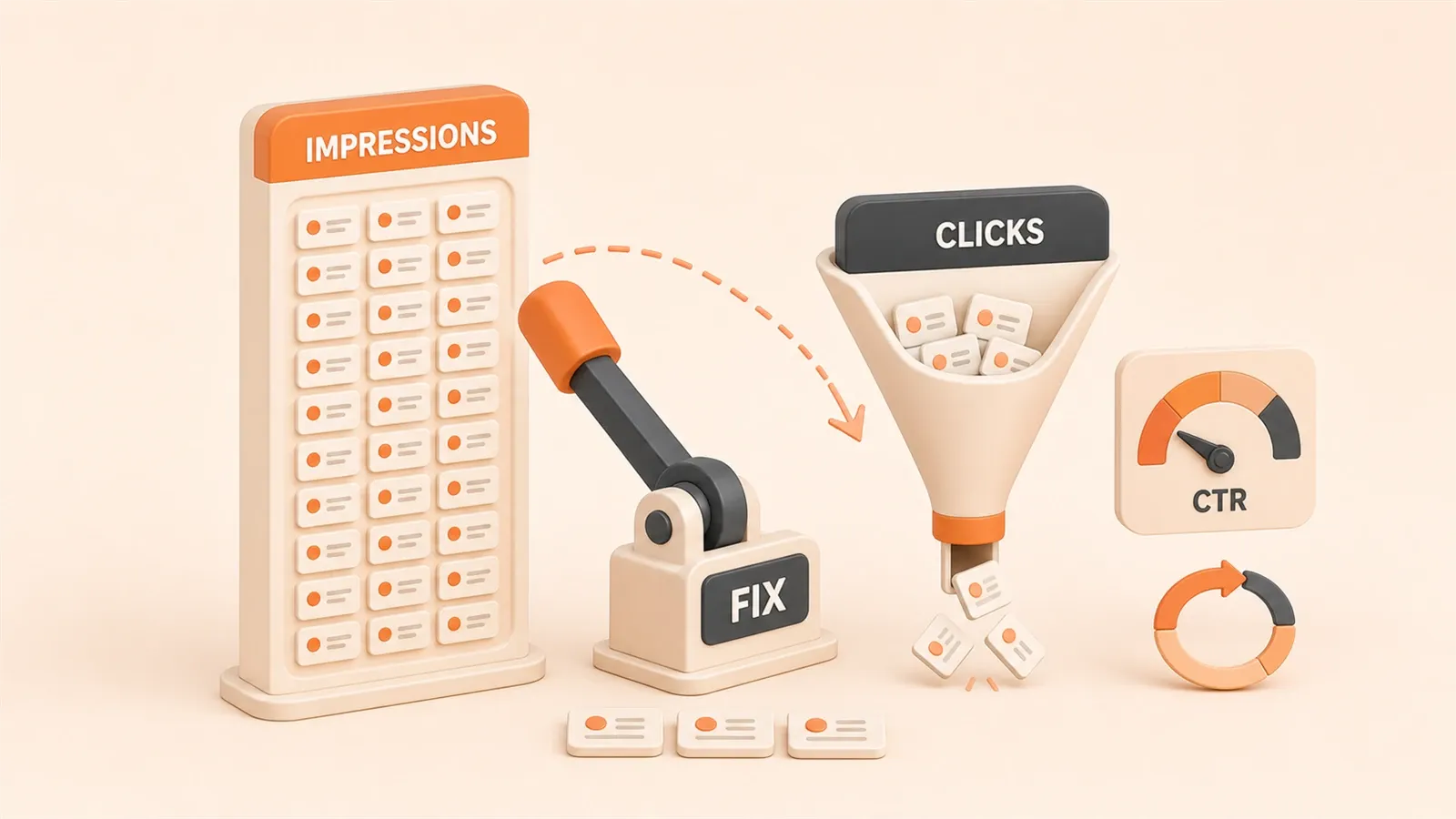
You open Google Search Console’s Performance report and find an article with 3,500 impressions but only 42 clicks—a CTR under 1.2%. It ranks at position 6, theoretically in the “click zone,” so why is no one clicking? More commonly, you have dozens of these “ghost pages” across your blog. Every week you look at the data, unsure where to start, and when you do make changes, you don’t know if they worked.
In 2026, tech blogs face a new challenge: AI Overviews are directly answering user questions, so users don’t need to click to get answers. But even with the zero-click trend, a subset of articles still maintains 20-30% CTR—they capture search intent, and their headlines make people want to click through for the full content.
This article provides an actionable 30-minute weekly SOP: from filtering problem pages in GSC, diagnosing causes, prioritizing fixes, to headline rewrite techniques and automation solutions. You can start using it next week.
1. Diagnostic Framework: Why Your Pages Have High Impressions but Low Clicks
The essence of high impressions but low clicks is: your page appears in search results, but users have no reason to click through. According to Content Decoded’s 2026 data analysis, this problem is usually caused by three factors: poor ranking position, unattractive headlines, and search intent mismatch. In 2026, there’s a fourth factor: AI Overviews directly providing answers.
1.1 Ranking vs CTR: Are You Really in the “Click Zone”?
CTR has a direct relationship with ranking position. Position 1 averages 25-35% CTR, position 5 drops to 5-8%, and position 8+ is basically below 3%. If your page ranks at positions 8-20, high impressions but low CTR isn’t a “problem”—it’s normal behavior because users simply don’t see you.
True “high impression, low click” problem pages usually rank at positions 3-7, have 500-5000 impressions, but CTR far below the expected level for that position. For example, ranking at position 5 should have 5-8% CTR. If your page only has 1-2%, that’s a real target for improvement.
Another detail: mobile CTR is about 15% lower than desktop. If your blog’s primary audience is on mobile (tech blogs typically have 40-60% mobile traffic), CTR benchmarks need to be adjusted down accordingly.
1.2 Headline Issues: Safe Headlines Get Ignored, Curiosity Gaps Are Core Elements
Headlines are the number one factor in determining CTR. The most common mistake tech blogs make is writing “safe headlines”—they only describe content, without giving a reason to click.
Characteristics of safe headlines:
- Only state the topic: “React Hooks Tutorial”
- No numbers, no pain points, no contrast
- Users know the approximate content after reading the headline, no need to click to verify
These headlines get quickly scanned by users in search results without leaving any memory point. In contrast, headlines with curiosity gaps create an “I want to see what this is specifically about” impulse in users.
Ways to create curiosity gaps:
- Specific numbers: “5 React Hooks Pitfalls” (users want to know which 5)
- Pain point first: “After 7 Docker Deployment Failures” (users want to know why it failed)
- Contrast: “MySQL Queries Slow? These 4 Configs Make It 10x Faster” (users want to know which 4 configs)
Real-world data: Content Decoded changed “SEO Tips” to “7 SEO Mistakes,” and CTR increased 20-30%. Headline changes don’t need to change ranking; they directly increase click-through rate.
There’s also a risk: Ahrefs’ 2022 research shows Google rewrites 33.4% of title tags. If your headline is too safe, too long, or doesn’t match page content, Google will extract other text from the page as the display headline. Title and H1 matching reduces the rewrite probability—if Title is “5 React Hooks Pitfalls,” H1 should also be similar content, not “Complete React Hooks Guide.”
1.3 Search Intent Mismatch: You Appeared in the Wrong Conversation
Search intent mismatch means: your page appears in search results for a certain keyword, but your content doesn’t match what users actually need.
Typical examples:
- User searches “microservice architecture,” intent is to understand concepts and principles, your article is “microservice deployment lessons learned”
- User searches “Redis performance optimization,” intent is to find specific configuration methods, your article is “Redis basics introduction”
This type of mismatch leads to high impressions (keywords do match) and low clicks (users scan the headline and know it’s not what they’re looking for).
Methods to identify intent mismatch:
- Search that keyword on Google, see what type of content is in the top 5 (tutorial, case study, tool comparison, concept explanation)
- Compare whether your content matches the mainstream result type
- If not, either adjust content positioning or change keywords
Tech blogs have a special situation: pain point keywords inherently have lower CTR benchmarks. For example, “microservice timeout how to fix”—users searching these keywords have usually already encountered a problem and urgently need specific solutions. If your headline isn’t clear enough (like “microservice timeout handling” instead of “microservice timeout: 3 troubleshooting steps”), CTR will be lower than regular tech articles. Industry observations show pain point keyword articles have CTR benchmarks around 2-4%, lower than the 5-8% for general tech articles.
1.4 AI Overviews: 2026’s Biggest Zero-Click Challenge
In 2026, Google’s AI Overviews are changing search behavior. When users search a question, AI Overviews directly generate answers at the top of search results, and users don’t need to click any links to get information.
This is called “Great Decoupling”—search volume and click volume are decoupling. Your page might rank well with a good headline, but AI Overviews have already provided the core answer, so users no longer have motivation to click.
Response strategies:

- Content must have “something AI can’t fully provide”: specific code examples, lessons learned from failures, configuration details, real-world data
- Headlines must clearly indicate “extra value”: like “Tested,” “Lessons Learned,” “Complete Configuration”
- For questions AI Overviews easily answer (like “What is React Hooks”), shift to more specific sub-questions (like “How to Fix React Hooks useEffect Closure Issues”)
This isn’t a short-term trend but a long-term change. If your blog relies on broad concept articles for traffic, you need to gradually shift toward specific questions and hands-on content.
2. GSC Filtering Practice: Find Your “Ghost Pages” in 30 Minutes
Knowing the problem types, the next step is to find specific “problem pages” from your blog data. GSC Performance reports provide complete data, but many people don’t know how to correctly use filters.
2.1 Open GSC Performance, Check Four Core Metrics
Enter GSC → Performance, and you’ll see four core metrics: total clicks, total impressions, average CTR, and average position. By default, only the first two are shown; you need to manually check the latter two.
After checking, the report shows:
- Clicks: How many users clicked your page
- Impressions: How many times your page appeared in search results
- CTR: Clicks/Impressions percentage
- Average Position: Your page’s average ranking position for that keyword
Time range is recommended to be set to the last 28 days, which shows enough data volume while reflecting recent changes. If your blog has low traffic (daily impressions < 500), you can extend to 90 days.
2.2 Set Filters: Precisely Locate “Good Ranking but Low CTR” Pages
GSC’s filter function is core. By default, the report shows all data; you need to find “problem pages” through filters.
Steps:
- Click “New filter” or the filter area at the top of the page
- Select “Position”
- Set condition: “less than 5” or “less than 7” (depending on your blog’s overall ranking situation)
- Add another filter, select “CTR”
- Set condition: “less than” a certain value—this value needs to be adjusted based on your blog’s average CTR
Tech blog average CTR reference: According to Embarque’s data, CleanVoice (tech tool website) has average CTR around 7.8%. If your blog’s overall CTR is 5-8%, you can set the filter threshold at below 50% of your average CTR, like filtering CTR < 3%.
Example: If your blog’s average CTR is 6%, filter settings are:
- Position < 7 (ranking at positions 1-7)
- CTR < 3% (CTR below half of average)
Pages filtered this way have good rankings but abnormally low CTR—they’re your optimization targets.
2.3 Switch Dimensions: From Keywords to Pages, Find Problem Articles
GSC’s default dimension is “Query,” showing data for each keyword. But what you need to find is “pages,” not keywords themselves.
Operation method:
- First, in Query dimension, see which keywords match filter conditions (good ranking but low CTR)
- Click a specific keyword to enter keyword details page
- At the top of the details page, switch dimension to “Page”
- This shows page data corresponding to that keyword
This step helps you confirm: which page causes a certain keyword’s low CTR. Some keywords may correspond to multiple pages (like your blog having multiple related articles), need to confirm one by one.
Another technique: directly select “Page” dimension in filter, remove keyword filter, directly view each page’s overall data. This way you can see a certain page’s comprehensive performance across all its keywords. Tingwan Technology’s GSC tutorial mentions that this dimension combination can more accurately judge a page’s overall CTR, rather than being misled by a single keyword.
2.4 Export Data + Prioritize: Which 3 Pages to Change This Week
After filtering, export data to CSV. GSC supports exporting current filter results, including query, page, clicks, impressions, CTR, position, and other fields.
After exporting, in Excel or Google Sheets, sort by the following priorities:
- Impressions descending: Prioritize pages with more impressions, wider impact
- CTR ascending: Among pages with similar impressions, prioritize pages with lower CTR
- Subjective difficulty judgment: Some pages can increase CTR just by changing headlines, some need content positioning adjustment
Final filter for this week’s optimization targets: Recommend changing only 3 pages per week to avoid making too many changes without being able to track effects.
Sorting example:
- Page A: 3,500 impressions, 1.2% CTR, position 5 → High priority (high impressions, abnormally low CTR)
- Page B: 800 impressions, 2.5% CTR, position 6 → Medium priority (lower impressions)
- Page C: 400 impressions, 0.8% CTR, position 8 → Low priority (ranking itself is poor, not a real “problem page”)
After sorting, record these 3 pages’:
- Current headline
- Main keywords
- Current CTR
- Rewritten new headline (Chapter 3 will cover rewrite methods)
Come back next week to compare CTR before and after rewrite, confirm effects.
3. Headline Rewrite Techniques: Real Methods for 20-30% CTR Improvement
Headline rewriting is the most direct, fastest-acting optimization method. Content Decoded’s real-world data shows that changing headlines alone can boost CTR by 20-30% without changing rankings.
3.1 Headline Rewrite Formula: Number + Pain Point + Authority
There’s a reusable formula for headline rewrites:
[Number] + [Pain Point/Problem] + [Solution/Result] + [Authority Marker]
Role of numbers:
- Specify content scope: “5 pitfalls” is more certain than “pitfalls”
- Reduce user reading anxiety: Users know how long it takes to finish
- Fits tech blog’s precise style
Ways to present pain points:
- Directly state the problem: “Docker Deployment Failed”
- User common confusion: “How to Use React Hooks”
- Result-oriented: “MySQL Queries Slow”
Solution or result:
- Specific steps: “3 Troubleshooting Steps”
- Quantified result: “10x Faster”
- Milestone achievement: “From Beginner to Troubleshooter”
Authority markers (optional but effective):
- “Tested,” “Lessons Learned,” “Pitfalls Encountered”—indicates real experience
- “Complete,” “Full”—indicates comprehensive content
- Year or version number—indicates timeliness
Complete formula example:
- Original headline: “React Hooks Tutorial”
- Rewritten headline: “5 React Hooks Pitfalls: From Beginner to Troubleshooter”
- Number: 5
- Pain point: Pitfalls (users know they’ll encounter pitfalls)
- Result: From Beginner to Troubleshooter (clear learning path)
- Authority: Lessons Learned (implies real experience)
When rewriting, note: Keep headline length under 60 characters (about 30 Chinese characters), otherwise it will be truncated by Google. Core keywords should appear within the first 15 characters to ensure SEO effectiveness.
3.2 Tech Blog Specialization: Lessons Learned Headlines Are More Attractive
The difference between tech blogs and other types of blogs: tech readers value “real experience” and “specific details” more. General “tutorial,” “guide” type headlines are easily ignored, while “lessons learned,” “tested,” “summary after failure” type headlines make readers believe: this article has real substance.
Structure of lessons learned headlines:
- Pain point first: “After 7 Docker Deployment Failures”
- Summary count: “I Summarized 3 Key Configurations”
- Credibility hint: “Failed 7 times” indicates multiple verifications, not armchair theory
Real-world case comparison:

| Original Headline | Rewritten Headline | Expected Improvement |
|---|---|---|
| React Hooks Tutorial | 5 React Hooks Pitfalls: From Beginner to Troubleshooter | 25-30% increase |
| Docker Deployment Best Practices | After 7 Docker Deployment Failures, I Summarized 3 Core Configs | 30-35% increase |
| MySQL Performance Optimization Guide | MySQL Queries Slow? 4 Configs That Made It 10x Faster (Tested) | 20-25% increase |
Rewriting points:
- “Best Practices” → “Summary After Failure”—former sounds like textbook, latter like real experience
- “Tutorial” → “Pitfalls”—former is general, latter is specific
- “Guide” → “Tested”—former sounds theoretical, latter has data support
Tech blog readers usually have some experience; they don’t need “introductory” content, but need “avoid pitfalls” and “troubleshoot” content. Headlines should reflect this need.
3.3 Avoid Safe Headlines: Descriptive vs Curiosity-Driven Comparison
Safe headlines are characterized by “descriptiveness”—only stating the topic, not giving a reason. Curiosity headlines are characterized by “curiosity”—leaving an information gap, making users want to click to verify.
Comparison principles:
| Safe Headline Characteristics | Curiosity Headline Characteristics |
|---|---|
| Only state topic: React Hooks Intro | Include number: 5 React Hooks Scenarios |
| No pain point: Performance Optimization Guide | Pain point first: MySQL Queries Slow? |
| No contrast: Docker Deployment Tutorial | Contrast or result: 10x Faster After Changes |
| No authority marker: Best Practices | Authority marker: Tested, Lessons Learned |
| User knows content after reading | User wants to know specific details |
Rewriting steps:
- Find the original headline’s core keyword (keep unchanged)
- Judge whether original headline is “descriptive” or “curiosity-driven”
- If descriptive, add number, pain point, result, or authority marker
- Keep keyword within first 15 characters
- Control length under 60 characters
Don’t over-rewrite. Headlines still need to accurately reflect content; don’t mislead users just to attract clicks. For example, if content only has 2 pitfalls, don’t write “5 pitfalls.”
3.4 Title and H1 Matching: Reduce Google Rewrite Risk
Google rewrites title tags when headlines don’t meet these conditions:
- Headline doesn’t match page content
- Headline is too long and gets truncated
- Headline is too safe or too general
Ahrefs’ 2022 research shows 33.4% of title tags get rewritten by Google. Rewritten headlines come from other parts of the page (usually H1 or page opening text), which may cause CTR to drop—because the rewritten headline doesn’t necessarily match your design intent.
Methods to reduce rewrite risk:
- Keep Title and H1 consistent or highly similar
- Title contains core keyword, H1 also contains the same keyword
- Title length is moderate (under 60 characters), avoid truncation
- Title truthfully reflects content, don’t mislead
Example:
- Title: “5 React Hooks Pitfalls: From Beginner to Troubleshooter”
- H1: “5 React Hooks Pitfalls” or “React Hooks Lessons Learned: 5 Common Problems”
- Don’t let H1 become: “Complete React Hooks Guide” (deviates from Title topic)
When rewriting headlines, remember to sync adjust page H1. This requires entering the blog backend to modify, not just changing the meta title.
4. Weekly Operations SOP: Repeatable 30-Minute Check Process
The first three chapters covered the diagnostic framework, GSC filtering, and headline rewriting. Now we need to integrate these into an executable weekly SOP. Core principles: process-based, repeatable, time-controlled.
4.1 SOP Core Structure: Check → Diagnose → Change → Verify
SOP’s core formula: Role + Scenario + Time + Action + Goal
Broken down into four steps:
- Check: Open GSC at a fixed time each week, use filters to find problem pages
- Diagnose: Determine each problem page’s cause (ranking, headline, intent mismatch)
- Change: Rewrite headlines by priority, adjust meta, adjust content positioning if necessary
- Verify: Come back next week to compare data before and after changes, record effects
This loop ensures every change is tracked, avoiding “changed but don’t know if it worked” situations.
4.2 Time Allocation: How to Complete 30 Minutes/Week Efficiently
30-minute SOP time allocation:
| Time Period | Step | Specific Actions | Tool | Output |
|---|---|---|---|---|
| 0-10 minutes | Filter | Open GSC Performance, set filters: Position < 7 + CTR < 3%, export CSV | GSC Performance | Top 10 problem pages CSV |
| 10-15 minutes | Diagnose | Check each page’s ranking, CTR, main keywords, search keywords on Google to judge intent mismatch | GSC + Google Search | Cause classification marks (headline issue/intent mismatch/ranking issue) |
| 15-20 minutes | Prioritize | Sort by “impressions descending + CTR ascending,” filter this week’s rewrite Top 3 | CSV + subjective judgment | This week’s optimization list (3 pages) |
| 20-30 minutes | Rewrite | Use Chapter 3 formula to rewrite headlines + meta description, record before/after comparison | VS Code / Blog backend | Rewritten articles + rewrite record table |
| Same time next week | Verify | Compare CTR before and after rewrite (28-day data), record improvement magnitude, judge if secondary optimization needed | GSC Performance | Effect tracking table |
Time allocation points:
- 10 minutes filtering: Recommend fixed time (like Monday 9 AM), avoid procrastination
- 5 minutes diagnosis: Quickly judge causes, don’t dig deep into each page’s details
- 5 minutes prioritize: Max 3 pages changed, don’t be greedy
- 10 minutes rewrite: Directly apply formula, don’t repeatedly struggle with wording
If a week doesn’t find “high impression, low click” problem pages, you can instead check “low impression but good ranking” pages (potential traffic opportunities).
4.3 Checklist Template: 5 Metrics to Check Every Week
Weekly SOP needs to record the following metrics for subsequent tracking:
This Week’s Checklist:
- Total Impressions: Whether there’s obvious fluctuation compared to last week (increase or decrease over 10%)
- Total Clicks: Whether there’s obvious fluctuation compared to last week
- Average CTR: Whether it’s below historical average (need to know your blog’s baseline)
- Problem Page Count: After filtering, how many pages match “high impression, low click” conditions
- This Week’s Rewritten Pages: Record rewritten 3 page URLs, original headlines, new headlines
Record template (Excel/Google Sheets):
| Page URL | Original Headline | New Headline | Rewrite Date | Pre-Rewrite CTR | Pre-Rewrite Position | Pre-Rewrite Impressions | Next Week CTR | CTR Improvement |
|---|---|---|---|---|---|---|---|---|
| /post-1 | React Hooks Tutorial | 5 React Hooks Pitfalls | 2026-06-17 | 1.2% | 5 | 3500 | To fill | To calculate |
| /post-2 | Docker Best Practices | Docker Deployment Failures Summary | 2026-06-17 | 2.5% | 6 | 800 | To fill | To calculate |
| /post-3 | MySQL Optimization Guide | MySQL Query Slow Tested | 2026-06-17 | 3.1% | 4 | 1200 | To fill | To calculate |
This table is updated weekly, and after long-term accumulation, you can see optimization effect trends.
4.4 Acceptance Criteria: 5% CTR Improvement or 10% Impression Growth
Acceptance criteria after rewriting:
Success Criteria:
- CTR improves at least 5% (relative value): For example, original CTR 1.2%, after rewrite at least 1.26%
- Or impression growth at least 10% (absolute value): For example, original impressions 3500, after rewrite at least 3850
Failure Criteria:
- CTR has no obvious change (improvement below 5%)
- Or impression decrease over 10%
Handling After Failure:
- If headline rewrite failed, try a second rewrite (different angle)
- If intent mismatch problem, may need to adjust content positioning (can’t be solved just by changing headline)
- If ranking drop caused CTR drop, need to check if there are new competitor pages
Verification timing:
- Wait at least 7 days after rewrite (GSC data needs time to update)
- If rewrite magnitude is large (like complete headline reconstruction), recommend waiting 14-28 days to verify
Records after verification:
- Success cases: Keep rewrite formula, directly apply next time encountering similar problems
- Failure cases: Analyze causes, update diagnostic methods
Long-term goal: After 4 weeks of SOP execution, blog overall CTR should have visible improvement (like from average 5% to 6-7%).

5. Automation Solution: n8n + GSC Workflow Configuration
Manual SOP takes 30 minutes per week. If blog scale expands (over 100 articles), manual operation becomes cumbersome. n8n provides an automation solution that can automatically fetch GSC data, analyze problem pages, generate reports, and send notifications.
5.1 n8n Workflow Core Nodes
n8n workflow’s basic structure:
Trigger Node: Schedule trigger (every Monday 9 AM)
→ Data Fetch Node: GSC API fetches Performance data
→ Data Processing Node: Filters “high impression, low click” pages
→ AI Analysis Node: Uses AI to analyze headline problems, generates rewrite suggestions
→ Report Generation Node: Generates HTML/PDF report
→ Notification Node: Sends Gmail/Slack notification
n8n official provides SEO audit workflow template, can be directly imported and modified. Template includes three core nodes: GSC data fetch, HTML report generation, and email sending.
5.2 Configuration Steps: API Key + Schedule Frequency + Report Format
Configuration is divided into five steps:
Step 1: Register n8n, Import Official Template
- n8n has free self-hosted version and paid cloud version
- Import template: https://n8n.io/workflows/6698-daily-seo-audit-workflow-with-html-reports-via-gmailslack/
- Template default is “Daily SEO audit,” need to change to weekly schedule
Step 2: Configure GSC API Key
- Enter Google Cloud Console: https://console.cloud.google.com/
- Create project, enable Google Search Console API
- Create service account, download JSON key file
- Configure API key in n8n’s GSC node
Step 3: Set Schedule Frequency
- Change trigger node to “Schedule Trigger”
- Set frequency: Every Monday 9 AM (consistent with manual SOP time)
Step 4: Adjust AI Analysis Prompt
- In AI analysis node (usually OpenAI or Claude node), modify prompt
- Add tech blog CTR benchmarks (position 5 5-8%, position 8 <3%)
- Add pain point keyword recognition logic (keywords containing “how to fix,” “failed,” “pitfalls,” etc.)
Example prompt:
You are a tech blog SEO analysis assistant. Analyze the following GSC data to find "high impression, low click" problem pages.

CTR benchmark reference:
- Position 1: 25-35%
- Position 5: 5-8%
- Position 8: <3%

Pain point keyword CTR benchmark: 2-4%

Filter conditions:
- Position < 7
- CTR < 3%

Output:
1. Problem page list (Top 10)
2. Diagnostic cause for each page (headline issue/intent mismatch/ranking issue)
3. Headline rewrite suggestions (apply "Number + Pain Point + Authority" formula)
Step 5: Configure Report Sending
- Choose sending method: Gmail / Slack / Google Drive
- Report format: HTML (default) or PDF (requires extra node)
- Report content: Problem page list + rewrite suggestions + last week CTR comparison
5.3 Tech Blog Adaptation: Automatic Pain Point Keyword Recognition
The difference between tech blogs and regular blogs is pain point keyword handling. Pain point keywords (like “microservice timeout how to fix,” “Docker deployment failed”) inherently have lower CTR benchmarks, need special handling in automation.
Pain point keyword automatic recognition logic:
- Keywords containing: “how to fix,” “failed,” “pitfalls,” “troubleshoot,” “solve”
- For these keyword pages, CTR benchmark adjusted to 2-4% (instead of 5-8%)
- In AI analysis, these page headline rewrite suggestions should emphasize “specific steps” and “tested”
n8n workflow can add a data processing node, use regular expressions to recognize pain point keywords:
// Recognize pain point keywords
const painPointKeywords = ["how to fix", "failed", "pitfalls", "troubleshoot", "solve", "error", "problem"];
const isPainPoint = painPointKeywords.some(keyword => query.includes(keyword));

if (isPainPoint) {
  // Adjust CTR benchmark
  ctrThreshold = 2; // instead of 3
}
5.4 Fallback Plan: Manual SOP When Automation Fails
Automation isn’t mandatory. If n8n configuration fails, API key issues, or report sending fails, manual SOP can still be executed.
Fallback plan:
- n8n configuration failed: Fall back to manual SOP (Chapter 4), 30 minutes per week
- API key issues: Manually export CSV from GSC, analyze with Excel
- Report sending failed: View workflow execution results directly in n8n interface
Relationship between automation and manual:
- Automation saves time: keyword.com’s case shows automation can save 10+ hours/week
- Manual SOP is more flexible: Some problems (like intent mismatch) need human judgment
- Recommendation: Master manual SOP first (run for 4 weeks), then consider automation
Automation isn’t the goal, it’s a tool. If manual SOP is already efficient enough, automation isn’t necessarily needed.
Conclusion
High impressions but low clicks isn’t the fate of tech blogs. It’s usually caused by three specific reasons: poor ranking position, unattractive headlines, and search intent mismatch. In 2026, there’s also the AI Overviews zero-click challenge.
The solution path is systematic: 30-minute weekly SOP, from filtering problem pages in GSC, diagnosing causes, prioritizing, rewriting headlines to verifying results. Stick with it for 4 weeks, and you’ll see overall blog CTR start to grow.
Key judgment points:
- Pages ranking at positions 3-7 with CTR far below benchmark are the real optimization targets
- Headline rewrite formula: Number + Pain Point + Authority Marker
- Title and H1 matching reduces Google rewrite risk
- Tech blog specialization: Lessons learned headlines are more attractive than “introductory tutorials”
Now open your GSC Performance report, use this article’s filter to find your first “ghost page.” Come back next week, tell me how much your CTR improved after rewriting.
Weekly GA/GSC Operations SOP
A repeatable 30-minute process to find and optimize high-impression, low-click pages
⏱️ Estimated time: 30 min
- 1
Step 1: Filter Problem Pages
Open GSC → Performance → Check Average CTR and Average Position. Set time range to last 28 days. Add filters: Position < 7 + CTR < 3%. Export Top 10 problem pages as CSV. - 2
Step 2: Diagnose Causes
Check each page's ranking, CTR, and main keywords. Search keywords on Google to identify intent mismatch. Categorize causes: headline issue / intent mismatch / ranking issue. Lower CTR benchmark to 2-4% for pain point keyword pages. - 3
Step 3: Prioritize
Sort by impressions (descending) + CTR (ascending). Only change 3 pages this week to avoid over-changing without tracking. Record current headline, main keywords, and current CTR. Come back next week to compare before/after results. - 4
Step 4: Rewrite Headlines
Apply the formula: Number + Pain Point + Solution + Authority Marker. Example: 'React Hooks Tutorial' becomes '5 React Hooks Pitfalls: From Beginner to Troubleshooter.' Sync H1 adjustment; keep Title and H1 matching to reduce Google rewrite risk. - 5
Step 5: Verify Results
Next week at the same time, compare CTR before and after rewrite. Success criteria: at least 5% relative CTR increase or 10% absolute impression growth. If failed, try a second rewrite or adjust content positioning. Long-term goal: increase overall blog CTR from average 5% to 6-7% after 4 weeks.
FAQ
How do I know if a page really has 'high impressions, low clicks'?
How long until I see results from headline rewrites?
How should I set GSC filters?
What are the special CTR benchmarks for tech blogs?
How do I handle AI Overviews?
What if n8n automation setup fails?
19 min read · Published on: Jun 17, 2026 · Modified on: Jul 14, 2026

Content Marketing Complete Guide
If you landed here from search, the fastest way to build context is to jump to the previous or next post in this same series.
Previous
Content Monetization Paths Compared: Ad Networks, Affiliate Marketing, or Digital Products?
Comparison of three content monetization paths: Ad networks RPM $3-$60, affiliate marketing commissions 1%-50%, digital products highest profit margins. Find the best monetization approach for you with real data and a decision framework.
Part 24 of 26
Next
Rapid SaaS Global Launch: How to Validate MVP Selling Points on a Budget with ChatGPT + Adsterra
Generate multiple selling point hypotheses and ad creatives with ChatGPT, acquire real traffic through low-budget Adsterra campaigns, and validate which selling points work using CTR, conversion, and feedback metrics. A low-cost validation process for MVPs and early-stage SaaS products.
Part 26 of 26


Comments
Sign in with GitHub to leave a comment