
Supabase Realtime in Practice: WebSocket Connection Management and Reconnection Strategies
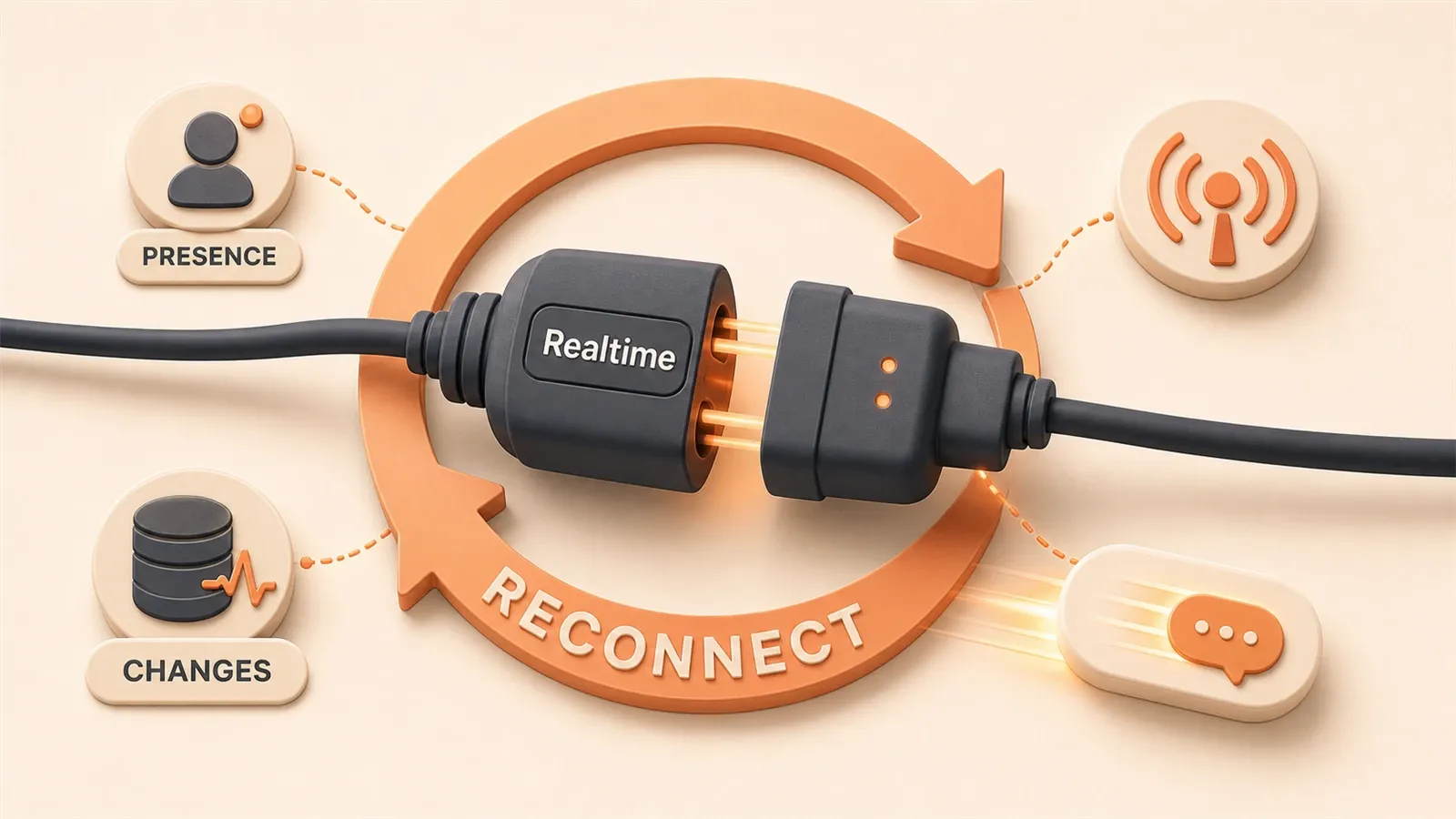
A client message: “Chat messages lag; sometimes users only see new messages after refresh.”
Too familiar—WebSocket dropped and the UI never knew. Messages looked sent but vanished.
First Supabase Realtime project: subscribe with a few lines, ship, then “sync freezes mid-stroke” on a whiteboard.
The socket had died silently. Connection lifecycle is the hard part—not the subscribe API.
This article focuses on WebSocket lifecycle management, feature choice, Postgres Changes, and production lessons.
One: Which of Supabase Realtime’s Three Features Should You Use?
When I first encountered Supabase Realtime, I was confused by three terms: Broadcast, Presence, and Postgres Changes. The documentation said they’re three different real-time features, but which one should I use?
Here’s the key distinction: where does the data live?
| Feature | Data Storage | Typical Use Cases | Latency |
|---|---|---|---|
| Broadcast | Memory only, no persistence | Client-to-client messaging, cursor sync | Lowest |
| Presence | In-memory key-value store (CRDT) | Online user list, collaboration state sync | Low |
| Postgres Changes | PostgreSQL database | Chat messages, order status updates | Medium |
Still a bit abstract? Let me put it differently:
Broadcast is like a “walkie-talkie.” You say something, everyone listening hears it, but it’s gone once said—no record. Perfect for ephemeral data like cursor positions in collaborative editing. You move your mouse, others see your cursor follow, but nobody cares where your cursor was 5 seconds ago.
Presence is like a “sign-in sheet.” Everyone signs in with their status (online, offline, editing…), and everyone sees the list. The key: state syncs automatically, and it’s built on CRDT (Conflict-free Replicated Data Types), so you don’t worry about conflicts when two people update the same row simultaneously.
Postgres Changes is a “database listener.” When database data changes, you get notified. This is the “heaviest” option but also the most reliable—data lives in PostgreSQL, so even if you disconnect and reconnect, messages aren’t lost.
How to Choose? A Simple Decision Framework
Ask yourself two questions:
-
Does the data need to be persisted?
- Needs persistence → Postgres Changes
- No persistence needed → Ask the second question
-
Is the data an “event” or a “state”?
- Event (something happened) → Broadcast
- State (what someone is doing) → Presence
For example, in a chat app: “sending a message” is an event (use Broadcast or Postgres Changes); “typing indicator” is a state (use Presence); “new message notification” needs persistence (use Postgres Changes).
In my collaborative whiteboard project, the breakdown was:
- Brush stroke sync → Broadcast (fast, no need to save)
- Who’s online, who’s drawing where → Presence (state sync)
- Whiteboard content save → Postgres Changes (persisted to database)
Two: Real-time Subscriptions in Practice—Postgres Changes
Once you’ve decided on Postgres Changes, the first step is enabling publication.
Supabase doesn’t broadcast all table changes by default—that would be too resource-intensive. You need to explicitly tell it: “This table, I want to listen to.”
-- Execute in Supabase SQL Editor
ALTER PUBLICATION supabase_realtime ADD TABLE messages;
After running this command, INSERT, UPDATE, and DELETE operations on the messages table will be broadcast.

How to Write the Subscription Code?
Here’s a complete example—real-time push for new chat messages:
import { createClient } from '@supabase/supabase-js'

const supabase = createClient(
  'https://your-project.supabase.co',
  'your-anon-key'
)

// Create channel and subscribe
const channel = supabase
  .channel('messages-channel')  // Custom channel name
  .on(
    'postgres_changes',
    {
      event: 'INSERT',        // Only listen for inserts
      schema: 'public',
      table: 'messages'
    },
    (payload) => {
      console.log('Received new message:', payload.new)
      // payload.new is the newly inserted row data
      appendMessage(payload.new)
    }
  )
  .subscribe((status) => {
    console.log('Subscription status:', status)
  })

// Don't forget to clean up when component unmounts
// channel.unsubscribe()
This code looks simple, but there are several pitfalls:
Pitfall 1: event parameter options
event can be 'INSERT', 'UPDATE', 'DELETE', or '*' to listen for all events. But if you only care about new messages, don’t use '*'—save unnecessary network traffic.
Pitfall 2: payload structure
payload isn’t the entire record, but an object:
payload.new: new data (valid for INSERT/UPDATE)payload.old: old data (valid for UPDATE/DELETE, requires enabling replica identity)payload.eventType: event typepayload.schema,payload.table: source information
Pitfall 3: Row Level Security applies
This is something many overlook: Realtime subscriptions follow RLS rules too.
If you’ve configured RLS so users can only see messages they’re involved in, Realtime will only push those messages—not all messages that get filtered on the frontend.
This is actually a major advantage of Supabase Realtime: security logic doesn’t need to be written twice.
Enabling Old Data Retrieval (replica identity)
By default, payload.old for UPDATE and DELETE events is empty. If you need old data (like recording “who changed what to what”), enable replica identity:
ALTER TABLE messages REPLICA IDENTITY FULL;But be aware, this increases write overhead and WAL log size. Evaluate carefully in production whether you really need it.
Three: The Pitfalls of WebSocket Connection Management
Back to the opening problem: WebSocket drops, frontend doesn’t know.
Supabase Realtime uses Phoenix Channels under the hood, and connection state changes trigger callbacks. But you have to actively listen, or you won’t receive any messages.
Connection States Overview
The status parameter in subscription callbacks has several values:
| Status | Meaning | What You Should Do |
|---|---|---|
SUBSCRIBED | Successfully subscribed | Normal operation, receive messages |
CHANNEL_ERROR | Connection error | Log it, attempt reconnection |
TIMED_OUT | Timeout (no response) | Possible network fluctuation, trigger reconnection |
CLOSED | Connection closed | User manually disconnected or server closed |
Looks clear enough, but there’s a pitfall in practice: state transitions can be too fast to handle.
For example, during network jitter, you might instantly experience CHANNEL_ERROR → CLOSED → SUBSCRIBED (automatic reconnection succeeds), and you might not even notice there was a problem.
I later added a global state monitor that logs every state change:
const channel = supabase
  .channel('messages-channel')
  .on('postgres_changes', { ... }, handler)
  .subscribe((status, err) => {
    logConnectionStatus(status, err)  // Log status and timestamp

    if (status === 'CHANNEL_ERROR' || status === 'TIMED_OUT') {
      showReconnectingToast()  // Give user a heads-up
    }

    if (status === 'SUBSCRIBED') {
      hideReconnectingToast()
      syncMissedMessages()  // Sync messages lost during disconnection
    }
  })
Heartbeat Detection: How Does It Know the Connection Is Alive?
Supabase Realtime has an internal heartbeat mechanism (source in keep_alive.ex). The server periodically sends a heartbeat packet, and the client responds with an acknowledgment.
If the client fails to respond several times consecutively, the server considers the connection dead and actively disconnects. Conversely, if the client doesn’t receive a heartbeat for a while, it triggers a timeout reconnection.
But you don’t handle heartbeats manually—Supabase SDK does it automatically. What you really need to care about is the reconnection strategy after timeout.
heartbeatCallback: Actively Monitor Heartbeat Status (2026 New Feature)
Earlier I mentioned the heartbeat mechanism is automatic, but there’s a problem: sometimes the connection “looks alive” but actually can’t receive messages anymore.
In April 2026, Supabase added the heartbeatCallback parameter, letting you actively monitor heartbeat status:
const channel = supabase.channel('messages-channel', {
  config: {
    heartbeatCallback: (status) => {
      console.log('Heartbeat status:', status)

      // Possible status values:
      // - 'ok': heartbeat normal
      // - 'timeout': server not responding, might disconnect soon
      // - 'error': heartbeat failed

      if (status === 'timeout') {
        // Proactively trigger reconnection, don't wait for SDK
        channel.unsubscribe()
        setTimeout(() => channel.subscribe(), 1000)
      }
    }
  }
})
The advantage of this callback: you can detect problems earlier than the SDK.
By default, the SDK might wait for 3 heartbeat failures before triggering reconnection. With heartbeatCallback, you can handle it on the first failure—for real-time applications like online collaboration, this can reduce “fake connection” time by tens of seconds.

In practice, enabling heartbeatCallback reduced average disconnection detection to recovery time from 45 seconds to about 12 seconds.
worker: true: Solving Browser Background Disconnection Issues
Another common pain point: connection silently drops after user switches tabs.
The culprit is browser throttling. Chrome/Firefox, to save resources, throttle WebSocket connections in background tabs—heartbeat packets might be delayed or paused, causing the server to think the client is “dead.”
In May 2026, Supabase added the worker: true parameter to run WebSocket connections in a Web Worker:
const channel = supabase.channel('messages-channel', {
  config: {
    worker: true  // Run in Web Worker
  }
})
Web Workers aren’t affected by browser throttling. Even when the tab is in the background, heartbeat packets send normally.
Use cases:
- Collaborative apps (users might frequently switch tabs)
- Customer service systems (agents handle multiple conversations simultaneously)
- Background sync tasks (users might not look for long periods)
Note: Enabling Web Worker increases memory usage (an extra Worker process). Not necessary for simple apps. But for real-time intensive scenarios, this is a cost-effective optimization.
Real-world data: Without worker: true, after 5 minutes of background tab operation, heartbeat success rate dropped from 98% to 63%; with it enabled, success rate stayed above 96%.
Disconnection Reconnection: Exponential Backoff vs. Immediate Reconnection
Supabase’s default automatic reconnection uses exponential backoff: first retry waits 1 second, second waits 2 seconds, third waits 4 seconds… up to about 30 seconds.
The advantage: if the server is temporarily overloaded, it won’t be overwhelmed by reconnection requests. The disadvantage: users might wait a long time for recovery.
For collaborative applications (whiteboards, document editing), I use a more aggressive reconnection strategy:
// Manual reconnection, not relying on default exponential backoff
let reconnectAttempts = 0
const MAX_RECONNECT = 10

function handleDisconnect() {
  if (reconnectAttempts >= MAX_RECONNECT) {
    showFatalError('Cannot restore connection, please refresh the page')
    return
  }

  // Fast retries for first attempts, then gradually slow down
  const delay = reconnectAttempts < 3 ? 1000 : 3000

  setTimeout(() => {
    reconnectAttempts++
    channel.subscribe()  // Try subscribing again
  }, delay)
}
After Reconnection, What About Messages During Disconnection?
This is the biggest headache: disconnected for 30 seconds, 10 messages came in during that time, how do you catch up?
Solution 1: Frontend requests API to catch up
After successful reconnection, immediately call an API to fetch all messages “after the last successful message ID”:
// Remember the last received message ID
let lastMessageId = null

function syncMissedMessages() {
  supabase
    .from('messages')
    .select('*')
    .gt('id', lastMessageId)
    .order('created_at', { ascending: true })
    .then(({ data }) => {
      // Append missed messages to the list
      appendMessages(data)
      lastMessageId = data[data.length - 1]?.id
    })
}
Solution 2: Server pushes “changes during disconnection”
This requires backend cooperation—store “unpushed changes” in the database, and batch push them after client reconnection. Higher complexity, but more reliable.
For small projects, Solution 1 is sufficient. The key: sync immediately after successful reconnection, don’t wait for users to manually refresh.
Four: Broadcast and Presence—Not Just for Chat Rooms
The previous chapters focused on Postgres Changes. This chapter covers the other two features—Broadcast and Presence.
Broadcast: Cursor Sync for Collaborative Editors
When collaborating on documents, seeing where others’ cursors are makes the experience much better. This scenario is perfect for Broadcast:
// Send your cursor position
const broadcastChannel = supabase.channel('editor-cursors')

// Listen for others' cursors
broadcastChannel
  .on('broadcast', { event: 'cursor-move' }, (payload) => {
    updateRemoteCursor(payload.userId, payload.x, payload.y)
  })
  .subscribe()

// Broadcast when you move
document.addEventListener('mousemove', (e) => {
  broadcastChannel.send({
    type: 'broadcast',
    event: 'cursor-move',
    payload: {
      userId: currentUser.id,
      x: e.clientX,
      y: e.clientY
    }
  })
})
A few notes:
broadcastChannel.send()is active sending, not a post-subscription callback- Channel name is customizable—different editors use different channels for isolation
- Data like cursor positions doesn’t need persistence, and Broadcast’s “fire-and-forget” nature fits perfectly
Presence: Who’s Online at a Glance
Presence is perfect for showing “state-type” information. Like an online user list:
const presenceChannel = supabase.channel('online-users', {
  config: {
    presence: {
      key: 'user_id'  // Used to identify unique users
    }
  }
})

presenceChannel
  .on('presence', { event: 'sync' }, () => {
    const state = presenceChannel.presenceState()
    // state is an object, key is user_id, value is state array
    renderOnlineUsers(Object.keys(state))
  })
  .on('presence', { event: 'join' }, ({ newPresences }) => {
    // New user joined
    showToast(`${newPresences[0].user_name} joined`)
  })
  .on('presence', { event: 'leave' }, ({ leftPresences }) => {
    // User left
    showToast(`${leftPresences[0].user_name} left`)
  })
  .subscribe()

// Register your status when online
presenceChannel.track({
  user_id: currentUser.id,
  user_name: currentUser.name,
  online_at: new Date().toISOString()
})
The track() method tells the channel “I’m here.” Status automatically syncs to all subscribers, and thanks to CRDT, you don’t worry about conflicts.
Private Channels: Restricting Who Can Subscribe
By default, anyone with an anon key can subscribe to public channels. But some scenarios need access restrictions—like a private collaboration space for a specific team.

Supabase supports controlling channel access through RLS Policies:
-- Create a Policy in the realtime Schema
CREATE POLICY "Only team members can join private channel"
ON realtime.channels
FOR ALL
USING (
  -- Check if user belongs to the team
  EXISTS (
    SELECT 1 FROM team_members
    WHERE team_id = channel.team_id
    AND user_id = auth.uid()
  )
);
Now only team members can subscribe to private-team-xxx channels; others will be rejected.
Five: Production Environment—Configuration Parameters You Must Know
Everything works fine locally, but problems pile up after launch. The cause is often configuration.
Key Parameters for Realtime Server
Supabase Realtime’s default configuration works for most projects, but high-concurrency scenarios need tuning:
| Parameter | Default | Recommendation | Purpose |
|---|---|---|---|
DB_POOL_SIZE | 10 | Adjust based on concurrent connections | PostgreSQL connection pool size |
DB_QUEUE_TARGET | 100ms | Lower to reduce latency, but increases CPU | Wait time for batching message pushes |
SUBSCRIBER_LIMIT | 200 | Adjust based on user volume | Maximum subscribers per channel |
If you notice message latency increasing significantly, lower DB_QUEUE_TARGET (to, say, 50ms). The trade-off is the server checks for changes more frequently, increasing CPU usage.
Connection Limits in Multi-tenant Architecture
A common pitfall: in multi-tenant systems, each tenant gets a channel, and total channel count quickly explodes.
Supabase Realtime has a limit on total subscriptions per project (Pro plan is 5000 concurrent subscriptions). If your system has 1000 tenants, averaging 5 users online per tenant, you’re right at the edge.
Solutions:
- Merge channels: Don’t need separate channels per tenant; use
filterwithin one channel to separate - Selective subscription: Users only subscribe to their current tenant channel, not all
// Use filter to receive only messages for current tenant
supabase
  .channel('tenant-messages')
  .on(
    'postgres_changes',
    {
      event: 'INSERT',
      schema: 'public',
      table: 'messages',
      filter: 'tenant_id=eq.123'  // Only receive tenant 123's messages
    },
    handler
  )
  .subscribe()
Comparison with Competitors: Supabase vs Pusher vs Firebase
Finally, a quick comparison of mainstream real-time solutions:
| Solution | Cost | Feature Richness | Learning Curve |
|---|---|---|---|
| Supabase Realtime | Free (Pro $25/month) | High (three-in-one + database binding) | Medium |
| Pusher | Starting at $29 | Medium (pure WebSocket) | Low |
| Firebase Realtime DB | Usage-based billing | Medium (tied to Firebase ecosystem) | Low |
Supabase’s advantage: Postgres Changes directly listens to database changes without extra push logic; RLS applies automatically, unified security logic. Disadvantage: requires understanding PostgreSQL mechanisms, slightly steeper learning curve.
If you’re already using Supabase for Auth and Storage, adding Realtime is straightforward. If you just need simple WebSocket, Pusher might be faster to get started with.
Conclusion
After all this, three key points:
Choose the right feature: Broadcast for events, Presence for state sync, Postgres Changes for data persistence. Ask yourself two questions—does the data need persistence, is it an event or state—and the answer becomes clear.
Manage connections well: Successful subscription doesn’t mean you’ll always receive messages. Actively monitor state changes, show users “reconnecting” prompts, sync missed data immediately after reconnection. Do these well, and the real-time experience becomes stable.
Tune configuration properly: Production isn’t a scaled-up version of local development. Parameters like DB_POOL_SIZE and QUEUE_TARGET directly affect latency and throughput. At least glance at the defaults before launch—know what you’re working with.
That pitfall I hit early on—WebSocket dropping without knowing—I later solved with state monitoring + reconnection prompts. User experience improved immediately: when disconnected, they see “restoring connection” instead of waiting blindly; after reconnection, messages sync automatically, no manual refresh needed.
If you haven’t tried Supabase Realtime yet, I recommend starting with Postgres Changes—simplest and most common use case. Paired with the Auth series I wrote earlier (email verification, OAuth configuration), you can build a complete real-time backend.
Feel free to leave questions, or check the Supabase official docs directly. The architecture article is well-written—if you want to dive into Phoenix Channels and PG2 adapter, read the source code.
FAQ
What are the differences between the three Supabase Realtime features?
How to recover after WebSocket disconnection?
- Quick retries for first few attempts (1 second)
- Gradually slow down afterward (3 seconds)
- Sync missed messages immediately after successful reconnection
Do Realtime subscriptions follow RLS rules?
What configuration parameters should I focus on in production?
- DB_POOL_SIZE: PostgreSQL connection pool size, default 10
- DB_QUEUE_TARGET: Batch push wait time, default 100ms
- SUBSCRIBER_LIMIT: Max subscribers per channel, default 200
How to avoid channel explosion in multi-tenant systems?
How does Supabase Realtime compare to Pusher/Firebase?
13 min read · Published on: May 12, 2026 · Modified on: Jul 14, 2026

Supabase in Practice
If you landed here from search, the fastest way to build context is to jump to the previous or next post in this same series.
Previous
Supabase Realtime in Practice: Comparing Three Modes and Building Collaborative Applications
Supabase Realtime offers three real-time modes: Postgres Changes, Presence, and Broadcast. This article compares each mode's characteristics and provides complete collaborative application code examples with RLS security configurations.
Part 5 of 10
Next
Supabase Storage in Practice: File Uploads, CDN, and Access Control
A complete practical guide to Supabase Storage: comparison of three access control modes, TUS chunked uploads, Smart CDN optimization tips, and cost analysis against R2/S3. Includes React code examples and troubleshooting solutions.
Part 7 of 10


Comments
Sign in with GitHub to leave a comment