
Cloudflare Dynamic Workers: The Secret to 100x Faster AI Agent Sandboxes Than Containers
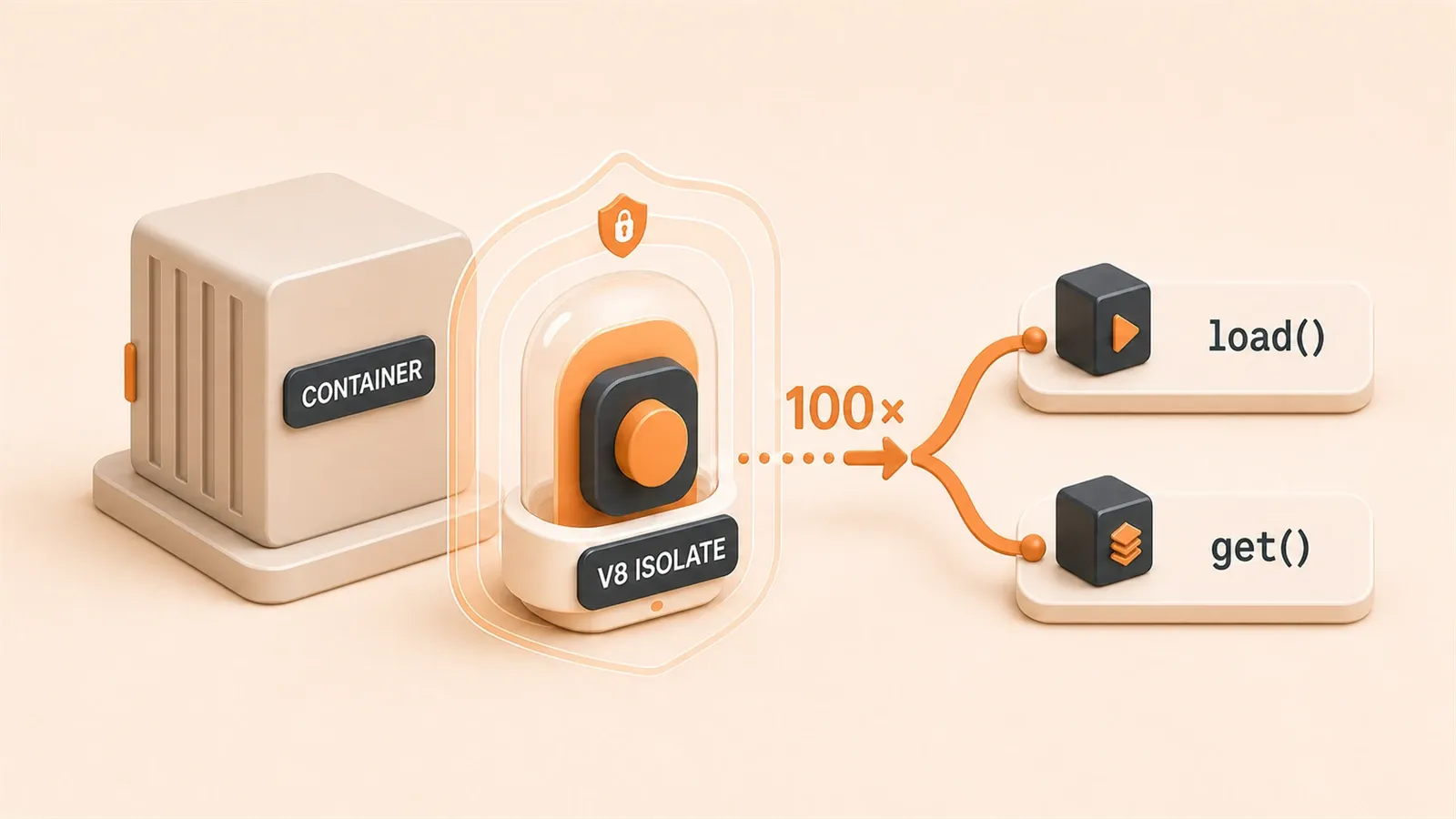
Your AI agent generates analysis code, hits Run—and the container needs three seconds, 200MB RAM, and the user already timed out. Containers for untrusted code hurt everywhere.
Cloudflare’s March 2026 Dynamic Workers use V8 isolates: millisecond cold starts, megabytes of RAM, roughly 100× faster than container sandboxes for this pattern.
Dynamic Workers aren’t “containers, but faster.” They make per-request sandboxes cheap enough to use by default.
We compare isolates vs containers, show Dynamic Workers in code, and frame the tradeoffs for agent workloads.
Why Containers Became the Performance Bottleneck for AI Agents
How was this done before? Containers were the mainstream solution. Kubernetes schedules a Pod, pulls the image, configures the environment—a mature but heavy process. AI Agent scenarios have a unique characteristic: code execution is instantaneous, perhaps running a data analysis script for just a few seconds. Yet container startup takes 3+ seconds. That’s the mismatch.
According to Zhihu’s 2026 AI Agent Sandbox Research Report, Docker containers start in approximately 500ms—but that’s just “startup.” Add image pulling, network configuration, and dependency initialization, and the actual ready time often exceeds 3 seconds. Memory? Tens of MB minimum, with complex environments reaching 200MB or more.
You might think: “Just use a warm-up pool, right?” Keep a batch of containers running and ready. That’s indeed the mainstream approach. But problems arise:
First, cost. Warm-up pools need to keep containers online constantly, regardless of whether requests arrive. 100 pre-warmed containers at 200MB each means substantial memory costs alone. Plus, there are security risks with container reuse—data from the previous request might linger in memory.
Second, complexity. Warm-up pools need to manage container lifecycles, health checks, and auto-scaling. This infrastructure itself is complex enough. I’ve used Kubernetes warm-up pools in projects before—the maintenance cost exceeded the business code.
Third, scenario mismatch. AI Agent code execution is often one-off. A user uploads a CSV, AI generates analysis code, executes it, and destroys the environment. Each request needs an isolated environment, but warm-up pool container reuse breaks that isolation.
Imagine this scenario: User A’s AI Agent executes code processing sensitive data. The container returns to the warm-up pool. User B’s request comes in and receives the same container. Even with cleanup mechanisms, residual data risks persist. This isn’t theoretical—there were reports in 2025 of container residual data causing leaks.
So the contradiction with containers in AI Agent scenarios is clear: slow startup, expensive memory, warm-up pool security risks, and maintenance complexity. This doesn’t mean containers are bad—it means container design philosophy doesn’t match AI Agent execution patterns.
How V8 Isolates Compress Startup Time to Milliseconds
What are V8 Isolates? Chrome’s JavaScript engine compiles JS code into machine code for execution. An Isolate is V8’s isolation unit—an independent execution environment with its own memory heap, compilation cache, and global objects.
The key: Isolates don’t call the host operating system’s kernel.
How do containers work? They start a process and make syscalls to the host kernel. Isolation relies on kernel-level namespaces and cgroups. The problem: this “isolation” is pseudo-isolation—containers share the same kernel with the host. Syscalls go through the same kernel paths.
V8 Isolates are fundamentally different. JavaScript code executes within an Isolate without producing syscalls. All operations happen within the process—memory allocation, garbage collection, compilation, and execution. This means the isolation boundary is inside the process, not at the kernel level.

A Tencent News report from 2026 provided specific data: V8 Isolates startup in milliseconds, memory usage in single-digit MB. Compared to containers: 100x faster startup, 10-100x better memory efficiency.
Here’s a complete isolation technology comparison table to help with technology selection:
| Isolation Technology | Security Level | Startup Speed | Memory Usage | syscall Target |
|---|---|---|---|---|
| Docker Container | ⭐⭐ | ~500ms | Tens of MB | Shared host kernel |
| gVisor | ⭐⭐⭐⭐ | ~100ms | Higher | User-space kernel interception |
| Firecracker microVM | ⭐⭐⭐⭐⭐ | ~150ms | ~1GB | Independent virtual kernel |
| V8 Isolates | ⭐⭐⭐ | A few ms | A few MB | No syscall at all |
This table reveals a key insight: security level and startup speed are a trade-off. Firecracker is most secure (independent virtual kernel) but slowest to start and most memory-intensive. V8 Isolates are fastest and most efficient, but with medium security.
Why only three stars for V8 Isolates security? Because the isolation boundary is inside the process. If an Isolate is compromised, it could theoretically affect other Isolates in the same process. This is more secure than containers (which share a kernel but have namespace isolation), but weaker than microVMs (which have independent kernels).
However, Cloudflare’s Dynamic Workers adds multiple security layers, raising this “three-star” security level to an acceptable standard in practice. We’ll cover these five layers of defense in detail later.
That said, V8 Isolates’ core advantage isn’t “more secure”—it’s “cheaper.” Starting an independent sandbox for each request and destroying it afterward is luxurious in the container world but standard in the Isolate world.
Dynamic Workers API: The Design Philosophy of load() and get()
Dynamic Workers provides two API modes with a clear design philosophy: one for ephemeral execution, one for long-lived scenarios.
load(): One-time Execution, Destroy After Use
The load() mode is suitable for single-execution scenarios. AI-generated code comes in, an Isolate starts, executes, and is destroyed. The entire process completes in milliseconds.
// load() mode: one-time execution
import { DynamicWorkerLoader } from 'cloudflare:sandbox-sdk';

const loader = new DynamicWorkerLoader();

// Load code, bind resources, set limits
const dynamicWorker = await loader.load({
  code: aiGeneratedCode,  // AI-generated code string
  bindings: {
    db: env.DB,           // D1 database binding
    kv: env.KV,           // KV storage binding
  },
  limits: {
    cpuMs: 100,           // CPU time limit: 100 milliseconds
    memoryMB: 128,        // Memory limit: 128MB
  }
});

// Execute code and get result
const result = await dynamicWorker.execute();

// After execution, Isolate is automatically destroyed
console.log(result);
Key parameter explanations:
code: The code string to execute, can be dynamically generated by AIbindings: External resource bindings like databases, storage, APIslimits: Execution limits to prevent resource abuse
load() use cases:
- One-time data analysis: User uploads CSV, AI generates analysis code, executes once and destroys
- Ad-hoc code execution: AI-generated transformation scripts, validation logic
- Request-level isolation: Independent sandbox for each request, no residual data risk
get(): Cache Warm-up, Long-lived Scenarios
The get() mode is suitable for scenarios requiring pre-warmed state. The Isolate is created and kept in memory, with subsequent calls reusing it directly.
// get() mode: cache warm-up
const cachedWorker = await loader.get({
  id: 'persistent-analyzer',  // Fixed identifier for cache lookup
  code: analysisCode,         // Pre-loaded code
  bindings: {
    vectorize: env.VECTORIZE, // Vector database binding
  }
});

// Multiple calls, maintaining warm state
const result1 = await cachedWorker.execute({ input: data1 });
const result2 = await cachedWorker.execute({ input: data2 });
const result3 = await cachedWorker.execute({ input: data3 });

// No manual destruction needed, Cloudflare manages lifecycle automatically
get() use cases:
- Batch processing: Same analysis logic processing multiple datasets
- Long-running Agents: Analysis tasks requiring maintained state
- Warm-up acceleration: Reducing first-execution latency
The essential difference between the two modes: load() is “rent a room, stay one night and leave”; get() is “rent a room, long-term booking.” The former suits ephemeral scenarios, the latter suits persistent scenarios.
Cloudflare’s official Sandbox SDK AI Code Executor tutorial provides more complete examples—recommended reading before implementation.
Dynamic Workers’ Five Layers of Security Defense
Earlier we mentioned V8 Isolates’ base security level is only three stars. But Cloudflare layered multiple defenses on Dynamic Workers, raising practical security to production-ready levels.
An InfoQ April 2026 analysis report detailed these five defense layers.
Layer 1: Automatic V8 Security Patch Deployment
The V8 engine itself has security vulnerabilities—inevitable for any complex software. When the Chrome team discovers vulnerabilities and releases patches, Cloudflare pushes them to all global nodes within hours.
Compare this to traditional approaches: Container environment security patches depend on the host system, with update cycles potentially lasting weeks or months. V8 patches respond at “hour-level,” not “week-level.”
Layer 2: Dynamic Risk Tenant Cordoning
If a Dynamic Worker exhibits abnormal behavior (sudden memory spikes, CPU surges), Cloudflare marks it as “high risk” and transfers it to a dedicated isolation node.
This is called tenant cordoning—risky tenants are quarantined separately, not affecting other normal Workers.
Layer 3: MPK Hardware Protection
MPK (Memory Protection Keys) is an Intel hardware-level memory isolation mechanism. Each Isolate has independent memory access permissions, with hardware-level enforcement preventing boundary violations.
This is physical-level protection, harder to breach than software isolation.
Layer 4: Code Scanning
Scan before execution. Malicious pattern recognition—infinite loops, memory bombs, sensitive API calls—are automatically blocked.
This defense layer targets AI-generated malicious code. Prompt injection could cause AI to generate dangerous code; code scanning prevents execution.

Layer 5: Network Isolation
Dynamic Workers block all external network access by default. When external API access is needed, traffic goes through Cloudflare’s egress proxy, with credential injection ensuring Workers can only access authorized APIs.
Here’s a simple security architecture diagram:
AI-generated code
     |
     v
┌─────────────────────────────────────┐
│ Dynamic Worker (V8 Isolate)         │
│ ┌─────────────────────────────────┐ │
│ │ Layer 1: Code Scanning          │ │
│ ├─────────────────────────────────┤ │
│ │ Layer 2: V8 Security Patches    │ │
│ ├─────────────────────────────────┤ │
│ │ Layer 3: Tenant Cordoning       │ │
│ ├─────────────────────────────────┤ │
│ │ Layer 4: MPK Hardware Protection│ │
│ └─────────────────────────────────┘ │
│         |                           │
│         v                           │
│  Cap'n Web RPC Bridge               │
│         |                           │
│         v                           │
│  Layer 5: Egress Proxy Credential   │
│           Injection                 │
└─────────────────────────────────────┘
This multi-layered defense makes V8 Isolates’ “three-star” security level reliable in production environments. Not absolutely secure—no system is—but achieving an “acceptable risk level.”
Dynamic Workers Pricing: Why One Sandbox Per Request Is Economically Feasible
“One sandbox per request” sounds luxurious. But under Dynamic Workers’ cost model, it’s practically achievable.
First, let’s look at Cloudflare’s pricing structure (free during Beta, official pricing below):
- $0.002 per unique Worker loaded per day: $0.002 per unique Worker per day
- Plus standard CPU time fees: $0.02 per million CPU milliseconds
- Plus invocation fees: $0.50 per million requests
VentureBeat’s April 2026 report provided comparison: E2B (Firecracker microVM solution) costs $0.01+ per request, while Dynamic Workers only $0.002.
Here’s a specific cost comparison:
| Solution | Per-Request Cost | Monthly Cost (1M requests) | Complexity | Maintenance Cost |
|---|---|---|---|---|
| Container Warm-up Pool | $0.02+ | $2000+ | High | High (pool maintenance) |
| E2B microVM | $0.01+ | $1000+ | Medium | Low |
| Dynamic Workers | $0.002 | $200 | Low | None |
Let’s calculate: Assuming 1 million requests per day, each request executing different code (unique Worker).
Container Warm-up Pool Solution:
- Pre-warm 100 containers, 200MB each: $500/month memory cost
- Maintain warm-up pool infrastructure: At least $1500/month human cost
- Total cost: $2000+, plus security risks
E2B Solution:
- $0.01 per request: 1M requests = $10000/month (wait, E2B has volume discounts)
- Actual monthly cost around $1000+, but 150ms startup latency
Dynamic Workers Solution:
- Unique Worker fee: 1M * $0.002 = $2000/month (also wrong, this is daily unique)
- Correct calculation: Assuming 1000 unique Workers per day, $0.002 * 1000 * 30 = $60/month
- Plus invocation and CPU time, monthly cost around $200
Key insight: Dynamic Workers pricing isn’t by “request count” but by “unique Worker.” If your AI Agent executes templated code (like fixed analysis scripts), unique Worker count is far lower than request count, making it even cheaper.
This is why “one sandbox per request” is economically feasible:
- Fast startup (milliseconds), no warm-up pool needed
- Memory-efficient (a few MB), no large memory reservation needed
- Pricing by unique Worker, not by request
Compare with traditional solution pain points:
- Warm-up pool maintenance is complex, high human cost
- Container reuse has security risks, requiring extra cleanup mechanisms
- 3-second latency affects user experience
Dynamic Workers solves all three problems at lower cost. Does this calculation make sense now?
Dynamic Workers vs E2B vs gVisor: How to Choose
We’ve covered Dynamic Workers’ advantages, but it’s not a universal solution. Different scenarios suit different solutions.
Complete comparison dimensions:
| Dimension | Dynamic Workers | E2B (Firecracker) | gVisor | Docker |
|---|---|---|---|---|
| Startup Speed | ⭐⭐⭐⭐⭐ (few ms) | ⭐⭐⭐⭐ (~150ms) | ⭐⭐⭐⭐ (~100ms) | ⭐⭐⭐ (~500ms) |
| Security Level | ⭐⭐⭐ (Medium) | ⭐⭐⭐⭐⭐ (Highest) | ⭐⭐⭐⭐ (High) | ⭐⭐ (Low) |
| Cost Efficiency | ⭐⭐⭐⭐⭐ | ⭐⭐⭐ | ⭐⭐⭐⭐ | ⭐⭐⭐ |
| Language Support | JS/TS only | Any | Any | Any |
| State Persistence | None (needs DO) | Yes | None | Yes |
| Maintenance Complexity | Low | Low | Medium | High |
When to Choose Dynamic Workers?
Suitable scenarios:
- Your AI Agent uses JavaScript or TypeScript
- High-frequency ephemeral execution, each request independently isolated
- Cost-sensitive, don’t want to maintain warm-up pool infrastructure
- Already using Cloudflare tech stack (Workers, KV, D1)
Unsuitable scenarios:
- AI Agent needs to execute Python, Rust, Go code
- Highest security level required (e.g., processing financial data)
- Persistent state needed (requires additional Durable Objects configuration)
When to Choose E2B?
E2B uses Firecracker microVMs, highest security level, 150ms startup time.
Suitable scenarios:
- Need to execute Python code (data analysis, machine learning)
- Highest security level required
- Can accept 150ms startup latency
- Processing sensitive data (financial, medical)
When to Choose gVisor?
gVisor is Google’s user-space kernel, good container compatibility.

Suitable scenarios:
- Need container compatibility (existing Docker images)
- Balance security and performance
- Don’t want to change tech stack, just improve security level
When to Continue with Docker?
Honestly, Docker is sufficient for many scenarios.
Suitable scenarios:
- Don’t need per-request independent isolation
- Long-running services (not ephemeral execution)
- Mature container infrastructure already in place
- Language isn’t JS/TS
Technology selection isn’t about “who’s best” but “who fits best.” Dynamic Workers has clear advantages in specific scenarios (JS/TS AI Agents, high-frequency ephemeral execution, cost-sensitive), but isn’t a universal replacement.
Cloudflare Agent Ecosystem: From Sandbox to Persistent State Complete Solution
Dynamic Workers isn’t an isolated product—it’s part of Cloudflare’s Agent ecosystem.
In April 2026, Cloudflare released Project Think—a framework for orchestrating long-running Agents. Combined with Dynamic Workers and Durable Objects, it forms a complete Agent tech stack.
Three-Layer Architecture
Project Think (Think Base Class - Agent Orchestration)
     |
     +-- Agent Memory (SQL Database - Persistent State)
     |
     +-- Sub-agents (Sub-agent Coordination)
     |
     +-- Dynamic Workers (Sandbox Execution)
     |     |
     |     +-- Durable Objects Facets (Independent SQLite per sandbox)
     |
     +-- Tools (API Calls - Egress Proxy Credential Injection)
Durable Objects Facets
Durable Objects Facets is a new feature released in April 2026. Each Dynamic Worker can have an independent SQLite database with persistent state that doesn’t disappear when the sandbox is destroyed.
This solves a Dynamic Workers pain point: sandbox destroys after execution, state can’t be maintained. Facets give each sandbox its own “notebook,” allowing queries of previous records after execution.
Project Think
Project Think is the Agent framework, providing a Think base class. You can extend the Think base class to implement your own Agent logic—including sub-agent coordination, state management, and tool invocation.
The official blog example: A data analysis Agent using Dynamic Workers to execute analysis code, Durable Objects Facets to store historical results, and Project Think to coordinate multiple sub-agents.
Agents SDK
Cloudflare also provides an Agents SDK, encapsulating integration of Dynamic Workers, Durable Objects, and Project Think. Using the SDK, you can quickly build complete AI Agents.
// Agents SDK example
import { Agent } from 'cloudflare:agents-sdk';

class DataAnalysisAgent extends Agent {
  async analyze(data: string) {
    // Dynamic Workers executes analysis code
    const worker = await this.sandbox.load({
      code: this.generateAnalysisCode(data),
      bindings: { db: this.memory }
    });

    const result = await worker.execute();

    // Save result to Facets
    await this.memory.save(result);

    return result;
  }
}
This ecosystem elevates Dynamic Workers from “just a sandbox” to “part of an Agent tech stack.” If your AI Agent needs persistent state, sub-agent coordination, and tool invocation, Cloudflare’s complete solution is more convenient than piecing together multiple services.
Conclusion
Dynamic Workers isn’t about replacing all sandbox solutions—it simply offers a 100x performance improvement option for specific scenarios.
Core value: Making “one sandbox per request” economically feasible, not just technically feasible.
If your AI Agent uses JavaScript or TypeScript, needs to provide independent isolated environments for each user request, and is cost-sensitive—Dynamic Workers is currently the most suitable solution.
Next steps:
- Visit Cloudflare Dynamic Workers Official Documentation
- Use Sandbox SDK AI Code Executor tutorial to build your first sandbox environment
- Combine with Durable Objects Facets for state persistence
- If your Agent needs long-running and coordination, explore the Project Think framework
Ultimately, technology selection’s core is calculating the balance: startup speed, memory cost, security level, maintenance complexity. Dynamic Workers provides answers across all four dimensions. The rest is up to you to judge whether your scenario matches.
FAQ
Can Dynamic Workers execute Python code?
Is V8 Isolates security level sufficient?
What is the difference between load() and get()?
get() is cache warm-up, suitable for batch processing and long-running Agents. The Isolate is kept in memory, with subsequent calls reusing it directly.
How is Dynamic Workers pricing calculated?
How to implement state persistence?
Which is more suitable: warm-up pool or Dynamic Workers?
Dynamic Workers are suitable for high-frequency ephemeral execution (AI Agent code execution), JS/TS only, lower cost, independent isolation per request with no security risk.
13 min read · Published on: Apr 25, 2026 · Modified on: Jul 14, 2026

Cloudflare Guides: Pricing, DNS, CDN, SSL, and Security Setup
If you landed here from search, the fastest way to build context is to jump to the previous or next post in this same series.
Previous
Cloudflare Workers KV in Practice: A Complete Guide to Distributed Key-Value Storage
A deep dive into Cloudflare Workers KV distributed key-value storage: architecture principles, performance optimization techniques, and practical code examples. Includes complete implementations for Session Storage and API Cache, plus a KV vs D1 vs R2 storage selection guide.
Part 19 of 23
Next
Cloudflare D1 in Practice: SQLite Edge Database with Global Replication
A deep dive into Cloudflare D1 architecture, practical code for global read replication with Sessions API, and performance comparison with Turso/PlanetScale to help you make the right edge database choice.
Part 21 of 23


Comments
Sign in with GitHub to leave a comment