
Turn Your Game Idea into PRD and Task List with AI
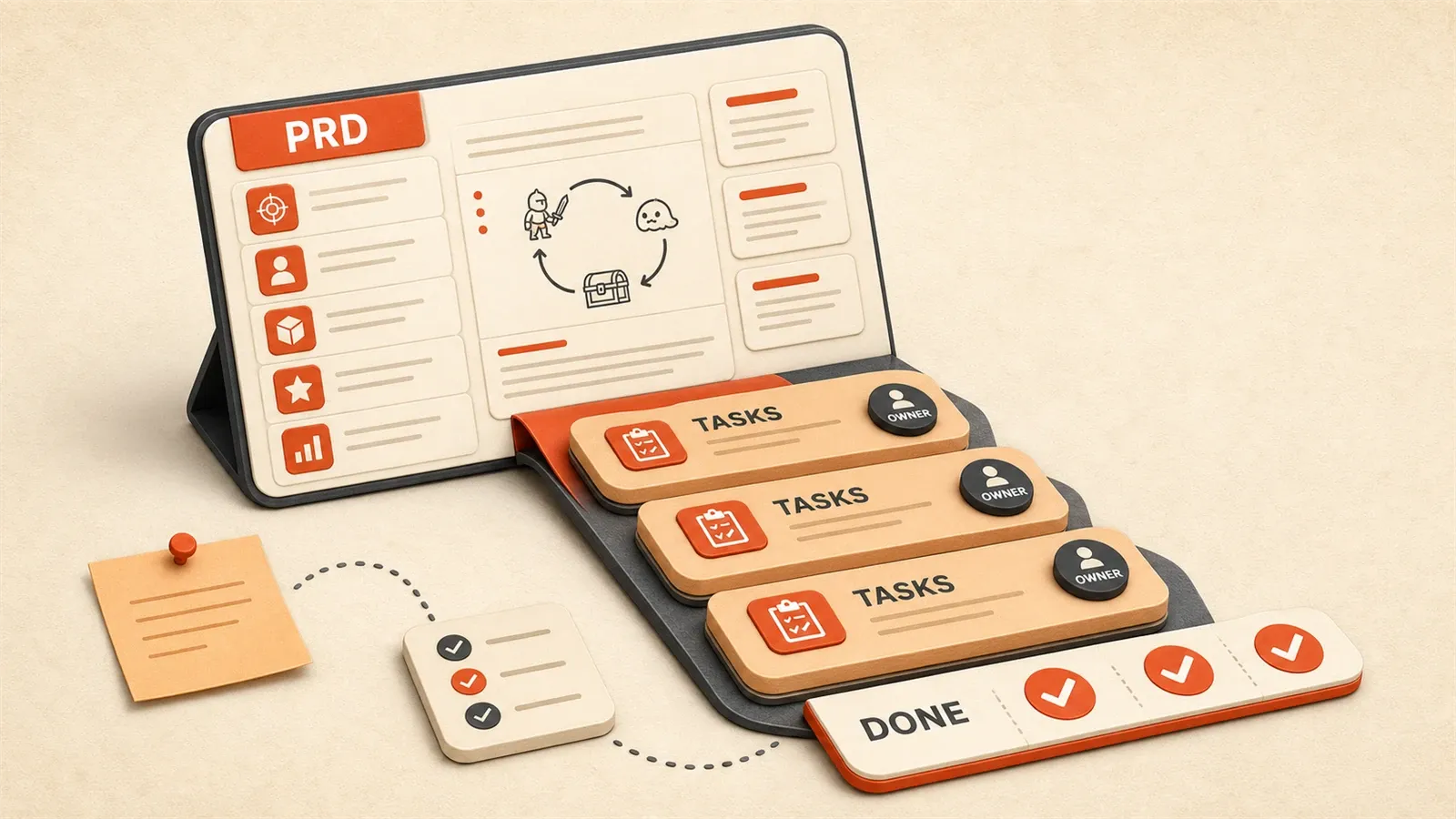
On a weekend night a mini-game idea popped up—maybe a Doodle Jump-style jumper, maybe a casual puzzle. The picture was clear in my head. Next morning at the keyboard, I stalled.
UI first or logic? When do sounds land? How do you turn “tap to jump” into a plan you can actually build? I searched “mini game dev workflow” and got five conflicting tutorials.
The gap was not skill—it was a clear planning doc, a PRD. Writing one the old way takes hours of edits. With AI, that cycle shrinks a lot.
Here is the workflow we use: ready-made prompts, a mini-game PRD skeleton, and a full walkthrough.
Why Do Mini-Games Need PRD and Task Lists?
Let me share a real story. A friend once asked me to help review his mini-game project. The code was messy—feature modules tangled together, fixing one bug created three more. When I asked if he had design documentation, he paused and said, “The idea seemed simple at the time, so I just started coding.”
This is the classic consequence of no planning. Traditional game development flow goes: idea → Game Design Document (GDD) → task management → actual development. Large projects might write dozens of pages of GDD covering world-building, character design, level design, technical architecture, and more. But for mini-games, this process is too heavy.
Mini-games have distinct characteristics: small package size (WeChat mini-game limit is 4MB), short development cycles (usually under two weeks), and many platform restrictions. You’re unlikely to spend three days writing a complete GDD, but developing without any planning leads to chaos. A PRD becomes the compromise solution—simpler than a GDD, more reliable than verbal communication.
A PRD is essentially the “common language” for team collaboration. If you’re a solo developer, it helps organize your thoughts; for small teams, it gives design, development, and testing a shared reference. More importantly, a PRD provides acceptance criteria—when you finish a feature, check against the documentation to see if it meets standards, rather than judging by feel.
Writing a PRD by hand used to be really time-consuming. I’d have to dig up templates, research, revise formatting repeatedly—at least three hours to start. Now with AI, I can generate a structured document in minutes, then spend another twenty minutes reviewing and adding details. According to Game Developer, complete GDDs typically run 5-50 pages, while mini-game PRDs might only need 2-3 pages of core content—AI can help you accomplish this in extremely short time.
Practical Workflow for AI-Generated PRD
Alright, let’s talk about the specifics. The entire process has four steps: preparation, tool selection, Prompt design, generation and iteration.
Preparation: Answer Three Core Questions
Before going to AI, think through these questions:
- Game Type: Casual puzzle, action adventure, puzzle game? Don’t be too vague—“a fun game” is something AI can’t understand.
- Target Platform: WeChat mini-game, H5, App Store? Different platforms have completely different restrictions.
- Core Gameplay: Describe in one sentence what the player mainly does. For example, “tap screen to jump and dodge obstacles” is much clearer than “a jumping game.”
These three pieces of information form the foundation for all subsequent Prompts. If you can’t think clearly, write a rough draft first and refine during iteration.
Choosing AI Tools
I mainly use Claude for a simple reason: Claude has stronger control over structured output and more accurate long-text understanding. ChatGPT works too, though sometimes the output format drifts.
There are also specialized tools like ChatPRD and PMAI that focus specifically on PRD generation. They’re more focused but less flexible. If you only need this occasionally, Claude or ChatGPT is sufficient; if it’s a frequent need, try the specialized tools.
Prompt Template Design
The key to having AI generate high-quality PRD lies in the Prompt structure. I referenced an article from CSDN and summarized “five elements of AI-friendly documentation”: language version, task objective, input content, constraints, output requirements.
The template below can be copied directly—just replace the content in brackets with your actual situation:
# Task Objective
Please generate a complete Product Requirements Document (PRD) for the following mini-game idea.

# Input Content
Game Name: [Your game name]
Game Type: Casual puzzle mini-game
Target Platform: WeChat mini-game / HTML5
Core Gameplay: [Describe core gameplay, such as "player taps screen to make character jump, dodge obstacles"]
Target Users: [Target user profile, such as "25-35 year old office workers, fragmented time gaming"]

# Constraints
- Package Size: < 4MB (WeChat mini-game limit)
- Development Cycle: < 2 weeks
- Tech Stack: Use Phaser.js or Cocos Creator
- Output Language: English

# Output Requirements
Please output the PRD in the following structure:
1. Project Overview (including game positioning, target users, development cycle)
2. Core Gameplay Mechanics (detailed description of main loop, interaction methods, feedback mechanisms)
3. Feature Requirements List (sorted by priority: P0/P1/P2)
4. Technical Architecture (including game engine, package optimization strategies, performance metrics)
5. UI/UX Design Specs (interface layout sketches, color system, interaction feedback)
6. Development Milestones (Alpha/Beta/Release three phases)
7. Acceptance Criteria and Test Plan

Please provide specific values and example descriptions in each module.
This structure is specifically designed for mini-games. Compared to general PRDs, it adds “package restrictions” and “technical architecture” modules because mini-games have particularly obvious constraints in these two areas.

Mini-Game-Specific PRD Structure Explained
Here’s what each of the seven modules does:
Project Overview: Tells everyone what the game is, who it’s for, and when it’ll be done.
Core Gameplay Mechanics: This is the most important part. You need to write in detail the game’s main loop—what the player does, what feedback they get, what changes. For a jumping game, the main loop is: tap → jump → land → wait for next tap. Feedback for each stage should be clear too, like jump height being proportional to screen press duration.
Feature Requirements List: Sort by priority. P0 is must-have core features—without them the game won’t run; P1 is important features that can be added later; P2 is nice-to-have features if there’s time. This grading helps you decide what to tackle first.
Technical Architecture: Package size limits are the biggest headache for mini-games. WeChat mini-games have a 4MB cap; H5 doesn’t have hard limits but loading speed directly affects retention. This section needs to clarify what engine to use, how to compress assets, and what performance metrics to target (like first screen load under 3 seconds).
UI/UX Design Specs: Interface layout, colors, interaction feedback. Mini-game interfaces are usually simple, but simple doesn’t mean haphazard. The color system should be unified, interaction feedback should be clear (buttons have visual changes when tapped, success/failure has notifications).
Development Milestones: Split the two-week development cycle into three phases: Alpha (core features playable), Beta (features complete, optimization begins), Release (official launch). Each phase has clear goals.
Acceptance Criteria and Test Plan: How do you judge if a feature is complete? What metrics for performance testing? Which devices for compatibility testing? Writing this clearly upfront saves a lot of back-and-forth later.
Generation and Iterative Optimization
Send the Prompt to AI and wait for output. The first generation probably won’t be perfect—it might miss some edge cases, platform restriction details, or performance metrics. This is where manual review comes in.
My approach: generate → read through → mark missing or vague parts → add specific details → have AI optimize another round. Usually two or three iterations are enough, then export the document after final confirmation.
The whole process takes about half an hour. Compared to three hours writing by hand, the efficiency gain is obvious.
Automatic Breakdown from PRD to Development Task List
PRD is done. Next question: how do you turn it into specific development tasks?
PRD tells you “what to do”; task list tells you “how to do it.” For example, PRD might say “implement jump function,” but the development task list needs to break this into: character state management, jump physics calculation, collision detection, animation switching, sound effect triggering, etc. Each task needs to be specific enough to complete in 1-4 hours.
Principles of Task Breakdown
Let me cover a few basic principles first:
SMART Principle: Specific, Measurable, Achievable, Relevant, Time-bound. Sounds a bit management-speak, but actually quite practical. If a task can’t be described clearly in one sentence, has no clear acceptance criteria, or is estimated to take more than 4 hours, it’s probably not broken down enough.
Testability: After completing each task, there should be a simple way to verify if it meets standards. “Implement jump animation” isn’t testable enough; change it to “character plays jump.png animation when jumping, lasts 300ms, then switches back to idle.png”—now the acceptance criteria are clear.
Independence: Dependencies between tasks should be clear. If T002 depends on T001 being completed, then T001 must be done first. Messy dependencies cause frequent blocking during development, wasting time.
Using AI to Break Down Tasks
There are a few tool options. Arielle AI specializes in task breakdown, using multi-agent frameworks to automatically break Epics into Stories and specific tasks, and can even predict duration. GitHub Copilot combined with Roo and Planka can automate design docs to task boards. I don’t use these tools much though—day to day I still use Claude or ChatGPT Prompts directly for breakdown.
Here’s a ready-to-use Prompt template:
# Task Objective
Please break down the following feature requirements into a specific development task list.

# Input Content
Feature Description: [Paste feature requirements list from PRD]

# Constraints
- Each task should be completable in 1-4 hours
- Tasks should include clear acceptance criteria
- Tasks should have marked dependencies

# Output Requirements
Please output task list in the following format:
- Task ID: [T001]
- Task Name: [Specific task name]
- Priority: [P0/P1/P2]
- Estimated Hours: [Number of hours]
- Dependencies: [None / T001]
- Acceptance Criteria: [Specific acceptance conditions]
- Implementation Steps: [Specific implementation steps]
This template also fixes the output format for task breakdown, including task ID, name, priority, hours, dependencies, acceptance criteria, implementation steps. Each item has specific content, not vague descriptions.
One thing to note: AI-generated task lists might still be a bit coarse. When this happens, initiate a secondary breakdown Prompt for a specific task. For example, if “jump physics calculation” is too vague, use it as input and have AI break it down further into “gravity acceleration setting,” “jump height calculation,” “landing detection” and other more detailed tasks.
Case Study: From “Jumping Mini-Game” Idea to Complete Development Plan
Above was methodology. Now let’s use a specific case to demonstrate the complete workflow.
Idea Description
Let’s say there’s an idea: player taps screen to make character jump, dodge obstacles, collect coins—similar to Doodle Jump but simplified. Target platform is WeChat mini-game, development cycle is two weeks.
Step 1: AI Generates PRD
Fill in the Prompt template from earlier:
# Input Content
Game Name: Jump Planet
Game Type: Casual puzzle mini-game
Target Platform: WeChat mini-game
Core Gameplay: Player taps screen to make character jump, dodge obstacles, collect coins—similar to simplified Doodle Jump
Target Users: 25-35 year old office workers, fragmented time gaming

# Constraints
- Package Size: < 4MB
- Development Cycle: 2 weeks
- Tech Stack: Phaser.js
- Output Language: English
Send to Claude and wait for generation. The output structure looks something like this:
Project Overview: Jump Planet is a WeChat mini-game targeting office workers’ fragmented entertainment needs. Development cycle is two weeks, expected launch in 2026.
Core Gameplay Mechanics:
- Main loop: tap screen → character jumps → stabilizes on landing → waits for next tap
- Interaction: single touch, press duration determines jump height
- Feedback: character plays bounce animation when jumping, flash effect when collecting coins, failure sound when hitting obstacle
Feature Requirements List:
- P0: character control, obstacle generation, coin collection, basic UI
- P1: leaderboard, achievement system, sound optimization
- P2: skin system, level variety
Technical Architecture: Phaser.js engine, resource compression using TinyPNG, modular code splitting, first screen load controlled under 2 seconds.
Development Milestones:
- Alpha (Week 1): core features playable, character control, obstacles, coins basically implemented
- Beta (First 3 days of Week 2): features complete, UI polished, performance optimized
- Release (Last 4 days of Week 2): testing, bug fixes, submit for review
Acceptance Criteria: Core features bug-free, first screen load under 2 seconds, compatible with mainstream iOS and Android devices.
Step 2: Manual Review and Supplement
The AI-generated PRD has good overall structure, but a few areas need supplementing:
- Platform restriction details: WeChat mini-games have requirements for audio file formats—AI didn’t mention this. Add: audio uses mp3 format, single file under 500KB.
- Performance metrics: AI wrote “first screen load under 2 seconds” but didn’t explain how to measure. Add: use WeChat mini-game performance panel, first screen render completion time under 2 seconds.
- Acceptance criteria refinement: AI wrote somewhat vaguely. Add acceptance criteria for each feature, like “character jump height precise to 30% of screen height.”
These supplements take about 10 minutes. After adding them, send the revised PRD back to AI to optimize the output based on the new information.
Step 3: AI Breaks Down Task List
Copy the PRD feature requirements section into the task breakdown Prompt:
# Input Content
Feature Description:
- P0: character control (tap to jump, press duration controls height), obstacle generation (random position, increasing speed), coin collection (collision detection, count display), basic UI (start/pause/end screens)
- P1: leaderboard (WeChat friend ranking), achievement system (first clear, consecutive collection), sound optimization (jump, collect, fail sounds)
- P2: skin system (character appearance switch), level variety (different obstacle types)
AI outputs a task list of about 15-20 tasks. For example:
- T001: Set up Phaser.js project skeleton, estimated 2 hours
- T002: Implement character sprite loading and basic state, estimated 1.5 hours, depends on T001
- T003: Implement click event listener and jump physics, estimated 3 hours, depends on T002
- …
Each task has clear acceptance criteria and implementation steps, ready to start working.
Step 4: Import to Task Management Tool
After the task list is generated, you can import it into Trello, GitHub Projects, or other task management tools. I use GitHub Projects—create each task as an Issue, mark priority and estimated hours.
Time Comparison
Manual process:
- Write PRD: 3 hours
- Break down tasks: 1 hour
- Import to tool: 30 minutes
- Total: 4.5 hours
AI-assisted process:
- Prepare input info: 10 minutes
- Generate PRD + review: 20 minutes
- Break down tasks: 10 minutes
- Import to tool: 10 minutes
- Total: 50 minutes
Time reduced from 4.5 hours to under 1 hour, over 80% efficiency improvement. For a mini-game with a two-week development cycle, this time saving is significant.
Iterative Optimization and Common Issues
Using AI to generate PRD and task lists isn’t a one-and-done thing. In practice you’ll encounter some issues requiring iterative optimization.
Common Deficiencies in AI Generation
I’ve encountered these issues:
Missing edge cases: For example, AI wrote “character jumps to dodge obstacles” but didn’t specify the collision detection method (rectangular or circular collision? Does the character stop or bounce back after collision?). If these edge cases aren’t added, you’ll have to keep asking during development.
Platform restriction details missing: WeChat mini-games have specific limits on package size, audio format, startup time—AI sometimes ignores these details, generating solutions that might not meet platform requirements.
Vague performance metrics: AI might write “optimize performance” without saying what specific metrics. Load time? Frame rate? Memory usage? Without specific numbers, there’s room for dispute during acceptance.
Iterative Optimization Process
My approach is this cycle:
- Generate: Use Prompt to have AI generate initial PRD or task list.
- Review: Check module by module, mark vague, missing, or unreasonable parts.
- Supplement: Add specific information for marked issues, like platform restriction values, acceptance criteria details.
- Optimize: Use the added information as new constraints, have AI output another round.
- Confirm: Final version confirmed by human, export for use.
Usually two or three iterations are enough. The first generation is mainly about building the framework; subsequent iterations add details.

Solutions to Common Issues
Issue 1: AI-generated tasks are too coarse
For example, “implement jump function” with estimated 6 hours. You can initiate a secondary breakdown Prompt for this specific task:
# Task Objective
Please break down the following task into finer development tasks.

# Input Content
Task: Implement jump function (including physics calculation, animation, sound effects)
Estimated Hours: 6 hours

# Output Requirements
Break down into multiple subtasks completable in 1-2 hours each, with clear acceptance criteria for each subtask.
AI will break this task into “jump physics calculation,” “jump animation playback,” “jump sound trigger” and other more detailed tasks.
Issue 2: Missing platform-specific restrictions
Just add constraint conditions. For WeChat mini-game restrictions, add this to the Prompt’s constraints section:
# Constraints (Additional)
- WeChat mini-game package size limit 4MB
- First screen render time under 2 seconds
- Audio files use mp3 format, single file under 500KB
AI will then incorporate these restrictions into consideration.
Issue 3: Messy task dependencies
Have AI output a dependency graph or dependency matrix. Add this to the output requirements:
# Output Requirements (Additional)
Please also output a task dependency graph, using arrows to show dependency direction (e.g., T002 → T001 means T002 depends on T001).
With the dependency graph, development order becomes clear.
Cost-Benefit Analysis
From a time perspective, AI-assisted workflow compresses 4-5 hours of planning work to under 1 hour, saving 80% of time. For indie developers, this means more time for actual development.
From a labor cost perspective, what used to require product manager and developer discussing for half a day to finalize requirements can now be done mostly by one person with AI. Small teams benefit especially.
Of course, AI can’t completely replace human judgment. Review, supplementation, and decision-making still need human oversight. But AI helps you build the framework and fill in details, making the remaining work much easier.
Conclusion
After all that, the core process is actually quite simple: idea → AI generates PRD → manual review and supplement → AI breaks down task list → import to development tool.
The keys are three points: whether the Prompt design is clear, whether constraints are sufficient, whether iterative optimization is thorough. Do these three well, and AI output quality will be fairly reliable.
For indie developers and small teams, the value of AI-assisted planning is real. Before, many mini-game ideas stayed as talk due to lack of planning ability, or development was a mess. Now with this workflow, half an hour transforms a vague idea into an executable development plan, truly improving delivery efficiency.
If you have a mini-game idea on hand, try the Prompt templates provided in this article. Generate a PRD and see if AI understands your idea correctly. If there are deviations, add constraints and iterate another round.
In the next article I’ll share practical AI-assisted game development content—concrete steps from PRD to runnable demo, including code generation, asset handling, and debugging tips. If you’re interested, follow for updates.
Generate Mini-Game PRD and Task List with AI
End-to-end workflow from vague idea to executable development plan, including Prompt templates and iterative optimization methods.
⏱️ Estimated time: 30 min
- 1
Step 1: Preparation
Define game type (casual puzzle/action/adventure puzzle), target platform (WeChat mini-game/H5/App), and core gameplay (one sentence describing what the player mainly does). - 2
Step 2: Generate PRD
Use the Prompt template, fill in game name, type, platform, gameplay, user profile, and constraints, then let AI generate a structured PRD. - 3
Step 3: Manual Review
Check if the AI-generated PRD misses edge cases, platform-specific restrictions, or performance metrics. Mark vague sections and add specific details. - 4
Step 4: Break Down Tasks
Copy the PRD feature requirements section into the task breakdown Prompt, and have AI output a task list with ID, name, priority, estimated hours, dependencies, acceptance criteria, and implementation steps. - 5
Step 5: Import to Tools
Import the task list into Trello, GitHub Projects, or other task management tools, and mark priorities and dependencies.
FAQ
Is the AI-generated PRD reliable?
What if the task breakdown is still too coarse?
How to choose between different AI tools?
What's the difference between mini-game PRD and general PRD?
Can the generated task list be used for development immediately?
16 min read · Published on: May 18, 2026 · Modified on: Jul 14, 2026

AI-Assisted Cocos Mini Game Development
If you landed here from search, the fastest way to build context is to jump to the previous or next post in this same series.
Previous
Mini-Game State Machine Design: Complete Flow from Home to Battle to Settlement
A detailed guide to mini-game three-layer state machine architecture, from game flow layer to battle detail layer. Includes TypeScript interface implementation, Cocos Creator practical examples, and solutions for state drift, concurrency conflicts, and other common pitfalls.
Part 4 of 21
Next
Generating Cocos Scene Documentation with AI: Making Code Assistants Truly Understand Your Game
Solve the pain point of AI not understanding Cocos Creator game project structure. Learn CLAUDE.md configuration, automatic scene documentation generation prompts, and MCP Server solutions to make Claude Code/Cursor truly understand your game project.
Part 6 of 21


Comments
Sign in with GitHub to leave a comment