
AI Agent Toolchain Design: From Single Tools to Tool Ecosystems - A 2026 Guide
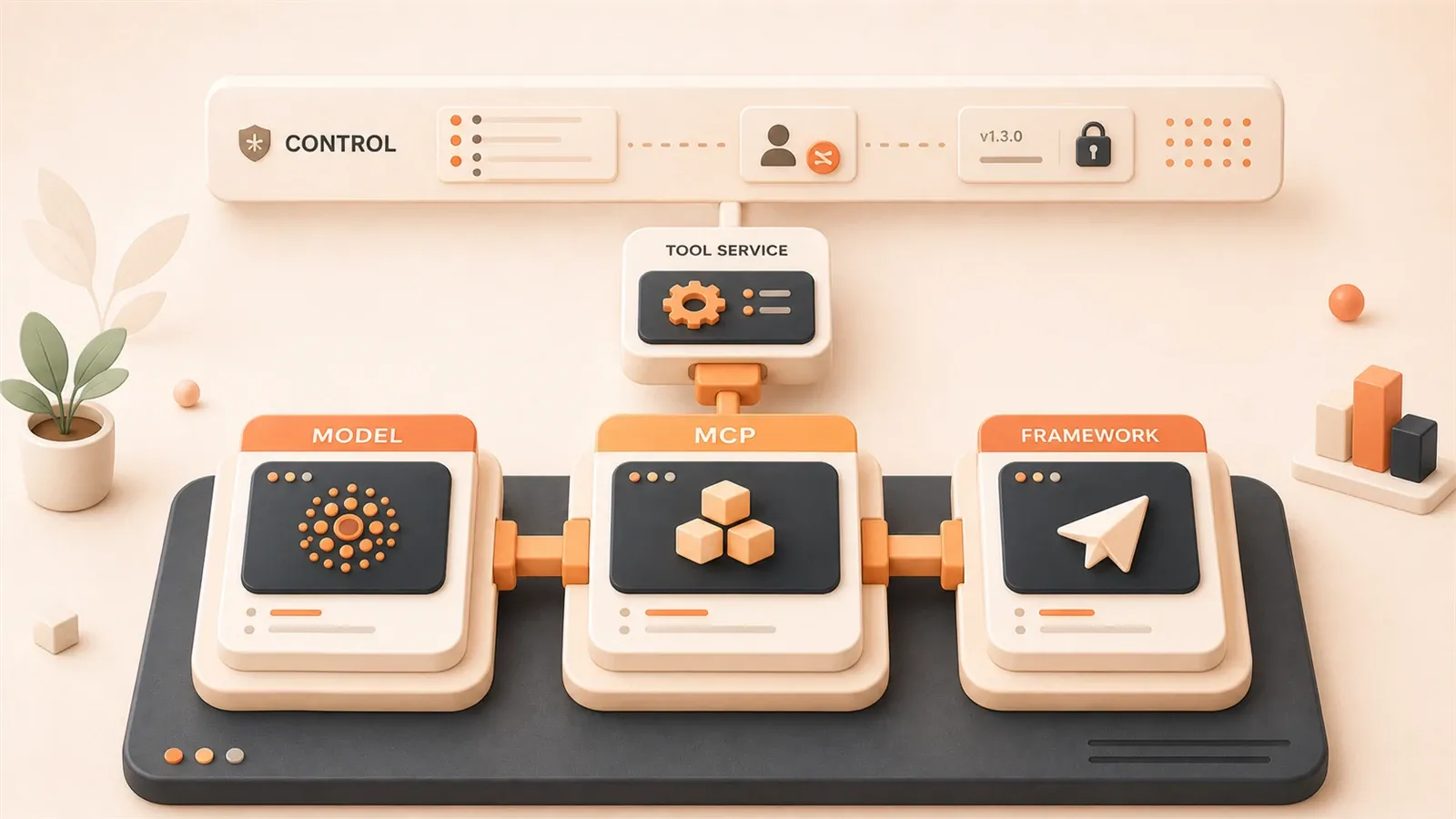
Last week, a colleague asked me: “Can your Agent connect to CRM, databases, code repositories, and email systems simultaneously?” I said, “Of course.” But each system requires its own adapter—the CRM calls the Salesforce API, the database connects to PostgreSQL, the code repository integrates with GitHub, and email goes through SMTP. He smiled and asked: “So how many adapters have you written?”
I counted. Twelve.
Each adapter took about half a day to debug, some even longer.
He pressed further: “Why not let the Agent learn to call these tools itself, instead of you manually writing every connection?”
Honestly, that question stumped me.
A 2026 survey shows that 84% of developers use multiple AI coding tools simultaneously. But when your Agent needs to operate in a real enterprise production environment, there’s a hidden pain point behind multi-tool combinations—you have to write custom adapter layers for every external system.
This is exactly the problem that the MCP protocol (Model Context Protocol) aims to solve. Think of it this way: previously, every device had its own charging interface; now we have the USB standard—develop once, reuse across devices.
In this article, I want to discuss several core questions about AI Agent toolchain design: the evolution logic from “single tool calls” to “tool ecosystems,” what exactly MCP protocol solves, framework selection strategies, and lessons learned from enterprise deployments.
If you’re building an Agent system, or struggling with “which framework to choose” or “how to design tool interfaces,” this article should provide some practical insights.
Chapter 1: The Essence of Toolchains — Why Upgrade from “Tool Calls” to “Tool Ecosystems”
1.1 Three-Layer Architecture: The Agent Skeleton
Let’s start with a foundational understanding: Agent architecture has roughly three layers.
The bottom layer is the Model layer—the reasoning capabilities of large language models, like GPT-5, Claude 3.7, Gemini 2.0. This layer is basically commoditized; choosing any provider yields similar results, with differences in price and speed rather than fundamental capabilities.
The middle layer is called Agent Harness, sometimes referred to as the “Agent operating system.” It manages three things: tool orchestration, state management, and context passing. To use an analogy: the Model layer is the engine, and the Harness is the transmission—no matter how powerful the engine, poor transmission design means the car won’t go fast.
The top layer is the Skills layer—the Agent’s domain knowledge base and workflows. A financial Agent has compliance checking Skills, a customer service Agent has conversation libraries, and a development Agent has code review standards. This layer determines Agent differentiation—two Agents using the same Model but different Skills will perform very differently.
Toolchain design primarily happens in the Harness layer.
1.2 The Real Challenges of Single Tools
I fell into a trap early on: I used LangChain’s built-in tools and built a simple Q&A Agent. Then requirements became more complex—it needed to connect to the company’s internal ERP, BI systems, and private databases.
At that time, LangChain had 600+ built-in tools. But guess what? None covered internal enterprise systems.
No choice but to write them myself. The first custom tool went smoothly, but by the fifth and tenth, several problems emerged:
Problem one: Scattered tool definitions.
Each tool’s parameter schemas, error handling, and logging were scattered across different files. Reusing a tool in another Agent project meant copying and pasting code, renaming parameters, and modifying exception handling logic.
Problem two: No state sharing.
The Agent called the CRM tool to retrieve customer information, then called the email tool to send follow-up messages—but the email tool couldn’t access the customer email returned by the CRM tool. You had to manually pass state in the Agent’s main program.
Problem three: No lifecycle management.
A tool version updates—which Agents are still using the old version? Unknown. A tool goes down—which Agents will fail as a result? Also unknown.
That’s not even the worst part. The worst part was writing adapter code for every new external system—hence the twelve adapters mentioned at the beginning.
1.3 Tool Ecosystems: From “Handcrafted Workshops” to “Industrialization”
What problem does a tool ecosystem solve? In one sentence: Transforming “tools” into “services.”
In the traditional model, tools are code snippets attached to a specific Agent. In the tool ecosystem model, tools are independent services with their own APIs, versions, and documentation—Agents call tools like calling microservices.
This brings several core benefits:
Standardized interfaces. The MCP protocol defines unified data formats and calling methods. You write one MCP Server, and any framework supporting MCP can call it directly—LangChain, CrewAI, AutoGen, even your own Agent Harness.
Reuse mechanisms. Build an internal MCP Server library within the company—one CRM Server, one ERP Server, one email Server. A new Agent project wants to connect to CRM? Configure one line of code, no need to rewrite the adapter layer.
Governance capabilities. Tools have independent lifecycles—version management, call auditing, performance monitoring. Which tool has problems becomes immediately visible.
Composability. The Skills layer can combine multiple tools into workflows. For example, the “customer complaint handling” Skill chains CRM query + ticket creation + email notification—three independent tools at the bottom, one business process at the top.
To use an analogy: previously, you were a handcrafted workshop, hammering every order from scratch; now you have a standardized parts library—just assemble.
Chapter 2: MCP Protocol — The “USB Standard” for AI Agents
2.1 What Exactly is MCP?
MCP stands for Model Context Protocol, proposed by Anthropic in late 2024, and by 2026 it has become the mainstream standard for Agent toolchains.
The official definition: an open standard for connecting AI Agents with external systems and data sources.
In plain terms: MCP defines a “tool description specification” and “calling protocol.” When an Agent wants to call a tool, it doesn’t need to know the tool’s implementation details—it just reads the MCP description file, which contains the tool name, parameter schema, return format, and permission requirements.
This is very similar to the USB standard. USB defines the interface shape, voltage, and data transmission protocol—mouse manufacturers don’t need to write drivers for every computer; they just follow the USB standard. Computer manufacturers don’t need to write interfaces for every mouse; they just provide USB ports.
MCP follows the same logic: tool manufacturers (or you yourself) follow the MCP standard to write an MCP Server; Agent framework manufacturers follow the MCP standard to implement an MCP Client—when the two connect, calls work seamlessly.
2.2 MCP’s Three Types of “Primitives”
MCP defines three core primitives, corresponding to different control ownership:
Tools (Model-controlled). Tools the Agent actively calls, like “query database” or “send email.” The Agent decides when to call which Tool based on task requirements.
Resources (Application-controlled). Information external data sources expose to the Agent, like “company knowledge base” or “customer profiles.” The Agent doesn’t actively call them; instead, Resources are pushed or indexed into the Agent’s context.
Prompts (User-controlled). Instruction templates predefined by users, like “write a formal business email in English.” The user selects a Prompt, and the Agent executes the corresponding task.
The distinction between these three primitives is essentially a division of control—Tools the Agent decides, Resources external systems decide, Prompts users decide.
2.3 Real Problems MCP Solves
I compared before and after using MCP, and several pain points indeed disappeared.
Pain point one: Adapter explosion.

Before: One adapter per external system, twelve systems meant twelve sets of code.
Now: One MCP Server per external system, Agents configure an MCP Client to call them. Twelve Servers can be shared by multiple Agents, reuse rates go up.
Pain point two: Context fragmentation.
Before: Data returned by the CRM tool couldn’t be accessed by the email tool.
Now: MCP defines a unified context passing mechanism. The Agent’s context pool can be read and written by all tools—CRM tool writes customer email, email tool reads directly from the context pool.
Pain point three: Chaotic tool definitions.
Before: Each tool’s parameter schema was defined differently—some using JSON Schema, some using TypeScript interfaces, some just writing comments.
Now: MCP mandates OpenAPI 3.1-compatible schemas. Unified format, unified validation, tool definitions become standardized documents.
Pain point four: Difficult private deployment.
Before: Enterprise internal systems had no ready-made adapters on the market; you had to write them yourself.
Now: MCP Servers can be privately deployed. Enterprises build internal MCP Server libraries without relying on external service providers; data security is controllable.
2.4 MCP Ecosystem Status in 2026
As of April 2026, here are some MCP ecosystem numbers:
- GitHub modelcontextprotocol organization now has 150+ open-source MCP Servers
- Mainstream Agent frameworks all support MCP: LangChain, CrewAI, AutoGen, Semantic Kernel, OpenClaw
- Anthropic’s official MCP Registry catalogs tools, databases, APIs, file systems, and other categories
But there’s an issue that must be addressed: MCP has security vulnerabilities.
In early 2026, Infosecurity Magazine disclosed: MCP protocol has systemic design flaws, with potential risks covering 150M downloads. Specific vulnerabilities include: ambiguous tool call permission boundaries, and malicious MCP Servers can steal Agent context data.
I’ll cover this in detail in the security section later, but here’s the point: MCP isn’t a perfect solution—do a security assessment before using it.
2.5 MCP Best Practices (Lessons Learned)
I’ve used MCP for over half a year and stepped into several traps. Here are three practices I’ve summarized:
First: The more explicit tool definitions, the better.
MCP requires OpenAPI Schemas, but many people write them vaguely. For example, a tool’s parameter description says “customer ID,” without clarifying whether it’s the CRM’s internal ID or an external code. When the Agent calls it, it passes the wrong parameter, the tool returns empty results, the Agent thinks the customer wasn’t found, and the task fails.
My current habit: Write clear source, format, and examples for each parameter description. Like “Customer ID: CRM system’s internal unique identifier, format is CUST-XXXXX, example: CUST-00123.”
Second: Design permission boundaries first.
MCP’s Tools primitive allows Agents to call tools actively—but not all tools should allow autonomous Agent calls. For example, the “delete customer record” operation—Agents shouldn’t have autonomous permission for this.
When designing an MCP Server, first separate “autonomously callable” and “requires human confirmation” operations. Expose the former as Tools, the latter as Resources (read-only) or Prompts (user-triggered).
Third: Call logging is mandatory.
MCP’s call chain goes Agent → MCP Client → MCP Server → external system. There are two middle layers, making troubleshooting difficult when problems occur.
I use OpenTelemetry for distributed tracing, recording the complete trace for each call: Agent initiation time, parameter content, Server processing duration, return results, exception information. When troubleshooting problems, checking trace logs is much faster than guessing code.
Chapter 3: Framework Selection — Which Toolchain Best Fits Your Scenario
3.1 Mainstream Framework Comparison Matrix
Let’s get straight to the干货 and compare core differences between mainstream frameworks:
| Framework | Learning Curve | Production Maturity | MCP Support | Built-in Tools | Best Scenario |
|---|---|---|---|---|---|
| LangChain/LangGraph | Steep | Highest | Complete | 600+ | Complex production applications |
| CrewAI | Gentle | Stable | Supported | 20+ | Rapid prototyping, structured workflows |
| AutoGen | Moderate | Improving | Supported | Manual definition | Multi-Agent dialogue collaboration |
| Semantic Kernel | Moderate | Stable | Supported | Built-in | .NET/Microsoft ecosystem |
| OpenClaw | Low | Emerging | Supported | Automated | End-to-end development workflow |
Let me break down each dimension:
Learning curve. LangGraph is steepest, with many concepts (state graphs, nodes, edges, conditional branches)—takes about a week to get started. CrewAI is gentlest—define a few Agent roles, assign tasks, and you can get it running in half a day. AutoGen is moderate—the dialogue-based collaboration model is intuitive, but has many configuration parameters.
Production maturity. LangChain series is established, large community, most pitfalls have been discovered. CrewAI is stable but simplified features—can’t handle complex scenarios. AutoGen had stability issues in early versions; improved significantly in 2026, but still not suitable for high-concurrency production.
MCP support. LangChain and LangGraph have the most complete MCP integration, supporting all three primitive types: Tools, Resources, Prompts. CrewAI and AutoGen support basic Tools calls; Resources and Prompts require writing adapter layers yourself.
Built-in tools count. LangChain has 600+ built-in tools covering mainstream APIs and databases. CrewAI has about 20, focusing on common scenarios. AutoGen has no built-in tool library—all must be defined yourself.
3.2 Selection Decision Framework
Framework selection has no “best,” only “most suitable.” I use four questions for decision-making:
Question one: Is your Agent single-task or multi-Agent collaboration?
Single-task: CrewAI or LangChain both work.
Multi-Agent collaboration: LangGraph (state graph orchestration) or AutoGen (dialogue-based collaboration). CrewAI’s Crew mode can also do multi-Agent, but orchestration capabilities are weak.
Question two: Do you need rapid prototyping or production deployment?
Rapid prototyping: CrewAI, get running in half a day, sufficient for demos.
Production deployment: LangGraph, rigorous state management, complete observability (LangSmith). CrewAI can also be used in production, but will struggle with complex scenarios.
Question three: What’s your team’s tech stack?
Python-focused: LangChain, CrewAI, AutoGen, OpenClaw all work.
.NET / Microsoft ecosystem: Semantic Kernel, native integration with Azure and Visual Studio.
JavaScript / TypeScript: LangChain has a JS version, ecosystem smaller than Python version.
Question four: How many external systems do you need to connect?
Fewer than 5 systems: Framework built-in tools + a few custom tools, no need to consider MCP.
More than 5 systems: Recommend MCP. LangChain’s MCP integration is most complete; CrewAI requires writing adapter layers yourself.
3.3 Combination Strategy: 84% of Developers Use Multiple Tools
That survey mentioned at the beginning: 84% of developers use multiple AI coding tools simultaneously. This isn’t about “choosing one framework is enough”—it’s about combination usage.
I used a combination pattern: LangGraph (core orchestration) + CrewAI (task execution).
Specific scenario: An Agent system has multiple phases—requirements analysis, solution design, code generation, test verification. LangGraph manages overall state transitions (requirements → design → code → test), and each phase internally uses CrewAI for rapid execution (CrewAI’s role-task model suits single-phase parallelism).
The logic of this combination: LangGraph handles the skeleton (state graph, conditional branches, exception recovery), CrewAI handles the muscles (multi-role collaboration within a single phase). Choose mature framework for the skeleton, lightweight framework for the muscles—each plays to its strengths.
Another common combination: IDE Agent (daily work) + Terminal Agent (complex problems).
IDE Agent integrates into VSCode or JetBrains, used for daily coding, refactoring, documentation lookup. Terminal Agent is an independent process, handling complex problems (debugging cross-service calls, troubleshooting performance bottlenecks). Both share a tool library via MCP—tools the IDE Agent has used, the Terminal Agent can also use.
Chapter 4: Evolution Path from Single Tools to Tool Ecosystems
Let me use my own evolution process as an example, divided into four stages.
4.1 Stage One: Single-Framework Prototype
When I first started building Agents, I chose CrewAI. Simple reason: short documentation, clear examples, could get it running in half a day.
The requirements were simple then: a customer service Q&A Agent that could query a knowledge base and reply to common questions. CrewAI’s built-in tools were sufficient—one Search Tool for knowledge base queries, one Response Tool for replies.
The goal at this stage: Get it running first, verify the Agent can solve real problems. Don’t worry about architecture, don’t worry about scaling, don’t worry about MCP—build a prototype, demonstrate to the product manager.
The trap I fell into: I used CrewAI’s default configuration, later discovering parameters had defaults that didn’t fit my scenario. For example, the knowledge base search top_k parameter defaults to returning 5 results—my knowledge base had few entries, returning 3 was enough—more and the Agent would get confused. Took half a day of debugging to find this parameter hidden deep in the configuration file.
Lesson: Framework default configurations aren’t optimal; adjust based on scenario. During the prototype phase, read the documentation more—don’t be lazy.
4.2 Stage Two: Custom Tool Development
After the prototype ran, requirements added one thing: The Agent needed to query customer information from the CRM system.
CrewAI didn’t have a built-in CRM tool, so I had to write one myself. I wrote my first custom tool—spent half a day defining parameter schema, writing API call logic, handling exceptions, adding logging.
The first time went smoothly. Then requirements added more: query ERP, query BI reports, send email notifications, create tickets…
By the fifth custom tool, I started noticing problems:
Code duplication. Each tool’s exception handling logic, log format, and parameter validation were similar, but scattered across different files. Reusing code meant copying and pasting, then changing parameter names.
Definition chaos. Some tools used JSON Schema to define parameters, some used TypeScript interfaces, some wrote comments—formats inconsistent, Agents easily passed wrong parameters when calling.
Difficult debugging. An Agent calls a tool and returns empty results—don’t know if the tool crashed, parameter was wrong, or external system had no data. Have to check the tool’s logs, but logs are scattered across various files—slow troubleshooting.
The turning point at this stage: I started thinking “can we unify tool interfaces?“
4.3 Stage Three: Introducing MCP
When I was browsing LangChain documentation, I saw MCP introduction and decided to try it.
First step: Rewrite the existing five custom tools into MCP Server format.
MCP requires OpenAPI 3.1-compatible schemas—I spent two days converting JSON Schemas and comments to standard format, adding parameter examples, return examples, error code definitions.
Second step: Integrate MCP Client into Agent Harness.
LangChain has ready-made MCP Client implementation—configure a few lines of code and it works. But CrewAI didn’t, so I had to write an MCP Client adapter layer myself—spent three days.
Third step: Verify reuse.
A new Agent project needs to query CRM—I directly configure the existing MCP Server, one line of code—no need to rewrite adapter logic, no need to change parameter schema. Reuse indeed works.
The benefit at this stage: Five tools rewritten as MCP Servers, subsequent new Agent projects just configure and call. Reuse rates go up, maintenance costs go down.
But the cost: Rewriting took two days, CrewAI’s MCP Client adaptation took three days. Total five days—longer than writing five custom tools (two and a half days).
ROI trade-off: If you have only one Agent project, MCP isn’t worth it—rewrite cost exceeds benefit. If you have multiple Agent projects, MCP is worth it—reuse benefits amortize rewrite costs.

My decision at the time: More Agent projects were coming, so MCP investment was worth it.
4.4 Stage Four: Tool Ecosystem Construction
After introducing MCP, I started building an internal MCP Server library.
First step: Tool classification.
Categorize existing tools by business domain: CRM class (customer query, customer update), ERP class (order query, inventory query), notification class (email, SMS, ticket). Each category has an MCP Server directory.
Second step: Version management.
Each MCP Server has a version number (v1.0, v1.1, v2.0). Agents specify version when calling, avoiding sudden behavior changes when tools update. I use Git for version management—one branch per version.
Third step: Call monitoring.
Added OpenTelemetry Tracing, recording the complete link for each MCP call. Monitoring dashboard shows: call frequency, average latency, exception rate, failed tools ranking. Which tool has problems is immediately visible.
Fourth step: Permission governance.
The “delete customer record” operation isn’t exposed as Tools, only as Resources (read-only). Agents can autonomously call to query customers, but must have human confirmation to delete customers.
The goal at this stage: Transform from “tool library” to “tool governance system.” Tools aren’t just code—they have lifecycles, monitoring, permission boundaries.
4.5 Stage Five: Multi-Agent Collaboration (I Haven’t Reached This Yet)
The planned next step: Single Agent → Multi-Agent orchestration.
LangGraph’s state graph model is the mainstream solution here—multiple Agent nodes, defining transition conditions, branching logic, and exception recovery through state graphs.
On the toolchain side, multi-Agent collaboration has two new problems:
Tool sharing vs permission isolation.
Multiple Agents share the same MCP Server, but have separate permissions. For example, Agent A can query CRM, Agent B can query ERP, but neither can call the other’s tools.
MCP’s permission boundary design is a prerequisite here—done in stage four, stage five can directly reuse.
State passing.
Agent A queries CRM and gets a customer email, Agent B needs to use this email to send—how does state pass?
LangGraph’s state pool is shared by all Agent nodes. MCP’s context mechanism can also pass cross-tool state. Combine both, and state passing works.
This is still under research, so I won’t elaborate.
Chapter 5: Enterprise Deployment — From Concept to Production
5.1 Financial Scenario: Insurance Claims Pipeline
A friend at a bank built an insurance claims Agent in 2026.
Scenario: Customer submits claim application, Agent processes it automatically—query policy, query medical records, calculate payout amount, generate claims report, notify customer.
Toolchain design:
- Policy query MCP Server: connects to insurance core system
- Medical records MCP Server: connects to hospital data interface
- Calculation engine MCP Server: internal payout rules library
- Notification MCP Server: email + SMS + app push
Architecture:
LangGraph manages state transitions (application → policy query → medical query → calculation → report → notification), each node internally calls MCP Server.
Results:
Claims processing time shortened from average 3 days to 8 hours. Manual intervention rate dropped from 40% to 15%—most standardized claims can be automatically processed by the Agent; complex cases require human review.
Pitfalls encountered:
Compliance auditing. In financial scenarios, every tool call must leave an audit record. Their MCP Server added an audit layer—each call records time, caller, parameters, return results, auditor ID.
SLA assurance. Claims Agent has SLA requirements: P99 response <872ms (Level 3 threshold defined by SITS2026). They did MCP Server performance optimization—cache policy data, asynchronously call medical interfaces, pre-calculate payout amounts.
5.2 Customer Service Scenario: Voice Agent Tool Ecosystem
In 2026, AI Agent penetration in customer service reached 72%.
A smart customer service vendor built a Voice Agent—customers call, Agent handles directly, no transfer to human.
Toolchain design:
- CRM MCP Server: query customer information, order records
- Order MCP Server: query order status, logistics information
- Ticket MCP Server: create after-sales tickets, query processing progress
- Knowledge base MCP Server: query product documents, FAQ
Architecture:
Voice Agent uses Semantic Kernel (integrated with Azure Speech Services), MCP Client connects to four Servers.
Performance data:
- Average response time: 500ms
- Autonomous processing rate: 85% (customer problems Agent solves directly, 15% transfer to human)
- Post-human-intervention processing time: 30% shorter than pure human customer service
Technical highlights:
Response speed is critical. Voice Agent can’t make customers wait too long. Their MCP Servers all have local caching—high-frequency query data (like popular product FAQs) cached in Agent memory, check cache first when calling MCP, only call external systems if cache misses.
5.3 Manufacturing Scenario: Equipment Inspection Agent
A friend at a manufacturing enterprise built an equipment inspection Agent.
Scenario: Factory equipment periodic inspection, Agent automatically collects sensor data, judges equipment status, generates inspection reports, automatically creates repair tickets when abnormal.
Toolchain design:
- Sensor MCP Server: connects to IoT data platform
- Equipment archive MCP Server: query equipment maintenance records
- Repair MCP Server: create repair tickets, notify maintenance personnel
- Report MCP Server: generate inspection reports, archive
Architecture:
CrewAI builds Agent main body (inspection task structured), MCP Client calls four Servers.
Results:
Inspection efficiency improved 40% (manual inspection 2 hours, Agent 45 minutes). Missed inspection rate dropped from 5% to 1% (Agent automated collection, won’t miss sensors).
Pitfalls encountered:
IoT data format chaos. Different equipment sensors have different data formats—some JSON, some CSV, some proprietary binary protocols. Their sensor MCP Server added a format adapter layer, uniformly converting to JSON before giving to Agent.
5.4 Common Elements in Enterprise Deployment
Several scenarios have a common thread: Start small, start from pain points.
Financial Agent isn’t about “disrupting claims process,” but “shortening claims time.” Customer service Agent isn’t about “replacing human customer service,” but “improving autonomous processing rate.” Manufacturing Agent isn’t about “automating the entire factory,” but “optimizing inspection processes.”
The 2026 industry consensus: Agent ROI expectations need to return to rationality. Not “disrupting everything,” but “solving specific problems.”
Several key elements for deployment:
Element one: Clear SLAs.
Financial Agent has SLA (P99 <872ms), customer service Agent has SLA (average <500ms). Agent toolchain design must support SLAs—caching, async, pre-calculation are all methods.
Element two: Audit compliance.
In financial and customer service scenarios, every tool call must leave a record. MCP Server adding an audit layer is standard.
Element three: Start small.
Don’t build a big Agent system at the beginning. Choose one specific scenario, build a single Agent, verify benefits before expanding.
Element four: 3-6 month cycle.
Agent deployment isn’t a one-week affair. The financial friend’s project took 6 months from prototype to production. The customer service friend’s project took 4 months. The manufacturing friend’s project took 3 months. Expectations need to be reasonable.
Chapter 6: Security and Governance — The “Red Lines” of Toolchains
6.1 MCP Security Vulnerability Warning
This must be taken seriously. MCP isn’t a perfect solution—security vulnerabilities were disclosed in early 2026.

Infosecurity Magazine report: MCP protocol has systemic design flaws, with potential risks covering 150M downloads.
Vulnerability one: Ambiguous tool call permission boundaries.
MCP’s Tools primitive allows Agents to call autonomously—but the protocol itself doesn’t define permission boundaries. Malicious MCP Servers can expose dangerous operations (like “delete all data”), and Agents call them unknowingly.
Vulnerability two: Context data leakage.
MCP’s context mechanism allows all tools to read and write. Malicious MCP Servers can read Agent context data—including user input and sensitive information returned by other tools.
Vulnerability three: Supply chain attacks.
Open-source MCP Servers may contain malicious code. Developers download MCP Servers from GitHub, use them without auditing—malicious Servers may steal data, tamper with return results.
6.2 Toolchain Security Design Principles
When using MCP, I added three layers of security protection:
First layer: Intent explicitness.
MCP tool definitions must clearly state “what this tool does” and “what risks exist.” I use OpenAPI’s description field to write a security statement for each tool.
For example, the “delete customer record” tool, description says: “Delete customer record in CRM. Operation is irreversible, requires human confirmation. Permission review required before calling.”
Agents read the description before calling tools, know the risks—then decide whether to call autonomously or transfer to human confirmation.
Second layer: State isolation.
MCP’s context pool can be read and written by all tools—here I added isolation. Each MCP Server has an independent context area, cannot read or write other Servers’ areas.
Data returned by Agent calling CRM tool can only be read by CRM tool and email tool—other tools (like repair tool) cannot read. Sensitive data doesn’t spread.
Third layer: Observability first.
Every MCP call, record complete trace—caller, parameters, return, exceptions. OpenTelemetry Tracing is standard.
When problems occur, check trace logs, quickly locate. During security audits, trace logs are evidence.
6.3 Enterprise Governance Framework
Internal enterprise MCP Server libraries need a governance framework.
Governance one: Lifecycle management.
Each MCP Server has version number, release time, responsible person, dependency list. When tools update, go through review process—not just push new versions casually.
When Agents call, lock versions—don’t auto-upgrade, avoiding sudden behavior changes.
Governance two: Call auditing.
Every MCP call, record audit log: time, caller, parameters, return, auditor. In financial scenarios, this is a compliance requirement.
Governance three: SLA monitoring.
MCP Server response time, exception rate, availability—continuous monitoring. When SLA isn’t met, alert + automatic degradation (like switching to backup Server).
Governance four: Permission matrix.
Agent role vs tool permission matrix. Agent A can call CRM tools, Agent B cannot. Operation type vs permission matrix. “Query” operation Agent can call autonomously, “delete” operation requires human confirmation.
This governance framework, I manage with one document—one page per MCP Server: version history, permission matrix, audit requirements, SLA targets, responsible person.
Summary
Having said so much, let me wrap up with a few core points:
One: Toolchain design is the dividing line between Agents as “toys” and “productivity tools.”
In the prototype phase, single tools suffice; in production, tool ecosystems are essential. Without tool ecosystems, Agents can solve 20% of scenarios; with tool ecosystems, Agents can solve 80%.
Two: MCP is becoming the “USB standard” for AI systems, worth learning.
In 2026, the MCP ecosystem has matured, mainstream frameworks all support it. But MCP isn’t a perfect solution—security vulnerabilities exist, assess before using. Evaluate benefits (reuse, governance) vs costs (rewrite, security).
Three: Framework choice depends on scenario; combination rather than single choice is mainstream in 2026.
LangGraph for complex production, CrewAI for rapid prototyping, AutoGen for multi-Agent dialogue. When single framework isn’t enough, combine—84% of developers do exactly that.
Four: Enterprise deployment key is pragmatism: start small, start from pain points.
Financial Agent starts from claims process, customer service Agent starts from Voice scenario, manufacturing Agent starts from inspection process. ROI expectations return to rationality, 3-6 month cycles, SLA and auditing are standard.
Action Recommendations
If you’re building an Agent system, here are a few action recommendations:
If you’re in the first Agent prototype phase:
Choose CrewAI, get it running in half a day. Use built-in tools + a few custom tools. Don’t consider MCP for now, first verify the Agent can solve real problems.
If you need multi-Agent collaboration:
LangGraph + MCP is a robust choice. LangGraph manages state transitions, MCP manages tool reuse. Medium investment cost, long-term amortized benefits.
If you have single tools but requirements are becoming complex:
Plan an MCP Server library. Rewriting custom tools as MCP Servers has high initial cost, but subsequent reuse benefits amortize costs. Prerequisite: You have multiple Agent projects, reuse is worth it.
If you’re targeting enterprise production:
Reference financial/customer service/manufacturing cases. Clear SLAs, audit compliance, start small, 3-6 month cycles. Security governance first, tool permission boundary design is a prerequisite.
Practical steps for building MCP tool ecosystem
Build enterprise-grade MCP tool ecosystem from scratch, covering complete workflow of tool design, permission governance, monitoring and auditing
⏱️ Estimated time: 180 min
- 1
Step 1: Assess current toolchain status
Review tool usage in existing Agent systems:
• List all external system connections (CRM, ERP, databases, etc.)
• Count adapter quantities and duplicate code
• Identify 3-5 most frequently reused tools
• Assess team tech stack (Python/.NET/JS) - 2
Step 2: Select framework and protocol
Choose appropriate tech stack based on scenario:
• Single-task prototype: CrewAI + built-in tools
• Complex production system: LangGraph + MCP
• Multi-Agent collaboration: LangGraph state graph orchestration
• Enterprise deployment: Prioritize frameworks with complete MCP support (LangChain/LangGraph) - 3
Step 3: Design MCP Server architecture
Plan tool service architecture:
• Classify by business domain (CRM, ERP, notifications, etc.)
• Define responsibility boundaries for each Server
• Design OpenAPI 3.1-compatible parameter schemas
• Clarify Tools (autonomously callable) vs Resources (read-only) vs Prompts (user-triggered) - 4
Step 4: Implement MCP Server
Code core functionality:
• Use MCP SDK (Python/TypeScript)
• Implement parameter validation and error handling
• Add OpenTelemetry Tracing
• Write complete API documentation and security statements - 5
Step 5: Integrate MCP Client
Integrate client in Agent system:
• Configure MCP Client connection parameters
• Implement version locking mechanism
• Add call logging and exception capture
• Write unit tests and integration tests - 6
Step 6: Establish governance framework
Build enterprise governance system:
• Version management (Git branching strategy)
• Call auditing (audit logs, auditor IDs)
• SLA monitoring (response time, exception rate)
• Permission matrix (Agent role vs tool permissions) - 7
Step 7: Security hardening
Implement three-layer security protection:
• Intent explicitness: Add security statement description for each tool
• State isolation: Each Server has independent context area
• Observability: Complete trace recording of call chains
• Supply chain audit: Review open-source MCP Server source code
FAQ
Which scenarios is MCP protocol suitable for? When is MCP not needed?
• Multiple Agent projects need to reuse the same set of tools
• External system connections exceed 5, high adapter maintenance cost
• Enterprise deployment requiring tool governance and auditing
MCP is not needed for these scenarios:
• Single Agent prototype, quickly validating ideas
• External systems fewer than 3, built-in tools sufficient
• Short project cycle, ROI not appropriate
How to choose between LangChain, CrewAI, AutoGen? Can they be combined?
• LangGraph: Complex production systems, rigorous state management, steep learning curve
• CrewAI: Rapid prototyping, running in half a day, suitable for demos and simple tasks
• AutoGen: Multi-Agent dialogue collaboration, suitable for research scenarios
Combination usage is mainstream: 84% of developers use multiple frameworks. Common combinations: LangGraph (skeleton) + CrewAI (muscle), or IDE Agent + Terminal Agent sharing MCP tool library.
How to solve MCP security vulnerabilities? What to watch for in enterprise deployment?
• Three-layer protection: Intent explicitness (tool description with security statements), state isolation (Server independent context), observability (OpenTelemetry Tracing)
• Permission design: Tools (autonomously callable), Resources (read-only), Prompts (user-triggered) separated
• Supply chain audit: Review open-source MCP Server source code, avoid supply chain attacks
Enterprise deployment must have: version locking, call auditing, SLA monitoring, permission matrix.
How long does it take to evolve from single tools to tool ecosystem? How to weigh investment and return?
• Stage one (prototype): Half a day to one week, CrewAI rapid validation
• Stage two (custom tools): Half a day per tool, 5 tools about 2-3 days
• Stage three (introducing MCP): Rewrite tools 2 days + adapter layer 3 days = 5 days
• Stage four (tool ecosystem): Continuous iteration, monitoring governance
Investment-return trade-off:
• Single Agent project: MCP investment (5 days) > benefit, not worth it
• Multiple Agent projects: Reuse benefits amortize costs, MCP worth it
Recommendation: First assess whether multiple Agent projects are planned.
What are the key elements of enterprise Agent toolchain deployment?
• Clear SLAs: Financial Agent P99 <872ms, customer service Agent average <500ms
• Audit compliance: Record audit log for every tool call, required in financial scenarios
• Start small: Choose one specific scenario (claims, customer service, inspection), validate before expanding
• 3-6 month cycles: Agent deployment isn't a one-week thing, expectations need to be reasonable
Success cases: Financial claims Agent 6 months to launch, processing time from 3 days to 8 hours; customer service Voice Agent 4 months, autonomous processing rate 85%.
How to do MCP Server version management and permission design?
• Each Server has version number (v1.0, v1.1, v2.0)
• Git manages versions, one branch per version
• Agent locks version when calling, avoid auto-upgrade causing behavior mutation
Permission design:
• Tools: Agent can call autonomously (like query customer)
• Resources: Read-only access (like knowledge base)
• Prompts: Need user trigger (like delete record)
• Permission matrix: Agent role vs tool permissions, "query" autonomous, "delete" human confirmation
How to handle tool sharing and state passing in multi-Agent collaboration?
• Multiple Agents share same MCP Server, but have independent permissions
• Agent A can query CRM, Agent B can query ERP, don't interfere
• MCP Server permission boundary design is prerequisite
State passing:
• LangGraph state pool: Shared by all Agent nodes
• MCP context mechanism: Cross-tool state passing
• Combine both: Agent A queries CRM → writes to state pool → Agent B reads email from state pool to send email
Best practice: State pool stores shared data, MCP context stores tool-private data.
25 min read · Published on: Apr 30, 2026 · Modified on: Jul 14, 2026

AI Agent Engineering: Architecture, Evaluation, and Recovery
If you landed here from search, the fastest way to build context is to jump to the previous or next post in this same series.
Previous
Multi-Agent Collaboration in Practice: A Guide to 4 Architecture Patterns
Master the 4 core architecture patterns for multi-agent collaboration systems, from Subagents to Router, with LangGraph code implementations and production-grade performance optimization tips.
Part 7 of 22
Next
LangGraph State Management: Checkpoints, Thread State, and Failure Recovery
A 2026 LangGraph state management guide covering checkpoints, thread state, failure recovery, AutoGen comparison, and monitoring patterns for production agents.
Part 9 of 22


Comments
Sign in with GitHub to leave a comment