
Next.js Database Selection Guide: Complete Comparison of PostgreSQL, MySQL, MongoDB & Cloud Services
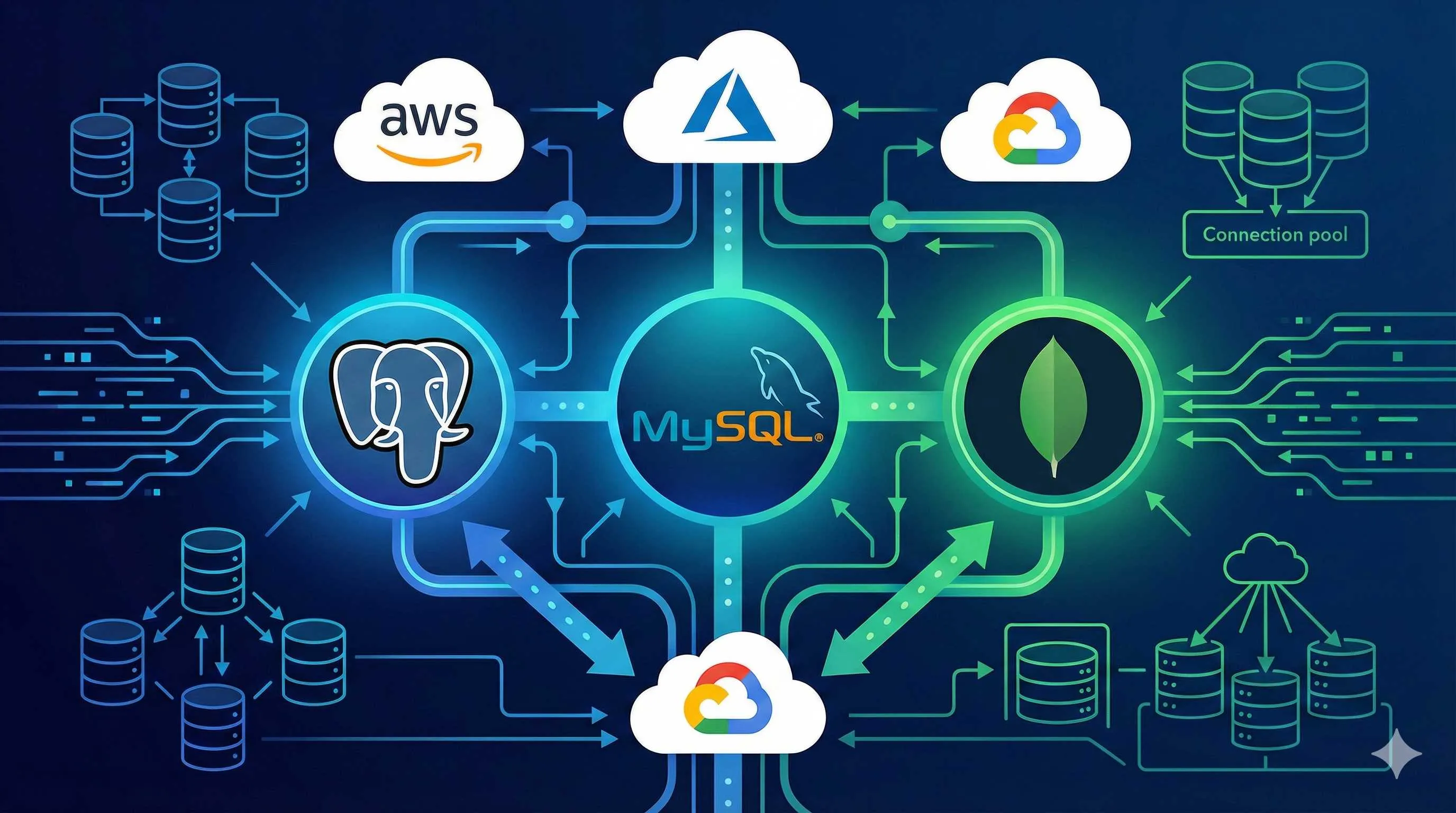
It was 2 AM, and I was staring at the “Add Database” option on the Vercel dashboard, my cursor hovering between Postgres, MySQL, and MongoDB. The project was supposed to launch in 48 hours, and I was still agonizing over which database to use. I had 10 browser tabs open, all technical articles—some saying Supabase’s free tier is generous, others claiming PlanetScale’s performance is off the charts, and still others insisting MongoDB is the best fit for Next.js.
The more I read, the more confused I became.
Honestly, I was pretty frustrated. Not because these databases are hard to use, but because there were too many options—each looked great, yet each had limitations. What’s worse, if you pick the wrong one, the migration cost later might be higher than rewriting the code.

If you’re going through the same struggle, this article is for you. I’ll help you understand the fundamental differences between PostgreSQL, MySQL, and MongoDB in the most straightforward way, and show you how to choose among Vercel Postgres, Supabase, PlanetScale, and MongoDB Atlas.
No fluff.
After reading this, you’ll only need to answer 3 questions to make a quick decision.
Understanding the Basics—Fundamental Differences Between the Three Databases
PostgreSQL vs MySQL vs MongoDB: More Than Just Relational vs Non-Relational
People usually say: PostgreSQL and MySQL are relational databases, MongoDB is NoSQL. That’s correct, but this classification doesn’t help with selection—you still don’t know which one to choose.
Let me approach this from a different angle and talk about their personalities.
PostgreSQL is like a Swiss Army knife with comprehensive features. It not only supports traditional relational data but also handles JSON, full-text search, geospatial data, and even complex stored procedures. Almost every advanced feature you can think of, it has. But this also means a steeper learning curve—more features mean more choices, which can overwhelm beginners.
Performance-wise, PostgreSQL excels at complex queries. Some benchmarks show that in scenarios involving multi-table joins, PostgreSQL is about 30% faster than similar databases. But there’s a trade-off: if not configured properly, its resource usage can be higher than MySQL.
MySQL is that stable, reliable old friend. It’s lightweight, mature, well-documented, with an explosion of community resources—you can usually find a solution with a quick search. Many legacy projects use it for peace of mind.
However, MySQL has limitations. It scales vertically, meaning when your machine hits its performance ceiling, you can only upgrade to a more powerful machine—you can’t horizontally add servers like MongoDB. For projects with moderate traffic, this isn’t a problem; but if you’re building a high-concurrency application, this could become a bottleneck.
MongoDB is completely different. It stores documents in JSON format, not tables. This brings tremendous flexibility—you can add fields to any document anytime without altering the table structure like in relational databases. For projects with rapidly changing requirements, this is a lifesaver.
I once built a content management system where article custom fields changed frequently: today adding “reading time,” tomorrow adding “related recommendations.” With MySQL, every requirement change meant ALTER TABLE, plus considering historical data compatibility. After switching to MongoDB, I could just add fields directly in the code.
But MongoDB isn’t a silver bullet. Complex multi-table relational queries? It can’t do them, or at least not elegantly. Need strict transactional consistency? It supports it, but not as naturally as relational databases.
So you see, choosing a database isn’t about picking “good” or “bad”—it’s about picking what fits.
When to Use Which? Three Decision Dimensions
Since there’s no absolute “best,” how do you decide? Here are three practical dimensions.
Dimension 1: How Complex Are Your Data Relationships
This is the core decision criterion.
Does your project have lots of “this relates to that” logic? Like an e-commerce system: users have orders, orders have products, products have categories, categories have tags… This kind of multi-level nesting with frequent JOIN queries is where PostgreSQL or MySQL shine. Relational databases are designed for this—foreign key constraints and transactional consistency come built-in.
Conversely, if your data structure is relatively flat, or each piece of data is relatively independent, MongoDB will make your life much easier. A typical example: blog articles and comments. Each article is a complete JSON document; comments can be nested directly in the article or stored separately with simple relationships. In this case, MongoDB’s flexibility is an advantage.
Dimension 2: How Frequently Do Requirements Change
Product manager changing requirements every other day? MongoDB can save you.
I’ve seen too many projects that started with perfectly designed relational databases—fields, indexes, constraints all planned out. Then two weeks later: “We need to add a user tagging feature.” Two weeks after that: “Tags need to support multi-select.” Two more weeks: “Tags need hierarchical relationships.” Every requirement change meant database changes, migration scripts written until you’re blue in the face.
With MongoDB, none of this is a problem. Just add fields directly in code; handle old data compatibility with code logic. Of course, this also means you need to do more data validation at the code level—the database won’t catch errors for you.
But if your business logic is already stable, or you’re building systems with “clear rules and fixed processes” (like financial software, ERP), relational database constraints are actually an advantage. They prevent bad data at the database level, saving you headaches in code.
Dimension 3: What Is Your Team Familiar With
Don’t underestimate this.
There’s no absolute hierarchy in tech stacks, but team proficiency gaps are real. If your team grew up writing SQL and you force MongoDB on them, the learning curve and debugging time might be longer than the project itself. The reverse is also true.
I was once in a startup where everyone had a JavaScript background and wasn’t familiar with SQL. Using PostgreSQL then, we constantly had to check documentation for complex queries, and index optimization was a complete mystery. After switching to MongoDB + Mongoose, development efficiency doubled—because Mongoose’s API is almost identical to JavaScript object operations, no mental context switching needed.
Of course, this doesn’t mean you should always stay in your comfort zone. If the project truly needs a relational database, you still need to learn. But if both solutions can meet requirements, choosing what your team knows better is never wrong.
Cloud Service Battle—How to Choose Among Vercel Postgres, Supabase, PlanetScale, MongoDB Atlas
Cloud Service Comparison: It’s Not Just About Price
Database chosen, now comes the cloud service minefield.
Vercel Postgres, Supabase, PlanetScale, MongoDB Atlas… Each looks appealing, but the devil is in the details. Let me break them down one by one.
Vercel Postgres: The One-Click Deployment Temptation
If your project is already deployed on Vercel, Vercel Postgres is almost the most hassle-free choice. A few clicks, database configured, environment variables auto-injected, latency so low it’s scary (benchmarks often show <10ms).
But it has obvious limitations: relatively simple features. No built-in user authentication, no storage service, no real-time subscriptions. If you just need a pure PostgreSQL database, it’s perfect; if you want an “all-in-one” solution, you’ll need to pair it with other services.
Pricing-wise, the free tier gives 256MB storage, enough for small projects. Paid plans start at $20/month, not cheap, but considering its deep integration with Vercel deployment, the money is well spent.
Supabase: The Open-Source All-Rounder
Supabase is one of my personal favorites. Why? Because it’s not just a PostgreSQL database—it comes with user authentication, file storage, real-time data subscriptions, and even a pretty good admin interface called Supabase Studio.
The free tier is also generous: 500MB database + 1GB storage, more than enough for personal projects and MVPs. I’ve seen many indie developers running entire products on Supabase’s free tier with no issues.
Performance? Honestly, not as good as PlanetScale. One benchmark showed Supabase’s QPS (queries per second) around 5000, while PlanetScale can reach 17000. But for most small to medium applications, this performance gap isn’t noticeable. Plus, Supabase uses standard PostgreSQL, making migration easier.
The only thing to watch out for: if your traffic suddenly spikes, Supabase’s connection pool might become a bottleneck. But it provides a Pooler feature specifically for Serverless connection count issues—just configure it.
PlanetScale: The Performance Beast, But at a Cost
PlanetScale’s performance is indeed strong. The benchmark I mentioned shows it can reach ~17000 QPS (mixed read/write), ~35000 (read-only), almost three times Supabase. If you’re building a high-concurrency application, this difference is significant.
It also has a cool feature: database branch management. Like Git, you can create branches for your database, test schema changes on branches, and merge back to main when confirmed. For team collaboration, this is a game-changer.
But it has a few hard limitations:
First, no foreign key support. This is a big problem for projects that rely on foreign key constraints—you’ll need to handle data consistency at the application layer.
Second, it’s expensive. PlanetScale removed its free plan in 2024; the starting price is now $34/month. For budget-conscious indie developers or startups, this isn’t small change.
So my advice: if your project truly needs extremely high concurrency performance, or your team is large and needs database branch management, PlanetScale is worth the investment. Otherwise, there are more cost-effective options.
MongoDB Atlas: The Flexibility Trade-off Is a Learning Curve
MongoDB’s official cloud service gives 512MB on the free tier, double Vercel Postgres, similar to Supabase. Deployment is convenient, with multi-region support globally.
If you’ve chosen MongoDB as your database, Atlas is almost the default choice—official product, guaranteed stability and feature updates.
But the NoSQL learning curve still needs consideration. If you’ve been writing SQL, switching to MongoDB’s aggregation queries (Aggregation Pipeline) will take some adjustment. Also, while MongoDB supports transactions, its transaction implementation isn’t as natural as relational databases, and performance can suffer in certain scenarios.

There’s also a hidden pitfall: bandwidth costs. MongoDB Atlas pricing is based on storage and request volume. If your application queries frequently, bandwidth fees might exceed the database cost itself. A friend of mine used Atlas and found at month-end that bandwidth fees accounted for 60% of the bill—quite a shock. After optimizing query logic and adding caching, costs came down.
Here’s a performance comparison table for quick reference:
Hidden Costs: It’s Not Just Monthly Fees
This part is especially important because many people stumble here.
The database monthly fee on your bill is just the tip of the iceberg. What really hurts are the hidden costs.
Connection Limits: The Serverless Nightmare
When Next.js is deployed on Vercel or other Serverless platforms, each request spawns a new function instance. If each instance creates a database connection, a few hundred concurrent requests can exhaust the database connection pool.
Traditional connection pooling solutions basically fail in Serverless environments. You’ll see errors like “Too many connections” or “Connection pool exhausted”… Being woken up at 3 AM by alerts is something I never want to experience again.
The good news is, most cloud services have recognized this problem. Supabase provides Pooler mode, PlanetScale has built-in connection pooling, and Vercel Postgres is deeply optimized since it’s their own. But MongoDB Atlas requires you to handle this yourself—either use a connection pooling library or endure connection limit alerts.
Bandwidth Costs: The Hidden Killer of Frequent Queries
Database and application in different regions? Congratulations, every query crosses regions, bandwidth costs skyrocket.
MongoDB Atlas is most obvious here. Because it’s billed by request volume and data transfer, if your application queries frequently and returns large datasets, bandwidth fees can easily exceed the database cost itself.
Solutions:
- Deploy database and application in the same region whenever possible
- Only return necessary fields in queries, don’t
SELECT * - Add a caching layer to reduce duplicate queries
Scaling Costs: The Long-Term Investment You Can’t Ignore
Both PlanetScale and Supabase charge on a tiered basis by storage and connection count. You might start in the free or low-cost tier, but as data grows, costs jump tiers.
For example, Supabase’s free tier is 500MB; after that, the Pro tier is $25/month for 8GB. If your data grows to 10GB, you’ll need to pay the difference. This difference might seem small, but if you didn’t plan ahead, suddenly seeing your monthly bill double is quite painful.
PlanetScale is even more extreme—its pricing is based on row count. The starter tier at $34/month includes 10 billion reads and 50 million writes; beyond that, pay per usage. For applications with high write frequency, this cost can grow quickly.
Migration Costs: The Price of Choosing Wrong
This is the most easily overlooked cost.
Database migration isn’t just moving data—it involves schema conversion, code adaptation, testing and validation… Small projects might take a day or two; large projects can take months.
I once had a project that started with MongoDB for convenience, but as business complexity grew, writing complex queries became a headache, so we decided to migrate to PostgreSQL. Just designing the new relational schema took a week, migration script debugging took half a month, and deploying to test and production separately took almost two months total.
So my current advice: if uncertain, prioritize mainstream, easily migratable solutions. For example, use an ORM framework (Prisma, Drizzle) as a database abstraction layer, so even if you need to switch databases later, at least code-level changes are minimized.
Decision Framework—3 Questions to Determine Your Solution
Question 1: What Type of Project Is This?
After all these technical details, let’s get back to the most practical question: which one should you actually choose?
I’ll give you a simple, straightforward decision framework. No need to remember complex performance parameters—just ask yourself three questions.
The first question: What type of project is this?
This directly determines 80% of your choice.
Personal Project / MVP Quick Validation
Limited budget but want comprehensive features? → Supabase
500MB + 1GB storage free tier, plus built-in user authentication and real-time subscriptions—for indie developers, this is a dream setup. I’ve seen many indie developers running entire SaaS products on Supabase’s free tier with thousands of users, no problem.
More familiar with NoSQL, or project data structure is particularly flexible? → MongoDB Atlas
512MB free tier, suitable for content management systems, blogs, log collection—projects with non-fixed data structures.
Startup / Small Team Project
Already deployed on Vercel, pursuing development efficiency? → Vercel Postgres
Although the free tier is only 256MB, considering its deep integration with Vercel, auto-injected environment variables, edge network acceleration—these save you significant configuration time. For startup teams, time is the most expensive resource, not that $20 monthly fee.
Need user authentication, file storage, and other all-in-one features? → Supabase
It’s not just a database—it’s a complete backend solution. Authentication, Storage, Edge Functions are all ready to go, saving weeks of development time.
Enterprise Application / High Concurrency Scenarios
Large user base, strict performance requirements? → PlanetScale
QPS ~17000 is no joke, and database branch management is really practical for large teams. $34/month starting price is nothing for enterprises with stable revenue.
But note: PlanetScale doesn’t support foreign keys. If your business logic heavily relies on foreign key constraints, you might need to reconsider.
Content Site / Blog / Media Platform
Flexible data structure, relatively simple queries? → MongoDB Atlas
Articles, comments, tags—this kind of content data is very natural to store in a document database. Plus, MongoDB’s full-text search is much more convenient than relational databases.
Need real-time comments, real-time notifications? → Supabase
Its Realtime feature is based on PostgreSQL’s Change Data Capture—configure it and you get real-time subscriptions without setting up WebSocket yourself.
Question 2: What’s Your Budget and Scale?
Money—always something to face.
Zero Budget Stage (Pure Free Solutions)
Supabase (500MB + 1GB storage) or MongoDB Atlas (512MB) are your only options.
Vercel Postgres also has a free tier, but only 256MB with limited growth space. PlanetScale has no free tier, so pass.
My advice: If the project might need user authentication or file uploads, prioritize Supabase. If it’s pure data storage, MongoDB Atlas is more flexible.
Small Budget Stage (Monthly Budget <$50)
Supabase Pro ($25/month) or Vercel Postgres (starting at $20/month) are both in this range.
Supabase Pro gives you 8GB database + 100GB storage + Auth for 50k monthly active users—great value. Vercel Postgres is a bit more expensive, but if your entire stack is on Vercel, the time saved on operations is worth the difference.
MongoDB Atlas is pay-as-you-go; at small scale, it might be just a few dollars per month, also an option. But keep an eye on bandwidth costs—don’t let them get out of control.
Medium Budget Stage (Monthly Budget $50-200)
At this point, PlanetScale (starting at $34/month) and Supabase Team ($599/year, about $50/month) are both viable.
Selection criteria: Look at performance needs. If QPS requirements aren’t high, Supabase Team is more cost-effective with better team collaboration features. If it’s a high-concurrency scenario, PlanetScale’s performance advantage is worth the investment.
Large Scale / High Concurrency Stage
Honestly, at this stage, cloud service cost-effectiveness starts to decline. Many companies choose to self-host databases, using AWS RDS, Google Cloud SQL, or building their own PostgreSQL clusters.
But if team size is small and there’s no dedicated DBA, continuing with PlanetScale or Supabase Enterprise is also reasonable. Outsource the operations cost and focus on the product.
Question 3: What’s Your Technical Debt Tolerance?
The last question, often overlooked but crucial.
Can Accept Later Migration Risk
Then start with free, quickly validate the product. Once the project shows promise, consider migration or upgrade.
Many successful products followed this path. Started with MongoDB Atlas free tier, ran to thousands of users; then found they needed more complex query logic, migrated to PostgreSQL; later traffic exploded, self-hosted database clusters.
The key is to be prepared:
- Use an ORM framework (Prisma, Drizzle) as an abstraction layer to reduce migration costs
- Centralize database access logic, don’t scatter it across files
- Regular data backups—have a fallback when migrating
Want to Get It Right the First Time, Minimize Hassle
Then choose mature, mainstream solutions: PostgreSQL + Supabase or PostgreSQL + Self-Hosted.
PostgreSQL is currently the most mature open-source database with a complete ecosystem and clear migration paths. Today using Supabase, tomorrow you can seamlessly switch to AWS RDS or self-hosted servers—SQL statements barely need changes.
MongoDB, while flexible, has a relatively closed ecosystem. Once you use MongoDB, switching to a relational database later basically means a rewrite.

My Personal Experience
My default choice for new projects now is: Next.js + Prisma + Supabase.
Reasons are simple:
- Supabase free tier is enough; upgrade when there’s revenue
- Prisma’s type safety and migration tools give me peace of mind
- PostgreSQL’s ecosystem means I can always switch to other cloud services
- If the project needs Auth or Storage, Supabase has it built-in, saves time
But if the project is a high-concurrency scenario, or the team already has mature database operations experience, I’d go straight to PlanetScale or self-hosted solutions.
Practical Configuration Checklist
Quick Start Configuration
Enough theory, let’s get practical.
Here are configuration highlights for common combinations. I won’t paste huge code blocks, but I’ll tell you what to watch out for in key areas.
Option 1: Vercel Postgres + Prisma
Can be up and running in 5 minutes.
Key steps:
- In your Vercel project, click “Storage” → “Create Database” → Select Postgres
- Environment variables auto-injected to
.env, useprocess.env.POSTGRES_PRISMA_URLdirectly - Generate Prisma client:
npx prisma generate - Remember to use Prisma’s connection pool configuration, otherwise Serverless environments will hit connection limits
Watch out:
- Separate dev and production databases—don’t accidentally delete production data
- Remember to commit Prisma migrations to git, otherwise team collaboration will be chaotic
Option 2: Supabase + Prisma
Most feature-complete, suitable for projects needing Auth.
Key steps:
- Create project on Supabase website, get database connection string
- Configure
DATABASE_URLandDIRECT_URLin environment variables (latter for migrations) - Enable Supabase’s Pooler mode to avoid connection count issues
- If you need Auth, use
@supabase/auth-helpers-nextjslibrary—integrates smoothly with Next.js
Watch out:
- Configure Row Level Security (RLS) properly, otherwise data security will be an issue
- Supabase’s Realtime feature is off by default—need to manually enable in table settings
Option 3: MongoDB Atlas + Mongoose
Suitable for JavaScript-focused teams.
Key steps:
- Create cluster on MongoDB Atlas, get connection string (remember to replace
<password>with real password) - Define Schema with Mongoose—even though MongoDB is schemaless, code-level type constraints are still needed
- Configure
serverSelectionTimeoutMSwhen connecting to avoid cold start timeouts - Use
.lean()when querying to return pure JavaScript objects—better performance
Watch out:
- Never commit database connection strings (containing passwords) to git—use
.env.localand add to.gitignore - MongoDB indexes need to be created manually, otherwise queries will be painfully slow
- Aggregation queries have a steep learning curve—read the docs in advance
General Advice
Regardless of which solution you use, do these:
- Environment Variable Management: Use
.env.local(local) and.env.production(production), don’t mix them - Connection Pool Configuration: Must configure in Serverless environments, otherwise connection counts will explode
- Error Handling: Always wrap database queries in try-catch—don’t expose database errors directly to users
- Backup Strategy: Regular backups—cloud services can have problems too
- Monitoring & Alerts: Configure database performance monitoring—watch connection counts, query latency, and other metrics
Conclusion
After all this, back to the opening question: What database should a Next.js project choose?
Answer: There’s no standard answer, but there is a decision framework.
Ask yourself three questions:
- Project Type: Personal project? Startup? Enterprise application?
- Budget Scale: Zero budget? Small budget (<$50)? Medium to large budget?
- Technical Debt Tolerance: Can you accept later migration? Or want to get it right the first time?
If you’re still unsure, here’s my conservative recommendation: Supabase + Prisma + PostgreSQL.
Reasons:
- Free tier enough for personal projects until there’s revenue
- Comprehensive features (Database + Auth + Storage), saves development time
- PostgreSQL ecosystem is mature with many migration paths
- Prisma’s type safety makes code more reliable
Of course, if your project has special needs—like extreme performance (PlanetScale), flexible schema (MongoDB Atlas), deep Vercel integration (Vercel Postgres)—then choose according to needs.
One final thought: Database selection isn’t a one-time decision—it’s an evolutionary process. Ship fast to validate the product, then optimize based on actual circumstances. Don’t let technical decision paralysis delay product launch.
Now open your project, ask yourself these three questions, make a decision in 10 minutes, then start coding.
If you run into issues, see you in the comments.
FAQ
Should I choose PostgreSQL or MongoDB for a Next.js project?
Which is better, Supabase or Vercel Postgres?
Is PlanetScale worth $34/month?
How to handle database connection counts in Serverless environments?
Will database migration be very troublesome later?
20 min read · Published on: Jan 5, 2026 · Modified on: Mar 3, 2026

Related Posts
AI Keeps Writing Wrong Code? Master These 5 Prompt Techniques to Boost Efficiency by 50%

AI Keeps Writing Wrong Code? Master These 5 Prompt Techniques to Boost Efficiency by 50%
Cursor Advanced Tips: 10 Practical Methods to Double Development Efficiency (2026 Edition)

Cursor Advanced Tips: 10 Practical Methods to Double Development Efficiency (2026 Edition)
Complete Guide to Fixing Bugs with Cursor: An Efficient Workflow from Error Analysis to Solution Verification

Comments
Sign in with GitHub to leave a comment