
JWT or Session? Stop Overthinking - Here's Your Answer
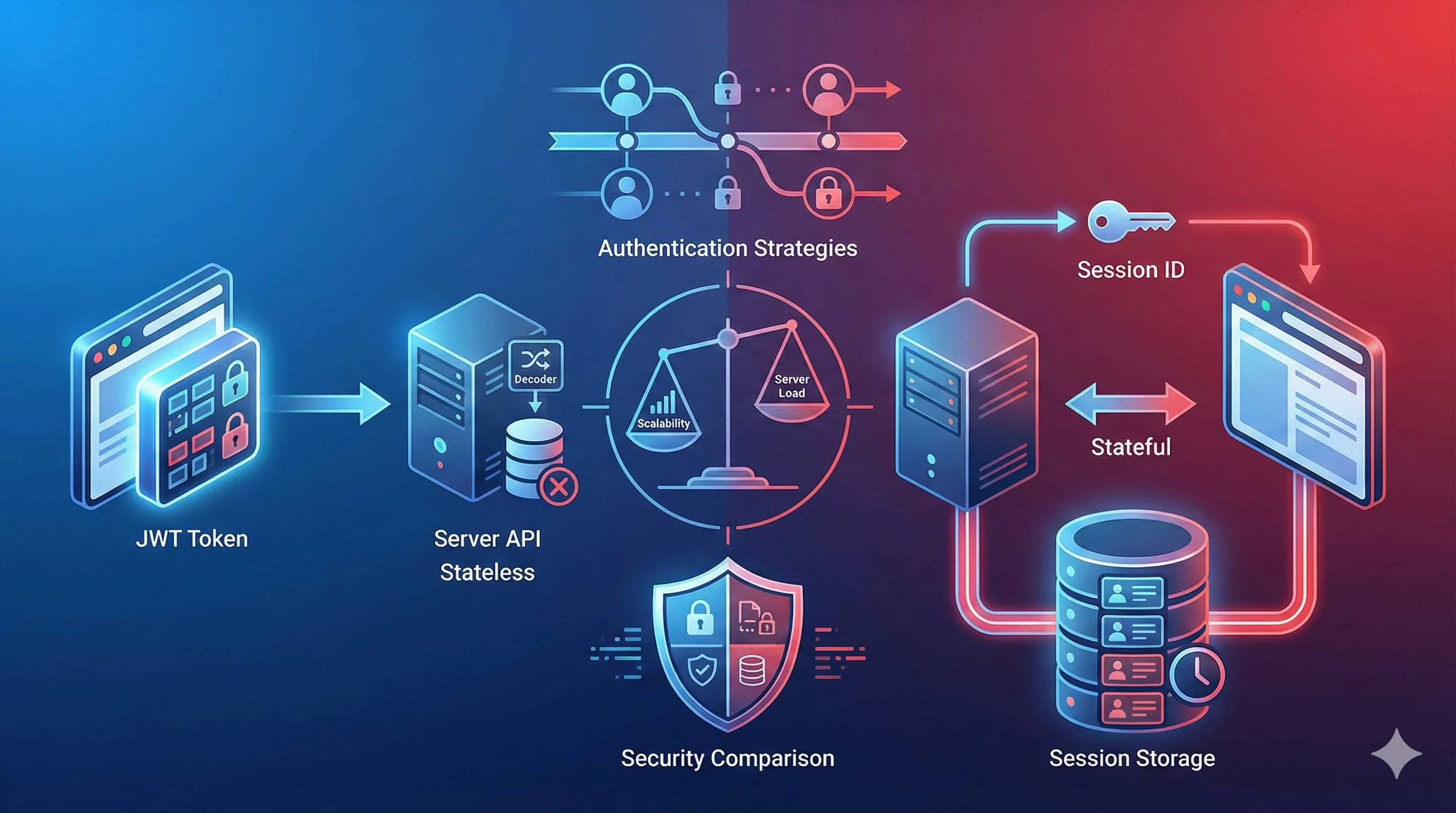
3 AM. I was staring at my screen, cursor blinking between session: { strategy: "jwt" } and session: { strategy: "database" }. My project was launching soon, and I was still stuck deciding between JWT and Session. After reading tons of docs, all I got was “both have pros and cons” and “choose based on your use case” - technically correct, but not exactly helpful.
You’ve probably been in a similar spot: doing technical research, finding two seemingly good options, but having no clue which one actually fits your project. Honestly, I was pretty confused the first time too. Took me a while and some painful lessons to figure it out. Today, let’s talk about JWT and Session authentication strategies, and by the end, you’ll know exactly which one to pick.
First, Let’s Understand What They Actually Are
Most people can recite the definitions of JWT and Session, but explaining them clearly? That’s tough. I like using an analogy:

Session is like a gym membership card. When you sign up, the gym records your membership info in their system. Each time you visit, you just swipe your card (provide a Session ID), and the front desk pulls up your details - who you are, when your membership expires, how many classes you have left. All the important stuff stays in the gym’s database.
JWT is like an ID card. All your information (name, birthday, address, etc.) is printed right on the card. Whenever you need to prove your identity, you show your ID, and people can verify who you are without checking any system.
This makes their workflows pretty clear:
-
Session approach: After login, the server generates a Session ID, stores user info in the database, then sends the Session ID to the browser via Cookie. On each subsequent request, the browser sends this Session ID, and the server looks up the corresponding user info in the database.
-
JWT approach: After login, the server packages user info into an encrypted token (JWT) and sends it to the browser. On each subsequent request, the browser sends this JWT, and the server just needs to verify the token’s validity - no database lookup needed.
Deep Dive into JWT
Why Is JWT So Popular?
Let’s be real, JWT is pretty hot in developer circles, especially among teams doing Serverless and microservices. The reason is simple: no database headaches.
A friend of mine built an e-commerce site deployed on Vercel using JWT. He told me the biggest benefit was “simplicity” - no worrying about database connection limits, no stressing about Session table performance, and edge deployment just works. Users log in once, get a JWT, and all subsequent requests carry this token. The server just verifies the signature and we’re good.
JWT particularly shines in these scenarios:
1. Serverless / Edge Computing
If your project runs on Vercel, Cloudflare Workers, or similar platforms, JWT is practically the default choice. These platforms run stateless functions - each request might be handled by a different server. With Session, you’d need Redis or something to share Session data. Annoying. JWT is simpler - the token carries all the info, and any server can handle it the same way.
2. High Concurrency Scenarios
Anyone who’s run a flash sale knows database queries are the performance bottleneck. With Session, every request hits the database; with JWT, you only query the database at login, and subsequent requests are verified locally. Much faster.
3. Microservices Architecture
When you have multiple services (like user service, order service, payment service), JWT lets different services share authentication info. No need for each service to query user Sessions, and no need for unified Session storage.
The JWT Pitfalls
Sounds great, right? But JWT has its issues, and some pitfalls are pretty deep.
The Biggest Pitfall: Can’t Revoke Immediately
Once we discovered a user account was compromised and wanted to immediately kick them out. With Session, we’d just delete the database record and be done. But we were using JWT. Awkward - once a JWT is issued, it’s valid until expiration. Can’t revoke it.
You might say, “Just maintain a blacklist?” Sure, you could, but that defeats the whole stateless advantage of JWT. Checking a blacklist on every request? How’s that different from checking a Session table?
So with JWT, you typically set shorter expiration times, like 15 minutes, and pair it with refresh tokens. This way, even if a token is stolen, it expires in 15 minutes max.
Cookie Size Limitations
JWT encodes user info into the token. If you stuff too much into the JWT (like user roles, permissions, preferences, etc.), the token gets huge. Browser Cookies have a 4KB limit - exceed that and you can’t store it.
Lesson learned: Don’t cram everything into JWT. Only put essential info like user ID and expiration time. Query other stuff when needed.
NextAuth.js JWT Configuration in Practice
If you’re using Next.js, NextAuth.js (now called Auth.js) is the most popular auth solution. Configuring JWT is actually pretty simple:
// auth.ts
import NextAuth from "next-auth"
import GitHub from "next-auth/providers/github"

export const { handlers, signIn, signOut, auth } = NextAuth({
  providers: [GitHub],
  session: {
    strategy: "jwt",
    maxAge: 30 * 24 * 60 * 60, // 30 days
  },
  callbacks: {
    async jwt({ token, user }) {
      // On first login, add user info to token
      if (user) {
        token.id = user.id
        token.role = user.role
      }
      return token
    },
    async session({ session, token }) {
      // Expose token info to client
      if (token) {
        session.user.id = token.id
        session.user.role = token.role
      }
      return session
    },
  },
})
A few important notes:
-
Always set
NEXTAUTH_SECRET(renamed toAUTH_SECRETin Auth.js v5). Usenpx auth secretto generate a secure secret. This key signs and encrypts the JWT - never leak it. -
Rolling sessions: If you want to auto-renew when users are active, configure
updateAge:
session: {
  strategy: "jwt",
  maxAge: 30 * 24 * 60 * 60,
  updateAge: 24 * 60 * 60, // Refresh every 24 hours
}
This way, as long as users are active within 24 hours, their Session auto-renews without sudden logouts.
- 2025 Update: If deploying to Edge Runtime (like middleware), you need to split your config:
// auth.config.ts - Can run on Edge
export default {
  providers: [GitHub],
  session: { strategy: "jwt" },
}

// auth.ts - Includes database operations, Node.js only
import { PrismaAdapter } from "@auth/prisma-adapter"
import authConfig from "./auth.config"

export const { handlers, auth } = NextAuth({
  ...authConfig,
  adapter: PrismaAdapter(prisma),
})
This is because Edge Runtime doesn’t support certain Node.js APIs. After splitting, middleware uses auth.config.ts, and server routes use the full auth.ts.
Deep Dive into Database Session
When Must You Use Session?
While JWT is convenient, some scenarios absolutely require Session.

I once worked on a backend admin system for a financial company. Their requirement was crystal clear: if we detect suspicious login activity, we must be able to immediately kick out the user. In this case, JWT just doesn’t cut it.
Database Session fits these scenarios:
1. Apps Requiring Immediate Control
Like limiting multi-device login (only one device allowed), force logout (admin kicks user), or invalidating all logins after password change. These requirements are easy with Session, but require tons of extra logic with JWT.
2. High-Security Scenarios
Banking, healthcare, government - these industries need to verify the latest permission status on every request. Session can query the database each time to ensure permission changes take effect immediately.
3. Traditional Monolithic Apps
If your app is a traditional monolith with server and database together, Session has no overhead. Database query latency is minimal, and you get better session control.
Session Performance Issues
The biggest issue is every request queries the database. If your app has high traffic, this can become a bottleneck.
A few optimization methods:
-
Use Redis for Sessions: Much faster than traditional databases, and supports auto-expiration.
-
Minimize Session Info: Only store user ID, query other info when needed.
-
Set Reasonable Expiration: Clean up expired Sessions promptly, or the Session table will grow endlessly.
Next.js Session Configuration in Practice
NextAuth.js defaults to JWT. If you want Database Session, you need to configure an adapter:
// auth.ts
import NextAuth from "next-auth"
import { PrismaAdapter } from "@auth/prisma-adapter"
import { PrismaClient } from "@prisma/client"
import GitHub from "next-auth/providers/github"

const prisma = new PrismaClient()

export const { handlers, auth } = NextAuth({
  adapter: PrismaAdapter(prisma),
  providers: [GitHub],
  session: {
    strategy: "database",
    maxAge: 30 * 24 * 60 * 60, // 30 days
    updateAge: 24 * 60 * 60, // Update daily
  },
})
Prisma needs to create a Session table. Run npx prisma db push to auto-create:
// schema.prisma
model Session {
  id           String   @id @default(cuid())
  sessionToken String   @unique
  userId       String
  expires      DateTime
  user         User     @relation(fields: [userId], references: [id], onDelete: Cascade)
}

model User {
  id       String    @id @default(cuid())
  email    String    @unique
  sessions Session[]
}
Performance Optimization Tips:
-
Add indexes to
sessionTokenandexpiresfields for much faster queries. -
Regularly clean expired Sessions with a scheduled task:
// cleanup-sessions.ts
async function cleanupExpiredSessions() {
  await prisma.session.deleteMany({
    where: {
      expires: {
        lt: new Date(),
      },
    },
  })
}

// Run at 3 AM daily
Practical Decision Framework
Alright, enough theory. How do you actually choose? I’ve put together a decision framework - run through it with your project:
Choose by Project Type
| Project Type | Recommended | Reason |
|---|---|---|
| Serverless apps | JWT | Stateless, no shared Session storage needed |
| Traditional monoliths | Session | Database is right there, query cost is low |
| Microservices | JWT or hybrid | Easy cross-service auth |
| Content sites/blogs | JWT | Simple auth needs, JWT is sufficient |
| SaaS backends | Session | Requires fine-grained permission control |
Choose by Security Requirements
- Low sensitivity (blogs, forums, content sites): JWT, 30-day expiration
- Medium sensitivity (e-commerce, social): JWT + short expiration + refresh token
- High sensitivity (finance, healthcare, admin): Session, short expiration + rolling sessions
Real-World Case Studies
Case 1: E-commerce Site - Chose JWT
My friend’s e-commerce site ultimately chose JWT. Reasons:
- Deployed on Vercel, Serverless architecture - JWT fits better
- Large user base, reducing database queries cuts costs
- Session control requirements aren’t strict - slow token invalidation after logout is acceptable
The only compromise was setting JWT expiration to 7 days instead of the common 30 days. This way, even if an account is compromised, the token auto-expires in 7 days.
Case 2: OA System - Chose Session
Another project was an internal corporate OA system using Session:
- Strict permission management, role changes must take effect immediately
- Need to limit concurrent login devices
- Internal network deployment, database query latency is negligible
Session was clearly better for this scenario. We also optimized by using Redis for Sessions, keeping response times under 50ms - totally sufficient.
Case 3: Hybrid Approach - Clerk’s Method
Many auth platforms (like Clerk) now use hybrid approaches:
- Short-term tokens (JWT): 15-minute validity for API calls
- Long-term tokens (Refresh Tokens): Stored in database for refreshing short-term tokens
- Session records: Database tracks active Sessions, can be remotely revoked
This combines JWT’s performance benefits with Session’s control capabilities. Implementation is more complex, but suitable for scenarios demanding both security and user experience.
My Recommendation
If you’re still unsure, here’s my advice:
-
Default to JWT: For most scenarios, JWT is sufficient - simple configuration, good performance.
-
Switch to Session when you need:
- Multi-device login restrictions
- Immediate user kick-out
- High-security scenarios (finance/healthcare)
- All logins must invalidate immediately after password change
-
Don’t over-engineer: If your project isn’t huge, start with a simple approach and optimize when you hit actual bottlenecks. I’ve seen too many projects start with hybrid approaches, exploding code complexity, when they don’t actually need those features.
Session Expiration Handling Best Practices
After choosing your approach, you still need to handle session expiration properly. Mess this up and user experience suffers.
JWT Expiration Handling
The most frustrating JWT expiration scenario: users are filling out a form, suddenly submit fails with “login expired,” and all their input is lost. Terrible experience.
Solution: Refresh Token + Silent Refresh
Here’s the approach:
-
Give users two tokens:
- Access Token: 15-minute validity for API calls
- Refresh Token: 30-day validity for getting new Access Tokens
-
Frontend automatically uses Refresh Token to get new Access Token when the current one is about to expire (like 2 minutes remaining)
-
Completely transparent to users, no sudden logouts
NextAuth.js actually has this built-in, you just need to configure:
callbacks: {
  async jwt({ token, user, account }) {
    if (account && user) {
      // First login
      return {
        ...token,
        accessToken: account.access_token,
        accessTokenExpires: Date.now() + account.expires_in * 1000,
        refreshToken: account.refresh_token,
      }
    }

    // Access Token still valid
    if (Date.now() < token.accessTokenExpires) {
      return token
    }

    // Access Token expired, refresh with Refresh Token
    return refreshAccessToken(token)
  },
}

async function refreshAccessToken(token) {
  try {
    const response = await fetch("https://api.example.com/oauth/token", {
      method: "POST",
      headers: { "Content-Type": "application/x-www-form-urlencoded" },
      body: new URLSearchParams({
        client_id: process.env.OAUTH_CLIENT_ID,
        grant_type: "refresh_token",
        refresh_token: token.refreshToken,
      }),
    })

    const refreshedTokens = await response.json()

    return {
      ...token,
      accessToken: refreshedTokens.access_token,
      accessTokenExpires: Date.now() + refreshedTokens.expires_in * 1000,
      refreshToken: refreshedTokens.refresh_token ?? token.refreshToken,
    }
  } catch (error) {
    return {
      ...token,
      error: "RefreshAccessTokenError",
    }
  }
}
Session Expiration Handling
Session expiration handling is relatively simpler, but still has nuances.
Rolling Session vs Absolute Timeout
- Rolling session: Extends session when user is active, suitable for most scenarios
- Absolute timeout: Forces logout after time limit regardless of activity, suitable for high-security scenarios like banking
NextAuth.js rolling session config is simple:
session: {
  strategy: "database",
  maxAge: 2 * 60 * 60, // 2-hour absolute timeout
  updateAge: 30 * 60, // Update if active within 30 minutes
}
With this config, if users operate within 30 minutes, the session extends; but regardless, they’re forced out after 2 hours.
Idle Timeout
For “auto-logout after 15 minutes idle” scenarios, add a timer on the frontend:

let idleTimer
function resetIdleTimer() {
  clearTimeout(idleTimer)
  idleTimer = setTimeout(() => {
    // 15 minutes no activity, logout
    signOut()
  }, 15 * 60 * 1000)
}

// Monitor user activity
document.addEventListener("mousemove", resetIdleTimer)
document.addEventListener("keypress", resetIdleTimer)
2025 Trends
Let’s talk about some 2025 trends that might influence your choice.
Hybrid Approaches Becoming Mainstream
More teams are realizing JWT and Session aren’t mutually exclusive. For example:
- Use JWT for API auth (fast)
- Use database to track active Sessions (controllable)
- Combine benefits of both
Auth platforms like Clerk and Auth0 all do this. If you don’t want to implement yourself, just use these services.
Edge Runtime’s Impact
Next.js middleware now runs on Edge Runtime, which favors JWT. If your auth logic goes in middleware (like protecting the entire /dashboard path), JWT is more convenient.
Passkey and WebAuthn
Though not today’s main topic, worth mentioning: Passkey (based on WebAuthn) is gaining traction. Many sites now support fingerprint and Face ID login without passwords. In these scenarios, the auth flow gets more complex, but user experience improves. NextAuth.js v5 already supports Passkey.
Final Thoughts
By now, you should have a pretty clear understanding of JWT and Session. There’s really no standard answer for which to choose - the key is understanding their pros and cons and making decisions based on your project’s actual needs.
My experience: JWT works for most projects, only consider Session when you need immediate control. Don’t overcomplicate things from the start - simple solutions are often more reliable.
If you’re still undecided, just use NextAuth.js’s default config (JWT) and get it running. If you actually hit issues, switching to Session isn’t hard - just a few config changes.
Are you still up at 3 AM overthinking technical decisions? If so, I suggest you get some sleep and decide tomorrow. Often, problems aren’t problems anymore after a good night’s sleep (laughs).
Oh, and if you have thoughts on this article or encountered scenarios I didn’t cover, feel free to comment. Tech stuff is way more fun when we discuss together.
FAQ
What's the difference between JWT and Session?
• Stateless - token contains all info
• No database lookup needed
• Perfect for serverless/edge
• Cannot revoke individual sessions
Session:
• Stateful - info stored in database
• Requires database lookup
• Can revoke sessions
• Better for enterprise apps
Analogy: JWT is like ID card (info on card), Session is like gym membership (info in system).
When should I use JWT?
• Personal projects or small apps
• Serverless/edge deployment
• No need to revoke sessions
• Want simplicity
Example: Personal blogs, small SaaS apps, serverless functions.
JWT is simpler but less flexible than Session.
When should I use Session?
• Enterprise applications
• Need to revoke sessions
• Security is critical
• Have database infrastructure
Example: Admin dashboards, banking apps, enterprise SaaS.
Session is more secure but requires database.
Is JWT secure?
• Token is signed with strong secret
• HTTPS is used for transmission
• Token expiration is set
• Token size is reasonable
But limitations:
• Cannot revoke individual tokens
• Token size can be large
• All info is in token (can't hide sensitive data)
For high-security apps, Session is better.
Can I revoke JWT tokens?
Workarounds:
• Use short expiration times
• Maintain blacklist (defeats stateless purpose)
• Use refresh tokens with short expiry
If you need revocation, use Session instead.
What's the performance difference?
• Faster (no database lookup)
• Lower server load
• Better for high-traffic apps
Session:
• Slower (database lookup each request)
• Higher server load
• Better for low-to-medium traffic
For most apps, difference is negligible unless at scale.
How do I choose for my project?
• Project size: Small → JWT, Large → Session
• Security needs: High → Session, Medium → JWT
• Infrastructure: Serverless → JWT, Traditional → Session
• Need revocation: Yes → Session, No → JWT
Default: Start with JWT, switch to Session if you need revocation.
12 min read · Published on: Dec 19, 2025 · Modified on: Mar 3, 2026

Related Posts
AI Keeps Writing Wrong Code? Master These 5 Prompt Techniques to Boost Efficiency by 50%

AI Keeps Writing Wrong Code? Master These 5 Prompt Techniques to Boost Efficiency by 50%
Cursor Advanced Tips: 10 Practical Methods to Double Development Efficiency (2026 Edition)

Cursor Advanced Tips: 10 Practical Methods to Double Development Efficiency (2026 Edition)
Complete Guide to Fixing Bugs with Cursor: An Efficient Workflow from Error Analysis to Solution Verification

Comments
Sign in with GitHub to leave a comment