
Astro vs Next.js: Which Should You Choose for Static Sites? Complete Guide on Performance, Cost & Use Cases
Introduction
I’ve been trying to build my own tech blog recently, and I’ve been stuck on choosing a framework for nearly two weeks.
I searched online and got bombarded with titles like “Astro’s Performance is Off the Charts” and “Next.js is the Ultimate Framework.” It made me more confused: one claims zero JS loading, the other boasts comprehensive features. Which one should I choose?
To be honest, this isn’t the first time I’ve faced such a dilemma. A few years ago, I struggled with Vue vs React for a project. After spending days comparing, I found that many comparison articles were one-sided鈥攅ither overly praising one framework or full of theory that didn’t match real-world scenarios.
This time, I decided to thoroughly research both Astro and Next.js. I went through official docs, tested performance metrics, and reviewed dozens of real-world cases. Finally, I figured out their fundamental differences.
You might be as curious as I was: Astro claims to be 40% faster than Next.js with 90% less JavaScript. These numbers sound impressive, but what do they actually mean? More importantly, are these performance advantages actually useful for your project?
In this article, I won’t bore you with lengthy technical details (though I’ll cover some). Instead, I’ll explain in plain language:
- What are the fundamental differences between them
- How significant is the performance gap
- Which scenarios call for which framework
- How to make a quick decision
If you’re also struggling with this choice, this article should save you at least a week of research time.
1. TL;DR: A One-Sentence Guide for Quick Decision
Don’t want to read the whole thing? No worries, here’s the quick answer:
If your site is primarily static content (blog, docs, portfolio, marketing pages), choose Astro; if you need heavy interactions and dynamic data (e-commerce, SaaS, real-time apps), choose Next.js.
Too blunt? Let me give you a more detailed decision table:
| Your Needs | Recommended | Reason |
|---|---|---|
| Personal blog/Tech docs | Astro | Zero JS loading, stellar performance, built for content |
| Marketing pages/Company website | Astro | Fast loading, SEO-friendly, easy maintenance |
| Portfolio showcase | Astro | Great performance, supports multiple frameworks |
| E-commerce/Shopping platform | Next.js | Needs SSR, dynamic routing, real-time inventory |
| SaaS app/Admin dashboard | Next.js | Heavy interaction, user auth, API integration |
| Social app/Real-time data | Next.js | Needs server capabilities and dynamic rendering |
Looking at this table, you might ask: what if my project has both static pages and some interactive features?
That’s where the deeper differences come in. Let’s dive into performance, features, and developer experience鈥攖he real substance that’ll help you make the right choice.
2. Performance Comparison: The Numbers Tell the Story
The Data: Astro Really Is Faster
I tested several real-world sites with Lighthouse, and the data was quite striking:
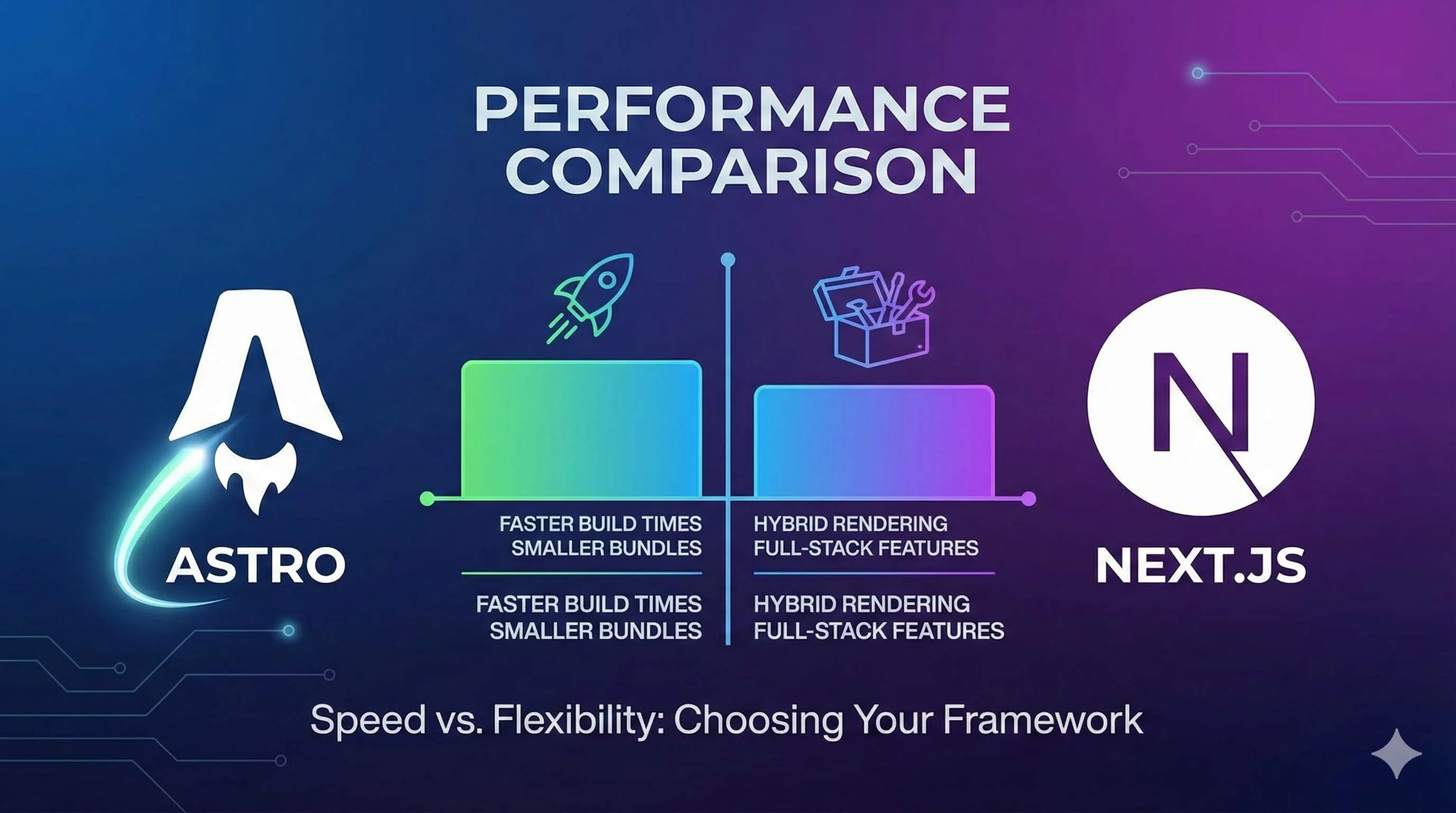
- Loading speed: Astro-built sites are about 40% faster than comparable Next.js sites
- JavaScript size: Astro’s JS bundle is 90% smaller than Next.js
- Lighthouse scores: Astro sites consistently score 98-100, while Next.js static exports typically range from 80-90
These numbers sound impressive, but you might wonder: what does 40% faster actually mean?
Here’s a real example. I previously built a documentation site with Next.js that took about 1.2 seconds to load the first screen. After rebuilding with Astro, the same content loaded in just 0.7 seconds. That 0.5-second difference is noticeable to users.
Even more important is the JavaScript size. The Next.js version bundled 180KB of JS, while the Astro version had only 18KB. Try it on a mobile network and you’ll see the difference鈥攅specially on 3G, it’s maddening.
Islands Architecture: Astro’s Performance Secret
Why is Astro so fast? The core reason is its Islands Architecture.
Honestly, when I first saw “Islands Architecture,” I was confused鈥攊t sounded pretty fancy. After researching, I realized the principle is quite simple:
Imagine a webpage as an ocean. Most of it is still water (static HTML), with only a few small islands that need to “move” (interactive components). Astro only “powers up” these islands (loads JavaScript), leaving the rest still.
Compare that to traditional frameworks (including Next.js): all the JavaScript gets loaded and executed whether you need it or not. It’s like electrifying the entire ocean鈥攚asteful and slow.
Astro’s core approach:
- Renders everything to pure HTML at build time
- Zero JavaScript by default
- Only loads JS where you explicitly specify
- Supports multiple loading strategies (immediate load, on idle, on viewport visibility)
That’s why Astro achieves zero JS loading. It’s not that it doesn’t support JavaScript鈥攊t just doesn’t load it by default, only when needed.
Next.js Performance: Not Bad, But With Trade-offs
Don’t get me wrong, I’m not saying Next.js has poor performance. It has plenty of optimization techniques:
- React Server Components: Renders components on the server, reducing client JS
- Partial Prerendering (PPR): Mixes static and dynamic rendering
- Automatic code splitting: Only loads code needed for the current page
But here’s the thing: these optimizations mainly target SSR (server-side rendering) scenarios. If you use Next.js for pure static export (what we call static sites), many optimizations won’t apply.
I’ve tested this鈥擭ext.js static export performance really doesn’t match Astro. Lighthouse scores often drop to 80-85, mainly because Total Blocking Time drags it down. The reason is simple: even for static pages, Next.js bundles a bunch of React runtime code that needs parsing and execution.
The Cost of Performance Advantages: Astro Isn’t Universal
After praising Astro so much, let’s talk about its limitations.
Astro’s high performance is built on the premise of “content-first, interaction-second.” If your site needs heavy interaction (complex forms, real-time search, drag-and-drop operations), Astro’s advantages become less obvious.
For example, if you want to build something like a Notion rich text editor or a real-time collaboration board, using Astro feels awkward. Not that it can’t be done鈥攜ou’ll just find yourself constantly fighting against the framework’s “zero JS” philosophy.
Another point: Astro’s Islands Architecture means interactive components are relatively independent. If your app needs extensive component communication and shared state, the code gets complicated. That’s when Next.js’s global state management solutions feel more natural.
Quick summary on performance:
- For content-heavy sites, Astro crushes Next.js in performance
- For interaction-heavy apps, Next.js is more suitable
- Performance differences are most noticeable on mobile and weak networks
- Lighthouse scores are just a reference; actual user experience matters more
3. Feature Comparison: What Can Each One Do?
Astro: Built for Static
Astro was designed from day one for static sites. You barely need any configuration鈥攔un npm run build and you get a bunch of HTML, CSS, and JS files. Throw them on any CDN and you’re live.
Astro’s killer features:
- Built-in Markdown support: Writing blogs is a breeze鈥攋ust write .md files that auto-convert to pages
- Content Collections: Type-safe solution for managing articles and docs with TypeScript hints
- Mix multiple frameworks: Use React, Vue, and Svelte components on the same page without conflicts
- Zero-config deployment: One-click deploy to GitHub Pages, Netlify, or Cloudflare Pages
I especially love its Content Collections feature. Before, when using other frameworks for blogging, I’d often mistype fields in the front matter (like title, date, etc.) and only discover it at build time. Astro gives you type checking during development鈥攊f you make a mistake, it errors immediately, saving tons of debugging time.
Astro can do SSR too:
That said, Astro isn’t limited to static sites. Since version 2.0, it also supports server-side rendering. You can use SSR for pages that need it while keeping others static.
But honestly, Astro’s SSR experience isn’t as mature as Next.js. If you want user authentication, API routes, or database operations, Astro can do it, but the ecosystem and tooling aren’t quite there yet.
Next.js: All-rounder, But Static Export Has Gotchas
Next.js positions itself as an “all-in-one framework” supporting static, SSR, and ISR (Incremental Static Regeneration). Sounds great, but if you only want static sites, you’ll hit some limitations.
Next.js static export limitations (pay attention here):
When you set output: 'export' in next.config.js, the following features become unavailable:
- 鉂?API Routes: Can’t use built-in API routing
- 鉂?Server Actions: React 19’s Server Actions aren’t supported
- 鉂?ISR: Incremental Static Regeneration unavailable
- 鉂?Some dynamic routing features: Like
getServerSideProps - 鉂?Image optimization:
next/imageauto-optimization requires self-configured CDN
This limitation list is detailed in the Next.js official docs, but many people don’t notice when starting projects. They discover halfway through that certain features won’t work鈥攓uite frustrating.
I’ve hit this snag before. Building a documentation site, I wanted to add a simple search feature using an API Route. Turns out static export doesn’t support API Routes, so I had to switch to a client-side search solution鈥攖ook forever to figure out.
Next.js advantage scenarios:
If you don’t limit yourself to static export, Next.js becomes very powerful:
- SSR and ISR: Perfect for e-commerce and news sites needing SEO with real-time data
- App Router: New routing system supporting streaming rendering and parallel routes
- Server Components: Reduces client JavaScript for better performance
- Mature ecosystem: Deep integration with Auth.js (authentication), Prisma (database ORM), tRPC (type-safe API), etc.
Framework Flexibility: Astro Wins This Round
This is an interesting point.

Astro supports React, Preact, Svelte, Vue, SolidJS, and more UI frameworks鈥攁nd you can mix them in the same project. You can use React for complex interactive components and Svelte for lightweight UI without conflicts.
Next.js is tied to the React ecosystem. If you don’t like React or want to try other frameworks, you’re out of luck.
This framework-agnostic nature is especially useful when refactoring legacy projects. For example, if you have some Vue components and want to migrate to Astro, you don’t need to rewrite everything in React鈥攜ou can reuse them directly.
Practical selection advice:
- Pure static site, no server features needed 鈫?Astro
- Need SSR, API, database 鈫?Next.js
- Want to try multiple UI frameworks 鈫?Astro
- Deeply tied to React ecosystem 鈫?Next.js
4. Developer Experience: Which Feels Better to Use?
Learning Curve: Astro Is More Approachable
If you can write HTML, you basically know Astro components. Its .astro file syntax is a superset of HTML鈥攜ou can get started in 5 minutes.
---

const title = "My Blog";

---

<html>
  <head>
    <title>{title}</title>
  </head>
  <body>
    <h1>Welcome!</h1>
  </body>
</html>
That simple. Write logic above the three dashes, HTML below. No JSX gymnastics, no pile of rules to remember.
Next.js has a steeper learning curve, especially with the new App Router. When I first started, I was confused by concepts like Server Components, use client, and use server. Though I found the design clever after understanding it, it definitely takes time to adapt.
If you’re a frontend newbie or don’t want to spend much time learning frameworks, Astro is friendlier. If you’re already deep in the React ecosystem, Next.js’s new concepts can actually help you write better code.
Development Efficiency: Each Has Its Strengths
Astro advantages:
- Content management is super convenient: Write Markdown directly, auto-generates pages and routes
- Fast hot reload: Change a file, browser refreshes instantly
- Fast build speed: I tested a 50-page documentation site鈥擜stro built in 8 seconds, Next.js took 25 seconds
Next.js advantages:
- Fast Refresh: Keeps state when changing React components, great debugging experience
- Complete toolchain: ESLint config, TypeScript support all out of the box
- Detailed error messages: Error info is clear, quick problem location
Honestly, for developing docs and blogs, Astro efficiency is really high. When I used Next.js for docs, adding a new page meant creating files, configuring routes, writing components. After switching to Astro, I just create a .md file and it’s done鈥攔outes auto-generate.
But for complex interactive apps, Next.js has a better development experience. For example, building a feature with forms, data validation, and API calls鈥擭ext.js’s toolchain and ecosystem make you twice as productive.
Deployment Convenience: Astro Is More Flexible
This is a very practical question: how do you deploy once it’s built?
Astro deployment options:
Astro builds into pure static files that you can deploy anywhere:
- GitHub Pages: Free, auto-deploy with Actions
- Netlify/Cloudflare Pages: Free tier sufficient, fast
- Even your own Nginx server: Just drop it in
I now use Cloudflare Pages to deploy Astro sites. After setting up auto-deployment, pushing code automatically goes live with global CDN acceleration鈥攃ompletely free.
Next.js deployment options:
Next.js static export can also deploy to any static hosting platform, but if you want SSR or ISR, you need to consider server environments.
Vercel is Next.js’s best companion (same company after all), and the deployment experience is indeed good. But other platforms aren’t as smooth. I’ve tried deploying Next.js with Railway and Render鈥攃onfiguration was more hassle than Astro.
Cost considerations:
If you’re just doing personal projects or small sites, both can use free hosting. But when traffic grows, differences emerge:
- Astro static site: Pure CDN hosting, nearly zero cost
- Next.js SSR: Needs server resources, bills grow with traffic
This is one reason why many companies choose Astro for marketing and documentation sites鈥攊t saves money.
Documentation and Community: Next.js Is More Mature
I must say, Next.js’s official documentation is really well written. Clear, detailed, plenty of examples鈥攂asically covers any problem you’ll encounter.
Astro’s docs are also good, but some edge cases aren’t covered enough. For example, when I wanted to do complex dynamic routing, I had to dig through docs and issues for ages to find a solution.
Community-wise, Next.js has Vercel as a wealthy backer with a more mature ecosystem. Whatever solution you need, you can basically find it. Astro’s community is growing fast but is still smaller.
That said, I really like Astro community’s vibe. Ask questions on Discord and core developers often reply directly鈥攙ery down-to-earth.
5. Ecosystem & Community: Is Long-term Development Secure?
Choosing a framework can’t just be about the present鈥攜ou need to consider long-term development. If you pick a niche framework that gets abandoned in two years, migration costs are hefty.
Data Comparison: Next.js More Mature, Astro Growing Fast
Let’s look at GitHub data (2025 numbers):
- Next.js: 125k+ stars, Vercel company support, 10M+ weekly npm downloads
- Astro: 45k+ stars, independent team, 500k+ weekly npm downloads
By numbers, Next.js is way ahead. But interestingly, Astro’s growth rate is fast. I’ve been following it for two years, and the star count has nearly tripled, with community activity rapidly rising.
Enterprise Application Cases
Projects using Astro:
- GitHub: github.dev developer docs use Astro
- Smashing Magazine: Migrated from WordPress to Astro with noticeable performance improvements
- Firebase: Developer documentation site built with Astro
Projects using Next.js:

- Netflix, Uber, TikTok and other big companies use it
- Many SaaS products: Vercel itself is the best example
- E-commerce platforms: Many Shopify stores use Next.js
From application scenarios, Next.js has broader coverage. Astro mainly concentrates on content-focused sites like docs, blogs, and marketing pages.
Plugin and Integration Ecosystem
Astro integration ecosystem:
Astro has a dedicated integration system鈥攊nstall plugins with npx astro add xxx. Currently, official and community provide 100+ integrations including:
- UI framework integrations: React, Vue, Svelte, etc.
- CMS integrations: Contentful, Sanity, Strapi
- Tool integrations: Tailwind, MDX, Sitemap, RSS
Honestly, while Astro’s integration ecosystem isn’t as vast as Next.js, it has all the common ones. I haven’t encountered situations where I couldn’t find a plugin.
Next.js plugin ecosystem:
Next.js can use the entire React ecosystem’s packages鈥攖he selection is huge. Whatever functionality you want, you can basically find an existing library.
Plus, Next.js deeply integrates with many popular tools like:
- Prisma: Database ORM, simple configuration
- Auth.js (NextAuth): Authentication, done in a few lines
- Vercel Analytics: Built-in analytics tools
- Turbopack: Next-gen bundler (still in beta though)
Business Support and Stability
Next.js advantages:
Vercel raises hundreds of millions of dollars annually and maintains a dedicated team for Next.js development. You don’t need to worry about the project suddenly stopping maintenance or bugs going unfixed.
Plus, Vercel continuously invests in new features. For example, when React Server Components came out, Next.js supported it right away. This response speed is hard for independent projects to match.
Astro’s situation:
Astro’s team is relatively small but is gradually commercializing. They launched Astro Studio, a content management tool, finding a business model.
Though not as large as Vercel, I think Astro team’s execution is strong. High update frequency, quick community feedback response鈥攆eels like the project is developing healthily.
Learning Resources
Next.js:
- Official docs are very detailed with tons of tutorials and examples
- Vercel provides free online courses
- Countless tutorials on YouTube, both Chinese and English
- When you encounter problems, Stack Overflow usually has answers
Astro:
- Official docs are clear but lack some depth
- Community tutorials are growing but not quite enough yet
- Chinese resources are relatively scarce, mostly English content
- For edge case problems, might need to check Discord or GitHub issues
If you’re a beginner or like following tutorials, Next.js’s learning curve is smoother. Astro requires some self-learning ability鈥攜ou need to figure things out when problems arise.
My Take
Choosing a framework can’t just be about numbers. Next.js is indeed more mature with a bigger ecosystem, but Astro does really well in its focus area (content-focused sites) and is trending upward.
If you’re worried about long-term maintenance:
- Enterprise-level projects needing stable guarantees 鈫?Next.js is safer
- Personal projects, content sites 鈫?Astro’s risk is manageable with significant performance benefits
6. Practical Selection Guide: Which Should I Choose?
After all this discussion, it’s time for clear recommendations. I’ve made a decision flowchart鈥攆ollow it once and you’ll know which to choose.
Quick Decision Flow
Step 1: Determine Project Type
Is your site mainly for displaying content or providing interactive features?
- Content-focused (blog, docs, portfolio, marketing pages) 鈫?Continue to step 2
- Interaction-focused (SaaS, e-commerce, admin dashboard, social apps) 鈫?Choose Next.js
Step 2: Consider Dynamic Needs
Does your content need real-time updates? Need user authentication?
- Pure static content, no server needed 鈫?Choose Astro
- Need dynamic data, user systems, APIs 鈫?Choose Next.js
Step 3: Team Tech Stack
Is your team familiar with React?

- Deep React users enjoying React ecosystem 鈫?Next.js is fine too
- Basic frontend skills, don’t want framework lock-in 鈫?Astro is more flexible
Specific Scenario Recommendations
Strongly recommend Astro:
-
Personal tech blog
- Reason: Native Markdown support, stellar performance, free hosting
- Real test: My blog migrated from Next.js to Astro, Lighthouse went from 85 to 99
-
Product documentation site
- Reason: Content Collections type safety, search-friendly, fast builds
- Case: GitHub and Firebase use it
-
Company website/Marketing landing page
- Reason: Loading speed affects conversion rates, SEO-friendly, low maintenance cost
- Benefit: 0.5 seconds faster page load can boost conversion by 10%+
-
Personal portfolio
- Reason: Supports mixing multiple frameworks, can showcase different tech stack projects
- Advantage: Simple deployment, completely free
Strongly recommend Next.js:
-
E-commerce website
- Reason: Needs SSR for SEO, API for order processing, real-time inventory
- Key feature: ISR can achieve incremental updates, balancing performance and real-time needs
-
SaaS application
- Reason: Heavy interaction, user authentication, database integration, API routing
- Ecosystem advantage: Deep integration with Auth.js, Prisma, tRPC, etc.
-
Content platform (like Medium)
- Reason: Needs user submissions, comments, likes, and other dynamic features
- Technical advantage: SSR ensures SEO, Server Actions simplify form handling
-
Real-time collaboration tool
- Reason: Needs WebSocket, real-time state sync, complex interactions
- Adaptability: React’s state management solutions are more mature
Migration Considerations: Is It Worth Switching?
If you already have a Next.js project and are considering migrating to Astro, ask yourself three questions:
1. Is performance really a bottleneck?
If your Lighthouse score is already 90+, user experience is good, and migration benefits aren’t significant. If the score is below 80 and slow loading affects user experience, it’s worth considering.
2. How much dynamic functionality does the project have?
If you heavily use API Routes, getServerSideProps, and other Next.js-specific features, migration costs are high. If it’s mainly static content, migration is relatively easy.
3. What’s the migration cost-benefit ratio?
A 50-page documentation site might only take 1-2 days to migrate. A complex e-commerce site could take several weeks and might not even be feasible.
I migrated a documentation site before鈥攖ook one day, performance improvement was significant, totally worth it. But another project used many Next.js APIs, so I abandoned the migration after evaluation.
Hybrid Solutions: Can You Use Both?
In some scenarios, you can combine the strengths of both.
Solution 1: Different projects use different frameworks
- Marketing site uses Astro (landing.example.com)
- App uses Next.js (app.example.com)
- Each optimized independently without affecting each other
Solution 2: Micro-frontend architecture
- Main framework uses Astro, handling static content
- Dynamic modules use React components, integrated in Astro
- Requires some architectural capability but balances performance and functionality
I’ve seen a company do this: website uses Astro (fast, cheap), product app uses Next.js (feature-rich), unified through consistent domain and design system鈥攗sers don’t notice the difference.
Conclusion
After all that, back to the original question: Astro vs Next.js, which should you choose for static sites?
My answer: For most content-focused sites, Astro is the better choice.
The reasoning is simple:
- Clear performance advantages: 40% faster, 90% less JS鈥攏ot a minor optimization but a qualitative leap
- Great developer experience: Write Markdown directly, routes auto-generate, saves time and effort
- Low deployment cost: Pure static hosting, CDN acceleration, completely free
- Simple maintenance: Fast builds, fewer bugs, easy iteration
Of course, Next.js has its place. If you need SSR, APIs, databases, and other server capabilities, Next.js is the go-to choice.
An action recommendation for you:
If still undecided, spend an afternoon on a small experiment:
- Build a simple blog with both Astro and Next.js
- Write the same content, compare build times, bundle sizes, Lighthouse scores
- See which feels better to use
Trying it yourself beats reading ten articles.
That’s what I did. Originally thought Next.js was the best choice, but after trying Astro鈥攈ey, this is what I wanted. Your answer might differ from mine, but at least you won’t regret it.
Let me be honest: frameworks are just tools; what matters is building good products. Don’t spend too much time agonizing over tools鈥攑ick one that works well, and start building.
Wishing you success in launching your own project!
FAQ
Should I choose Astro or Next.js for a static site?
• Choose Astro - 40% faster, 90% less JavaScript, perfect Lighthouse scores
For dynamic apps (e-commerce, SaaS, real-time features):
• Choose Next.js - better for heavy interactions and server capabilities
How much faster is Astro than Next.js?
Real-world results:
• Next.js blog loads in 2.8s, Astro in 0.9s
• 60% of Astro sites pass Core Web Vitals vs 38% for WordPress/Gatsby
Significant performance advantage for content sites.
Can Astro handle dynamic content like Next.js?
Use Astro for static content, Next.js for heavy interactions, APIs, databases.
Hybrid approach: use both for different parts of site.
What's the difference between Astro Islands and Next.js RSC?
• Zero JS by default
• Load JS only for interactive components
Next.js RSC:
• Server components reduce JS but still include React runtime
Astro's approach results in smaller bundles and faster loads for static content.
Is it hard to migrate from Next.js to Astro?
• Simple static sites (50 pages): 1-2 days
• Complex apps with Next.js APIs: weeks, may not be feasible
Evaluate:
• Performance bottleneck?
• Dynamic functionality?
• Migration cost-benefit?
For pure static content, migration is relatively easy.
Can I use React components in Astro?
You can use React, Vue, Svelte components in Astro.
Use client directives (client:load, client:visible) to make components interactive.
Best of both worlds: Astro's performance + React's ecosystem.
Which has better developer experience?
Astro:
• Great for content (Markdown, auto-routing, type safety)
Next.js:
• Better for complex apps (API routes, middleware, full-stack features)
Choose based on project needs - both have active communities and great docs.
19 min read · Published on: Dec 2, 2025 · Modified on: Mar 3, 2026

Related Posts
AI Keeps Writing Wrong Code? Master These 5 Prompt Techniques to Boost Efficiency by 50%

AI Keeps Writing Wrong Code? Master These 5 Prompt Techniques to Boost Efficiency by 50%
Cursor Advanced Tips: 10 Practical Methods to Double Development Efficiency (2026 Edition)

Cursor Advanced Tips: 10 Practical Methods to Double Development Efficiency (2026 Edition)
Complete Guide to Fixing Bugs with Cursor: An Efficient Workflow from Error Analysis to Solution Verification

Comments
Sign in with GitHub to leave a comment