
AI Marketing Automation Guide: Build a One-Click Content Pipeline with OpenClaw
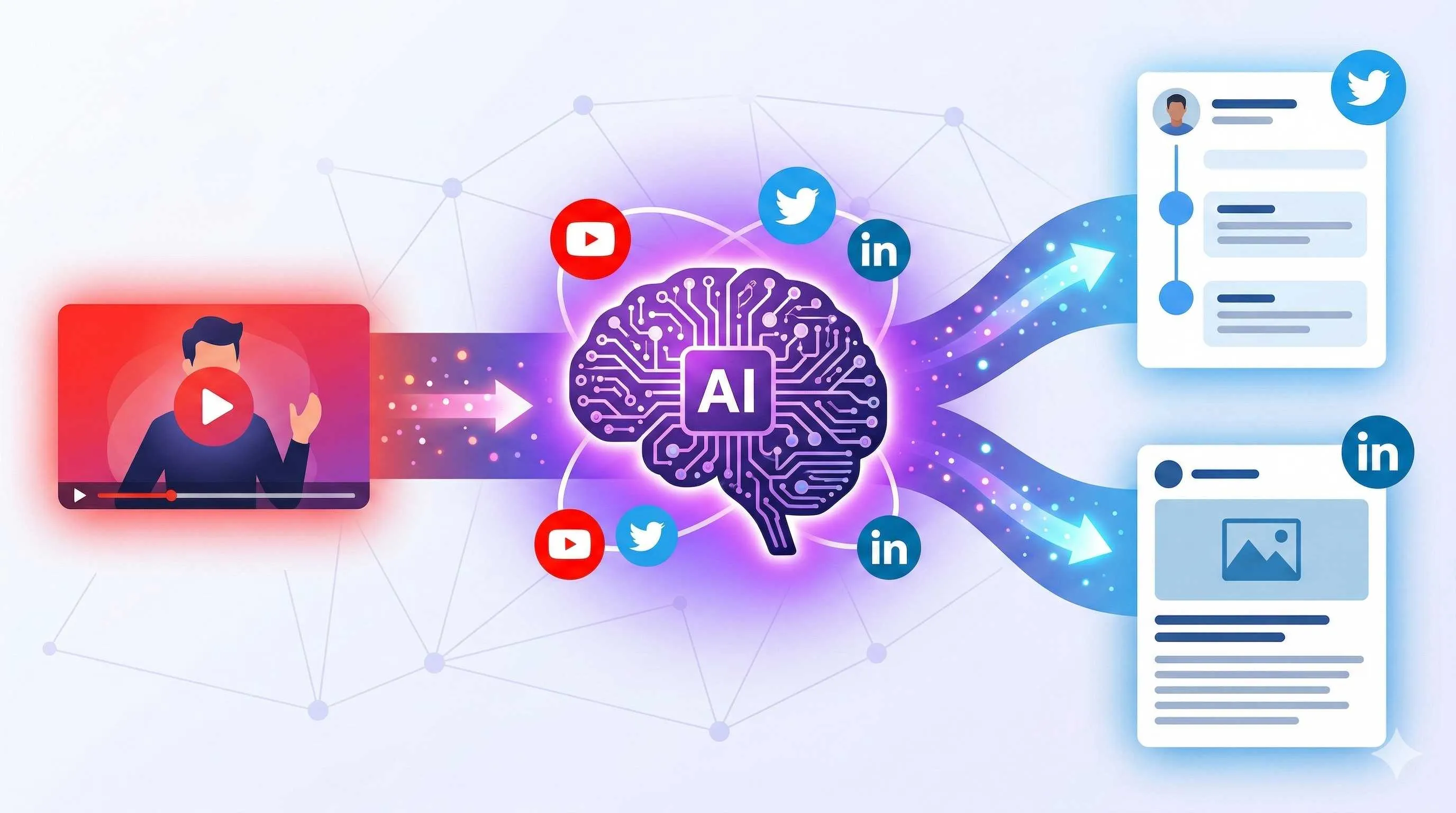
It’s 9 AM on Monday. I’ve been staring at a blank Notion page for twenty minutes. My coffee’s gone cold, and there’s only a cursor blinking on the screen. I need to post three tweets today, one LinkedIn article, and finish the weekly report. The problem is—what should I post?
I habitually open five tabs: YouTube for industry videos, Twitter for trending topics, LinkedIn for competitor monitoring, and WeChat articles for inspiration. Two hours later, I’ve collected scattered notes but haven’t written a complete sentence.
This scene, honestly, has repeated too many times over the past three years. Until I discovered OpenClaw.

Not another “AI writing tool” kind of thing. I’m talking about a real content pipeline—automatically extracting inspiration from YouTube videos, generating content adapted for Twitter and LinkedIn with one click, scheduling posts, and tracking results. After getting this whole flow running, my content production time compressed from 3 hours daily to 30 minutes.
If you’re also a marketer, content operator, or independent creator tortured by “what to post” every day, this guide might change how you work. No fluff, let’s get hands-on.
The Core Logic of OpenClaw Marketing Automation
Using OpenClaw for marketing automation is completely different from using ChatGPT to write copy. ChatGPT is a “point tool”—you input a prompt, it outputs text. OpenClaw is a “pipeline system”—you string together various tools and data sources, letting content flow like water.
This system has three core components: Skills + Channels + Triggers.
Skills are OpenClaw’s capability modules. The official team and community have developed hundreds of skills—for example, the YouTube skill can extract video subtitles, the Twitter skill can post tweets and read timelines, and the LinkedIn skill can publish articles and analyze data. Each skill is like a Lego block; you can assemble them into any shape you want.
Channels are OpenClaw’s connection points to the outside world. Want AI to post to Twitter for you? Configure the Twitter channel. Want AI to pull data from YouTube? Configure the YouTube channel. Channels handle the dirty work of authentication, API calls, and data formatting.
Triggers are the heartbeat of the pipeline. They can be scheduled tasks (execute every morning at 9 AM), events (execute when a new email arrives), or manual triggers (you type a command in Telegram).
These three combine to form a workflow. Here’s the simplest example:
Trigger: Every morning at 9 AM
  ↓
Skill: YouTube search for "AI marketing" videos
  ↓
Skill: Extract subtitles from top three videos
  ↓
Skill: Use GPT-4 to generate Twitter thread outline
  ↓
Channel: Send to Telegram for my review
[Image: OpenClaw marketing automation workflow diagram]
Prompt: Flowchart showing content automation process from YouTube to Twitter/LinkedIn, blue and orange color scheme, clean modern style, high quality
The mindset shift behind this is important. I used to be a “manual producer”—come up with an idea, open an editor, write word by word, then copy-paste to various platforms. Now I’m a “pipeline designer”—design rules and content flows, let AI handle repetitive work while I focus on strategy and review.
Data shows marketing teams can save 15-20 hours per week using OpenClaw. My own feeling is: the time saved isn’t just “not having to write as much,” but more importantly “not having to spend two hours every day thinking of topics.” This reduction in mental drain is more valuable for creative workers.
Of course, this system isn’t about completely letting go. AI makes mistakes, generates garbage content, and misinterprets context. Human-AI collaboration is key—AI does 80% of the physical work, you do 20% of the quality control.
Building a YouTube Inspiration Capture System
Inspiration drought is a content creator’s nightmare. I used to spend two hours daily browsing YouTube, Twitter, and LinkedIn, collecting “potentially useful” information, ending up with hundreds of videos in my bookmarks, yet less than 10% ever became actual content.
OpenClaw’s YouTube skill changed this. Now I’ve outsourced “watching videos for inspiration” to AI.
First, install the YouTube skill:
openclaw skills add youtubeThen set up monitoring rules in the configuration. Here’s my setup:
skills:
  youtube_monitor:
    channels:
      - "UC_x5XG1OV2P6uZZ5FSM9Ttw"  # Google Cloud Official
      - "UCvjgXvBlbQiydffZU7m1_aw"  # The Coding Train
    keywords:
      - "AI marketing"
      - "content strategy"
      - "growth hacking"
    max_results: 5
    lookback_days: 3
This configuration means: monitor these two channels, capture videos from the last 3 days whose titles or descriptions contain these keywords, maximum 5 videos. You can replace with industry KOLs or competitor channels you follow.
Next is content extraction. The YouTube skill can download video subtitles (if available)—this is the real goldmine. Subtitles contain complete colloquial expressions, cases, and data—much more efficient than taking notes while watching.
workflows:
  content_research:
    trigger: "0 9 * * 1"  # Every Monday at 9 AM
    steps:
      - skill: youtube.search
        params:
          keywords: ["AI marketing trends"]
          max_results: 3
      - skill: youtube.transcript
        for_each: "{{ videos }}"
      - skill: ai.analyze
        prompt: |
          Analyze the following video transcript and extract:
          1. Core viewpoints (3)
          2. Reusable data or cases
          3. Quote-worthy lines suitable for social media
          4. Suggested content angles

          Transcript: {{ transcript }}
      - channel: telegram
        message: |
          🎯 New Content Inspiration

          Video: {{ video.title }}
          Viewpoints: {{ analysis.key_points }}
          Suggested angles: {{ analysis.angles }}
[Image: Telegram screenshot showing AI-generated content inspiration report]
Prompt: Telegram chat interface, AI-generated content inspiration report listing video titles and core viewpoints, dark mode, professional clean style, high quality

This workflow runs automatically every Monday morning. I wake up, check Telegram, and see the “weekly topic suggestions” AI has already organized for me. Each suggestion includes the video source, core viewpoints, quotable data, and AI-suggested content angles.
Honestly, I was a bit shocked the first time this workflow ran. AI extracted viewpoints from a 30-minute video more comprehensively than my note-taking while watching. And it’s not biased—it doesn’t miss important information because it got tired in the second half of the video.
Of course, YouTube is just one inspiration source. You can use the same approach to configure RSS feed monitoring, Reddit hot post tracking, even competitor website update detection. The key is automating the repetitive “information collection” work, saving your brainpower for “content strategy.”
One tip: write specific prompts for AI. Don’t say “analyze this video,” say “extract 3 core viewpoints, 2 data cases, 5 quotable lines.” The more specific, the more usable the output.
Content Generation and Multi-Platform Adaptation
With inspiration in hand, the next step is turning it into postable content. The biggest pain point here is: different platforms need different content formats. Twitter needs short, punchy posts with hashtags; LinkedIn needs professional long-form articles with paragraph breaks; Newsletters need in-depth analysis.
My previous approach was: write a “master draft,” then manually adapt it for each platform. Adapting one article for three platforms took another hour.
Now this process is automated too.
One-Click Twitter Thread Generation
Twitter (X) threads are technical. You need to communicate your point clearly within 280 characters, design a hook to grab attention, and end with a CTA.
My OpenClaw configuration:
skills:
  thread_writer:
    model: "gpt-4o"
    prompt: |
      Rewrite the following content as a Twitter thread (5-7 tweets):

      Original content: {{ content }}

      Requirements:
      1. First tweet must be a strong hook (start with a question or surprising data)
      2. Each tweet under 270 characters (leave room for hashtags)
      3. Logical progression between tweets
      4. Last tweet needs a CTA (retweet/comment/follow)
      5. Add 2-3 relevant hashtags

      Output format:
      1/ [first tweet content]
      2/ [second tweet content]
      ...
This prompt has gone through more than ten iterations. Initially AI-generated hooks were too weak, so I added the “question or surprising data” requirement. Later I found it often exceeded character limits, so I added the character constraint. Now the generated threads are basically ready to post, or need just a few word changes.
Automatic LinkedIn Article Adaptation
LinkedIn is another style entirely. Professional, structured, suited for “broetry” (that one-sentence-per-paragraph format).
skills:
  linkedin_writer:
    model: "gpt-4o"
    prompt: |
      Rewrite the following content as a LinkedIn article:

      Original content: {{ content }}

      Requirements:
      1. Start with a personal story or scenario (2-3 sentences)
      2. Use "broetry" format in the body: one sentence per paragraph, lots of white space
      3. Add 3-5 relevant emojis
      4. End with a clear take-away
      5. Add 3-5 hashtags
      6. Closing sentence encouraging comments
[Image: Side-by-side comparison of AI-generated Twitter thread and LinkedIn article]
Prompt: Split-screen comparison, left side Twitter thread with short punchy sentences, right side LinkedIn long-form with paragraph formatting, blue and white color scheme, professional business style, high quality
Content Repurposing—One Piece Becomes Many
This is the most time-saving play. Drop a blog post or Newsletter into OpenClaw, and it automatically generates:
- Twitter thread (5-7 tweets)
- LinkedIn article (broetry format)
- Instagram caption (with emojis and hashtags)
- Newsletter summary version
There’s a team called Genviral in the community that built exactly this Skill, supporting 6 major platforms (TikTok, Instagram, YouTube, Facebook, Pinterest, LinkedIn) with 42 API commands. You can install and use it directly:
openclaw skills add genviral-socialHonestly, AI-adapted content isn’t 100% perfect. Sometimes it misinterprets the original focus; sometimes the generated hook is too bland. But I’ve found that even at 70% quality, it’s much faster than starting from scratch. I spend 20% effort modifying the AI-generated version, saving 80% time compared to writing from scratch.
And there’s an unexpected benefit: AI’s “perspective” is different from humans. It might pick out points I missed from the original text, or express them in ways I wouldn’t have thought of. These “pleasant surprises” happen often.

Automated Distribution and Performance Tracking
Content is generated; next step is getting it out there. Manually copy-pasting to various platforms? Too primitive.
Configuring Social Media Channels
OpenClaw supports API integration with Twitter/X, LinkedIn, Mastodon, Instagram, and more platforms. Configuration isn’t complicated.
Take Twitter as an example:
channels:
  twitter:
    api_key: "YOUR_API_KEY"
    api_secret: "YOUR_API_SECRET"
    access_token: "YOUR_ACCESS_TOKEN"
    access_secret: "YOUR_ACCESS_SECRET"
These keys are applied for in the Twitter Developer Portal. LinkedIn is similar—create an app in the LinkedIn Developer page to get Client ID and Secret.
Here’s a tip: don’t write API keys directly in configuration files. Use environment variables:
channels:
  twitter:
    api_key: "${TWITTER_API_KEY}"
    api_secret: "${TWITTER_API_SECRET}"
Scheduled Publishing and Smart Timing
Content doesn’t have to go out immediately. OpenClaw can schedule it, letting AI post at optimal times.
workflows:
  auto_post:
    trigger: "0 10 * * 1,3,5"  # Every Mon, Wed, Fri at 10 AM
    steps:
      - skill: content.generate
        template: "weekly_tips"
      - channel: twitter
        action: post_thread
        delay_between: 300  # 5 minutes between tweets
      - channel: linkedin
        action: post_article
        delay: 3600  # LinkedIn posts 1 hour later
This configuration means: every Monday, Wednesday, Friday at 10 AM, generate content and post to Twitter thread first, with 5 minutes between each tweet (to avoid being flagged as a bot), then post to LinkedIn 1 hour later.
Why the delay? Two reasons: first, avoid triggering platform anti-spam mechanisms; second, let your content reach audiences at different times.
Manual Review Node
The risk of full automation is AI might say something wrong or generate inappropriate content. I recommend adding a “human review” step.
workflows:
  content_pipeline:
    steps:
      - skill: content.generate
      - channel: telegram
        message: "Content generated, please review:\n\n{{ content }}\n\nReply 'confirm' to publish, or reply with modification suggestions"
        wait_for_reply: true
      - skill: conditional.publish
        condition: "{{ reply == 'confirm' }}"
This way content doesn’t go out directly—it goes to Telegram for your confirmation first. You can review it, change a few words, then reply “confirm” to let it publish.
[Image: Telegram review interface screenshot showing pending content and confirmation button]
Prompt: Telegram chat interface, AI-generated pending content with “confirm publish” and “modify” buttons, clean professional UI design, high quality
Honestly, this review step is one of the most valuable features I’ve used. It lets me confidently hand 80% of the work to AI while maintaining control over the final output.
Basic Data Analysis
After posting, you need to see results. OpenClaw’s Twitter and LinkedIn skills can pull basic data:
skills:
  analytics:
    twitter:
      metrics: ["impressions", "engagements", "retweets", "likes"]
    linkedin:
      metrics: ["views", "clicks", "reactions", "comments"]
Let AI generate a simple weekly report telling you which content performed well and which angles audiences prefer. With accumulated data, AI can even help you identify patterns: “content with data has 40% higher click-through rates,” “posts at 10 AM get highest engagement.”
This data feedback can loop back into your content strategy, forming a complete cycle of “inspiration → generation → distribution → feedback → optimization.”
Conclusion
So that’s really four things:
First, inspiration automation. Stop spending two hours daily browsing YouTube for topics. Let AI monitor, extract, and organize for you—you just need to spend ten minutes on Monday morning reviewing.
Second, content generation automation. One core piece of content, AI adapts it into versions for Twitter, LinkedIn, and Instagram. You don’t need to write from scratch three times; just modify 20% on top of AI’s work.
Third, distribution automation. Configure channels and scheduling; content goes out when scheduled. The manual review node keeps you worry-free and confident.
Fourth, data feedback loop. Track results, identify patterns, continuously optimize your content strategy.
After getting this AI marketing automation pipeline running, my biggest feeling isn’t “how much time I saved,” but “my mindset changed.” I used to be dominated by the anxiety of “what should I post today”; now I open Telegram to see AI-prepared topics and drafts. Creative work became review work—much less pressure.
Of course, AI won’t replace good marketers. It replaces repetitive labor, giving you more time to think about strategy, research users, and polish core content.
If you haven’t tried it yet, my suggestion is: start with Chapter 2’s YouTube monitoring. Spend an hour configuring it, run it for a week and see the results. I bet you’ll come back to thank me.
A marketer’s core competitiveness has never been “who can write better,” but “who understands audiences better and is more strategic.” Let AI write; you think. That’s the future of work.
Complete Guide to Building OpenClaw Content Automation Pipeline
Build a complete content automation workflow from YouTube inspiration capture to multi-platform distribution, including skill configuration, API integration, and manual review setup
⏱️ Estimated time: 45 min
- 1
Step1: Install and Configure YouTube Inspiration Capture Skill
Install the skill:
• Run openclaw skills add youtube
• Add monitoring rules to configuration file
Configure monitoring parameters:
• channels: Add industry channel IDs you follow
• keywords: Set keywords like "AI marketing"
• max_results: Maximum videos to capture each time
• lookback_days: Monitor content from recent days
Test run:
• Execute manual trigger command to test
• Check if video list and subtitles can be retrieved normally - 2
Step2: Configure Content Generation Workflow
Create workflow configuration file:
• Set trigger (scheduled or manual)
• Add youtube.search step to search videos
• Add youtube.transcript step to extract subtitles
• Add ai.analyze step to analyze content
Write analysis prompt:
• Specify number of core viewpoints to extract
• Request extraction of reusable data cases
• Generate adaptation angles suitable for social media
Output to review channel:
• Configure Telegram or Discord channel
• Set message format to display analysis results
• Ensure inspiration reports can be received - 3
Step3: Configure Multi-Platform Content Generation Skills
Twitter thread generation:
• Install twitter skill
• Write thread_writer prompt
• Require strong hook, logical progression, CTA
LinkedIn article generation:
• Install linkedin skill
• Write linkedin_writer prompt
• Require broetry format, emojis, hashtags
Or use Genviral Skill:
• Run openclaw skills add genviral-social
• Supports 6 major platforms with 42 API commands
• One-click generation of multi-platform adapted content - 4
Step4: Configure Social Media Channels and Publishing
Apply for API keys:
• Apply for API Key in Twitter Developer Portal
• Create app in LinkedIn Developer to get Client ID
• Store keys in environment variables
Configure channels:
• Add twitter, linkedin in channels configuration
• Use ${ENV_VAR} format to reference keys
• Test if API connection is normal
Set up publishing workflow:
• Add scheduled trigger (recommend 10 AM)
• Configure posting intervals to avoid triggering anti-spam
• Add Telegram manual review node
• Configure data analysis for tracking results
FAQ
Can I configure OpenClaw marketing automation without a technical background?
• Ability to edit YAML configuration files (similar to writing documents)
• Ability to apply for API Keys in Developer Portal (has graphical interface)
• Understanding of basic logical flows
The entire setup process takes about 1-2 hours, following the tutorial step by step. Seek help in the OpenClaw community if you encounter technical issues. I recommend starting with simple YouTube monitoring and adding other features after it's running smoothly.
Will using OpenClaw auto-posting violate platform policies?
• Twitter/X allows content publishing via API but has rate limits
• LinkedIn also supports API publishing and requires following platform guidelines
• Recommend controlling posting frequency to simulate human behavior
• Avoid fully unattended automation; keep manual review nodes
• Don't use for spam or abusive behavior
Best practices:
• Set reasonable posting intervals on Twitter (5+ minutes)
• LinkedIn: 1-2 posts per day is appropriate
• Ensure content quality; avoid pure AI-generated low-quality content
How can I ensure quality of AI-generated content?
• Prompt engineering: The more specific, the more controllable the output
• Manual review: Must include review nodes; don't fully automate publishing
• Iterative optimization: Continuously improve prompts based on data feedback
• Personalized adjustment: Modify 20% on AI basis, add personal style
Actual results:
• Early stage may require more modifications
• Quality improves gradually as prompts are optimized
• Recommend keeping "master draft" as core content, AI handles adaptation
• Final review authority always stays with humans
What types of content is OpenClaw marketing automation best suited for?
• Industry news sharing and viewpoint interpretation
• Tutorials and how-to content
• Data reports and trend analysis
• Daily operational content (tips, quotable lines)
Less suitable types:
• Deep original research (requires extensive human thinking)
• Content involving sensitive topics
• Highly personalized brand stories
• Crisis PR or important announcements
Recommendation: AI handles 80% of routine content; humans focus on 20% of core creation.
How much does it cost to build this system?
• OpenClaw: Open source and free
• API call fees:
- Twitter API: Has free tier, paid version from $100/month
- LinkedIn API: Free but with quota limits
- GPT-4: Billed by token, typically $10-50 per month
• Server: If self-hosting, $5-20/month
Overall estimate:
• Personal use: $20-50 per month
• Small teams: $50-150 per month
• Compared to saved staff hours, ROI is usually high
Money-saving tips:
• Use GPT-3.5 instead of GPT-4 for simple tasks
• Set reasonable monitoring frequency to avoid unnecessary API calls
11 min read · Published on: Feb 27, 2026 · Modified on: Mar 3, 2026

Related Posts
AI Tools for Developers: OpenClaw + Claude Code 24/7 Auto Bug Fix

AI Tools for Developers: OpenClaw + Claude Code 24/7 Auto Bug Fix
Building Your Second Brain: OpenClaw & Obsidian/Notion Deep Memory Sync Guide

Building Your Second Brain: OpenClaw & Obsidian/Notion Deep Memory Sync Guide
ALERT: 800+ Malicious Plugins Found in ClawHub Skill Library — Is Your API Key Safe?

Comments
Sign in with GitHub to leave a comment