
AI Tools for Developers: OpenClaw + Claude Code 24/7 Auto Bug Fix
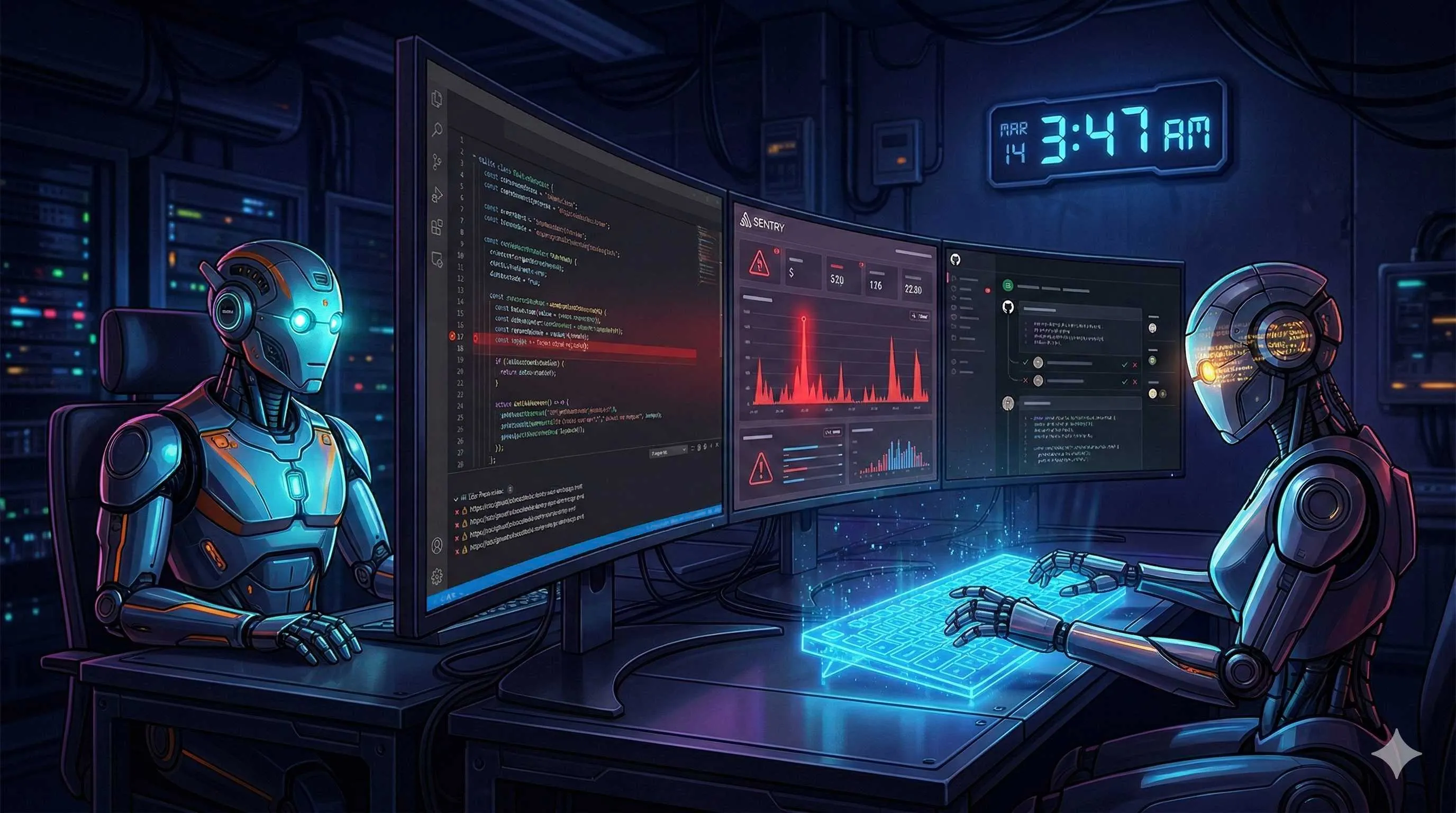
It was 3:47 AM when PagerDuty’s piercing alert yanked me from sleep.
Same old problem—payment callback timeout when users place orders. I squinted at my laptop, SSH’d into the server, skimmed logs, located the bug, wrote a fix, ran tests, submitted a PR. By the time everything was done, dawn was breaking. Every backend developer knows this on-call pain.
But honestly, this bug wasn’t worth waking up for at 3 AM. It’s a classic “known issue type”—retry mechanism poorly implemented after network timeouts. The fix is simple: add exponential backoff, catch exceptions, log properly. Why can’t AI handle this repetitive work?

Later I built a hybrid workflow using OpenClaw + Claude Code. OpenClaw monitors Sentry 24/7 and auto-dispatches tickets; Claude Code pulls branches, fixes code, runs tests, and submits PRs; I wake up to an email: “3 issues auto-fixed, please review PRs.”
OpenClaw vs Claude Code—Not Competitors, But Complements
People often ask me: Should I use OpenClaw or Claude Code?
Honestly, they’re not competitors at all. They have completely different positioning, and combined they’re a killer combo.
OpenClaw is your 24/7 “personal AI butler.” It runs persistently in the background, can receive webhooks, monitor various data sources, and keep working while you sleep. The official definition is “persistent personal AI”—it doesn’t excel at writing complex code, but it’s great at “watching” things happen and triggering corresponding actions.
Claude Code is a professional “AI programmer.” It doesn’t know how to monitor your servers, but when it comes to reading code, fixing bugs, and refactoring logic—that’s its strength. It deeply understands codebases, knows where to change and how to change safely.
See? Perfect complementarity: one “watches,” the other “does.”
I found a recipe on OpenClaw Directory called “Sentry → Auto-Debug → Open PR” that seems designed exactly for this scenario. The flow:
- Sentry detects an error and triggers a webhook
- OpenClaw receives the alert and analyzes stack trace
- OpenClaw spawns a sub-agent calling Claude Code to fix
- Claude Code generates fix code and runs tests
- After tests pass, automatically open a GitHub PR
The entire process is fully automatic, no human intervention needed. I saw someone on Substack sharing their experience, saying this setup achieved “overnight code review with no human in the loop until the PR is ready”—bugs at night, PRs in the morning.
Architecture Design—Core Components of the Hybrid Workflow
To understand this workflow, you need to grasp OpenClaw’s “sub-agent” mechanism.
OpenClaw itself is a “head steward.” It listens to various events (webhooks, scheduled tasks, notifications), but actual execution can be delegated to “sub-agents”—temporary AI instances created for specific tasks.
Analogy: OpenClaw is the project manager, Claude Code is the programmer. The PM receives requirements (Sentry alert), analyzes and assigns to the programmer (sub-agent), the programmer does the work, then reports back.
The overall architecture looks like this:
┌─────────────────────────────────────────────────────────────┐
│                      External World                         │
│  ┌──────────┐  ┌──────────┐  ┌─────────────────────────┐   │
│  │  Sentry  │  │  GitHub  │  │  Slack/Discord/Telegram │   │
│  └────┬─────┘  └────▲─────┘  └──────────▲──────────────┘   │
└───────┼─────────────┼───────────────────┼──────────────────┘
        │             │                   │
        │ webhook     │ create PR         │ notify
        │             │                   │
┌───────▼─────────────┴───────────────────┴──────────────────┐
│                      OpenClaw Gateway                        │
│  ┌──────────────────────────────────────────────────────┐  │
│  │            OpenClaw Main Agent (Monitor)              │  │
│  │  • 24/7 Sentry webhook listening                      │  │
│  │  • Analyze error type and severity                   │  │
│  │  • Decision: auto-fix / human intervene / ignore     │  │
│  └─────────────────────┬────────────────────────────────┘  │
│                        │ spawn                             │
│                        ▼                                   │
│  ┌──────────────────────────────────────────────────────┐  │
│  │          Claude Code Sub-Agent (Executor)            │  │
│  │  • Pull latest code                                   │  │
│  │  • Analyze bug root cause                            │  │
│  │  • Write fix code                                    │  │
│  │  • Run tests for validation                          │  │
│  │  • Push branch and create PR                         │  │
│  └──────────────────────────────────────────────────────┘  │
└────────────────────────────────────────────────────────────┘
The key point: OpenClaw never modifies code directly. It only “decides” and “coordinates”; actual code changes go to Claude Code sub-agents. This ensures security (OpenClaw has permission controls) and quality (Claude Code is the expert).
Data flow:
- Sentry webhook → OpenClaw (error event, stack trace, environment data)
- OpenClaw → Claude Code sub-agent (fix instructions, context)
- Claude Code sub-agent → GitHub (fix code, PR description)
- GitHub → OpenClaw (PR status, CI results)
- OpenClaw → Slack (notify humans for review)
OpenClaw’s state management is crucial here. It can track each bug’s processing state: “received,” “analyzing,” “fixing,” “pending review,” “merged.” Even if the flow breaks, it can resume from the breakpoint.
Hands-On Configuration—From Monitoring to Auto PR Submission
Enough concepts—let’s see the actual configuration.
Step 1: Configure Sentry webhook
Log in to Sentry, go to Project Settings → Integrations → Webhooks. Add your OpenClaw webhook URL:
https://your-openclaw-gateway.com/hooks/sentry?sessionKey=bug-fix-pipelineThen create an Alert Rule: when error count > 5 in 5 minutes, trigger the webhook.
Step 2: Configure OpenClaw monitoring agent
Create a dedicated agent in OpenClaw to handle Sentry events. The config looks like:
name: sentry-bug-monitor
hooks:
  sentry:
    path: /hooks/sentry
    defaultSessionKey: bug-fix-pipeline

steps:
  - id: parse-error
    command: json.parse stdin
    description: "Parse Sentry error data"

  - id: classify
    command: llm-task "Analyze error type and severity"
    args:
      error: $parse-error.stacktrace
      message: $parse-error.message
    schema: error-classification.json

  - id: decision
    command: state.set "action" $classify.recommended_action

  - id: auto-fix
    command: subagent.spawn
    args:
      type: claude-code
      task: "Fix bug: ${parse-error.title}"
      context: $parse-error
      repo: $parse-error.project.repo
    condition: $classify.severity == "medium" && $classify.auto_fixable == true

  - id: notify-human
    command: slack.send "#alerts"
    args:
      message: "Critical error found, human intervention needed: ${parse-error.url}"
    condition: $classify.severity == "critical"
Key points:
classifystep uses LLM to analyze error type and determine if auto-fix is appropriatedecisionroutes by severity: medium priority and auto-fixable go to Claude Code, critical notifies humanssubagent.spawnspawns sub-agents, here specifying type as claude-code
Step 3: Configure Claude Code sub-agent
The sub-agent’s task is specific code fixing. OpenClaw passes context including stack trace, relevant files, and environment info.
Sub-agent workflow:
# 1. Pull latest code
git clone $REPO_URL /tmp/fix-workspace
cd /tmp/fix-workspace

# 2. Create fix branch
git checkout -b auto-fix/$ERROR_ID

# 3. Analyze (Claude Code介入)
claude-code --context $ERROR_CONTEXT --prompt "Analyze the root cause of this bug"

# 4. Write fix
claude-code --prompt "Write fix code, ensure it includes tests"

# 5. Run tests
npm test

# 6. Commit and push
git add .
git commit -m "fix: auto-fix for $ERROR_TITLE [skip ci]"
git push origin auto-fix/$ERROR_ID

# 7. Create PR
gh pr create --title "Auto-fix: $ERROR_TITLE" --body "..."
Claude Code’s core value here is “code understanding.” It doesn’t blindly modify based on stack traces, but:
- Reads relevant code files and understands business logic
- Analyzes error propagation paths to find true root causes
- Writes fixes matching the project’s code style
- Generates unit tests to validate fixes
Step 4: GitHub PR automation
After PR creation, OpenClaw continues listening to GitHub webhooks:
- id: watch-pr
  command: github.watch-pr $auto-fix.pr_number

- id: ci-status
  command: poll "github.checks $auto-fix.pr_number"
  until: $ci-status.completed == true
  timeout: 30m

- id: notify-review
  command: slack.send "#dev"
  args:
    message: |
      Auto-fix PR ready: ${auto-fix.pr_url}
      CI status: ${ci-status.conclusion}
      Please review and merge
You get a Slack message with PR link and CI results. Click to review code, merge if it looks good. Throughout the process, you never need to manually pull code, write fixes, or run tests.
Advanced Techniques—Making the Workflow Smarter
Once the basic config is running, you can add advanced features.
Bug Classification

Not all bugs warrant auto-fixing. I added a simple rule engine to the classify step:
- P0 (Critical): System down, data loss → immediately notify humans
- P1 (High): Core feature unavailable → notify + attempt auto-fix (submit after human confirmation)
- P2 (Medium): Non-core feature abnormal → fully automatic fix
- P3 (Low): Edge cases, optimization suggestions → log to backlog, batch process weekly
Human Checkpoints
Some fixes may be technically correct but problematic business-wise. I added an approval step:
- id: propose-fix
  command: claude-code.generate-fix

- id: human-approval
  command: slack.interactive
  args:
    message: "AI proposes the following fix, approve submission?"
    buttons: ["Approve", "Reject", "Needs Changes"]
  timeout: 4h

- id: submit-if-approved
  command: github.create-pr
  condition: $human-approval.choice == "Approve"
For sensitive operations, AI won’t make decisions unilaterally.
Retry and Rollback
Claude Code doesn’t always succeed. If tests fail, auto-retry:
- id: fix-attempt
  loop: 3
  sub-lobster: claude-code-fix
  break-on: $fix-attempt.tests_passed

- id: escalate-if-failed
  command: slack.send "#dev-escalation"
  condition: !$fix-attempt.tests_passed
After three failures, notify humans to take over.
Multi-Repository Support
Our company has a dozen microservices, each with separate repos. OpenClaw can map multiple projects:
projects:
  payment-service:
    repo: github.com/acme/payment
    sentry_project: payment-api
    auto_fix: true

  user-service:
    repo: github.com/acme/users
    sentry_project: user-api
    auto_fix: false  # disable auto-fix for now
One OpenClaw instance can serve multiple projects.
Results and Considerations
I’ve run this system for three months. The data:

- Total bugs caught: 127
- Auto-fix success: 89 (70%)
- Test pass after fix: 78 (61%)
- Merged after human review: 72 (57%)
In other words, nearly 60% of bugs require no manual work—just review the PR and click merge in the morning.
Time savings are even more dramatic. Typical bug process before: discovery (avg 2 hours) → location (30 min) → fix (30 min) → test (20 min) → submit PR (10 min). Total: 4.5 hours.
Now: discovery (real-time) → AI fix (10 min) → human review (5 min). From 4.5 hours down to 15 minutes.
But honestly, this system has limitations:
Best for:
- Known issue types (null pointers, boundary conditions, API timeouts)
- Runtime errors with clear stack traces
- Projects with clean codebase structure and good test coverage
Not for:
- Architecture design issues (require human decisions)
- Cross-system bugs involving multiple services
- Legacy code without test coverage (you won’t dare merge AI changes)
Risk Control:
- Never give AI production write access
- All auto-fixes must go through PR and normal review process
- Maintain complete audit logs of what AI changed
- Regularly review AI fix quality and adjust model prompts
Summary
To sum up, the OpenClaw + Claude Code hybrid workflow essentially automates “monitoring” and “fixing.” OpenClaw does what it’s not great at but necessary (watching 24/7), Claude Code does what it excels at (writing code). Combined, they create a “junior programmer who never tires”—can work, but needs your oversight.
The core value isn’t “replacing programmers,” but eliminating repetitive work so you can focus on what truly requires human intelligence.
If you’re also suffering from on-call pain, or your team constantly deals with repetitive bugs, I recommend trying this setup. Start with the simplest scenarios—like auto-fixing specific error types—and gradually expand.
The future of programming workflows will likely be this “human decision + AI execution” model. Embrace it early, get off work early.
OpenClaw + Claude Code Auto Bug Fix Complete Configuration Guide
Step-by-step guide to configuring OpenClaw 24/7 monitoring + Claude Code auto-fix hybrid workflow from scratch
⏱️ Estimated time: 2 hr
- 1
Step1: Environment Setup: Install and Configure OpenClaw
Install OpenClaw:
• Clone the openclaw/openclaw repository
• Follow official docs to complete installation and initialization
• Configure Gateway service to receive external webhook requests
• Verify: curl http://localhost:8787/health should return 200
Create dedicated Session:
• openclaw session create bug-fix-pipeline
• Record the session key for later configuration
• Recommend using fixed session key for easier management - 2
Step2: Configure Sentry Webhook Integration
Sentry project settings:
• Go to Project Settings → Integrations → Webhooks
• Add URL: https://your-gateway.com/hooks/sentry?sessionKey=bug-fix-pipeline
• Select trigger events: issue.created, issue.resolved
Create alert rule:
• Go to Alerts → Create Alert Rule
• Condition: When issue is created, and event count is greater than 5 in 5 minutes
• Action: Send a notification via Webhook
• Test: Manually trigger an error, confirm OpenClaw receives webhook - 3
Step3: Configure OpenClaw Monitoring Agent
Create agent configuration:
• Create sentry-monitor.yaml in ~/.openclaw/agents/
• Configure hooks.sentry to receive webhooks
• Add classify step to analyze error types
• Set conditional branches: auto_fixable goes to sub-agent, critical notifies humans
Key configuration items:
• defaultSessionKey: bug-fix-pipeline
• classify schema: define error_type, severity, auto_fixable fields
• subagent.spawn: specify type as claude-code, pass complete error context - 4
Step4: Configure Claude Code Sub-Agent
Sub-agent workflow:
• Receive context from OpenClaw (stack trace, code location, environment)
• Automatically pull code repository to temporary workspace
• Create fix branch prefixed with auto-fix/
• Call Claude Code to analyze and generate fix
Claude Code prompt optimization:
• "Analyze the root cause of this error, locate the specific code line"
• "Write fix code, maintain original code style"
• "Write unit tests for this fix"
• "Run tests to ensure the fix works"
GitHub integration:
• Configure gh CLI or GitHub API token
• Auto-push branch and create PR
• PR title format: "Auto-fix: [error summary]" - 5
Step5: Configure Notifications and Review Process
Slack/Discord notifications:
• Create #auto-fix channel to receive all auto-fix notifications
• Configure three message templates: fix success, needs review, fix failed
• Add interactive buttons: Approve/Reject/View PR
Human review checkpoint:
• Add approval for sensitive operations (payments, user data, etc.)
• Set 4-hour timeout, auto-escalate to supervisor if expired
• Auto-merge after approval, log rejection reasons for model optimization
Monitoring and logging:
• Regularly review auto-fix success rates
• Collect failure cases to improve classify logic
• Set up metrics tracking processing time and merge rate - 6
Step6: Testing and Optimization
Progressive rollout strategy:
• Week 1: Monitor only, no fixes—observe classify accuracy
• Week 2: Enable low-risk null pointer and boundary condition fixes
• Week 3: Gradually expand auto-fix scope
Continuous optimization:
• Weekly review of auto-fix PR quality
• Adjust classify prompt to improve auto_fixable judgment accuracy
• Update Claude Code's fix strategy based on failure cases
• Establish feedback loop: manual fix patterns inform AI model
FAQ
What's the division of labor between OpenClaw and Claude Code?
• OpenClaw: Responsible for "watching" and "coordinating"—24/7 monitoring, receiving webhooks, analyzing errors, routing decisions, spawning sub-agents, notifying humans. It never modifies code directly.
• Claude Code: Responsible for "doing"—analyzing code, locating bugs, writing fixes, running tests, submitting PRs. It's the actual code executor.
This division ensures security (OpenClaw controls permissions) and professionalism (Claude Code excels at programming).
Isn't AI auto-fixing bugs dangerous?
• No production write access: AI can only create PRs, cannot directly push to main branch
• Mandatory human review: All fixes must go through PR review, at least one person must approve
• Tiered processing: Critical bugs don't get auto-fixed, only humans are notified
• Audit logs: Record all AI operations for tracking and troubleshooting
• Gradual rollout: Start with monitoring, then low-risk fixes, finally expand scope
Essentially, AI is a "junior programmer" handling repetitive work, but critical decisions stay human-controlled.
What's the cost of this solution?
• OpenClaw: Self-hosted, main cost is server (~$10-50/month)
• Claude Code: Anthropic API calls, charged by token
• Sentry: Monitoring service, charged by event volume
Benefits:
• Measured 70% time savings on repetitive bug handling
• For programmers at $50+/hour, saving 20+ hours/month = $1000+ value
• More importantly, reduced on-call pain and improved quality of life
ROI calculation: A small team (3-5 people) handling 50+ bugs/month, this system can auto-handle ~30. ROI typically breaks even in 3-6 months.
What types of bugs are suitable for auto-fixing?
• Known issue patterns: null pointers, array out of bounds, type errors, API timeouts
• Clear stack traces: can locate specific code lines and call chains
• Fixed fix patterns: like "add try-catch," "add boundary check"
• Test coverage: can validate if the fix works
Not suitable:
• Architecture design issues: require refactoring not simple fixes
• Cross-system bugs: involve coordinating multiple services
• Complex business logic: need business context to judge
• Legacy code: no tests, you won't dare merge AI changes
Recommendation: Start with simplest null pointer fixes, gradually build experience.
How is the Claude Code sub-agent invoked?
1. OpenClaw receives Sentry webhook, analyzes and determines fix needed
2. Calls subagent.spawn instruction, specifying type: claude-code
3. Passes complete context: stack trace, relevant code, environment info
4. Claude Code sub-agent launches, loads specified code repository
5. Sub-agent analyzes, fixes, tests, submits PR
6. Reports results back to OpenClaw main agent
Technical details:
• Sub-agents run in isolated environments (containers or temp directories)
• Have timeout limits (default 30 minutes)
• Support retry mechanism (can respawn on failure)
• Can pass custom prompts to guide fix strategy
How is this different from traditional CI/CD automation?
Traditional CI/CD automation:
• Rule-based: predefined lint, format, test rules
• Passive trigger: only runs after code commit
• Fixed flow: same checks for every commit
OpenClaw + Claude Code:
• AI-driven: based on understanding and reasoning, not fixed rules
• Active monitoring: watches production 24/7, proactively fixes issues
• Dynamic decisions: handles based on error type and context
• Code generation: not just checks, but writes fix code
Both can be combined:
• OpenClaw discovers issues and generates fixes
• Traditional CI/CD validates fix quality
• After PR review and merge, normal deployment flow continues
This is the evolution from "automated checking" to "automated fixing."
8 min read · Published on: Feb 27, 2026 · Modified on: Mar 3, 2026

Related Posts
AI Marketing Automation Guide: Build a One-Click Content Pipeline with OpenClaw

AI Marketing Automation Guide: Build a One-Click Content Pipeline with OpenClaw
Building Your Second Brain: OpenClaw & Obsidian/Notion Deep Memory Sync Guide

Building Your Second Brain: OpenClaw & Obsidian/Notion Deep Memory Sync Guide
ALERT: 800+ Malicious Plugins Found in ClawHub Skill Library — Is Your API Key Safe?

Comments
Sign in with GitHub to leave a comment