
NotebookLM Deep Dive: How to Transform 400 Research Papers into an Interactive 'Digital Brain'
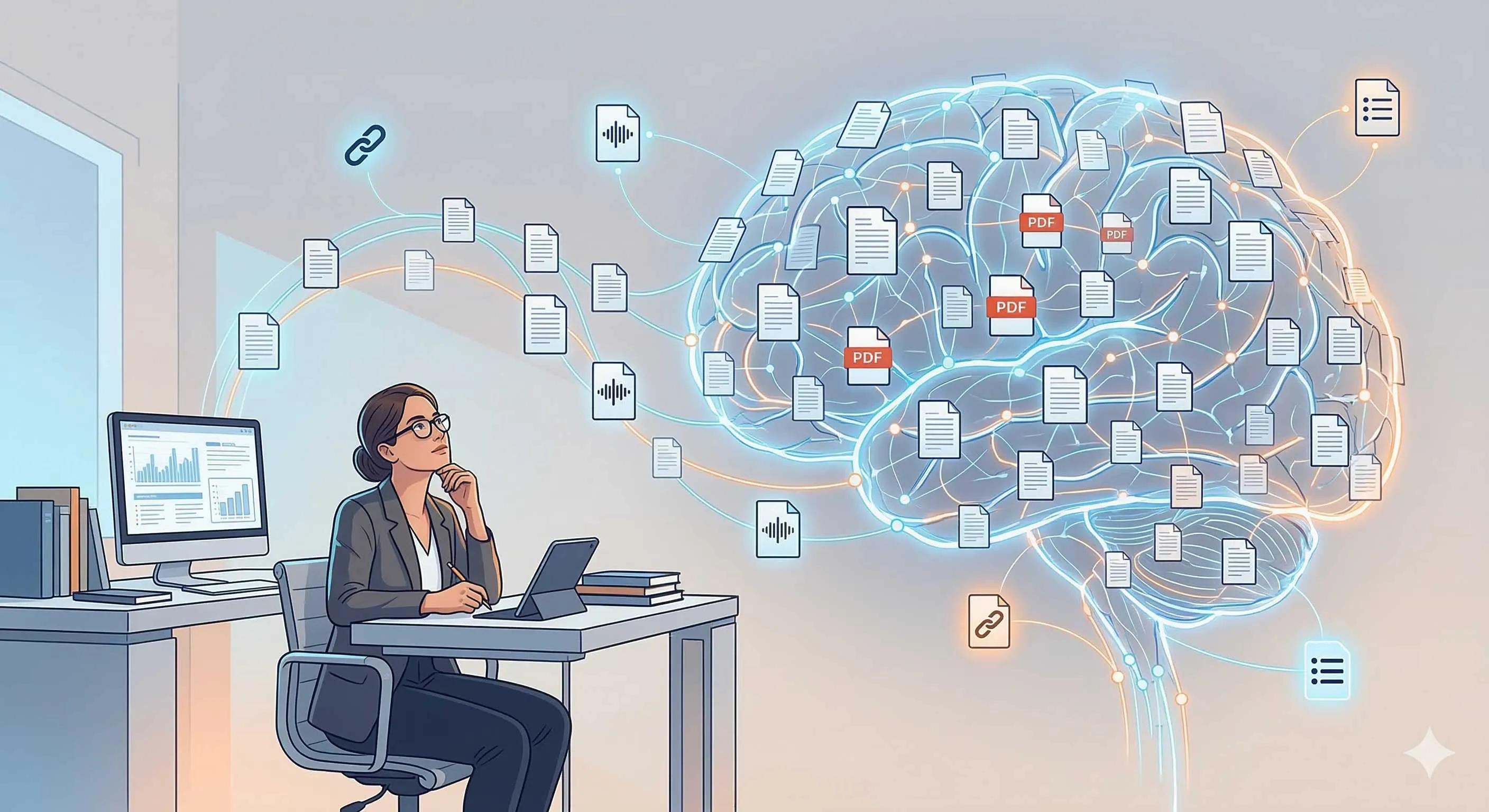
Honestly, when I first heard about NotebookLM, I thought it was just another AI document summarization tool. After all, there are so many similar products on the market—upload PDF, generate summary, answer a few questions—it seems like everyone is doing the same thing.
But when I actually started using it for academic research, I realized this thing is completely different from what I imagined.
It’s more like a librarian who has only read the books you specified, rather than a “know-it-all” that might talk nonsense.
What is NotebookLM? Why Do Researchers Need It?
NotebookLM is Google’s AI research assistant, with a core concept that can be summarized in one phrase: Source-Grounded.
What does this mean?
Traditional AI like ChatGPT and Claude rely on海量 data from their training when answering questions. They know a lot, but they might mix book viewpoints with their own knowledge, even hallucinating. Ask them about a study’s conclusion, and they might fabricate a seemingly reasonable but actually non-existent citation.
NotebookLM is completely different. Its responses must be based on sources you upload. You can think of it as:
A professional research assistant who has only read the materials you provided, doesn’t make things up, doesn’t go off-topic—every answer can be traced to specific document origins.
This design is a lifesaver for academic research. Think about it—when you need to write a literature review, what’s most painful?
- Dozens of papers scattered in different folders, finding them is like searching for a needle in the ocean
- After reading the later ones, forgetting the earlier ones, notes pile up but don’t connect
- Uncertain which paper a viewpoint came from,提心吊胆 when citing
- Using ordinary AI tools to find资料, worried they’re making things up
NotebookLM solves these pain points.
Core Features Explained: From Literature Management to Knowledge Creation
Source File Management: Your Personal Research Database
The most basic unit of NotebookLM is the “Notebook.” Each notebook can be understood as a research project where you can add:
- PDF files (academic papers, reports, book chapters)
- Google Docs documents
- Copied text snippets
- YouTube video links
- Web page links
What are the latest update limits?
Free users can add 50 source files per notebook, while Plus (paid) users have a limit of 300 source files. For general master’s theses or small research projects, the free version is sufficient. If you’re doing systematic reviews or large-scale projects, Plus capacity offers more assurance.
Here’s a tip: if your research involves massive literature, use “topic notebooks” to organize. For example, for research on “machine learning applications in medical diagnosis,” you can create multiple notebooks by subtopic:
- Notebook 1: Medical imaging-related literature
- Notebook 2: Pathological diagnosis-related literature
- Notebook 3: Drug discovery-related literature
This both avoids single notebook source limits and makes AI responses more focused.
Conversational Research: Reading Papers Like Chatting
After uploading files, NotebookLM automatically analyzes content and builds indexes. Then you can start “chatting.”
The interface is clean—just a chat window. But unlike ChatGPT, every response here shows citation sources—you can click directly to view original sources.
For example, I ask: “Among these papers, what are the accuracy rates for deep learning in lung cancer detection respectively?”
NotebookLM provides a summary table with source annotations after each row. Click the annotation to jump to the corresponding PDF page. This traceability is crucial in academic writing.
Even more powerful, it supports cross-document correlation. When you ask a question involving multiple papers, the AI automatically establishes connections between them, helping you discover commonalities and differences you might not have noticed.
Audio Overview: Speed-Reading Literature by Listening
This might be NotebookLM’s most viral feature.
Click “Audio Overview” and the system generates a podcast-style dialogue between two AI hosts. They discuss your uploaded materials in a relaxed manner, like a real podcast.
You can customize:
- Format: Deep dive, briefing, critique, debate
- Duration: From a few minutes to dozens of minutes
- Focus: Specific topics or comprehensive overview
I was initially skeptical about this feature. Research is so serious, can listening to podcasts work?
But after actually using it, I found its value lies in reducing cognitive load. When facing dense PDFs feeling overwhelmed, listening to a 10-minute audio overview first can quickly give you a “feel” for the entire field. Knowing the general framework, then going back to精读 specific papers, efficiency is much higher.
Plus, you can ask questions anytime during playback. Don’t understand a concept? Directly ask “Can you explain the Transformer architecture mentioned just now?” and the AI pauses the podcast to answer.
Custom Persona: Creating Your Exclusive Research Assistant
This is one of the most important updates in 2025.
NotebookLM now allows users to create custom AI roles (Personas). You can define AI behavior, professional domain, response style, etc. in chat settings.

Key upgrade: Custom instruction character limit increased from original 500 characters to 10,000 characters.
What does this mean? Previously you could only write two simple instructions like “please answer in academic style.” Now you can write a complete “job description,” including:
- Detailed role definition (“You are a molecular biology professor with 20 years of experience…”)
- Professional analysis frameworks (“Use PICO model to analyze clinical studies…”)
- Specific output formats (“All conclusions must标注 evidence levels…”)
- Tone and style guidelines (“Maintain critical thinking, actively point out research limitations…”)
For example, if you’re doing systematic reviews, you can create a “Systematic Review Expert” Persona:
You are an experienced systematic review methodologist, proficient in evidence-based medicine and literature critical appraisal.

Your responsibilities are:
1. Help users screen studies meeting inclusion criteria
2. Use Cochrane risk of bias assessment tools to evaluate study quality
3. Identify sources of heterogeneity between studies
4. Propose best strategies for evidence synthesis

Response standards:
- All viewpoints must cite user-provided source files
- For research limitations, clearly specify specific bias types
- Give brief explanations when involving statistical concepts
- Use table formats to compare key characteristics of different studies
With such role settings, NotebookLM is no longer a generic Q&A robot but a professional partner who truly understands your research needs.
Deep Research: Automated In-Depth Investigation
If previous features still required you to manually upload files, Deep Research is fully automatic.
Launched at the end of 2025, this heavyweight feature requires only a research question, and NotebookLM automatically:
- Develops retrieval strategy: Analyzes your question, determines keywords and search scope
- Searches the entire web: Browses hundreds of websites, collecting relevant literature and materials
- Intelligently screens: Evaluates source quality,排除 unreliable information
- Integrates report: Generates a structured, fully cited in-depth research report
The entire process takes only 3-5 minutes.
Even more powerful, all these automatically collected documents are imported into your notebook for continued conversational research. This is equivalent to automating literature retrieval, preliminary screening, and material organization.
For researchers needing to quickly understand a new field, this is simply a godsend. For example, if you’re doing a project on “AI applications in drug discovery,” previously it might take days to retrieve literature; now you can get a high-quality research report in minutes, with complete reference lists attached.
Practical Case: How to Complete Literature Review with NotebookLM
Said so many features, let’s look at actual research workflows.
Suppose you’re preparing a literature review on “remote work’s impact on employee mental health.” Here’s the complete process using NotebookLM:
Step 1: Build Knowledge Base
Create a notebook named “Remote Work and Mental Health” and start collecting materials:
-
Use Deep Research for preliminary investigation:
- Input question: “Impact of remote work on employee mental health, including positive and negative aspects”
- Wait 3-5 minutes for system to generate report and automatically import relevant literature
-
Manually supplement core literature:
- Upload important papers you’ve already collected
- Add classic studies in the field
- Supplement latest preprint papers
-
Organize sources:
- Add brief annotations to each source (can edit directly in NotebookLM)
- Label study types (RCT, cohort study, cross-sectional study, etc.)
- Mark key findings
Step 2: Quick Overview and Topic Discovery
Don’t rush into details; first use Audio Overview to build overall cognition:
- Generate a 15-minute “deep dive” format podcast
- Take notes on topics of interest and key concepts while listening
- Pay attention to cross-study connections mentioned by AI—these are often important clues for reviews
After listening, you’ll have a clear framework of the field’s main topics, controversies, and research gaps.
Step 3: Critical Analysis
Now enter deep analysis phase. Create a critical analysis Persona:
You are an occupational health psychology expert, proficient in methodological evaluation of workplace mental health research.

Please critically analyze provided literature:
1. Evaluate each study's internal and external validity
2. Identify potential confounding variables and selection biases
3. Compare possible reasons for different study conclusions
4. Point out weak links in evidence chains
5. Suggest issues future research needs to address

Response requirements:
- Must cite specific literature to support your evaluations
- Distinguish between "factual statements" and "your professional judgments"
- For methodological flaws, explain impact on conclusion credibility
Then you can ask various analytical questions:
- “What different tools did these studies use to measure mental health? What are their respective advantages and disadvantages?”
- “Which studies controlled for organizational support variable? What differences were there in results?”
- “Does current evidence support causality or merely correlation?”
Step 4: Structured Organization
NotebookLM can help you generate various output formats:
Mind maps: Display thematic relationships between studies
Timelines: If research involves historical development, arrange key findings chronologically

Comparison tables: Have AI generate tables comparing different study characteristics, including:
- Research methods
- Sample characteristics
- Main findings
- Limitations
Study guides: Generate introductory guides for teams or students entering the field
Step 5: Verification and Citation
This is the most crucial step. Although NotebookLM provides citation links, you must:
- Click every citation to verify if AI summaries are accurate
- Check direct quotes from original texts to ensure no distortion of authors’ original meanings
- Confirm reference formats meet journal requirements
Remember: AI is assistant, not replacement. Final academic responsibility still lies with you.
Advanced Tips: Bypassing Limits, Maximizing Efficiency
Breaking Source File Quantity Limits
If you’re using the free version, the 50 source file limit might become a bottleneck. Here are some workarounds:
1. Merge related literature
If multiple short papers or reports discuss similar topics, merge them into one PDF for upload. NotebookLM can handle large documents, so merging won’t significantly impact usage.
2. Layered notebook strategy
Don’t try to cram all literature into one notebook. Create multiple notebooks by research phase or topic:
- Notebook A: Theoretical foundations (classic literature)
- Notebook B: Empirical studies (recent papers)
- Notebook C: Methodology (research method papers)
When synthesis is needed, copy the most important documents (representing each notebook’s core viewpoints) into a “synthesis” notebook.
3. Use Deep Research as starting point
Deep Research itself doesn’t consume source file quota (its generated report counts as one source). Use it to build foundational frameworks first, then针对性地 add key literature.
Tips for Optimizing AI Response Quality
1. Make your questions specific
❌ Bad: “Summarize these papers”
✅ Good: “What are the commonalities and differences in intervention design among these RCT studies on remote work?”
The more specific the question, the more useful the answer.

2. Utilize multi-turn dialogue
Don’t expect perfect answers in one question. Treat research as collaboration with AI:
- Round 1: “List the main theoretical frameworks mentioned in these studies”
- Round 2: “For these theories, which paper provides the most detailed empirical support?”
- Round 3: “Can you explain in detail how this paper tested that theory?”
3. Request structured output
Explicitly ask AI to organize information using tables, lists, comparisons, etc. This makes subsequent organization much easier.
Limitations and Precautions
NotebookLM is powerful, but it’s not omnipotent. Here are some usage precautions:
Language Limitations
Although NotebookLM supports multiple language documents, its core features (especially Audio Overview) are primarily optimized for English content. If you mainly read Chinese literature, some feature effects may be compromised.
Cannot Access Paywalled Databases
NotebookLM cannot directly download literature from CNKI, Web of Science, PubMed, and other paywalled databases. You need to download PDFs first, then upload to NotebookLM. This means it cannot replace traditional literature retrieval workflows but serves as a post-retrieval analysis tool.
Source Quality Determines Output Quality
AI can only learn from your materials. If your uploaded literature itself is low quality or one-sided, AI analysis will be affected. Garbage in, garbage out.
Citations Need Manual Verification
Although NotebookLM provides citation追溯 functionality, it occasionally “mixes up” viewpoints—incorrectly linking Paper A’s观点 to Paper B. Important viewpoints must be verified by clicking citations.
Not Suited for Highly Specialized Fields
In extremely specialized niche areas (like research on a specific gene’s function), if uploaded literature contains大量 professional术语 and complex experimental designs, NotebookLM’s understanding may not be deep enough. In such cases, it’s more suitable for preliminary screening and information extraction; deep professional analysis still requires manual completion.
Conclusion: A New Research Paradigm for the AI Era
NotebookLM represents a new research paradigm—human-AI collaborative deep research.
It’s not replacing researchers’ thinking but amplifying researchers’ capabilities:
- Reducing literature retrieval from days to minutes
- Transforming painful manual cross-literature information integration into smooth conversations
- Providing more systematic frameworks for critical analysis
But ultimately, it’s just a tool. What truly matters are your research questions, your critical thinking, your understanding of the discipline.
Use NotebookLM wisely as a tireless research assistant. But final research design, data analysis, paper writing still require your wisdom and judgment.
After all, the core of research is creating knowledge, not just organizing it.
FAQ
What's the main difference between NotebookLM Free and Plus versions?
How does NotebookLM solve AI hallucination problems?
How does Deep Research functionality work?
What should you pay attention to when using NotebookLM for literature review?
12 min read · Published on: Feb 27, 2026 · Modified on: Mar 18, 2026

Related Posts
OpenClaw 2026.3 Advanced Practice: Core Features and Best Practices

OpenClaw 2026.3 Advanced Practice: Core Features and Best Practices
OpenClaw Practical Guide: From Beginner to Master

OpenClaw Practical Guide: From Beginner to Master
Don't Be a Prisoner of a Single Model: Flexibly Switching Between Gemini 3, Claude 4.5, and GPT-OSS in Antigravity

Comments
Sign in with GitHub to leave a comment