
AI SEO Automation in Practice: Building a Content Factory with NotebookLM + Gemini 3
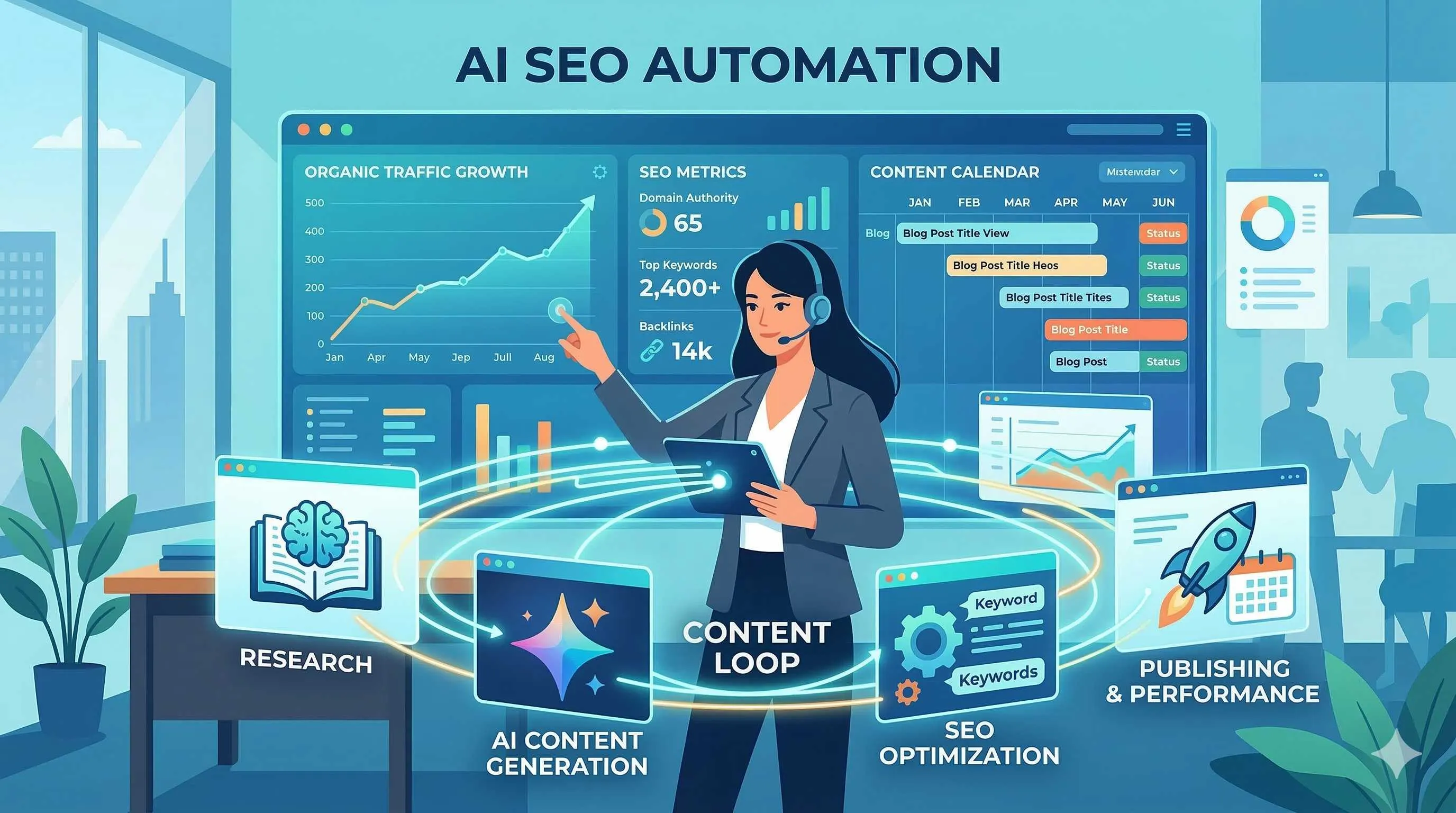
It was 9 AM on a Monday, and my coffee hadn’t even cooled yet.
I stared at the content calendar on my screen—four blog posts, two video scripts, and a bunch of social media posts due this week. My fingers hovered over the keyboard, but my mind was blank. You know that feeling? Like standing in front of a treadmill, knowing you have to run, but your legs feel like lead.
Honestly, I used to think this anxiety was just the fate of content creators. That was until three months ago, when I discovered a truth that sent chills down my spine: the SEO game has completely changed in 2026. Those still typing manually aren’t lazy—they’re bringing a knife to a gunfight.

Gartner’s data woke me up: 35% of large enterprises will use LLMs for automated content production by 2026. HubSpot’s research hit even harder—teams with integrated AI SEO tools save 15 hours per week. What does that mean? While your competitors are starting their weekends Friday afternoon, you’re still stressing about next week’s schedule.
Today, I want to share a workflow I’ve battle-tested for three months. It’s not theory—it’s what I use every single morning. I call it the “AI SEO Loop”—a content production factory where NotebookLM and Gemini 3 work seamlessly together.
Why 2026 is the Tipping Point for AI SEO
Let me tell you about the discovery that kept me up at night.
Last year, I was still doing SEO the traditional way: keyword research → outline → draft → endless revisions. A 2,000-word article took at least two days from conception to publication. Back then, I thought this was normal—“good content takes time,” right?
Then I saw this data point: 42% of marketers are already using AI to create content. Not in the future—right now. That’s when it hit me: the problem isn’t lack of time; it’s outdated methods.
Search engine algorithms have evolved faster than we imagined. Google is no longer that “dumb” system counting keyword frequency. Today’s algorithms are more like experienced editors—they understand intent, judge authority, and even sense emotion. Keyword matching? That’s so 2016.
This creates a cruel paradox: AI makes content production easier than ever, but competition is fiercer than ever. When everyone can generate ten articles a day, how do you stand out?
The answer lies in Google’s own tools.
The NotebookLM and Gemini 3 combination isn’t just another “AI writing tool” hype. It’s Google’s official solution—source-driven research ensures authority, multimodal output ensures differentiation. The core logic is simple: let AI do what it excels at (processing massive information), and let humans do what they excel at (injecting unique perspectives and emotions).
I spent a full month figuring out how these two tools work together. Honestly, it was frustrating at first—interface switching, overlapping features, unstable outputs. But when I found that “sweet spot,” it was all worth it.
Setting Up NotebookLM as Your Industry Research Hub
Think of NotebookLM as your personal research assistant. Not the junior kind that just Googles stuff, but the super-powered kind that can read 100 reports, extract key insights, and remember every detail.
When I first opened NotebookLM, the interface was so clean I thought something was missing. No fancy templates, no complex settings—just a simple upload area and a few buttons. But this minimalism is exactly what makes it my research hub.
Step 1: Build Your Knowledge Base
Don’t rush to generate content. Take time to collect truly authoritative materials—industry whitepapers, academic reports, competitive analyses, customer interview records. Here’s my routine:
- Every Sunday evening, spend 30 minutes browsing industry news and reports
- Drag PDFs directly into NotebookLM (supports Google Drive sync)
- Tag each source: “competitive analysis,” “user insights,” “tech trends”
Pro tip: don’t be greedy. I tried uploading 50 files at once, and the AI’s responses became generic. Now I stick to 10-15 high-quality sources, and the results are much better.
Step 2: Let AI “Read” for You
Once uploaded, I ask NotebookLM questions like:
- “What are the common perspectives on [topic] across these reports?”
- “Which data points contradict each other?”
- “Organize this information into a timeline”
The best part is its citation feature. Every answer shows which source and page it came from. What does that mean? You can use this information with confidence because you know exactly where it came from. In the EEAT era, this is crucial—Experience, Expertise, Authoritativeness, Trustworthiness. You need them all.
Step 3: Set Up Automated Monitoring

This is a feature I recently discovered. You can regularly update sources, and NotebookLM automatically re-analyzes them. I put competitors’ blog RSS feeds into it, and every Monday morning it tells me: “Here’s what they published this week and what trends to watch.”
There’s a community on Reddit called r/AISEOInsider where someone shared an even more powerful technique: use Deep Research to automatically track competitor movements weekly, then let NotebookLM analyze the differences. I’m using this method now, and I feel like I have superpowers.
Practical Applications of Gemini 3’s Multimodal Output
If NotebookLM is the “brain’s memory bank,” then Gemini 3 is the “creative workshop.”
The connection between the two is surprisingly smooth. Notes organized in NotebookLM can be directly imported into Gemini 3 for further processing. Once this workflow is established, my content output efficiency took off.
From Notes to Long-Form Articles
My most common workflow: research a topic in NotebookLM first, export key points and citations. Then feed those to Gemini 3 with a simple prompt: “Based on these materials, write a 1,500-word SEO-optimized blog post targeting [specific audience], professional but friendly tone.”
The results usually need human polishing, but the framework and factual foundation are solid. Crucially, Gemini 3 preserves all citation marks—meaning you don’t have to worry about “AI hallucinations” fabricating data.
Julian Goldie shared a case study on his blog: using the NotebookLM to Gemini workflow, he went from idea to landing page content in a single session. I tried it, and it works. Quality still needs human oversight, but the speed is incredible.
Veo 3.1 Video Generation
This feature surprised me. Previously, making videos meant scripting, finding素材, editing—at least half a day. Now I can generate 8-second short videos with audio directly from Gemini 3.
Sure, what can you do in 8 seconds? Product intro hooks, social media teasers, video attachments for email marketing—these bite-sized pieces are exactly what modern marketing needs. And because it’s AI-generated, iteration costs are minimal. Not satisfied? Change the prompt and try again—five minutes, done.
Data Tables Visualization
This feature has saved me countless times when creating data analysis reports. Just import raw data tables, and Gemini 3 automatically generates various charts and analysis interpretations. Most importantly, it explains “what this data means,” not just giving you a chart.
Building the Complete AI SEO Loop Workflow
Alright, I’ve covered the components; now let’s assemble them into a machine.
Daniel Ferrera summarized a loop in his Rank #1 system: Research→Outline→Draft→Visuals→Tables→Publishing→Updates. Combining this with NotebookLM and Gemini 3 features, I’ve organized it into four stages:
Step 1: Research Phase (Led by NotebookLM)
- Collect authoritative materials to build a knowledge base
- Extract key insights and data
- Identify content gaps and opportunities
I spend 1-2 hours on this phase, but the research output lasts for weeks. The key is building a sustainable, updatable knowledge base instead of starting from scratch every time.
Step 2: Creation Phase (Led by Gemini 3)
- Generate long-form draft articles based on research notes
- Simultaneously create supporting videos/charts
- Prepare multi-platform adapted versions
I usually start with the blog post body, then derive other formats. For example, break the long-form into a Twitter thread, or extract key points into a LinkedIn post. One research foundation, multiple content formats.
Step 3: Optimization Phase (Human-AI Collaboration)
- Human fact-checking for accuracy
- Inject personal experiences and perspectives
- Check EEAT standard compliance
This step absolutely cannot be skipped. AI can write for you, but it can’t think for you. I pay special attention to a few points: Are there unique insights? Real case studies? Will readers think “this person really knows their stuff”?
Step 4: Distribution Phase (Automated Tools)
- Multi-platform synchronized publishing
- Set up data tracking
- Regular review and updates
Don’t forget to review the data after publishing. Which content performs well? Why? Feed this feedback back into NotebookLM’s knowledge base to create a continuous improvement loop.
Key Techniques for Maintaining Content Consistency and Authority
At this point, you might worry: Does using AI for bulk content production lose the soul? Will Google penalize it?
I’ve had these concerns too. Honestly, when I first started using this workflow, I felt a bit guilty—like I was “cheating.” But after three months, I realized the issue isn’t whether to use AI, but how to use it.
Source Citation Mechanism
This is where NotebookLM gives me the most confidence. Every claim has a source; every data point traces back to the original report. Readers might not see this behind-the-scenes work, but you know. When you know what you’re saying and why you’re saying it, content naturally gains authority.

Brand Voice Training
Gemini 3 lets you create Customized Gems—essentially training an AI assistant that understands you. I feed it my best past articles so it learns my tone, vocabulary habits, even some of my catchphrases.
The drafts generated this way no longer have that cold “AI taste.” They need fewer adjustments and read more like I wrote them myself.
Human-AI Collaboration Quality Control
My principle: AI handles 70%, humans handle 30%. That 30% includes:
- Opening hooks—must be human-written, with real emotion and scenarios
- Personal stories—AI doesn’t know what you discussed with clients last week
- Concluding升华—giving readers a reason to take action
Google’s 2026 interpretation of EEAT standards emphasizes Experience and Trust as ranking factors. What does that mean? Purely AI-generated content will struggle to rank well. But human-AI collaborative content—combining AI efficiency with human warmth—is the real competitive advantage.
Conclusion
As I write this, the sky outside has darkened.
The Monday morning anxiety from three months ago feels like a lifetime ago. Not that the workload has decreased—in fact, my output has tripled—but that feeling of “never catching up with the schedule” has vanished.
The AI SEO Loop isn’t magic; it’s just a more efficient way of working. Research goes to NotebookLM, creation goes to Gemini 3, and you focus on what only you can do: thinking, judging, connecting, empathizing.
If you want to try this workflow, my advice is: don’t bite off more than you can chew. Start with a small project. Pick a topic you know well, build a knowledge base in NotebookLM, then use Gemini 3 to generate your first draft. Feel the process, find your rhythm.
Oh, and remember to review and update regularly. SEO is a constantly changing battlefield; today’s best practices might be outdated tomorrow. Keep learning, stay curious, and maintain that “Monday morning coffee in peace” mindset.
That’s it. I hope next time we meet in some comment section, you’ve found your own AI SEO Loop.
FAQ
Why is 2026 the tipping point for AI SEO?
How does NotebookLM ensure content authority?
What are the four stages of the AI SEO Loop?
How to avoid Google penalties on AI-generated content?
11 min read · Published on: Feb 27, 2026 · Modified on: Mar 18, 2026

Related Posts
OpenClaw 2026.3 Advanced Practice: Core Features and Best Practices

OpenClaw 2026.3 Advanced Practice: Core Features and Best Practices
OpenClaw Practical Guide: From Beginner to Master

OpenClaw Practical Guide: From Beginner to Master
Don't Be a Prisoner of a Single Model: Flexibly Switching Between Gemini 3, Claude 4.5, and GPT-OSS in Antigravity

Comments
Sign in with GitHub to leave a comment